https://github.com/sdwebimage/sdwebimagemapkitplugin
A SDWebImage plugin to support MapKit integration
https://github.com/sdwebimage/sdwebimagemapkitplugin
Last synced: about 1 year ago
JSON representation
A SDWebImage plugin to support MapKit integration
- Host: GitHub
- URL: https://github.com/sdwebimage/sdwebimagemapkitplugin
- Owner: SDWebImage
- License: mit
- Created: 2020-02-26T06:42:21.000Z (over 6 years ago)
- Default Branch: master
- Last Pushed: 2020-02-26T11:29:24.000Z (over 6 years ago)
- Last Synced: 2025-06-04T02:33:43.716Z (about 1 year ago)
- Language: Objective-C
- Size: 588 KB
- Stars: 0
- Watchers: 2
- Forks: 3
- Open Issues: 0
-
Metadata Files:
- Readme: README.md
- License: LICENSE
Awesome Lists containing this project
README
# SDWebImageMapKitPlugin
[](https://travis-ci.org/SDWebImage/SDWebImageMapKitPlugin)
[](https://cocoapods.org/pods/SDWebImageMapKitPlugin)
[](https://cocoapods.org/pods/SDWebImageMapKitPlugin)
[](https://cocoapods.org/pods/SDWebImageMapKitPlugin)
[](https://github.com/SDWebImage/SDWebImageMapKitPlugin)
[](https://swift.org/package-manager/)
[](https://codecov.io/gh/SDWebImage/SDWebImageMapKitPlugin)
## What's for
SDWebImageMapKitPlugin is a plugin for [SDWebImage](https://github.com/rs/SDWebImage/) framework, which provide the [MapKit](https://developer.apple.com/documentation/mapkit) integration and category.
SDWebImage previously have a subspec to hold these integration code, however, since this is not the core feature of SDWebImage, due to the project maintain issue, we move the MapKit integration into a standalone framework.
## Requirements
+ iOS 8+
+ macOS 10.10+
+ tvOS 9.2+
+ Xcode 11+
## Installation
#### CocoaPods
SDWebImageMapKitPlugin is available through [CocoaPods](https://cocoapods.org). To install
it, simply add the following line to your Podfile:
```ruby
pod 'SDWebImageMapKitPlugin'
```
#### Carthage
SDWebImageMapKitPlugin is available through [Carthage](https://github.com/Carthage/Carthage).
```
github "SDWebImage/SDWebImageMapKitPlugin"
```
#### Swift Package Manager (Xcode 11+)
SDWebImageMapKitPlugin is available through [Swift Package Manager](https://swift.org/package-manager).
```swift
let package = Package(
dependencies: [
.package(url: "https://github.com/SDWebImage/SDWebImageMapKitPlugin.git", from: "0.1")
]
)
```
## Usage
+ Objective-C
```objective-c
MKAnnotationView *annotationView;
NSURL *imageURL;
[annotationView sd_setImageWithURL:imageURL];
```
+ Swift
```swift
let annotationView: MKAnnotationView
let imageURL: URL
annotationView.sd_setImage(with: imageURL)
```
## Demo
If you have some issue about usage, SDWebImageMapKitPlugin provide a demo for iOS && macOS platform. To run the demo, clone the repo and run the following command.
```bash
cd Example/
pod install
open SDWebImageMapKitPlugin.xcworkspace
```
After the Xcode project was opened, click `Run` to build and run the demo.
## Screenshot
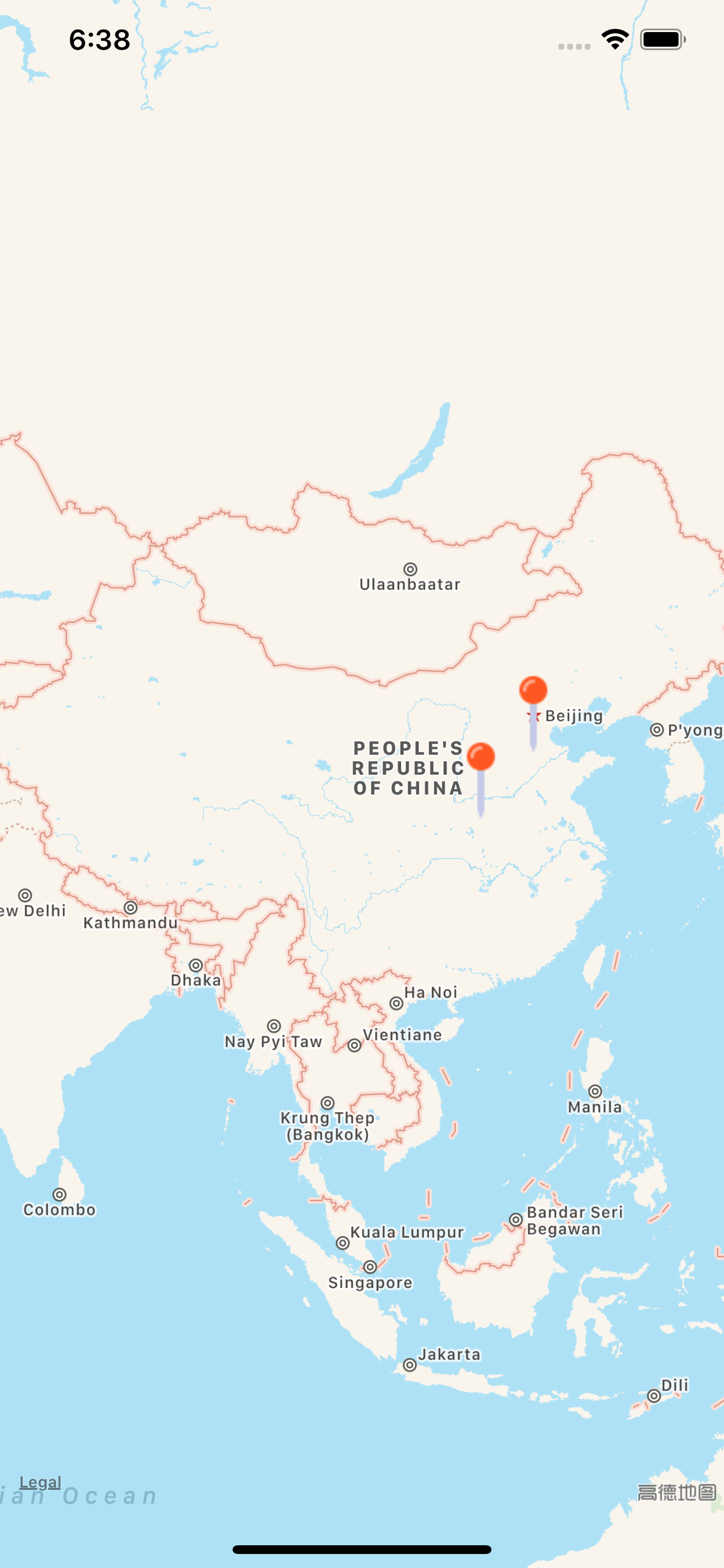
The annotation pin icon is from [icons8.com](https://icons8.com/icon/19326/map-pin)
## Author
DreamPiggy
## License
SDWebImageMapKitPlugin is available under the MIT license. See the LICENSE file for more info.