https://github.com/sean-bradley/r3f-pack
A simplified and maintained react-scripts alternative.
https://github.com/sean-bradley/r3f-pack
bundler javascript r3f r3f-pack r3fpack react typescript
Last synced: over 1 year ago
JSON representation
A simplified and maintained react-scripts alternative.
- Host: GitHub
- URL: https://github.com/sean-bradley/r3f-pack
- Owner: Sean-Bradley
- License: mit
- Created: 2023-10-08T12:49:57.000Z (over 2 years ago)
- Default Branch: main
- Last Pushed: 2024-12-13T17:06:15.000Z (over 1 year ago)
- Last Synced: 2025-03-24T08:11:22.783Z (over 1 year ago)
- Topics: bundler, javascript, r3f, r3f-pack, r3fpack, react, typescript
- Language: JavaScript
- Homepage: https://sbcode.net/react-three-fiber/r3f-pack/
- Size: 1.06 MB
- Stars: 27
- Watchers: 3
- Forks: 6
- Open Issues: 0
-
Metadata Files:
- Readme: README.md
- Funding: .github/FUNDING.yml
- License: LICENSE
Awesome Lists containing this project
README
 
# R3F-Pack
A simplified and maintained `react-scripts` alternative.

`react-scripts` is deprecated, but it was good while it lasted.
It now has many out of date dependencies and working with it sometimes requires quite a few manual band-aids.
So I created this `R3F-Pack`. I wrote it for my [R3F examples](https://sbcode.net/react-three-fiber/examples/), and it may work with your existing React code also.
## Video Tutorial
[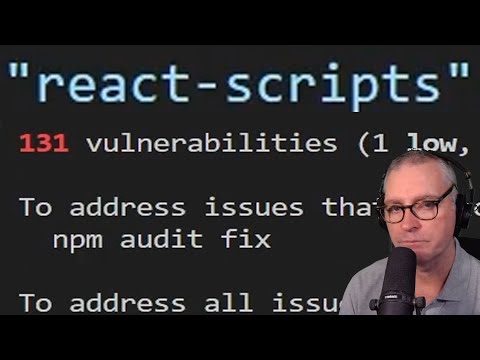](https://www.youtube.com/watch?v=w07muxLvPFA&list=PLKWUX7aMnlEK9DrrY1yXdiUBro1CryZaX)
## About
`R3F-Pack` runs very similar to how `react-scripts` works, and your project structure remains the same.
- It serves the dev version on port 3000
- It auto opens the browser at address `http://localhost:3000`
- It enables Hot Module Reloading (HMR) with fast refresh
- It serves the development version from the `./public` folder
- `npm run build` builds a production quality version of your app, and will copy all static files & folders under `./public` to the `./build` folder ready for deployment
- Production `bundle.js` contains a hash in its name to prevent caching
- It supports building with [TypeScript](https://sbcode.net/react-three-fiber/typescript/)
- It indicates 0 vulnerabilities when running `npm install`, at the time of writing this message

## Starting a new Project
To start a brand-new React project, run
```bash
npx new-cra@latest my-app
```
Or, to also include TypeScript
```bash
npx new-cra@latest my-app -ts
```
This will create a very basic React application named `my-app` that you can start developing from.
After the installation has finished,
```bash
cd my-app
npm start
```
Visit http://127.0.0.1:3000
You don't have to name your app `my-app`, you could name it `anything` or `whatever`.
```bash
npx new-cra anything
cd anything
npm start
```
It's your choice, use any name you like. The name should only contain characters that are lowercase, alphanumeric, hyphens and/or underscores.
## Installing `R3F-pack` for Existing React Projects
If you already have an existing app that currently uses `react-scripts`, and you want to convert it to use `R3F-pack`, then use these steps below.
First uninstall `react-scripts`
```bash
npm uninstall react-scripts
```
Next, install `r3f-pack`
```bash
npm install r3f-pack --save-dev
```
And then replace the `start` and `build` commands in your existing `scripts` node in your projects `package.json`
```diff
{
...
"scripts": {
- "start": "react-scripts start",
+ "start": "r3f-pack start",
- "build": "react-scripts build",
+ "build": "r3f-pack build"
},
...
}
```
## Development
To start in development mode,
```bash
npm start
```
Visit http://127.0.0.1:3000
## Production
To build production
```bash
npm run build
```
A production quality `bundle.js` will be compiled and all static files and folders under `./public` will be copied to the `./build` folder ready for deployment.
Upload or deploy the contents of the `./build` folder to the location served by your web server.
### Production Build Organized by Date
To build a production version into a date named folder, then add this line into your `package.json` scripts section,
```diff
{
...
"scripts": {
"start": "r3f-pack start",
"build": "r3f-pack build",
+ "buildByDate": "r3f-pack buildByDate"
},
...
}
```
and then build using the command,
```bash
npm run buildByDate
```
This command will generate a production build in a folder named with the current date (e.g., ./build/23-07-2024). This can help in organizing builds by date for easier management and deployment tracking.
### Test Production Build Locally
To test your production build locally you can use `http-server`
Install it if you don't already have it.
```bash
npm install --global http-server
```
Start it
```bash
http-server .\build\
```
or if using PowerShell
```bash
http-server.cmd .\build\
```
Visit http://127.0.0.1:8080
## Boilerplate
I have many boilerplate branches that use `R3F-pack` by default. You can have a ready-made project to begin from by following these commands instead.
```bash
git clone https://github.com/Sean-Bradley/React-Three-Fiber-Boilerplate.git
cd React-Three-Fiber-Boilerplate
npm install
npm start
```
There are over 60 branches in the [React-Three-Fiber-Boilerplate](https://github.com/Sean-Bradley/React-Three-Fiber-Boilerplate) repository.
You may decide you want something more sophisticated to begin from, for example, you could switch to the `componentize` branch.
```bash
git checkout componentize
npm install
npm start
```
Or maybe checkout one of these other branches,
```bash
git checkout obstacleCourse
git checkout componentize
git checkout pinball
git checkout jeasings
git checkout followCam
```
There are many branches to look at, see here at [https://github.com/Sean-Bradley/React-Three-Fiber-Boilerplate/branches/active](https://github.com/Sean-Bradley/React-Three-Fiber-Boilerplate/branches/active)
## Troubleshooting
This is quite a minimal project, and only mimics the basic functionality of `react-scripts`. If it is missing something that you need, I may be able to add it, or if you know how to do it yourself, then you can make a pull request.
### babel-loader doesn't exist
`r3f-pack` and `react-scripts` share some dependencies. However, you can uninstall `react-scripts` before you install `r3f-pack` if you want to keep your code and dependencies neater.
If you uninstall `react-scripts` after you've installed `r3f-pack`, then you will have also uninstalled some dependencies also required of `r3f-pack`
So, you will need to clean up your `./node_modules` folder.
First uninstall `react-scripts`
```bash
npm uninstall react-scripts
```
Next, also uninstall `r3f-pack` just to be sure you got everything.
```bash
npm uninstall r3f-pack
```
Then re-install `r3f-pack`
```bash
npm install r3f-pack --save-dev
```
Now start development.
```bash
npm start
```
Your browser should auto open to http://127.0.0.1:3000
## Sponsoring
If you would like me to update your `react-scripts`/`CRA` project to use `R3F-Pack`, then consider [sponsoring](https://github.com/sponsors/Sean-Bradley) and notify me of your repository, so I can make a pull request.