https://github.com/seangsisg/claude-code-backup
Automatic backup of all Claude Code settings (incl. WSL stores from Windows) to GitHub, with cross-OS restore
https://github.com/seangsisg/claude-code-backup
ai anthropic backup claude claude-code cli cross-platform developer-tools dotfiles linux macos mcp nodejs restore settings skills sync windows wsl
Last synced: about 20 hours ago
JSON representation
Automatic backup of all Claude Code settings (incl. WSL stores from Windows) to GitHub, with cross-OS restore
- Host: GitHub
- URL: https://github.com/seangsisg/claude-code-backup
- Owner: seanGSISG
- Created: 2026-06-23T19:28:01.000Z (7 days ago)
- Default Branch: main
- Last Pushed: 2026-06-24T03:15:34.000Z (7 days ago)
- Last Synced: 2026-06-28T06:25:05.296Z (3 days ago)
- Topics: ai, anthropic, backup, claude, claude-code, cli, cross-platform, developer-tools, dotfiles, linux, macos, mcp, nodejs, restore, settings, skills, sync, windows, wsl
- Language: JavaScript
- Size: 1.89 MB
- Stars: 3
- Watchers: 0
- Forks: 1
- Open Issues: 0
-
Metadata Files:
- Readme: README.md
- Changelog: CHANGELOG.md
- Roadmap: ROADMAP.md
Awesome Lists containing this project
README
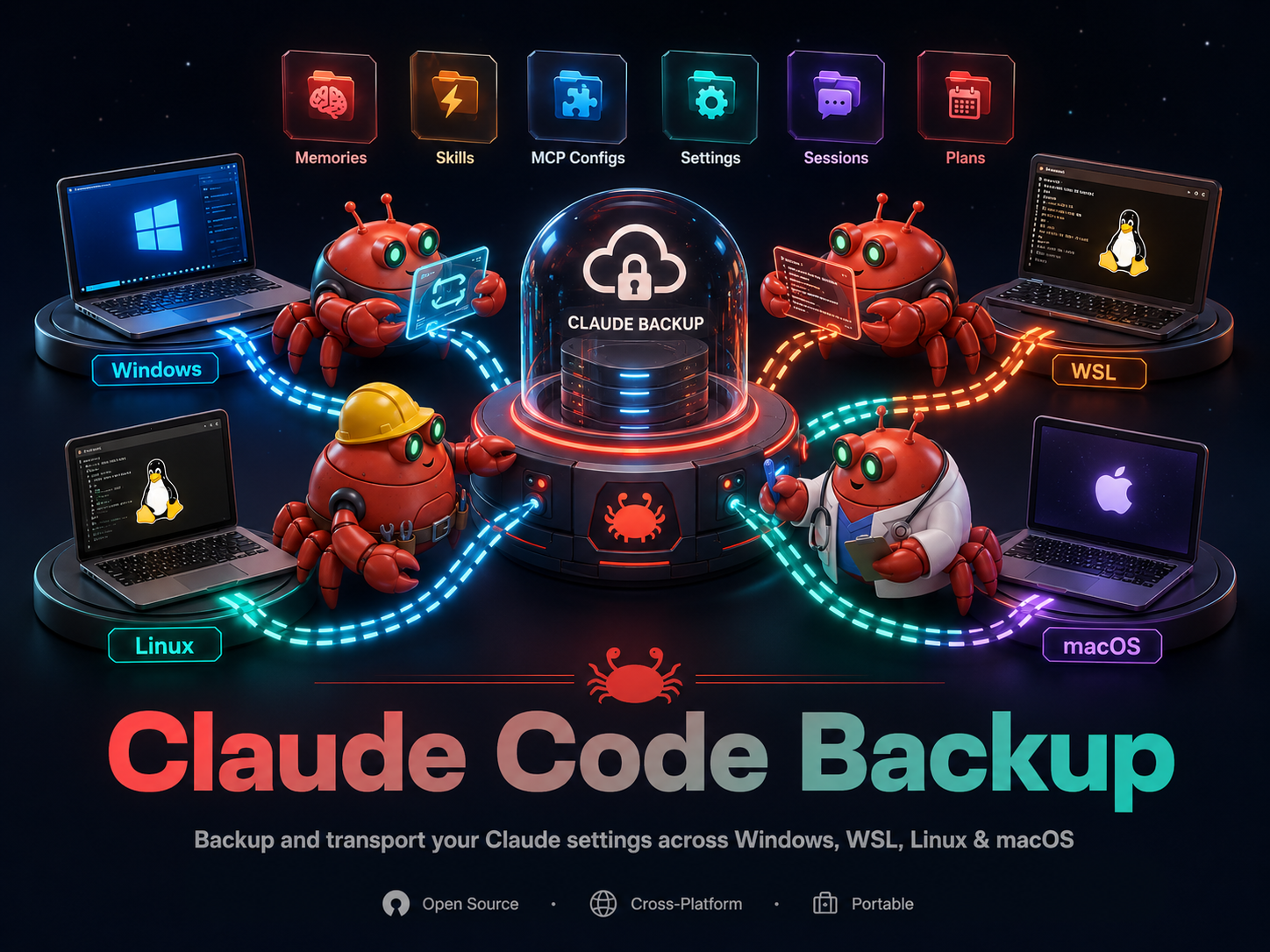
# Claude Code Backup

Automatic backup of all your Claude Code settings to GitHub. One command to set up, then it runs on boot/logon and every few hours. Works on **Linux, macOS, and Windows 11**.

## What gets backed up

Everything Claude Code stores across your machine, not just `~/.claude/`:

- **Memories** (across every scope)

- **Skills** (full directories, recursively)

- **MCP server configs** (every `.mcp.json`, `.claude.json`, settings-embedded servers)

- **Rules, Agents, Commands** (`.md` files)

- **CLAUDE.md files** (global + every project, including `.claude/CLAUDE.md`)

- **Settings** (`settings.json`, `settings.local.json`, project `.claude/` settings)

- **Plans** (`.md` files)

- **Sessions** (`.jsonl` conversation files)

- **Plugins** (cached plugin directories)

It uses the same scanner as [Claude Code Organizer](https://github.com/mcpware/claude-code-organizer) to discover items across all scopes (global + every project directory you've ever opened Claude Code in).

## Multiple environments (Windows + WSL)

Windows-native Claude Code and Claude Code running inside WSL are **separate

installs** with separate `~/.claude` stores that never merge. When you run a

backup on Windows, it automatically discovers your WSL distros (via `wsl.exe`),

reads each distro's `~/.claude` over the `\\wsl.localhost\\…` share, and

backs them up alongside the Windows store as distinct environments:

```

latest/win-DESKTOP/…          ← Windows-native store

latest/wsl-Ubuntu-DESKTOP/…   ← WSL Ubuntu store

```

Interactive runs (`init`, `run`) wake a stopped distro briefly to back it up;

scheduled background runs leave stopped distros asleep and capture WSL only when

it's already running.

## One repo, many machines

A single private repo holds **every machine you back up** — each environment

lives under its own `latest//` folder, where `envId` is

`[-]-` (the first 8 hex of a per-machine UUID stored locally

in `~/.claude-backups/machine-id.json`, never committed), so machines with the

same hostname never collide:

```

latest/win-550e8400/…           ← machine 1, Windows store

latest/wsl-Ubuntu-550e8400/…    ← machine 1, WSL store

latest/mac-a1b2c3d4/…           ← machine 2, macOS store

```

The **first machine** creates the repo; **later machines join** by cloning it,

and each `run` only rewrites its own env folders (and `git pull --rebase`es

before pushing), so machines never overwrite each other's backups. If a run

would overwrite an env dir owned by a different machine's UUID, it aborts rather

than clobber it (`--confirm-collision` to override).

## Security & secrets

This backup is intentionally **complete and restorable**, so it keeps real

secrets — MCP server keys (command/args/env), `settings.local.json`, `.claude.json`,

and session transcripts. Nothing is silently dropped. Therefore:

- **Always use a PRIVATE repo.** Pushing to a public GitHub remote is **blocked**

  unless you pass `--allow-public`. `status` re-checks and reports the remote's

  visibility every time; a non-GitHub remote can't be verified, so it's treated

  as **unknown** and you should confirm it's private yourself.

- Each `run` does a quick **secret scan** of what it just backed up and prints a

  one-line reminder if anything looks like a key/token — a nudge to keep the

  repo private, not a blocker.

- **If your backup repo was ever exposed** (public, or a leaked clone), rotate

  the affected credentials: regenerate MCP server API keys/tokens, and rotate any

  tokens stored in `settings.local.json` / `.claude.json`.

### Keeping machines separate (optional, local config)

Three optional files in `~/.claude-backups/` are **local to each machine** and

never committed:

- **`exclude.json`** — keep things out of *this* machine's backup entirely

  (e.g. personal projects off a work machine, or drop sessions/`settings.local.json`):

  `{ "excludeCategories": ["session"], "projectFilter": { "mode": "exclude", "patterns": ["*personal*"] } }`.

- **`sync-config.json`** — declare **sync groups** of machines that may share

  config. Once any group exists, `restore` refuses to copy one machine's config

  onto another unless they share a group (prevents leaking work config to home).

  With no file present, cross-machine restore works as usual.

- **`machine-id.json`** — this machine's stable identity (UUID, label, role);

  created automatically. Never share or copy it between machines.

When restoring, you can also filter per run: `--exclude-labels sensitive`

(drops MCP/sessions/`settings.local.json`), `--only-categories skill,agent`,

`--exclude-categories session`, etc.

## Quick start

```bash

npx @seangsisg/claude-code-backup init

```

This walks a guided script:

1. Discover your environments (Windows-native + any WSL distros) and show what it found

2. Ask this machine's **label** and **role** (work/home/shared) — shown wherever machines are listed

3. On Windows, ask **which WSL distros** to back up (default: all; the choice is honored by every later run)

4. Ask whether this is your **first machine** (creates a private repo — via the [`gh` CLI](https://cli.github.com/) if available, else asks for a URL) or **joining an existing backup** (clones the repo another machine already uses)

5. Confirm a **private-repo acknowledgment** when the remote is public or its visibility can't be verified (backups hold secrets)

6. Ask your backup interval from a menu (1h / 4h / 8h / 24h / manual)

7. Install or update a scheduled job — systemd timer (Linux), LaunchAgent (macOS), or Task Scheduler task (Windows) — unless you chose manual

8. Offer to run the first backup immediately

## Manual backup

```bash

npx @seangsisg/claude-code-backup run

```

## Check status

```bash

npx @seangsisg/claude-code-backup status            # single-screen: remote, branch sync, machines, warnings

npx @seangsisg/claude-code-backup status --verbose  # also prints the raw scheduler output

```

## List machines & diagnose

```bash

npx @seangsisg/claude-code-backup list      # every machine/env in the backup, with counts + last-backup age

npx @seangsisg/claude-code-backup doctor    # health check: repo, remote visibility, scheduler, freshness, index

```

## Remove scheduler

```bash

npx @seangsisg/claude-code-backup uninstall

```

This only removes the scheduled task. Your backup data stays in `~/.claude-backups/`.

## How it works

```

~/.claude-backups/

├── .git/                       ← tracked by git, pushed to your private repo

├── .gitignore

├── .gitattributes              ← marks all files binary (no line-ending rewrites)

├── latest/

│   ├── win-DESKTOP/            ← one dir per environment (omitted when there's only one)

│   │   ├── env.json            ← environment identity (kind, home, osPlatform)

│   │   ├── manifest.json       ← per-item originalPath/repoRoot/isDir (drives restore)

│   │   ├── backup-summary.json

│   │   ├── global/

│   │   │   ├── memory/  skill/  mcp/  config/  rule/  plan/  agent/  command/  plugin/

│   │   │   └── …

│   │   └── C--Users-you-myproject/

│   │       ├── memory/  skill/  config/

│   │       └── session/        ← conversation history

│   ├── wsl-Ubuntu-DESKTOP/     ← WSL store, same structure

│   │   └── …

│   └── backup-summary.json     ← top-level index of all environments

├── config.json

└── backup.log

```

Every backup uses the per-environment layout (`latest//…`), even on a

single machine, so machines can share one repo without colliding. Each `run`

rewrites only its own env folders, so git tracks just the diff — your git

history is your version history. Files are committed byte-for-byte

(`core.autocrlf=false` + `.gitattributes`), so restores match the originals

exactly on every platform.

> On Windows, `~/.claude-backups/` resolves to `%USERPROFILE%\.claude-backups`.

## Restore

```bash

git clone  ~/.claude-backups   # on the new machine

npx @seangsisg/claude-code-backup restore             # dry-run: shows exactly what would be written

npx @seangsisg/claude-code-backup restore --apply     # perform the restore

npx @seangsisg/claude-code-backup restore --interactive  # guided: pick source → dest → preview → confirm

```

Restore reads each environment's `manifest.json` and maps every file back to its

real location on the current machine. It handles:

- **Same machine / new username** — rewrites the home prefix.

- **Cross-OS** — translates path separators and **re-encodes** project-dir names

  (e.g. a Linux backup's `-home-you-app` becomes `C--Users-you-app` on Windows).

- **Restoring into WSL from Windows** — writes through the `\\wsl.localhost\…` share.

- **MCP configs** — merged into the destination's host JSON; an existing,

  differing server is **skipped** unless you pass `--force`.

- **Conflict preview** — if a destination file (or anything inside a backed-up

  folder) was modified *after* the backup was taken, restore flags it as a

  conflict. In dry-run it's listed; `--apply` **aborts** rather than overwrite

  newer local edits unless you pass `--force`. (Detection is mtime-based, so it

  can't compare across machines whose clocks differ — the dry-run default and

  `--force` keep you in control.)

Flags: `--from ` / `--to ` choose source/destination environments

(defaults match by OS kind); `--scope ` restores a single scope; `--force`

overwrites conflicts/MCP servers; `--verbose` lists skipped items. Restore is

**dry-run by default**, refuses to write outside the destination home, never

touches enterprise-managed dirs, and renames any overwritten file to `*.bak` first.

## Scheduler details

**Linux (systemd):** User-level timer with `Persistent=true`. Runs on boot (5 min delay) and at your configured interval. Catches up missed runs if the machine was off.

**macOS (launchd):** LaunchAgent with `RunAtLoad=true`. Same behavior.

**Windows (Task Scheduler):** A task named `ClaudeCodeBackup`, registered via `schtasks`. Runs at logon (5 min delay) and repeats at your configured interval, with "start when available" so missed runs catch up — the same behavior as `Persistent`/`RunAtLoad`. It runs as the current user at the lowest privilege level, so `init` needs **no administrator elevation**. Inspect or remove it from the Task Scheduler GUI, or:

```powershell

schtasks /Query  /TN ClaudeCodeBackup /V /FO LIST   # inspect

schtasks /Run    /TN ClaudeCodeBackup               # run now

schtasks /Delete /TN ClaudeCodeBackup /F            # remove

```

## Requirements

- Node.js 18+

- Git

  - On Windows, use [Git for Windows](https://git-scm.com/download/win); its bundled OpenSSH handles SSH remotes. Long paths are handled automatically via `core.longpaths`.

- A GitHub repo. The [`gh` CLI](https://cli.github.com/) (if installed and authenticated) creates a private one for you during `init`; otherwise create one first and provide its URL (SSH or HTTPS).

- For WSL backup: WSL 2 with the `\\wsl.localhost` (or legacy `\\wsl$`) share — standard on Windows 10 2004+ / Windows 11.

## Built with

Scanner extracted from [@mcpware/claude-code-organizer](https://github.com/mcpware/claude-code-organizer).