https://github.com/sebbkw/forum
Forum software created using Express, Vue, and Sequelize
https://github.com/sebbkw/forum
express forum javascript nodejs vuejs
Last synced: over 1 year ago
JSON representation
Forum software created using Express, Vue, and Sequelize
- Host: GitHub
- URL: https://github.com/sebbkw/forum
- Owner: sebbkw
- License: gpl-3.0
- Created: 2017-02-13T21:46:24.000Z (over 9 years ago)
- Default Branch: master
- Last Pushed: 2024-10-16T15:43:08.000Z (over 1 year ago)
- Last Synced: 2024-11-09T22:37:02.557Z (over 1 year ago)
- Topics: express, forum, javascript, nodejs, vuejs
- Language: Vue
- Homepage:
- Size: 3.31 MB
- Stars: 245
- Watchers: 12
- Forks: 75
- Open Issues: 61
-
Metadata Files:
- Readme: README.md
- License: LICENSE
Awesome Lists containing this project
README
# Vue Forum
Simple and beautiful forum software - created using Express, Vue, and Sequelize.
## Features
* Mobile ready single-page application
* Real-time notification system
* Profile pictures
* Infinite-scroll loading of posts and threads
* @ mentions
* Polls
* Markdown editor
* Inline link expansions for Twitter, GitHub, Wikipedia, and more to come
* Admin dashboard for forum analytics
* Multiple admin users
* Moderation built in, including:
* Locking or deleteing threads and posts
* Blocking user IP address
* Suspending users from creating posts or starting threads
## Screenshots
### Homepage

### Admin dashboard

### Admin settings page

### Admin user page
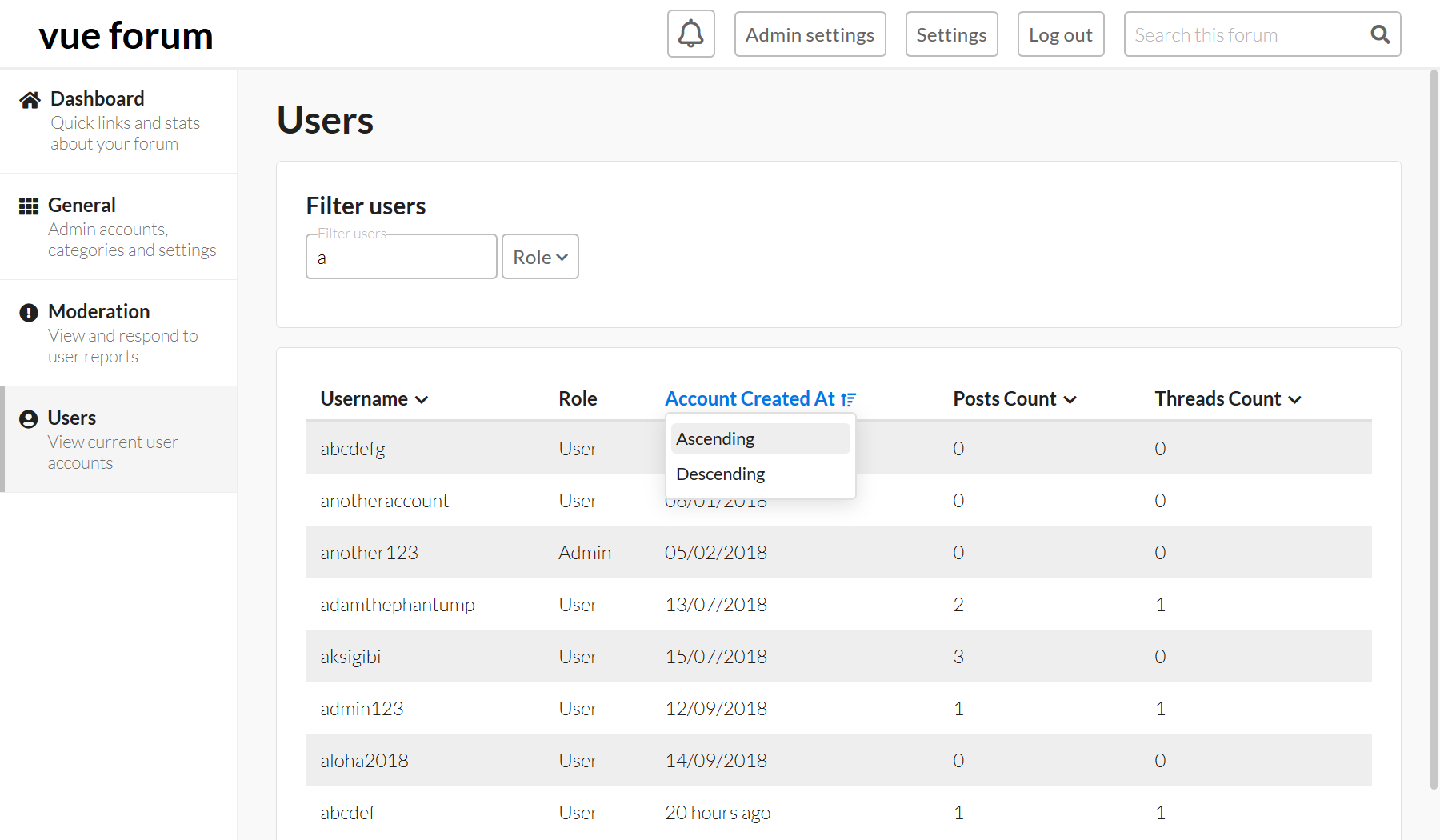
### Admin moderation page

## Install
To install on Heroku:
1. `git clone https://github.com/sbkwgh/forum.git && cd forum`
2. `heroku login`
3. `heroku git:remote -a `
4. `heroku config:set NODE_ENV=production`
5. `heroku config:set SESSION_SECRET=`
6. Add database add-on, get database URL
7. `heroku config:set DATABASE_URL=`
8. `cd frontend && npm install`
9. `npx vue-cli-service build`
10. Remove the line `dist/` from `.gitignore`
11. `cd .. && git add -A && git commit -m "Update .gitignore"`
12. `git push heroku master`
13. Visit the URL of the app and complete the on-screen instructions
N.B. the database here is assumed to be MySQL - to use Postgres or another you must install the corresponding driver on npm