https://github.com/sensirion/python-i2c-sfm3304
Python code to work with Sensirion's SFM3304 flow sensor via I2C
https://github.com/sensirion/python-i2c-sfm3304
driver flow gas-flow i2c python sensirion sensor sensorbridge sfm3304 sfm3304-d sfm3304-xxx-d
Last synced: 5 months ago
JSON representation
Python code to work with Sensirion's SFM3304 flow sensor via I2C
- Host: GitHub
- URL: https://github.com/sensirion/python-i2c-sfm3304
- Owner: Sensirion
- License: bsd-3-clause
- Created: 2025-02-20T15:16:07.000Z (over 1 year ago)
- Default Branch: main
- Last Pushed: 2025-06-03T10:24:29.000Z (about 1 year ago)
- Last Synced: 2025-10-30T07:48:54.921Z (9 months ago)
- Topics: driver, flow, gas-flow, i2c, python, sensirion, sensor, sensorbridge, sfm3304, sfm3304-d, sfm3304-xxx-d
- Language: Python
- Homepage:
- Size: 548 KB
- Stars: 0
- Watchers: 1
- Forks: 0
- Open Issues: 0
-
Metadata Files:
- Readme: README.md
- Changelog: CHANGELOG.md
- License: LICENSE
Awesome Lists containing this project
README
# Python I2C Driver for Sensirion SFM3304
This repository contains the Python driver to communicate with a Sensirion SFM3304 sensor over I2C.
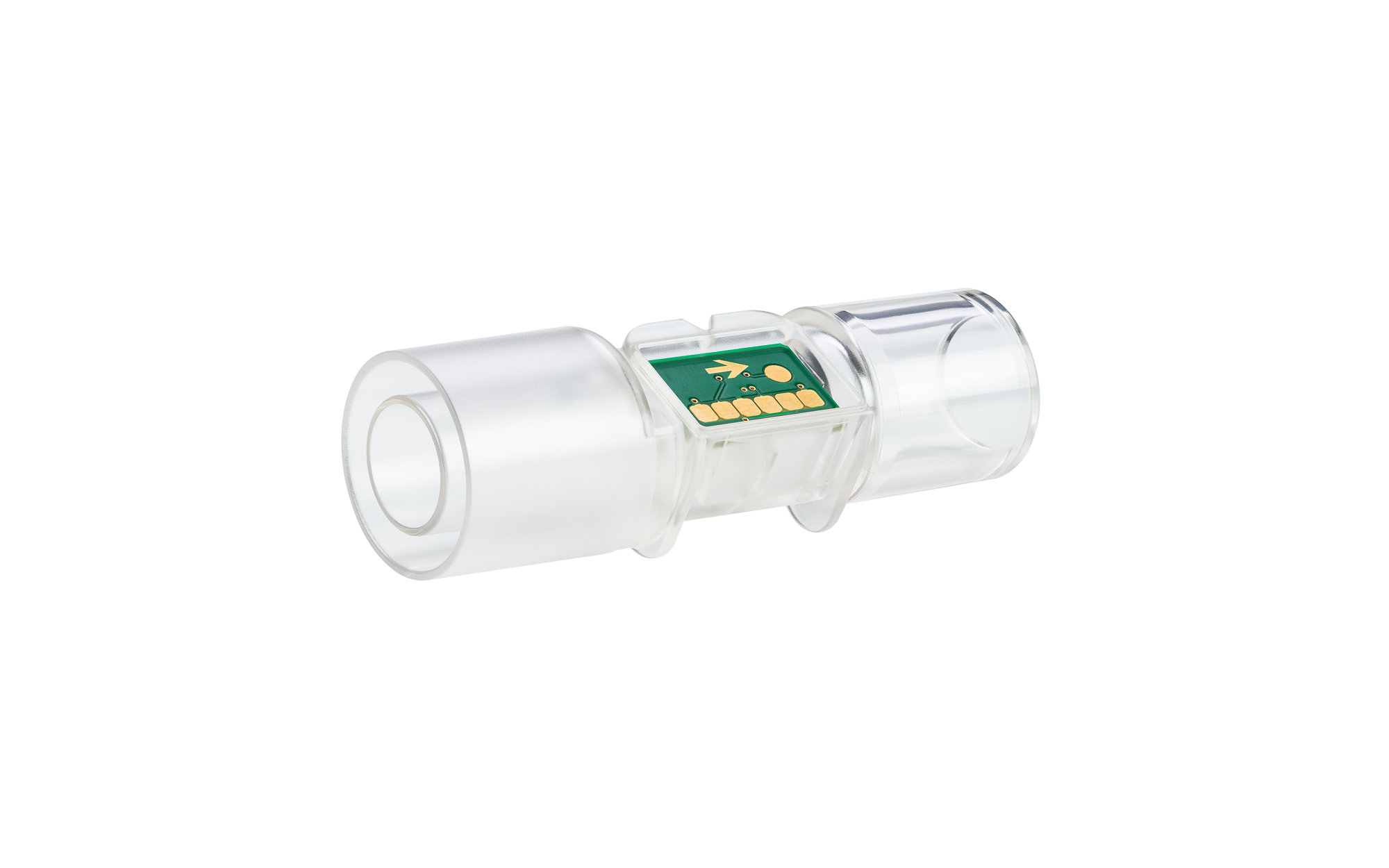
Click [here](https://sensirion.com/products/catalog/SFM3304-D) to learn more about the Sensirion SFM3304 sensor.
The default I²C address of [SFM3304](https://sensirion.com/products/catalog/SFM3304-D) is **0x2E**.
## Connect the sensor
You can connect your sensor over a [SEK-SensorBridge](https://developer.sensirion.com/sensirion-products/sek-sensorbridge/).
For special setups you find the sensor pinout in the section below.
Sensor pinout
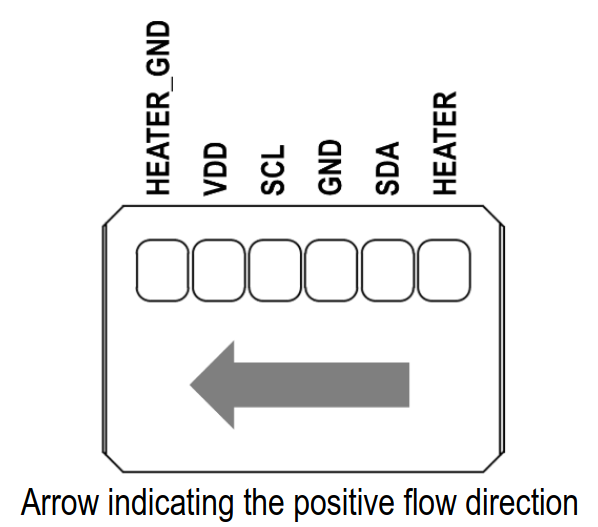
| *Pin* | *Cable Color* | *Name* | *Description* | *Comments* |
|-------|---------------|:------:|----------------|------------|
| 1 | | NC | Do not connect | Ground for the heater
| 2 | red | VDD | Supply Voltage | 3.15V to 3.45V
| 3 | yellow | SCL | I2C: Serial clock input |
| 4 | black | GND | Ground |
| 5 | green | SDA | I2C: Serial data input / output |
| 6 | | NC | Do not connect | Supply voltage to the heater
## Documentation & Quickstart
See the [documentation page](https://sensirion.github.io/python-i2c-sfm3304) for an API description and a
[quickstart](https://sensirion.github.io/python-i2c-sfm3304/execute-measurements.html) example.
## Contributing
### Check coding style
The coding style can be checked with [`flake8`](http://flake8.pycqa.org/):
```bash
pip install -e .[test] # Install requirements
flake8 # Run style check
```
In addition, we check the formatting of files with
[`editorconfig-checker`](https://editorconfig-checker.github.io/):
```bash
pip install editorconfig-checker==2.0.3 # Install requirements
editorconfig-checker # Run check
```
## License
See [LICENSE](LICENSE).