https://github.com/seratch/deno-daily-notification-workflow
Slack app demonstrating how to build a daily scheduled message notification
https://github.com/seratch/deno-daily-notification-workflow
Last synced: 9 months ago
JSON representation
Slack app demonstrating how to build a daily scheduled message notification
- Host: GitHub
- URL: https://github.com/seratch/deno-daily-notification-workflow
- Owner: seratch
- License: mit
- Created: 2023-05-31T08:44:07.000Z (about 3 years ago)
- Default Branch: main
- Last Pushed: 2023-11-10T05:29:59.000Z (over 2 years ago)
- Last Synced: 2025-03-24T04:22:38.285Z (over 1 year ago)
- Language: TypeScript
- Size: 371 KB
- Stars: 5
- Watchers: 2
- Forks: 0
- Open Issues: 0
-
Metadata Files:
- Readme: README.md
- License: LICENSE
Awesome Lists containing this project
README
# Slack Daily Notification Workflow
This sample app demonstrates how to build a daily scheduled message notification
on top of Slack's new automation platform.
You can see how it works by creating a link trigger to configure the daily
message workflow. This includes the message text, channels to notify, and the
initial date and time for the notification.

When creating a daily scheduled trigger succeeds, you will see the following
modal:

When the scheduled date and time arrives, the message you set will be
automatically posted in all the channels you selected.
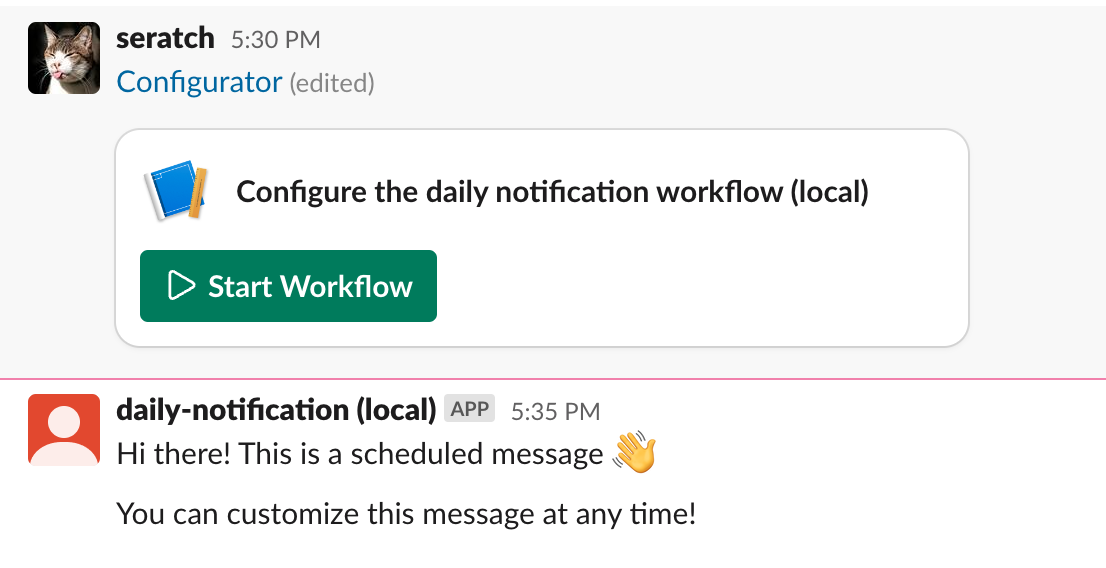
If you're satisfied with a static text message, like the app's initial
implementation, you don't need to make any changes.
However, if you want to generate the message using up-to-date information for
the day, you can edit the `functions/notify.ts` file. Also, you can skip using
the `message` input parameter and remove it from the configuration UI
altogether.
## Resources
To learn more about developing automations on Slack, visit the following:
- [Automation Overview](https://api.slack.com/automation)
- [CLI Quick Reference](https://api.slack.com/automation/cli/quick-reference)
- [Samples and Templates](https://api.slack.com/automation/samples)