https://github.com/serfend/problem-killer
自定义题库的刷题工具软件
https://github.com/serfend/problem-killer
exam practice serverless vue web
Last synced: 6 months ago
JSON representation
自定义题库的刷题工具软件
- Host: GitHub
- URL: https://github.com/serfend/problem-killer
- Owner: serfend
- License: mit
- Created: 2022-04-29T01:42:07.000Z (about 4 years ago)
- Default Branch: main
- Last Pushed: 2023-08-10T15:51:55.000Z (almost 3 years ago)
- Last Synced: 2023-08-10T21:07:18.386Z (almost 3 years ago)
- Topics: exam, practice, serverless, vue, web
- Language: Vue
- Homepage: http://prokill.serfend.top
- Size: 4.45 MB
- Stars: 89
- Watchers: 4
- Forks: 20
- Open Issues: 61
-
Metadata Files:
- Readme: README.md
- License: LICENSE
Awesome Lists containing this project
README
# problem-killer (**简单易用的刷题工具**)
> 基于vue+element实现,所有数据存在浏览器端。
>
> 不需要数据库,不需要服务器。





## **在线体验**
体验地址:[prokill.serfend.top](http://prokill.serfend.top)
## 使用方法
- 方法一:直接运行
- [下载最新发布的部署包](https://github.com/serfend/problem-killer/releases),选中其中的`server.zip`文件下载
- 解压下载好的zip文件
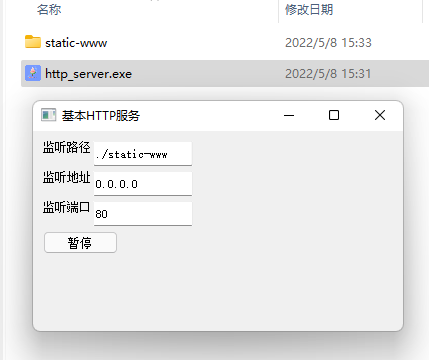
- 双击运行`http_server.exe`,点击开始,然后使用谷歌浏览器访问 [http:\\电脑的ip地址](http://127.0.0.1)即可
- 
- 方法二:下载静态资源包使用http服务运行
- [下载最新发布的部署包](https://github.com/serfend/problem-killer/releases),选中其中的`static.zip`文件下载
- 解压下载好的zip文件
- 使用任意方式开启一个http服务,**例如**python在当前目录启用http服务方法 `python -m http.server 80`
- 方法三:使用[node环境](http://nodejs.cn/)部署和运行
- ```shell
npm install
npm run dev
```
- 运行完成后将自动打开网站
## 功能
## Features
- 部署
- 支持直接双击运行(双击运行http-server一键完成部署网站)
- 支持电脑和手机多种分辨率使用
- 刷题
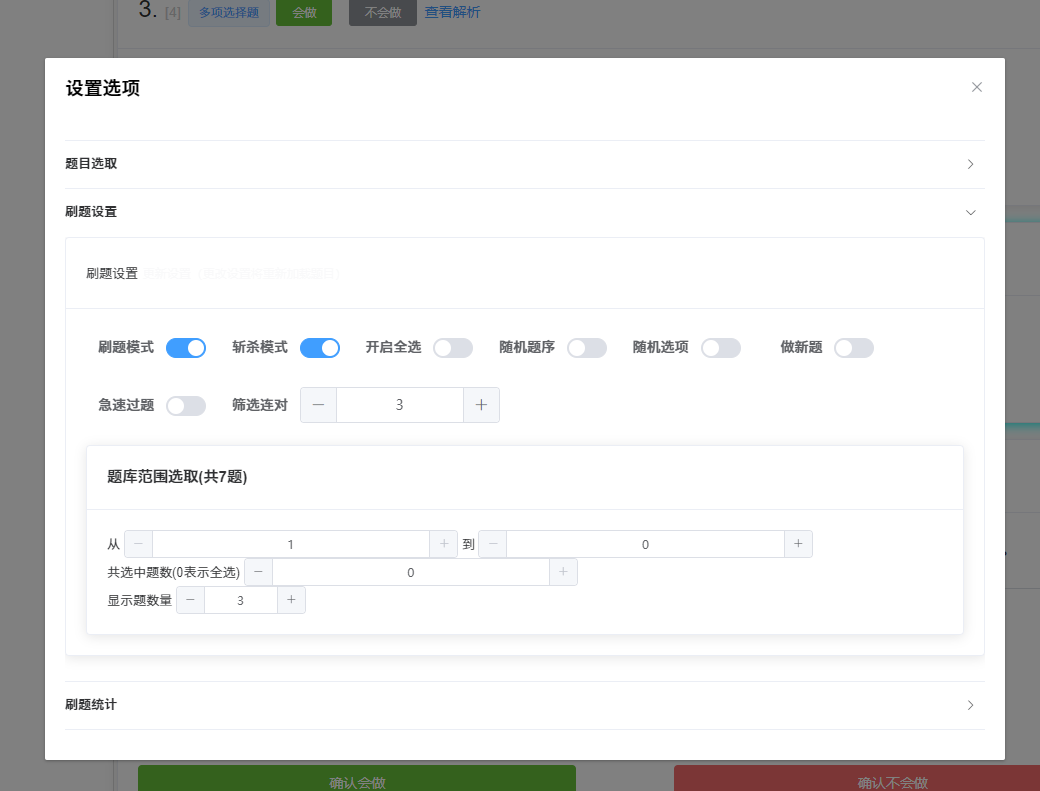
- 设置
- 范围选取(可以灵活选择一个题库中的某个范围内的题)
- 随机题序(将选中的题目顺序打乱)
- 随机选项序(将选择题的选项打乱)
- 刷题模式(类似于背单词软件的直接选中功能)
- 急速模式(正确的题目将直接提交)
- 斩杀模式(题目完成后将会隐藏起来方便思维聚焦)
- 筛选连对(错题本模式)(只显示连对次数少于某次的题)
- 无限模式(完成一轮后点击立即开始下一轮)
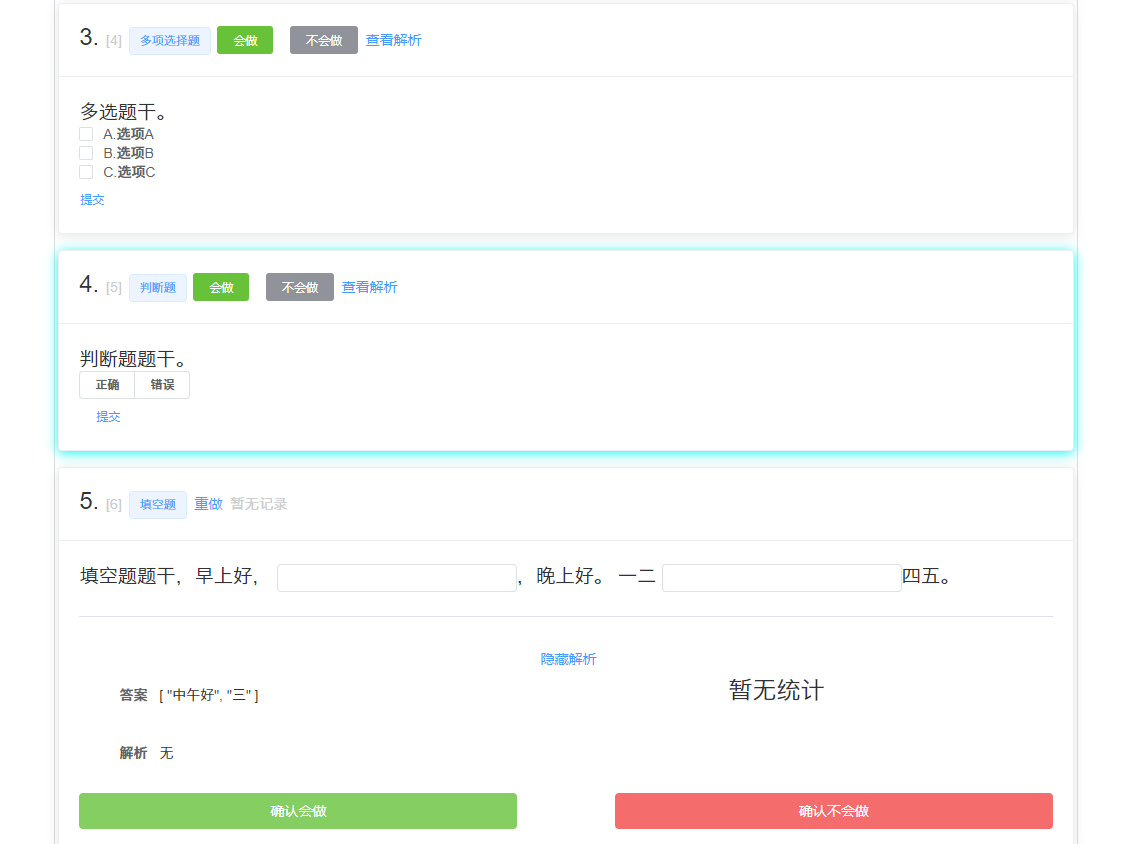
- 题型
- 动态题解及用户答案再现(题解可以引用题目选项)
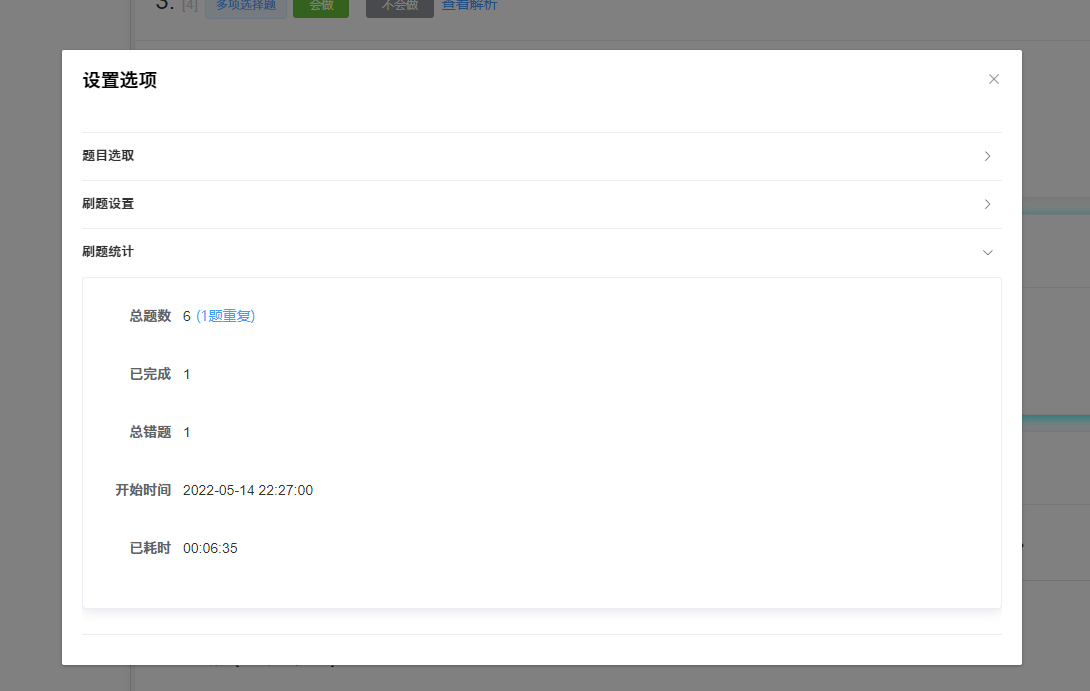
- 支持题目去重判断以及统计(可以显示哪些题存在重复)
- 题干特殊格式校验支持
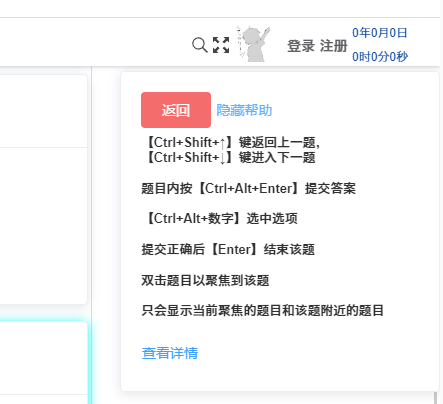
- 支持快捷选择`我会做`和`我不会`
- 支持快捷提交答案以及快捷提交多选
- 统计
- 题库静态加载和统计
- 题目解析和历史统计
- 题目筛选原因提示
- 当前答题轮次数据展示
- 题库搜索和题目模糊搜索和按字段搜索
- 性能
- 支持题目懒加载(降低大量题目条件下的负荷)
- 偏好
- 支持题目样式自定义(如自定义提交按钮)
## 演示
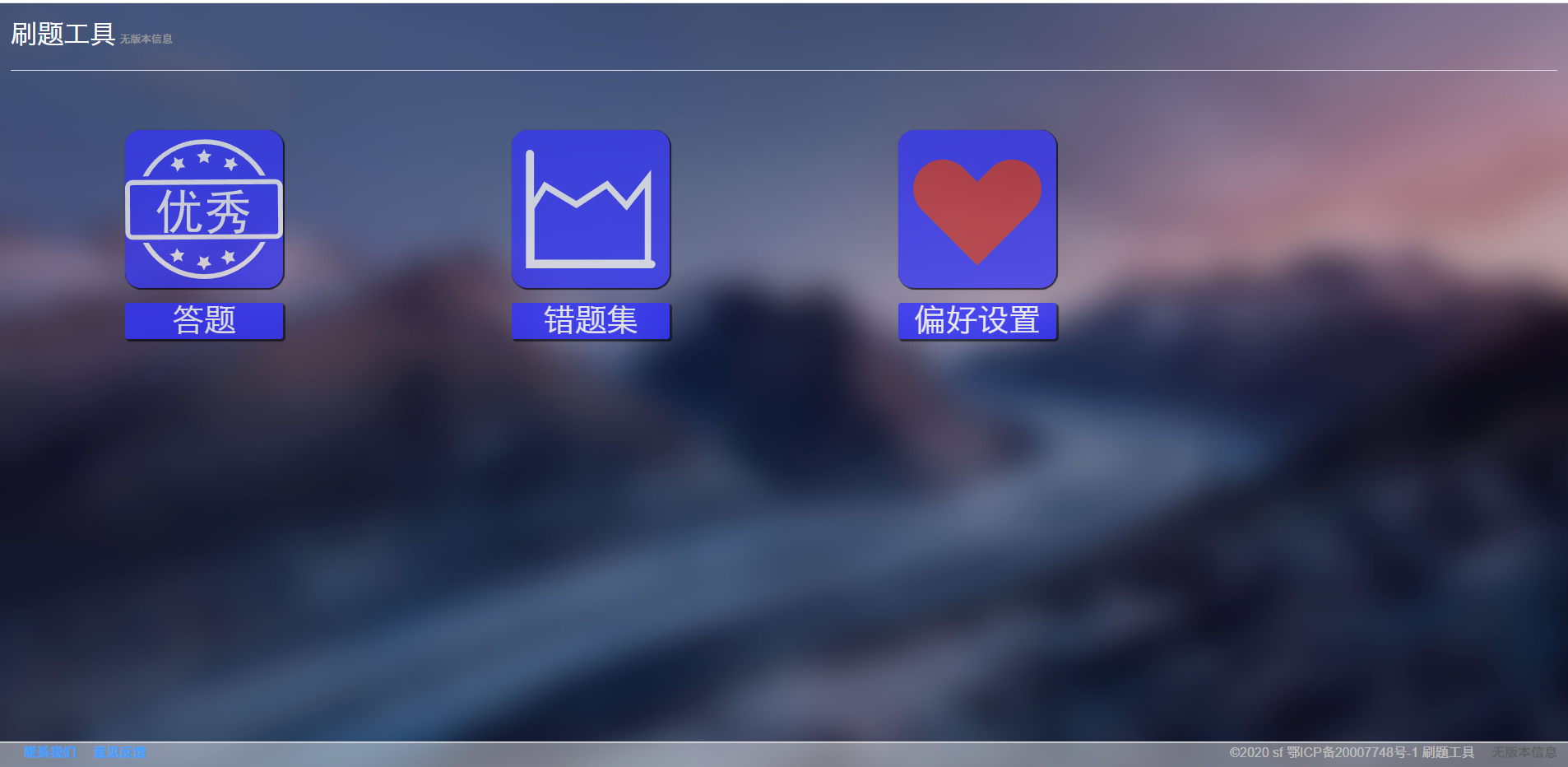
### 主页(目前`错题本`菜单集成到了`答题`菜单中)
- 
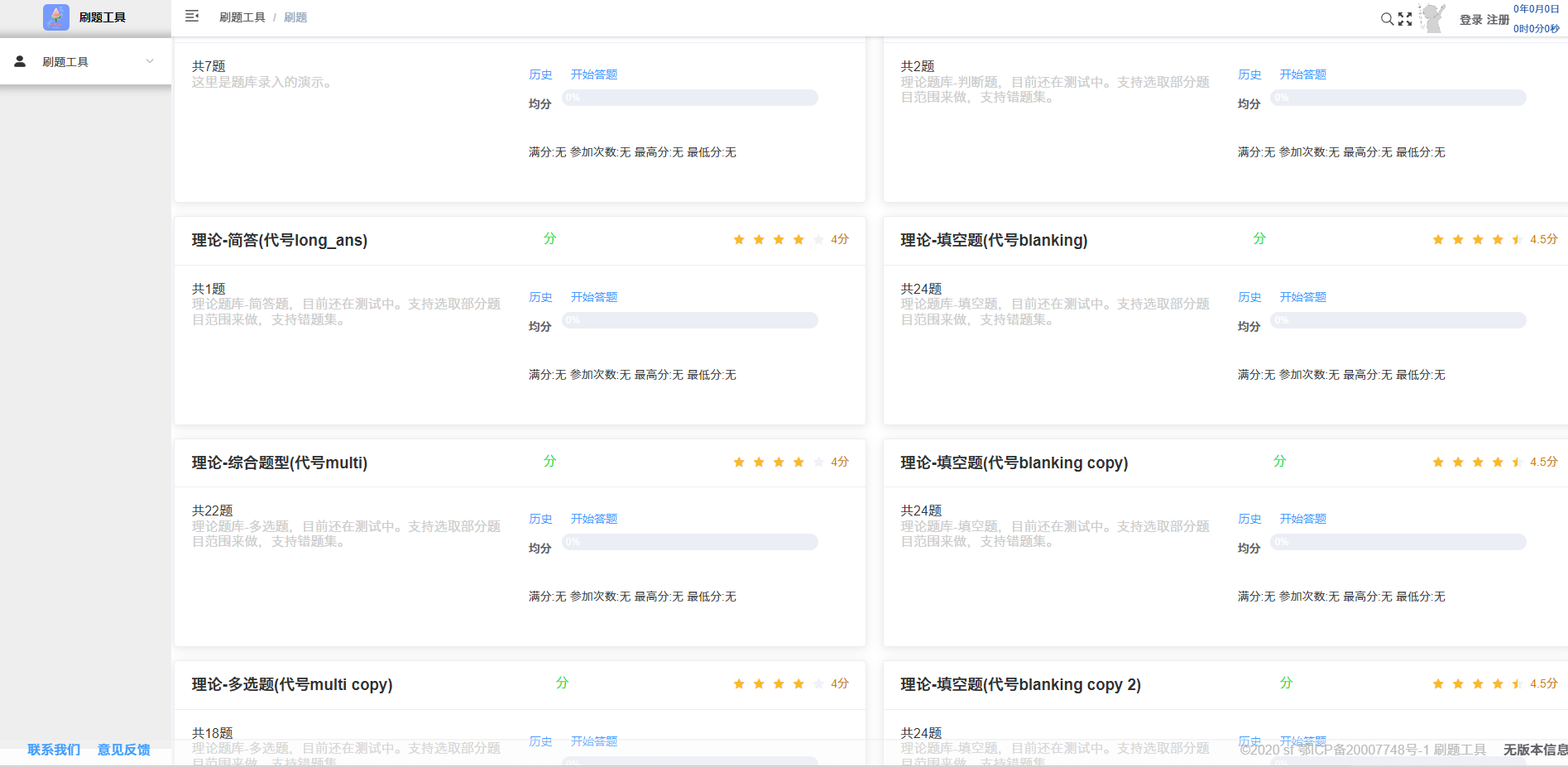
### 题库选取
- 
### 题库设置
- 在 `data\problems\index.json`中设置题库目录。
- 在`data\problems\database\XXXXX.json`中设置题目内容,文件名与index.json中对应即可,可参考默认案例。
```json5
{
"problems":[
{
"content":"单选题干",
"options":["选项A","选项B","选项C"],
"analysis":"这题选C",
"answer":3
},
{
"content":"单选题干",
"options":["选项A","选项B","选项C"],
"analysis":"这题选C,同时支持选项引用,这里{{OPT:3}}选项是正确答案",
"answer":3
},
{
"content":"多选题干",
"options":["选项A","选项B","选项C"],
"analysis":"这题选AC",
"answer":[1,3]
},
{
"content":"多选题干",
"options":["选项A","选项B","选项C"],
"analysis":"这题选A",
"answer":[1] // 数组表示是多选题
},
{
"content":"判断题题干",
"analysis":"解析也可以不写,直接去掉这个字段即可",
"answer":true // 布尔类型表示是判断题
},
{
"content":"填空题题干,早上好,{{ANS}},晚上好。\n一二{{ANS}}四五",
"answer":["中午好","三"] // 字符串数组表示是填空题
},
{
"content":"简答题题干",
"answer":"这里填入答案" // 字符串表示是简答题
},
]
}
```
### 刷题
- 
- 
- 
- 
### 题目解析和统计
> 第一次做题时候不会有统计,以后再次刷到这个题的时候则会显示该题的历史做题记录
- 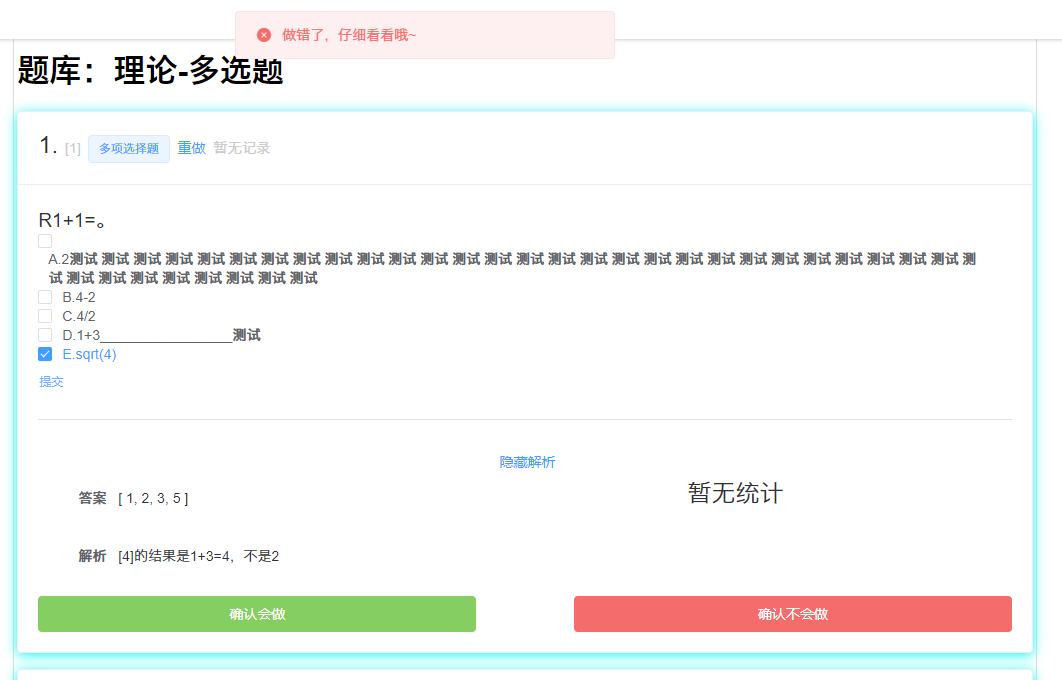
- 刷题模式
> 如果选中该模式,则将会显示`会做`和`不会做`按钮,点击按钮可以直接完成该题的训练。适合填空题这种输入答案比较慢的题快速刷题。
### 移动端
- [视频演示链接](https://www.bilibili.com/video/BV16T4y1B7Fa/)
## 关于
如果存在bug或意见
您可以在 [issue](https://github.com/serfend/problem-killer/issues) 中提出
或在 [pull request](https://github.com/serfend/problem-killer/pulls) 中提交您的代码
**成为贡献者!**
## 状态