https://github.com/serverless-operations/serverless-dashboard-for-atom
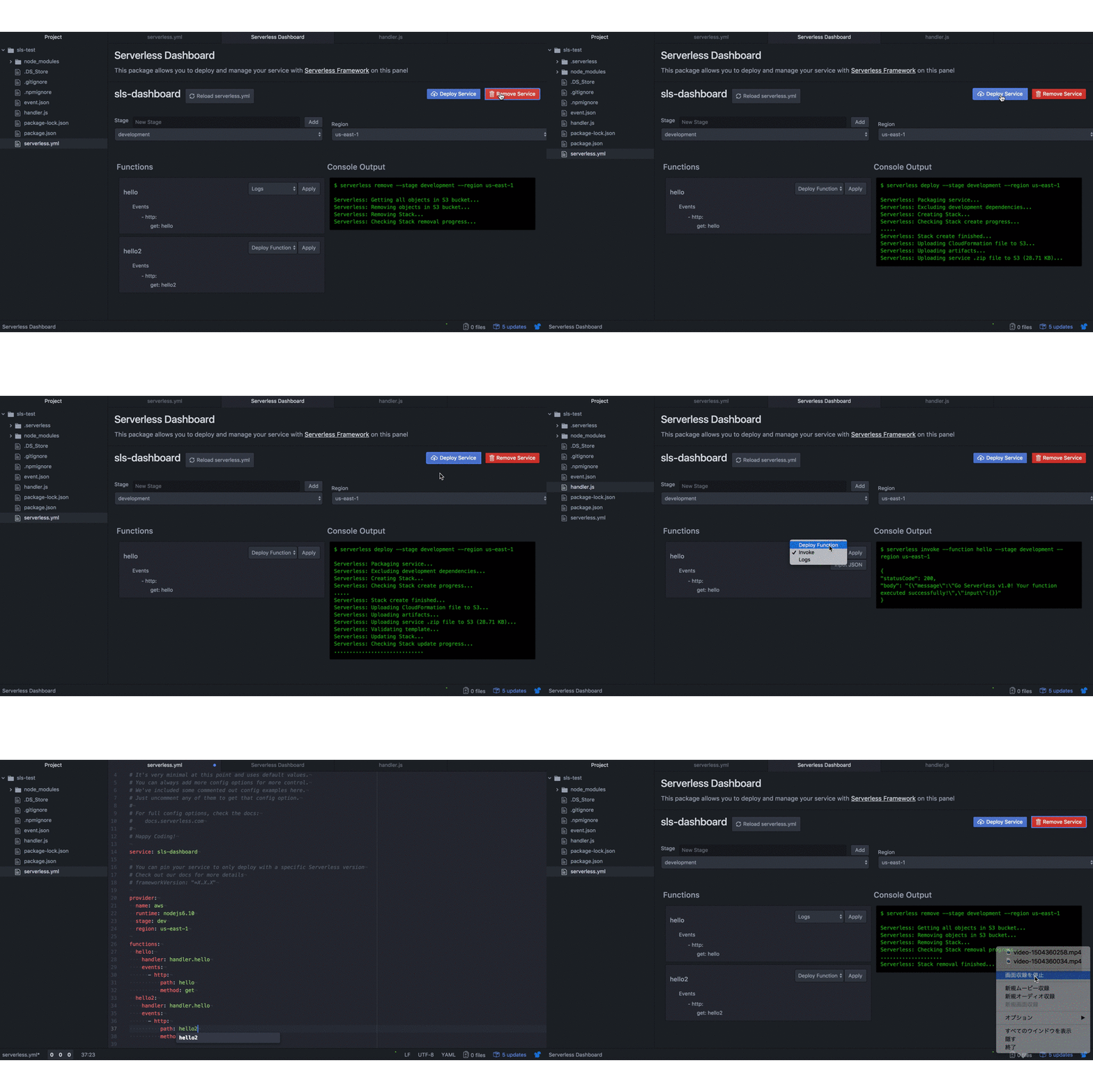
This is a Atom editor package which allows you to deploy and visualize your serverless service with Serverless Framework on Atom.
https://github.com/serverless-operations/serverless-dashboard-for-atom
Last synced: about 1 year ago
JSON representation
This is a Atom editor package which allows you to deploy and visualize your serverless service with Serverless Framework on Atom.
- Host: GitHub
- URL: https://github.com/serverless-operations/serverless-dashboard-for-atom
- Owner: serverless-operations
- License: mit
- Created: 2017-09-21T00:49:13.000Z (over 8 years ago)
- Default Branch: master
- Last Pushed: 2023-01-25T01:21:04.000Z (over 3 years ago)
- Last Synced: 2025-03-27T22:11:14.087Z (about 1 year ago)
- Language: JavaScript
- Homepage:
- Size: 16.1 MB
- Stars: 49
- Watchers: 3
- Forks: 8
- Open Issues: 7
-
Metadata Files:
- Readme: README.md
- Changelog: CHANGELOG.md
- License: LICENSE.md
Awesome Lists containing this project
README
# Serverless Dashboard For Atom Editor
This is a Atom editor package which allows you to deploy and manage your serverless service with [Serverless Framework](https://serverless.com/framework/) on [Atom](https://atom.io/).
Currently, this pakage has supported only AWS, but we will support multi providers in the future.
This project is inspired by [Serverless Dashboard](https://github.com/serverless/dashboard)
## Installation
### Preparation
Install [Serverless Framework](https://serverless.com/framework/)
```sh
npm install -g serverless
```
### Command Line
1. Install [Atom](https://atom.io)
2. In the terminal, install the package via apm:
```sh
apm install serverless-dashboard
```
### GUI
1. Install [Atom](https://atom.io)
1. Launch Atom
1. Open Settings View using Cmd+, on macOS or Ctrl+, on other platforms
1. Click the Install tab on the left side
1. Enter `serverless-dashboard` in the search box and press Enter
1. Click the "Install" button that appears
## How to use
### Launch Dashboard
1. Open Packages menu
1. Click `Serverless Dashboard > Open your serverless.yml`
1. Specify your serverless.yml