https://github.com/sethbr11/diffusionmodel
Creating and implementing diffusion models using Hugging Face's walkthroughs.
https://github.com/sethbr11/diffusionmodel
Last synced: 6 months ago
JSON representation
Creating and implementing diffusion models using Hugging Face's walkthroughs.
- Host: GitHub
- URL: https://github.com/sethbr11/diffusionmodel
- Owner: sethbr11
- Created: 2025-04-01T19:41:21.000Z (10 months ago)
- Default Branch: main
- Last Pushed: 2025-04-01T22:34:06.000Z (10 months ago)
- Last Synced: 2025-04-01T23:29:10.790Z (10 months ago)
- Language: Jupyter Notebook
- Size: 326 KB
- Stars: 0
- Watchers: 1
- Forks: 0
- Open Issues: 0
-
Metadata Files:
- Readme: README.md
Awesome Lists containing this project
README
# Diffusion Model
As part of the IS 693R course at BYU, this last project before the final aimed to teach about diffusion models, what their purpose is, how they differ from transformers, and how to build them.
## Diffusion from Scratch
For this part of the project, [this Hugging Face tutorial](https://huggingface.co/learn/diffusion-course/en/unit1/3) was used, and for topical knowledge, [this Medium article](https://medium.com/@roelljr/the-ultimate-guide-rnns-vs-transformers-vs-diffusion-models-5e841a8184f3) was quite insightful.
In the Hugging Face tutorial, we use a diffusion model called a [U-Net](https://medium.com/analytics-vidhya/what-is-unet-157314c87634), which is a popular choice for segmentation tasks. It has a **constricting path**, an **expanding path**, and **skip connections** to process the data and make sure the output is the same size as the input. [Here](https://www.youtube.com/watch?v=wnuWqG18FVU) is a helpful short video to explain, and below is a diagram of the model.
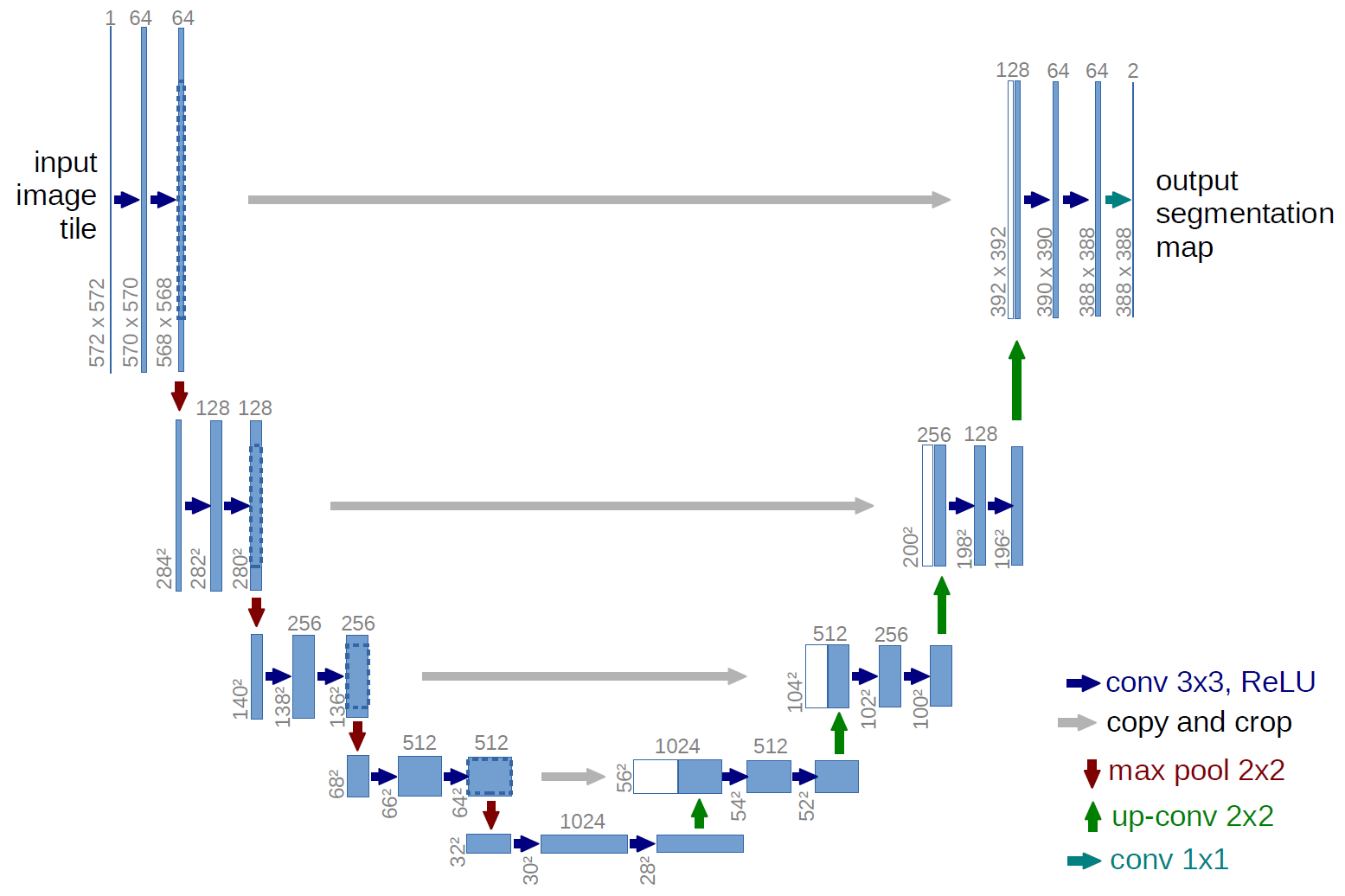
After creating our own U-Net model from scratch in the first part of the tutorial, we move on to using Hugging Face's models to go a bit more in depth, specifically using `UNet2DModel`, which is based off of the [DDPM](https://arxiv.org/abs/2206.00364) paper.
## Stable Diffusion
Everything above was explored in `main.ipynb`, but below and in the `stable_diffusion.ipynb` we will explore Hugging Face's [Introduction to Stable Diffusion](https://huggingface.co/learn/diffusion-course/en/unit3/2). In this walkthrough, we use a diffusion model with a VAE (variational autoencoder), which encdes its input into a compressed representation and then decode this 'latent' representation back into something close to the original input. Below is a diagram:

As seen in the `stable_diffusion.ipynb` file, the model we are using also has a tokenizer and text encoder, a UNet, and a scheduler. While not all of these require diagrams, here is the UNet diagram:
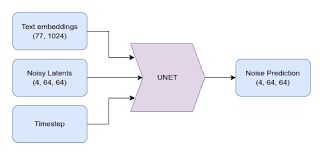
Using these components, we are able to make an image diffusion model for text-to-image generation. There are more parts to the walkthrough, including image-to-image models, inpainting, and depth-to-image, but the current implementation is sufficient for the scope of this project.