https://github.com/sethwebster/rzr
A razor-thin remote around any terminal process
https://github.com/sethwebster/rzr
Last synced: 2 months ago
JSON representation
A razor-thin remote around any terminal process
- Host: GitHub
- URL: https://github.com/sethwebster/rzr
- Owner: sethwebster
- License: mit
- Created: 2026-04-02T23:09:40.000Z (2 months ago)
- Default Branch: main
- Last Pushed: 2026-04-10T20:40:22.000Z (2 months ago)
- Last Synced: 2026-04-10T22:12:19.652Z (2 months ago)
- Language: TypeScript
- Size: 6.23 MB
- Stars: 0
- Watchers: 0
- Forks: 0
- Open Issues: 0
-
Metadata Files:
- Readme: README.md
- License: LICENSE
Awesome Lists containing this project
README
# rzr
**`rzr` is a razor-thin remote around any terminal process.**
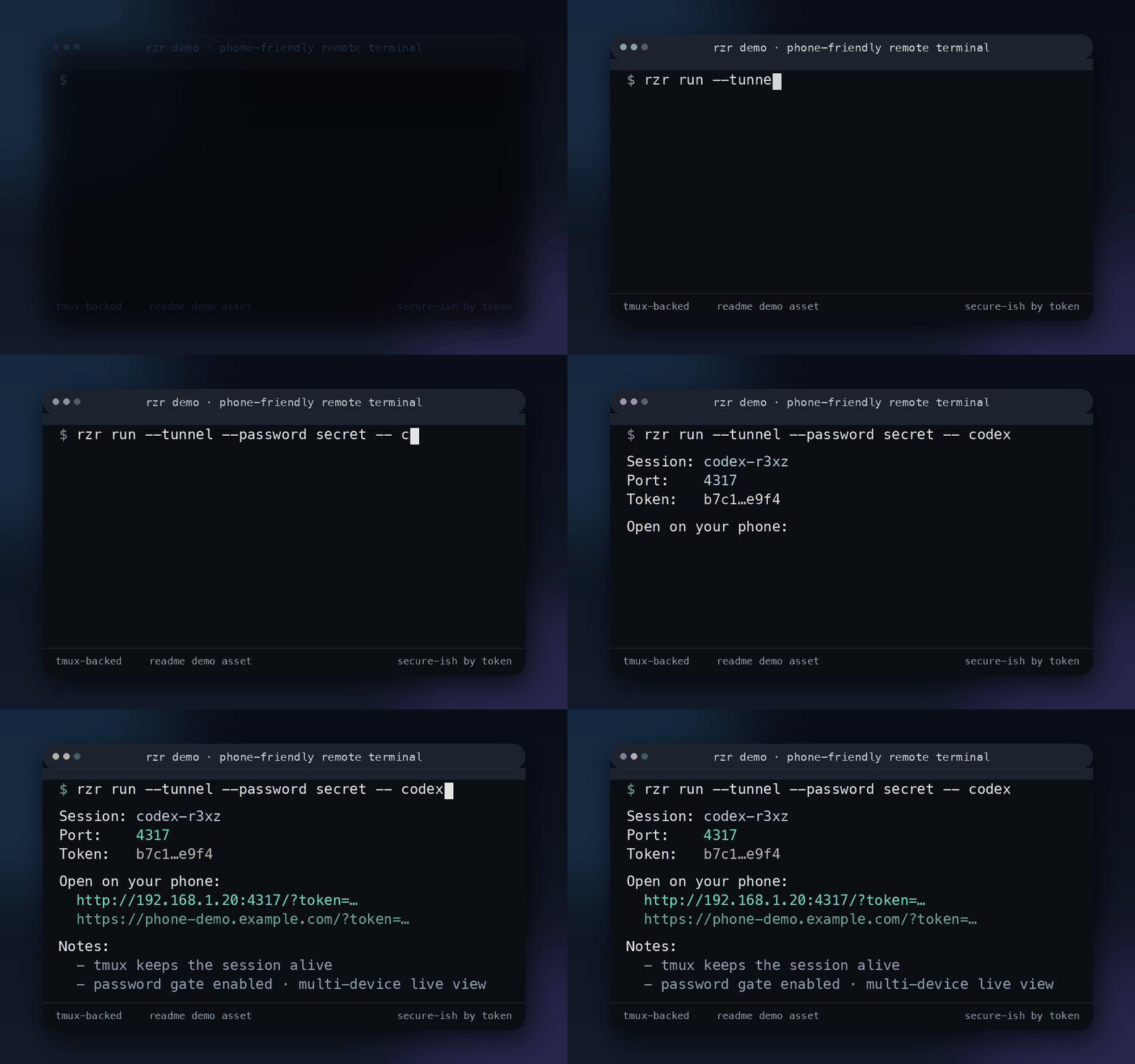
It launches a command inside `tmux`, serves a tiny local web UI, and gives you a phone-friendly remote that can:
- watch a live terminal session
- paste input into it
- send terminal keys like `Enter`, `Tab`, `Ctrl+C`, arrows, and `Esc`
- let multiple devices observe the same session at once
Use it to check in on `codex`, `claude`, shells, REPLs, and other TTY-first tools from your phone.
---
## Why it exists
Most “remote terminal” tools get complicated fast.
`rzr` stays small on purpose:
- **`tmux` handles terminal reality** — real TTY behavior, durable sessions, reconnectability
- **`rzr` handles remote access** — a tiny web server, tokenized URL access, optional public tunnel, optional password gate
- **your process stays normal** — you still run the tool you already use
That makes it useful for:
- checking a long-running coding agent from your phone
- reconnecting to a CLI after your laptop sleeps or your browser disconnects
- exposing an existing `tmux` session without changing how you work
- letting another device observe the same live terminal
---
## Quickstart
### Requirements
- `bun`
- `node` 20+
- `tmux`
Optional for public internet access:
- `cloudflared`
- `ngrok`
- or `npx localtunnel` as fallback
### Run from npm
```bash
npx @sethwebster/rzr run -- codex
```
### Run from source
```bash
git clone https://github.com/sethwebster/rzr.git
cd rzr
bun install
./rzr run -- codex
```
`rzr` will print URLs like:
```text
http://localhost:4317/?token=...
http://192.168.1.20:4317/?token=...
```
Open one on your phone.
## Mobile app development
For the Expo mobile app in `apps/mobile`, use the repo-local Expo CLI via Bun scripts:
```bash
bun run mobile:start
bun run mobile:ios
bun run mobile:ios:device
bun run mobile:android
```
Do **not** use `npx expo@latest ...` in this workspace. In this monorepo it can fail after native build with a misleading `Failed to resolve react-native` error because the temporary npx-installed Expo CLI resolves `react-native` from the wrong context.
---
## Install
### Use without installing
```bash
npx @sethwebster/rzr run -- codex
```
### Install globally
```bash
npm install -g @sethwebster/rzr
rzr run -- codex
```
### Run from this repo
```bash
./rzr run -- codex
```
`rzr` has **no npm runtime dependencies**.
---
## Common examples
### Start a new wrapped session
```bash
rzr run -- codex
```
### Start a named session
```bash
rzr run --name claude -- claude
```
### Start in a specific project directory
```bash
rzr run --name codex --cwd /path/to/repo -- codex
```
### Start a shell instead of an app
```bash
rzr run --cwd /path/to/repo -- /bin/zsh
```
### Expose an existing `tmux` session
```bash
rzr attach claude
```
### Read-only remote view
```bash
rzr run --readonly -- codex
```
### Add a public tunnel
```bash
rzr run --tunnel -- codex
```
### Request a named tunnel
```bash
rzr run --tunnel --tunnel-name my-remote -- codex
```
### Add a password gate
```bash
rzr run --password secret -- codex
rzr attach claude --password secret
```
### List `tmux` sessions
```bash
rzr list
```
---
## Command reference
### `rzr run`
Launch a new command inside `tmux` and expose it through the web UI.
```bash
rzr run [--name NAME] [--port PORT] [--host HOST] [--cwd PATH] [--readonly] [--tunnel] [--tunnel-name VALUE] [--password VALUE] --
```
Options:
- `--name NAME` — tmux session name to create
- `--port PORT` — local web server port, default `4317`
- `--host HOST` — bind host, default `0.0.0.0`
- `--cwd PATH` — working directory for the launched command
- `--readonly` — disable remote input
- `--tunnel` — create a public tunnel
- `--tunnel-name VALUE` — request a provider-specific tunnel name
- `--password VALUE` — require a password before exposing the live session
- `-- ` — the command to run inside `tmux`
### `rzr attach`
Expose an existing `tmux` session.
```bash
rzr attach [--port PORT] [--host HOST] [--readonly] [--tunnel] [--tunnel-name VALUE] [--password VALUE]
```
### `rzr list`
List local `tmux` sessions.
```bash
rzr list
```
---
## Tunnel behavior
When you use `--tunnel`, provider order is:
1. installed `cloudflared`
2. installed `ngrok`
3. `npx localtunnel`
`--tunnel-name` behavior depends on provider:
- **Cloudflare**: if authenticated and the value looks like a hostname on a Cloudflare-managed zone, `rzr` tries a stable named tunnel first; otherwise it is used as Quick Tunnel metadata/label
- **ngrok**: passes the value as the tunnel name
- **localtunnel**: requests the value as the public subdomain
The selected tunnel is torn down when `rzr` exits.
---
## Security model
`rzr` uses two possible gates:
1. a **URL token** in the query string
2. an optional **password** from `--password`
Notes:
- clients always need the tokenized URL
- if `--password` is enabled, clients must also enter the password before the UI and API are exposed
- the password is passed on the command line, so it will appear in **shell history** and **process listings**
- if you expose a public tunnel, treat that URL like a secret
If you need stronger secret handling than a CLI flag, don’t rely on `--password` alone.
---
## Session behavior
- `rzr run` creates a `tmux` session for the target command
- the target process keeps running inside `tmux` even if the browser disconnects
- you can reconnect later with `rzr attach `
- pressing `Ctrl+C` in the host terminal warns that the `tmux` session will keep running, then lets you keep it, kill it, or continue serving
This project intentionally standardizes on `tmux`.
If you need “observe an arbitrary existing process that was **not** launched in `tmux`,” that requires OS-specific session snooping and is out of scope here.
---
## Development
This repo is organized as a small Bun workspace monorepo. The published package lives in `packages/rzr`.
The Expo mobile companion lives in `apps/mobile`.
Run the test suite:
```bash
bun test
```
Start the mobile app:
```bash
bun run mobile:start
```
Useful mobile workspace commands:
```bash
bun run mobile:ios
bun run mobile:ios:device
bun run mobile:android
bun run mobile:web
bun run mobile:typecheck
bun run mobile:lint
```
Regenerate the README demo asset:
```bash
python3 scripts/generate_readme_gif.py
```
Show CLI help:
```bash
rzr --help
```
---
## License
MIT