https://github.com/sfuhrm/schrumpf
Java UI application for batch image resizing and format changing
https://github.com/sfuhrm/schrumpf
batch image-processing images java jpeg scaling
Last synced: about 1 year ago
JSON representation
Java UI application for batch image resizing and format changing
- Host: GitHub
- URL: https://github.com/sfuhrm/schrumpf
- Owner: sfuhrm
- License: gpl-2.0
- Created: 2014-12-10T22:52:24.000Z (over 11 years ago)
- Default Branch: master
- Last Pushed: 2022-02-12T10:11:22.000Z (over 4 years ago)
- Last Synced: 2025-02-15T05:42:14.485Z (over 1 year ago)
- Topics: batch, image-processing, images, java, jpeg, scaling
- Language: Java
- Size: 2.52 MB
- Stars: 0
- Watchers: 2
- Forks: 0
- Open Issues: 4
-
Metadata Files:
- Readme: README.md
- License: LICENSE.txt
Awesome Lists containing this project
README
Schrumpf  
========
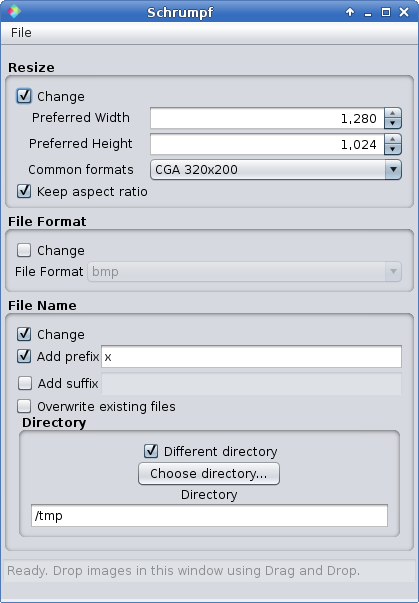
Java UI application for batch image resizing and format changing
### Introduction
Schrumpf is designed to be an easy to use but yet powerful application to do batch processing of images.
The operations supported at the moment are
* Scaling
* Format changing (i.e. PNG -> JPG)
* Target name generation
### Features
The main features are:
* Easy usability (my mother is able to use it and she loves it!)
* Localized with English and German locales
* Good performance using all of the machines available hardware threads
### Runtime Requirements
The requirements are at the moment only an installed [Java Runtime 7+](http://java.com/).
### Downloading
Releases can be found on Github. You can download the current
files here:
https://github.com/sfuhrm/schrumpf/releases/tag/v1.0.1
### Current status
Schrumpf is working and operating as expected. Work and participation is very anticipated.
There's only two conditions:
* Should still be easy to use.
* Keep the code quality high (or even better, improve it).
### Building
Schrumpf is best edited using [NetBeans](https://netbeans.org/)
because the UI classes are designed with NetBeans' Matisse UI designed.
You can build Schrumpf from the source code by utilizing the command line
mvn clean package
After that, in the target directory there'll be a directory containing a working bash shell script that starts Schrumpf:
~/dev/git/schrumpf$ java -jar target/Schrumpf-1.0.2-SNAPSHOT-jar-with-dependencies.jar
### License
Schrumpf is licensed under [GPL 2.0](http://www.gnu.org/licenses/gpl-2.0.html).