https://github.com/sgtpep/ebookmap
Create maps optimized for eBook readers using the data from OpenStreetMap.
https://github.com/sgtpep/ebookmap
ebook-reader map openstreetmap pdf
Last synced: 12 months ago
JSON representation
Create maps optimized for eBook readers using the data from OpenStreetMap.
- Host: GitHub
- URL: https://github.com/sgtpep/ebookmap
- Owner: sgtpep
- License: mit
- Created: 2018-06-26T08:45:31.000Z (almost 8 years ago)
- Default Branch: master
- Last Pushed: 2018-08-08T11:37:19.000Z (almost 8 years ago)
- Last Synced: 2025-05-07T21:05:21.266Z (about 1 year ago)
- Topics: ebook-reader, map, openstreetmap, pdf
- Language: Shell
- Homepage:
- Size: 70.3 KB
- Stars: 6
- Watchers: 3
- Forks: 1
- Open Issues: 0
-
Metadata Files:
- Readme: README.md
- License: LICENSE
Awesome Lists containing this project
README
# ebookmap
Create maps optimized for [eBook readers](https://en.wikipedia.org/wiki/E-reader) using the data from [OpenStreetMap](https://www.openstreetmap.org/).
## Screenshots
A map of [Upper West Side, New York](https://www.openstreetmap.org/relation/8398085):
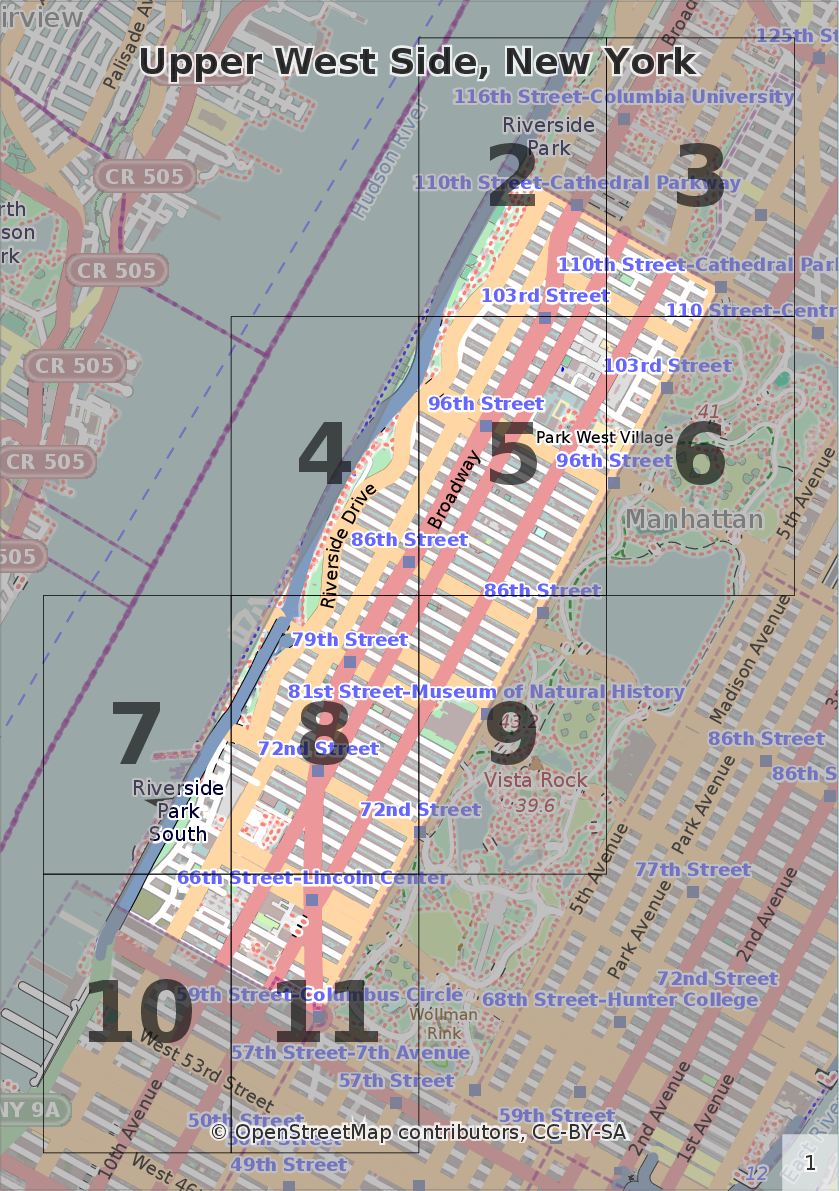
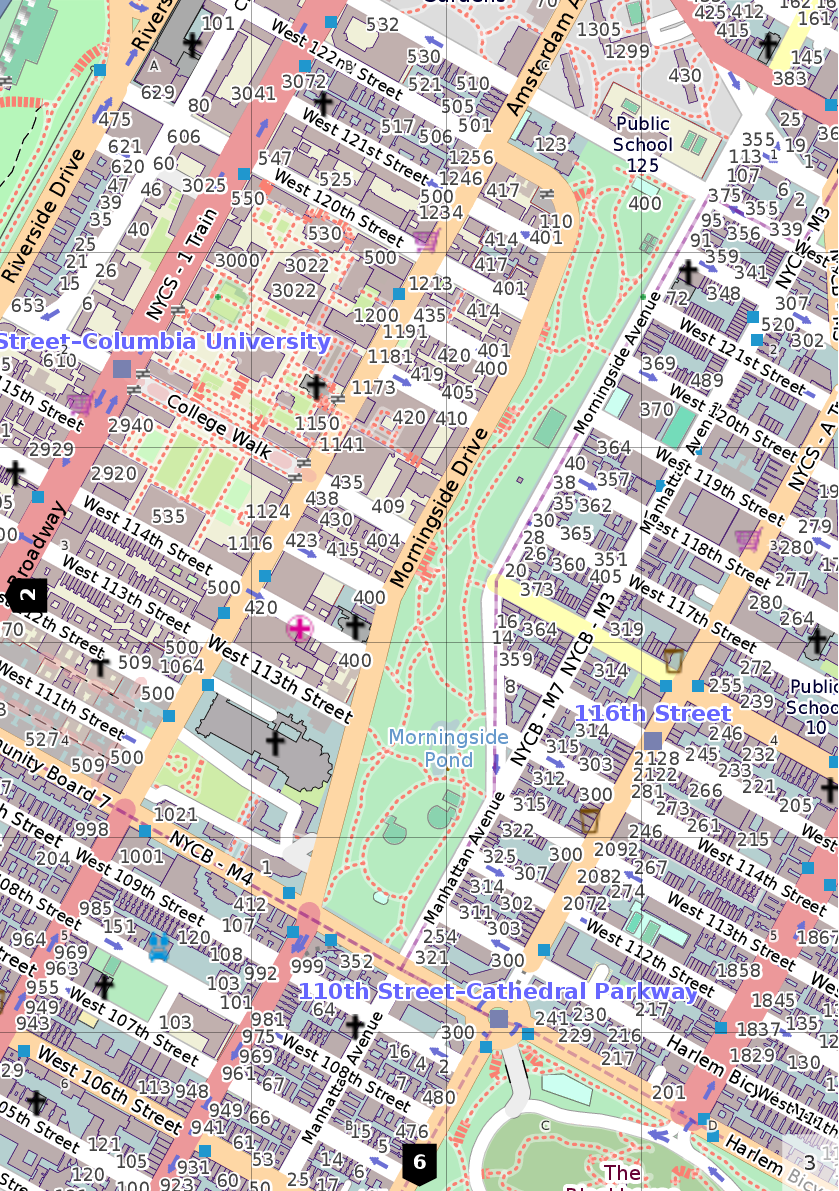
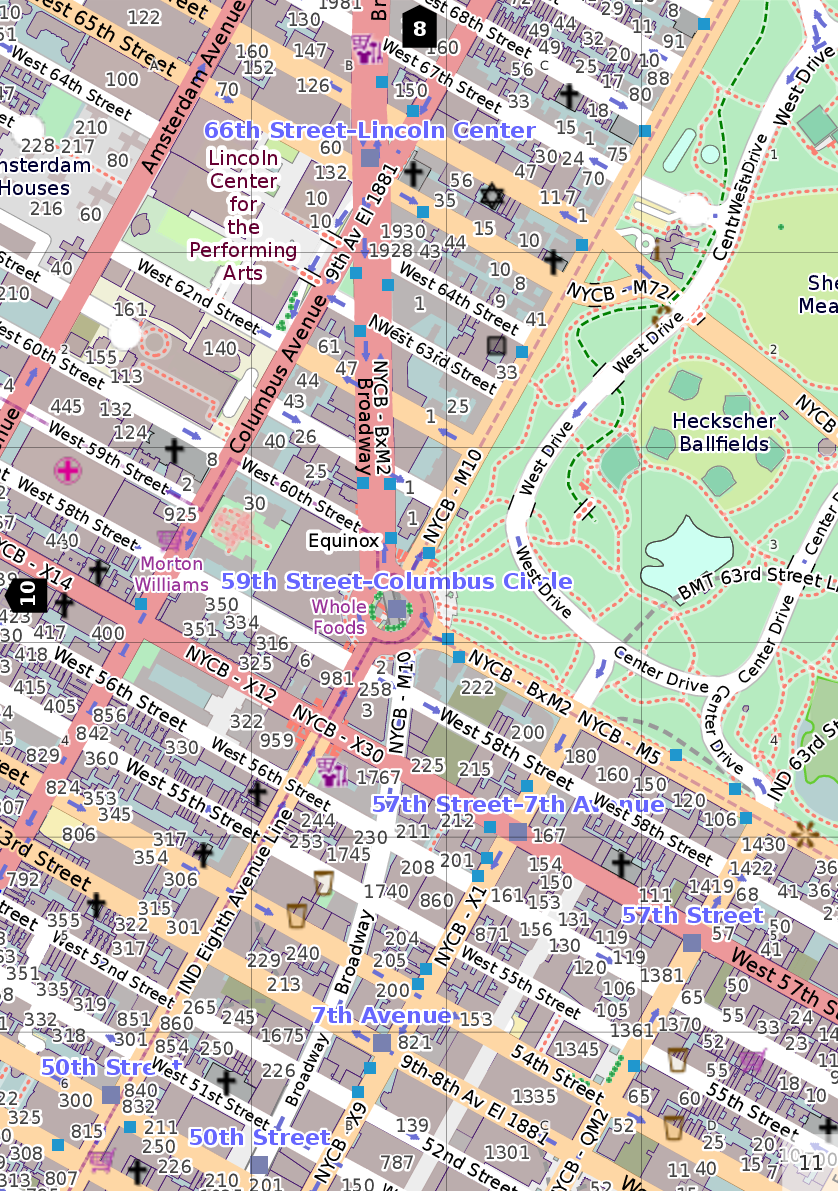
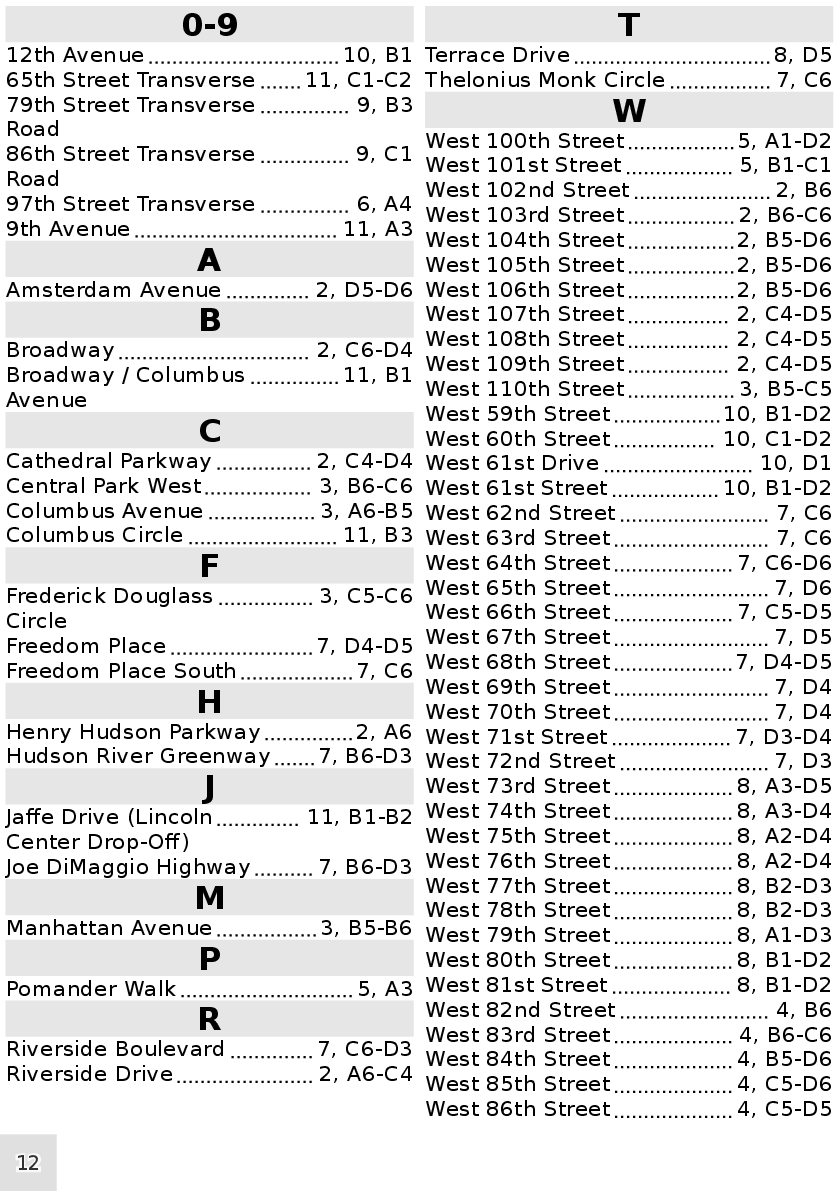
The original PDF file (paper size A5): https://www.scribd.com/document/382852184/upper-west-side-new-york.
## Features
- All dependencies are encapsulated in a container which can be easily bootstrapped and used on almost any Linux system.
- Resolution-independent scalable vector images.
- The clickable overview page to quickly navigate to an area of interest.
- Clickable page edges to navigate to adjacent pages.
- The clickable Index page with a list of streets and objects.
- Table of contents.
## Requirements
- A [systemd](https://en.wikipedia.org/wiki/Systemd)-based Linux system ([Debian](https://www.debian.org/)/[Ubuntu](https://www.ubuntu.com/) and derivatives, [Arch Linux](https://www.archlinux.org/), etc.)
- Minimum free 2GB of disk space.
- Presense of the following commands on your system: `debootstrap` (provided by the `debootstrap` on Debian, Ubuntu and Arch Linux) and `systemd-nspawn` (provided by the `systemd-container` package on Debian and Ubuntu; present on the base Arch Linux installation).
## Usage
- Clone or download this repository and `cd` into the directory:
```shell
git clone https://github.com/sgtpep/ebookmap.git
cd ./ebookmap
```
- Setup a container with all dependencies (it will be stored at `/var/lib/machines/ocitysmap`):
```shell
./setup-container
```
- The next step can be omitted if you want to use ocitysmap and the default Mapnik stylesheet as is. Otherwise, for better results on eBook readers apply customizations (you can read comments, lines started with `#`, in `./customize-ocitysmap` to learn about them):
```shell
./customize-ocitysmap
```
- Import some data from OpenStreetMap to the container's database providing a URL to it (the `.osm.pbf` format is recommended; see [this section](#openstreetmap-data-extracts) for a list of known data sources). For huge datasets you can also pass additional arguments for `osm2pgsql` (for example, `-s|--slim` activates the slim mode which is slower, but uses less memory, `-C|--cache 10000` enables to use up to 10000MB of RAM for the cache; read [Usage of `osm2pgsql`](http://www.volkerschatz.com/net/osm/osm2pgsql-usage.html) and [OpenStreetMap Wiki](https://wiki.openstreetmap.org/wiki/Osm2pgsql) to learn about them): `./import-data [url] -s -C 10000`.
```shell
./import-data https://download.bbbike.org/osm/bbbike/NewYork/NewYork.osm.pbf
```
- Default object names in the OpenStreetMap data are provided in local languages. Run this command if you want to convert names to English (note: not all objects on OpenStreetMap may have been translated to English, it depends on efforts of OpenStreetMap contributors):
```shell
./translate-data
```
- You need to know either an exact OSM name or ID of a place you are interested in. You can query them from the container's database with some case-insensitive substring:
```shell
./query-name 'west side'
```
```
osm_id | name
-----------+-----------------------------------
412090769 | West Side High School
310223934 | West Side Avenue Park and Ride
265258258 | West Side Jewish Center
433102608 | West Side Yard
265329555 | West Side Home Center
241826154 | Apple Store, Upper West Side
269297172 | West Side Institutional Synagogue
413886376 | West Side Tennis Club
274668743 | West Side Bar & Grill
39648150 | West Side Park
-7218315 | Upper West Side
313994014 | West Side Community Garden
```
- Now you can actually render a map of any place using this command passing an exact name as an argument:
```shell
./render-map 'Upper West Side'
```
You can also pass `osm_id` instead of a name: `./render-map -t 'Upper West Side' --osmid=-7218315`. You can also pass any additinal arguments (that `./render.py` of ocitysmap supports). To see them all run: `./render-map -h`:
```
Usage: render.py [options] [-b |--osmid ]
Options:
--version show program's version number and exit
-h, --help show this help message and exit
-C FILE, --config=FILE
specify the location of the config file.
-p PREFIX, --prefix=PREFIX
set a prefix to the generated file names. Defaults to
"citymap".
-f FMT, --format=FMT specify the output formats. Supported file formats:
svg, svgz, pdf, ps, ps.gz, png, and csv. Defaults to
PDF. May be specified multiple times.
-t TITLE, --title=TITLE
specify the title displayed in the output files.
--osmid=OSMID OSM ID representing the polygon of the city to render.
-b LAT1,LON1 LAT2,LON2, --bounding-box=LAT1,LON1 LAT2,LON2
bounding box (EPSG: 4326).
-L LANGUAGE_CODE, --language=LANGUAGE_CODE
language to use when generating the index
(default=en_US.UTF-8). The map language is driven by
the system' locale setting.
-s NAME, --stylesheet=NAME
specify which stylesheet to use. Defaults to the first
specified in the configuration file.
--overlay=NAME comma separated list of overlay stylesheets to use.
Defaults to none
-l NAME, --layout=NAME
specify which layout to use. Available layouts are:
plain (Full-page layout without index.),
single_page_index_bottom (Full-page layout with the
index at the bottom.), single_page_index_side (Full-
page layout with the index on the side.), multi_page
(A multi-page layout.). Defaults to plain.
--paper-format=FMT set the output paper format. Either "default", or one
of Best fit, Din A5, Din A4, US letter, Din A3, Din
A2, Din A1, Din A0, 2x A0.
--orientation=ORIENTATION
set the output paper orientation. Either "portrait" or
"landscape". Defaults to portrait.
--poi-file=FILE provide a file containing POI information to create an
index instead of auto-generating it.
--gpx-file=FILE a GPX track to be put on top of the rendered mapr.
```
To remove the installed container simply run: `sudo rm -r /var/lib/machines/ocitysmap`
## OpenStreetMap data extracts
- https://download.bbbike.org/osm/bbbike/
- https://download.geofabrik.de/
- http://download.openstreetmap.fr/extracts/
## Resources
- MapOSMatic, a web service that allows you to generate maps of cities using the OpenStreetMap data: https://maposmatic.osm-baustelle.de/
- The source code of ocitysmap (Open City Street Map), a command-line tool behind the MapOSMatic web service: http://git.savannah.gnu.org/cgit/maposmatic/ocitysmap.git, https://github.com/hholzgra/ocitysmap
- MapOSMatic on OpenStreetMap Wiki: https://wiki.openstreetmap.org/wiki/MapOSMatic
- Other tools to generate printable maps from OpenStreetMap: https://wiki.openstreetmap.org/wiki/OSM_on_Paper