https://github.com/sh0nk/matplotlib4j
Matplotlib for java: A simple graph plot library for java, scala and kotlin with powerful python matplotlib
https://github.com/sh0nk/matplotlib4j
charts data-visualization java kotlin matplotlib numpy plot plotting scala visualization
Last synced: 6 months ago
JSON representation
Matplotlib for java: A simple graph plot library for java, scala and kotlin with powerful python matplotlib
- Host: GitHub
- URL: https://github.com/sh0nk/matplotlib4j
- Owner: sh0nk
- License: mit
- Created: 2017-09-25T14:53:46.000Z (almost 9 years ago)
- Default Branch: master
- Last Pushed: 2023-09-18T18:23:59.000Z (almost 3 years ago)
- Last Synced: 2024-11-16T01:42:47.541Z (over 1 year ago)
- Topics: charts, data-visualization, java, kotlin, matplotlib, numpy, plot, plotting, scala, visualization
- Language: Java
- Homepage:
- Size: 574 KB
- Stars: 227
- Watchers: 9
- Forks: 37
- Open Issues: 22
-
Metadata Files:
- Readme: README.md
- License: LICENSE
Awesome Lists containing this project
README
# matplotlib4j
[](https://maven-badges.herokuapp.com/maven-central/com.github.sh0nk/matplotlib4j)
[](https://travis-ci.org/sh0nk/matplotlib4j)
[](https://opensource.org/licenses/MIT)
A simplest interface library to enable your java project to use matplotlib.
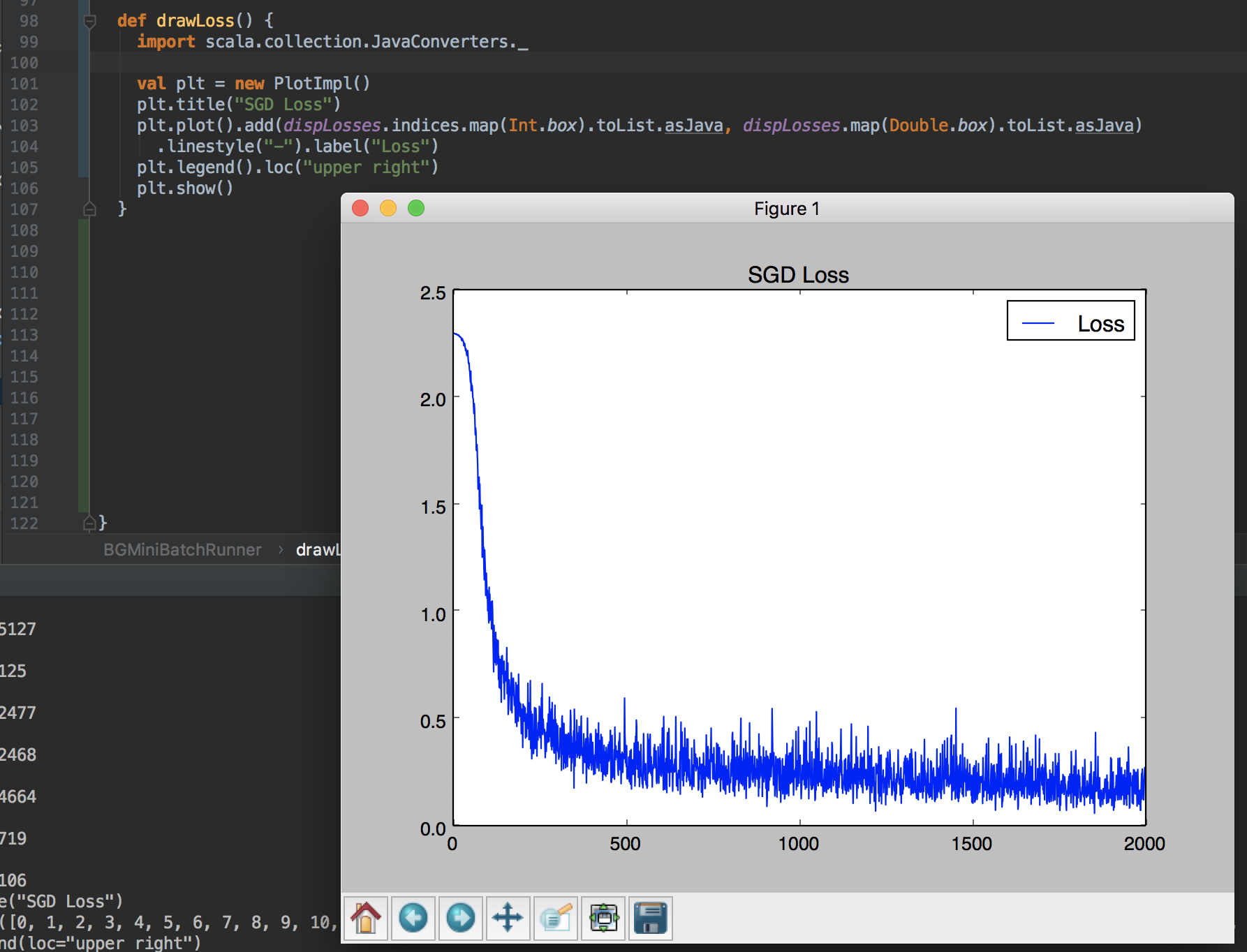
Of course it is able to be imported to scala project as below. The API is designed as similar to the original matplotlib's.
## [Tutorial](/docs/tutorial.md)
Now [tutorial](/docs/tutorial.md) is under preparation to walkthrough the features.
If you want to skim only the idea of Matplotlib4j, skip that and go to the next section: *[How to use](#how-to-use)*
## How to use
Here is an example. Find more examples on `MainTest.java`
```java
Plot plt = Plot.create();
plt.plot()
.add(Arrays.asList(1.3, 2))
.label("label")
.linestyle("--");
plt.xlabel("xlabel");
plt.ylabel("ylabel");
plt.text(0.5, 0.2, "text");
plt.title("Title!");
plt.legend();
plt.show();
```
Another example to draw **Contour**.

```java
// Data generation
List x = NumpyUtils.linspace(-1, 1, 100);
List y = NumpyUtils.linspace(-1, 1, 100);
NumpyUtils.Grid grid = NumpyUtils.meshgrid(x, y);
List> zCalced = grid.calcZ((xi, yj) -> Math.sqrt(xi * xi + yj * yj));
// Plotting
Plot plt = Plot.create();
ContourBuilder contour = plt.contour().add(x, y, zCalced);
plt.clabel(contour)
.inline(true)
.fontsize(10);
plt.title("contour");
plt.legend().loc("upper right");
plt.show();
```
In addition to the interactive window opened by `.show()`, **`.savefig()`** is also supported.
Only one thing to note is that `plt.executeSilently()` triggers to output figure files after calling `.savefig()`.
This is by design as method chain coding style.
```java
Random rand = new Random();
List x = IntStream.range(0, 1000).mapToObj(i -> rand.nextGaussian())
.collect(Collectors.toList());
Plot plt = Plot.create();
plt.hist().add(x).orientation(HistBuilder.Orientation.horizontal);
plt.ylim(-5, 5);
plt.title("histogram");
plt.savefig("/tmp/histogram.png").dpi(200);
// Don't miss this line to output the file!
plt.executeSilently();
```
This code generates the following picture at `/tmp/histogram.png`.

### Major supported functions
- plot()
- pcolor()
- contour()
- hist()
- savefig()
- subplot()
- xlim(), ylim(), xscale(), yscale(), xlabel(), ylabel()
### Pyenv support
It is possible to choose a python environment to run matplotlib with `pyenv` and `pyenv-virtualenv` support. Create `Plot` object by specifying existing names as follows.
```java
// with pyenv name
Plot plt = Plot.create(PythonConfig.pyenvConfig("anaconda3-4.4.0"));
// with pyenv and virtualenv name
Plot plt = Plot.create(PythonConfig.pyenvVirtualenvConfig("anaconda3-4.4.0", "env_plot"));
```
### Other way to specify your "python" environment
Also direct path to python binary is also supported. For example this way can be used if your python runtime is installed
by `poetry` and `venv`.
```java
Plot plt = Plot.create(PythonConfig.pythonBinPathConfig("/Users/sh0nk/my_repos/.venv/bin/python"));
```
## Dependency
* Java 8 or later
* Python with Matplotlib installed
It may work with almost all not too old `Python` and `Matplotlib` versions, but no guarantee. It has been tested
on MacOS with
* Python 2.7.10, 3.6.1
* Matplotlib 1.3.1, 2.0.2
If it does not work on your environment, please report that through [github issue](https://github.com/sh0nk/matplotlib4j/issues/new)
with the error message and your environment (OS, python and matplotlib versions).
## Configure on your project
This library is now found on [maven central repository](http://search.maven.org/#artifactdetails%7Ccom.github.sh0nk%7Cmatplotlib4j%7C0.5.0%7Cjar).
Import to your projects as follows.
**Maven**
```xml
com.github.sh0nk
matplotlib4j
0.5.0
```
**Gradle**
```groovy
compile 'com.github.sh0nk:matplotlib4j:0.5.0'
```
# License
MIT