https://github.com/shadyelyaski/ios-filter-control
An iOS Filter UIControl Subclass. Zero Graphics. Highly Customizable.
https://github.com/shadyelyaski/ios-filter-control
objective-c uicontrol-subclass
Last synced: 2 months ago
JSON representation
An iOS Filter UIControl Subclass. Zero Graphics. Highly Customizable.
- Host: GitHub
- URL: https://github.com/shadyelyaski/ios-filter-control
- Owner: ShadyElyaski
- License: mit
- Created: 2012-06-15T16:57:38.000Z (about 14 years ago)
- Default Branch: master
- Last Pushed: 2016-02-17T19:37:47.000Z (over 10 years ago)
- Last Synced: 2025-08-04T13:54:28.836Z (11 months ago)
- Topics: objective-c, uicontrol-subclass
- Language: Objective-C
- Size: 600 KB
- Stars: 357
- Watchers: 25
- Forks: 66
- Open Issues: 7
-
Metadata Files:
- Readme: README.md
- License: LICENSE
Awesome Lists containing this project
README
iOS Filter Control
==================
An iOS Filter UIControl Subclass. Zero Graphics. Highly Customizable.
Inspired by National Geographics: Park Guides.
# Screenshot
Here's a screenshot for different variations
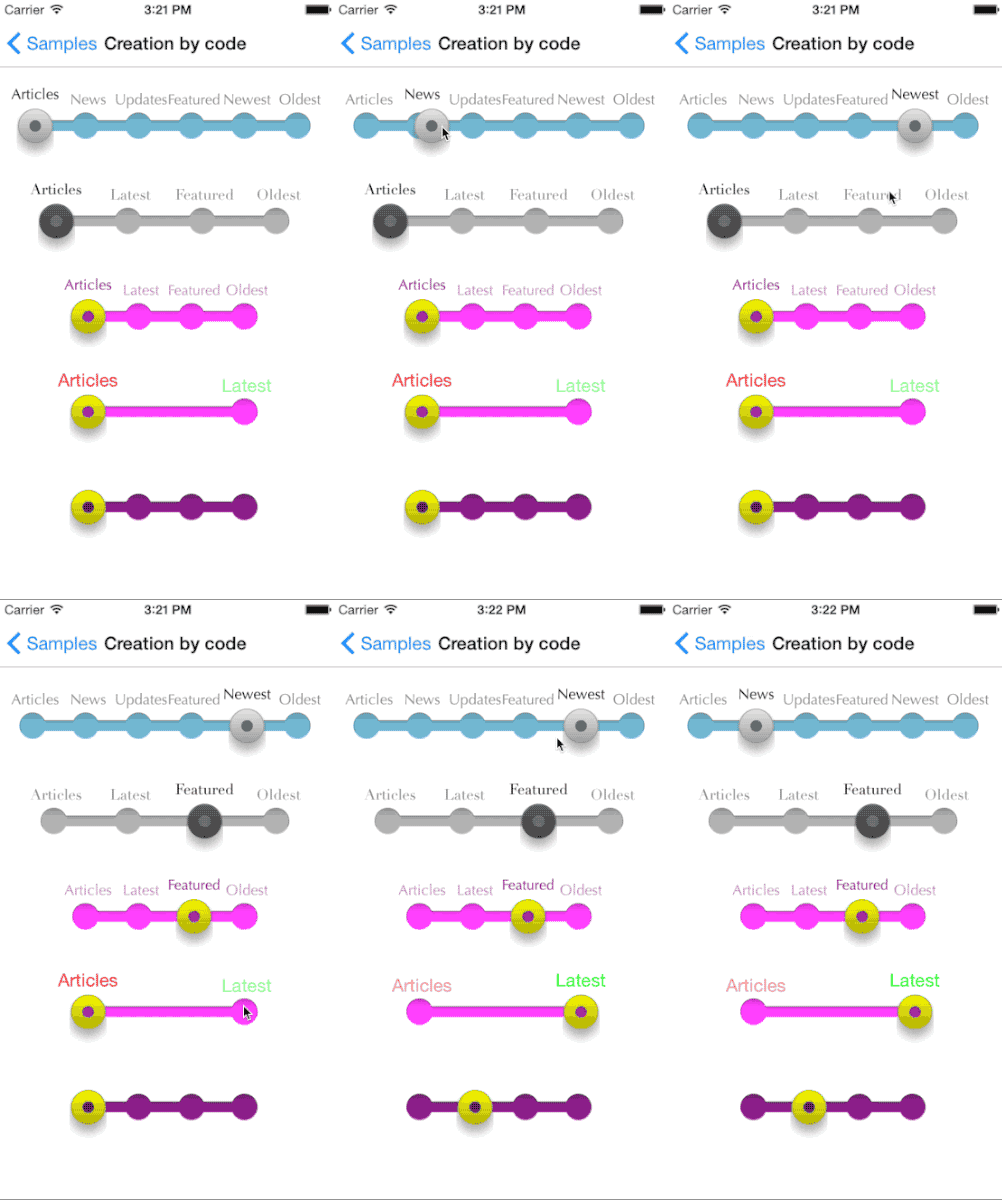
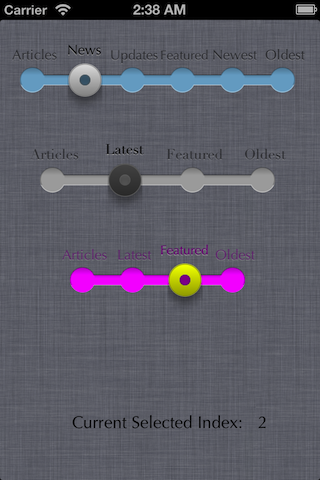
You may watch a demo video on [Youtube](http://www.youtube.com/watch?v=-lvvLnKPUk8)
# Installation
__Cocoapods:__ pod 'SEFilterControl'
__Manual__:
1. In your Xcode Project, take the *SEFilterControl.h and .m* & *SEFilterKnob.h and .m* from ios-filter-control folder and drag them into your project.
2. Start using this new UIControl Subclass!
# SDK Support
It supports iOS 5 to iOS 8
Live rendering in Interface builder will require Xcode 6.x
# Usage
## Creating your filter
### By Code
Somewhere, for example in your viewDidLoad, alloc and init the filter UIControl:
```
SEFilterControl *filter = [[SEFilterControl alloc]initWithFrame:CGRectMake(10, 20, 300, 70) Titles:[NSArray arrayWithObjects:@"Articles", @"News", @"Updates", @"Featured", @"Newest", @"Oldest", nil]];
```
This initializes our Filter Control using CGRect and Titles Array of NSStrings.
*Note That height of the control is predefined as 70 and can't be changed* Use __SEFilterControl_HEIGHT__ const for reference.
Then, add target for Value Change Event handling:
```
[filter addTarget:self action:@selector(filterValueChanged:) forControlEvents:UIControlEventValueChanged];
```
Don't forget to implement the handler we specified later:
```
-(void)filterValueChanged:(SEFilterControl *) sender{
NSLog(@"%@", [NSString stringWithFormat:@"%d", sender.SelectedIndex]);
}
```
Adding to your UIView:
```
[self.view addSubview:filter];
```
### Via Interface builder
Add a new UIView to your xib, and update its class to __SEFilterControl__.
Bind a UIAction to the __valueChanged__ event of your control.
Enjoy ;)
## Configuration
### Filter
| Property | Effect | Default value |
|:-------------:|-------------|-----|-----|
| **progressColor** | Progress track color | SEFilterControl_DEFAULT_PROGRESS_COLOR |
| **titlesFont** | Configure all titles font | SEFilterControl_DEFAULT_TITLE_FONT |
| **titlesColor** | Configure all titles color | SEFilterControl_DEFAULT_TITLE_COLOR |
| **titlesShadowColor** | Configure all titles shadow color | SEFilterControl_DEFAULT_TITLE_SHADOW_COLOR |
### Knob
| Property | Effect | Default value |
|:-------------:|-------------| -----|---|
| **handlerColor** | Configure knob color | SEFilterKnob_DEFAULT_HANDLER_COLOR |
| **shadowColor** | Configure knob shadow color | SEFilterKnob_DEFAULT_SHADOW_COLOR |
| **shadow** | Enable / sisable shadow | SEFilterKnob_DEFAULT_SHADOW |
### Continuous mode
If __continuous__ is set to YES, filter will generate __valueChanged__ events will user is dragging the knb. If NO, an event will be sent once knob released.
### UIAppearance
__SEFilterControl__ and __SEFilterKnob__ declare __UIAppearance__ methods, allowing you to style all instances at a time.
# Acknowledgment
Special thanks to mash, Ltd. team for their support.
Thanks to Nicolas Goutaland for the updated version.
License
-------
This Code is released under the MIT License by [Shady Elyaski](http://www.elyaski.com)
Would love to hear from you when you use this custom UIControl in your project!
Cheers,
Shady A. Elyaski
http://www.elyaski.com