https://github.com/shajon-404/ipa-edit
A powerful cross-platform tool for modifying, signing, and converting iOS .ipa files.
https://github.com/shajon-404/ipa-edit
esign feather ios ios-app ipa ipaedit iphone iphone-app ksign sideloading zsign
Last synced: 4 months ago
JSON representation
A powerful cross-platform tool for modifying, signing, and converting iOS .ipa files.
- Host: GitHub
- URL: https://github.com/shajon-404/ipa-edit
- Owner: SHAJON-404
- License: gpl-3.0
- Created: 2026-03-06T14:01:05.000Z (4 months ago)
- Default Branch: main
- Last Pushed: 2026-03-11T03:21:35.000Z (4 months ago)
- Last Synced: 2026-03-11T03:39:06.590Z (4 months ago)
- Topics: esign, feather, ios, ios-app, ipa, ipaedit, iphone, iphone-app, ksign, sideloading, zsign
- Language: Python
- Homepage: https://shajon.dev
- Size: 6.04 MB
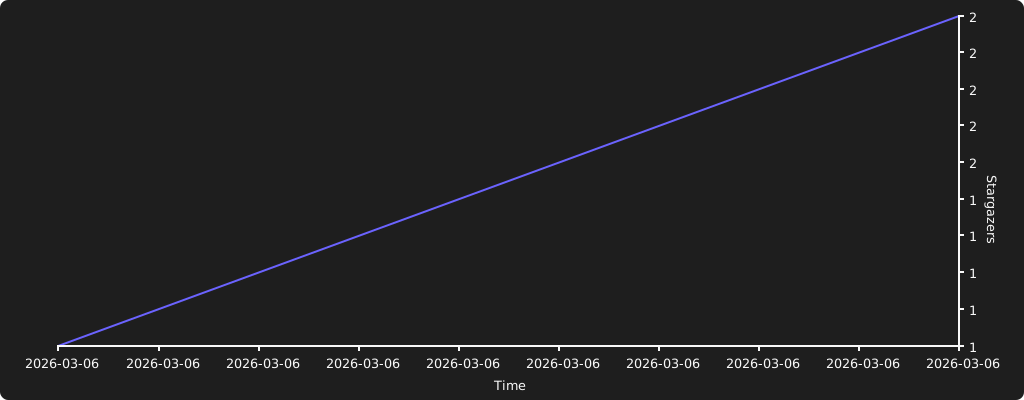
- Stars: 2
- Watchers: 0
- Forks: 0
- Open Issues: 0
-
Metadata Files:
- Readme: README.md
- License: LICENSE
Awesome Lists containing this project
README
iPA Edit
A powerful cross-platform tool for modifying, signing, and converting iOS .ipa files.
Report Bug
·
Request Feature
---
## ✨ Features
- **Edit iPA metadata** — change bundle ID, app name, version, and icon
- **Remove injected dylibs** — delete tweaks and patch the Mach-O binary to strip load commands
- **Code signing** — sign single or batch iPAs using `zsign` with auto-detected certificates
- **Dylib export** — extract `.dylib` and `.framework` files from any iPA
- **Deb → iPA conversion** — convert Cydia `.deb` packages to installable `.ipa` files
- **Interactive mode** — run without arguments for a guided menu-driven experience
- **Cross-platform** — works on Windows, macOS, and Linux
## 📁 Project Structure
```
iPA-Edit/
├── ipa-edit.py # main script
├── requirements.txt
├── certificate/ # place signing certificates here
│ ├── *.p12
│ └── *.mobileprovision
├── zsign/ # bundled zsign binaries (auto-detected)
│ ├── windows/zsign.exe
│ ├── mac/zsign
│ └── ubuntu/zsign
├── Signed/ # signed output (auto-created)
└── Unsigned/ # unsigned output (auto-created)
```
## 🚀 Getting Started
### Prerequisites
- **Python 3.10+**
- **Pillow** — `pip install Pillow`
### Installation
```bash
git clone --depth=1 https://github.com/SHAJON-404/iPA-Edit.git
cd iPA-Edit
pip install -r requirements.txt
```
### Signing Setup *(optional)*
1. Place your `.p12` certificate and `.mobileprovision` profile in the `certificate/` folder.
2. The matching `zsign` binary for your OS is detected automatically from the `zsign/` directory.
## 🖥️ Platform Support
| Feature | Windows | macOS | Linux |
|:--|:--:|:--:|:--:|
| iPA editing | ✅ | ✅ | ✅ |
| iPA signing | ✅ | ✅ | ✅ |
| `.deb` → `.ipa` | ✅ 7-Zip / built-in | ✅ dpkg-deb / ar | ✅ dpkg-deb / ar |
## 📖 Usage
### Interactive Mode
Simply run with no arguments:
```bash
python ipa-edit.py
```
You'll see a menu:
```
1: Edit iPA (bundle ID, name, version, icon, file browser)
2: Export dylibs from iPA
3: Remove dylibs & sign iPA
4: Sign iPA(s)
5: Convert .deb to .ipa
6: Change app icon
7: Enable document browser
8: Exit
```
### Command-Line Mode
```bash
python ipa-edit.py -i -o [options]
```
| Flag | Description |
|:--|:--|
| `-i` | Input `.ipa` or `.deb` file |
| `-o` | Output path or filename |
| `-b` | Change bundle ID |
| `-n` | Change app display name |
| `-v` | Change app version |
| `-p` | Change app icon (any image format) |
| `-f` | Enable iOS document browser |
| `-d` | Export injected `.dylib` / `.framework` files |
| `-r` | Remove selected dylibs, patch binary, and sign |
| `-s` | Sign iPA(s) with a certificate |
| `-e` | Convert `.deb` to `.ipa` |
| `-k` | Keep the original source file |
### Examples
```bash
# Edit metadata
python ipa-edit.py -i app.ipa -o patched.ipa -b com.new.id -n "My App" -v 2.0
# Remove injected tweaks & sign
python ipa-edit.py -i app.ipa -o . -r
# Sign a single iPA
python ipa-edit.py -i app.ipa -o signed.ipa -s
# Batch sign all iPAs in a folder
python ipa-edit.py -i ./ipas/ -o ./output/ -s
# Convert .deb to .ipa
python ipa-edit.py -i tweak.deb -o converted.ipa -e
```
## 🔐 Certificate & Zsign Auto-Detection
When using `-s` or `-r`, certificates and the signing tool are resolved automatically:
**zsign** — checked in order:
1. Bundled binary from `zsign/{windows,mac,ubuntu}/`
2. `zsign` on system `PATH`
3. Manual prompt as fallback
**Certificate** — checked in order:
1. `certificate/` folder (`.p12` + `.mobileprovision`)
2. Input directory (batch signing scenario)
3. Manual prompt as fallback
## 📝 License
This project is licensed under the **GPLv3** License.
## 🙏 Credits
- Original project by [binnichtaktiv](https://github.com/binnichtaktiv)
- Rewritten and maintained by [SHAJON-404](https://github.com/SHAJON-404)
---
[](https://starchart.cc/SHAJON-404/iPA-Edit)