https://github.com/shakilofficial/blog-platform-backend
A backend for a blogging platform with user roles, authentication, and CRUD operations for blogs. Built with Node.js, Express, MongoDB, and TypeScript.
https://github.com/shakilofficial/blog-platform-backend
backend blog expressjs jesonwebtoken jwt-authentication mongodb mongoose nodejs restful-api typescript vercel-deployment zod
Last synced: 3 months ago
JSON representation
A backend for a blogging platform with user roles, authentication, and CRUD operations for blogs. Built with Node.js, Express, MongoDB, and TypeScript.
- Host: GitHub
- URL: https://github.com/shakilofficial/blog-platform-backend
- Owner: Shakilofficial
- Created: 2024-12-18T17:09:46.000Z (over 1 year ago)
- Default Branch: main
- Last Pushed: 2024-12-21T05:48:57.000Z (over 1 year ago)
- Last Synced: 2025-10-09T22:14:16.523Z (9 months ago)
- Topics: backend, blog, expressjs, jesonwebtoken, jwt-authentication, mongodb, mongoose, nodejs, restful-api, typescript, vercel-deployment, zod
- Language: TypeScript
- Homepage: https://blog-platform-backend-shakilofficial-mrshakil.vercel.app
- Size: 111 KB
- Stars: 0
- Watchers: 1
- Forks: 0
- Open Issues: 0
-
Metadata Files:
- Readme: README.md
Awesome Lists containing this project
README
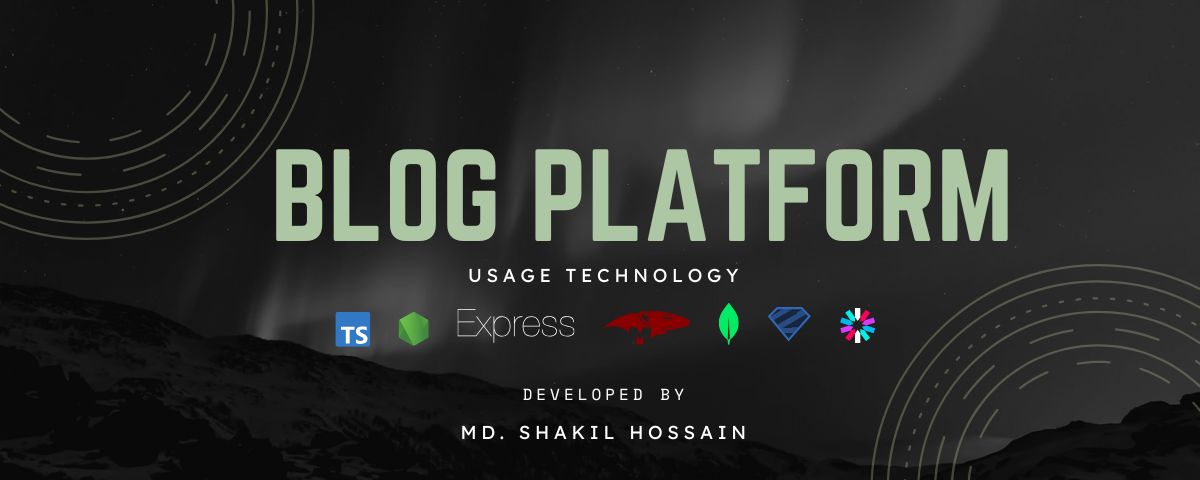
**Blog Platform Backend** is a robust backend service designed for a blogging platform that supports multiple user roles, user authentication, and the management of blog posts. Built with **Node.js**, **Express**, **MongoDB**, and **TypeScript**, this project provides a powerful API for managing users, blogs, and administrative functions with full CRUD capabilities. The backend is structured for scalability, efficiency, and security.
Key features include user registration, login, role-based access control (admin and user roles), and blog post management. It also implements **Zod** for data validation and robust error handling, ensuring seamless operation and a clean user experience.
## Features
- **User Registration & Login**: JWT-based authentication for secure user login and token management.
- **Role-Based Access Control**: Differentiates between regular users and admin roles, with admins having more extensive permissions.
- **CRUD Operations for Blogs**: Allows users to create, update, delete, and read blog posts.
- **Global Error Handling**: Custom error classes to handle various types of errors such as validation, duplicate data, and MongoDB-specific errors.
- **Zod Validation**: Type-safe validation library for ensuring data integrity in API requests.
- **Query Builder**: Built-in support for filtering, searching, and paginating blog posts.
## Index
1. [Project Title](#project-title)
2. [Description](#description)
3. [Features](#features)
4. [Installation](#installation)
5. [Usage](#usage)
6. [API Endpoints](#api-endpoints)
- [Authentication](#authentication)
- [Register User](#register-user)
- [Login User](#login-user)
- [User Management](#user-management)
- [Get All Users](#get-all-users)
- [Get User Profile](#get-user-profile)
- [Update User Profile](#update-user-profile)
- [Blog Management](#blog-management)
- [Get All Blogs](#get-all-blogs)
- [Create Blog](#create-blog)
- [Update Blog](#update-blog)
- [Delete Blog](#delete-blog)
- [Admin Routes](#admin-routes)
- [Block User](#block-user)
- [Delete Blog](#delete-blog-admin)
7. [Error Handling](#error-handling)
8. [Authentication](#authentication)
9. [Contribution Guidelines](#contribution-guidelines)
10. [Contact](#contact)
11. [License](#license)
## Installation
### Prerequisites
Before you begin, ensure you have the following installed:
- **Node.js**: Version 18 or higher
- **npm**: Node package manager
- **MongoDB**: Either a local instance or MongoDB Atlas for a cloud-based solution
### Steps
1. Clone the repository to your local machine:
```bash
git clone https://github.com/Shakilofficial/blog-platform-backend.git
cd blog-platform-backend
```
2. Install the necessary dependencies:
```bash
npm install
```
3. Set up your environment variables in a `.env` file. Example:
```env
PORT=5000
MONGO_URI=mongodb://localhost:27017/blog-platform
JWT_SECRET=your_jwt_secret_key
```
4. Compile TypeScript:
```bash
npm run build
```
5. Start the server:
- For development:
```bash
npm run dev
```
- For production:
```bash
npm run start:prod
```
## Usage
Once the server is running, you can access the API at `http://localhost:/api`, where `` is defined in your `.env` file (default is `5000`).
- **Development Mode**: The server will automatically reload with changes.
- **Production Mode**: The server will be optimized for performance.
## API Endpoints
Here’s a comprehensive list of the available API routes:
### **Auth Routes**
| **Method** | **Endpoint** | **Description** |
| ---------- | -------------------- | ----------------------------- |
| `POST` | `/api/auth/register` | Register a new user. |
| `POST` | `/api/auth/login` | Login and obtain a JWT token. |
---
### **User Routes**
| **Method** | **Endpoint** | **Description** |
| ---------- | ---------------- | ------------------------------------------------ |
| `GET` | `/api/users` | Retrieve a list of all users (Admin only). |
| `GET` | `/api/users/:id` | Retrieve a user's profile (Admin or themselves). |
---
### **Blog Routes**
| **Method** | **Endpoint** | **Description** |
| ---------- | ---------------- | --------------------------------------------------------- |
| `GET` | `/api/blogs` | Retrieve all blogs (with search, filter, and pagination). |
| `POST` | `/api/blogs` | Create a new blog post (User only). |
| `GET` | `/api/blogs/:id` | Retrieve a single blog by its ID. |
| `PUT` | `/api/blogs/:id` | Update a blog post (User can update their own blogs). |
| `DELETE` | `/api/blogs/:id` | Delete a blog post (User can delete their own blogs). |
---
### **Admin Routes**
| **Method** | **Endpoint** | **Description** |
| ---------- | -------------------------------- | ----------------------------- |
| `POST` | `/api/admin/users/:userId/block` | Block a user (Admin only). |
| `DELETE` | `/api/admin/blogs/:id` | Delete any blog (Admin only). |
---
### Authentication
#### 1.1 Register User
**POST** `/api/auth/register`
Description: Registers a new user with the platform. It validates user data and saves it to the database.
**Request Body**:
```json
{
"name": "John Doe",
"email": "john@example.com",
"password": "securepassword"
}
```
**Response**:
Success (201):
```json
{
"success": true,
"message": "User registered successfully",
"statusCode": 201,
"data": {
"_id": "string",
"name": "string",
"email": "string"
}
}
```
Failure (400):
```json
{
"success": false,
"message": "Validation error",
"statusCode": 400,
"error": {
"details": "Field validation failed"
},
"stack": "error stack"
}
```
#### 1.2 Login User
**POST** `/api/auth/login`
Description: Authenticates a user and returns a JWT token.
**Request Body**:
```json
{
"email": "john@example.com",
"password": "securepassword"
}
```
**Response**:
Success (200):
```json
{
"success": true,
"message": "Login successful",
"statusCode": 200,
"data": {
"token": "jwt_token_here"
}
}
```
Failure (401):
```json
{
"success": false,
"message": "Invalid credentials",
"statusCode": 401
}
```
### User Management
#### 2.1 Get All Users (Admin Only)
**GET** `/api/users`
Description: Retrieves a list of all users in the platform (Admin only).
**Response**:
Success (200):
```json
{
"success": true,
"data": [
{
"_id": "user_id",
"name": "John Doe",
"email": "john@example.com",
"role": "user"
}
]
}
```
#### 2.2 Get User Profile
**GET** `/api/users/:id`
Description: Retrieves a user’s profile (Admin or the user themselves).
**Response**:
Success (200):
```json
{
"success": true,
"data": {
"_id": "user_id",
"name": "John Doe",
"email": "john@example.com",
"role": "user",
"isBlocked": false
}
}
```
#### 2.3 Update User Profile
**PUT** `/api/users/:id`
Description: Updates a user’s profile (Admin or the user themselves).
**Request Body**:
```json
{
"name": "Updated Name",
"email": "newemail@example.com"
}
```
**Response**:
Success (200):
```json
{
"success": true,
"message": "Profile updated successfully"
}
```
### Blog Management
#### 3.1 Get All Blogs
**GET** `/api/blogs`
Description: Retrieves all blog posts, with support for search, filtering, and pagination.
**Response**:
Success (200):
```json
{
"success": true,
"data": [
{
"_id": "blog_id",
"title": "Blog Title",
"content": "Blog content here...",
"author": "author_id",
"isPublished": true,
"createdAt": "2021-10-01T00:00:00.000Z"
}
]
}
```
#### 3.2 Create Blog
**POST** `/api/blogs`
Description: Allows the user to create a new blog post.
**Request Body**:
```json
{
"title": "Blog Title",
"content": "Content of the blog post",
"author": "author_id"
}
```
**Response**:
Success (201):
```json
{
"success": true,
"message": "Blog created successfully",
"data": {
"_id": "new_blog_id",
"title": "Blog Title",
"content": "Content of the blog post",
"author": "author_id"
}
}
```
#### 3.3 Update Blog
**PUT** `/api/blogs/:id`
Description: Allows the user to update their own blog post.
**Request Body**:
```json
{
"title": "Updated Blog Title",
"content": "Updated content of the blog post"
}
```
**Response**:
Success (200):
```json
{
"success": true,
"message": "Blog updated successfully"
}
```
#### 3.4 Delete Blog
**DELETE** `/api/blogs/:id`
Description: Allows the user to delete their own blog post.
**Response**:
Success (200):
```json
{
"success": true,
"message": "Blog deleted successfully"
}
```
### Admin Routes
#### 4.1 Block User
**POST** `/api/admin/users/:userId/block`
Description: Allows the admin to block a user by setting `isBlocked` to `true`.
**Response**:
Success (200):
```json
{
"success": true,
"message": "User blocked successfully"
}
```
#### 4.2 Delete Blog (Admin Only)
**DELETE** `/api/admin/blogs/:id`
Description: Allows the admin to delete any blog post.
**Response**:
Success (200):
```json
{
"success": true,
"message": "Blog deleted successfully"
}
```
## Error Handling
The application implements robust error handling mechanisms to ensure a smooth user experience and facilitate debugging for developers. Below is a list of standardized error types:
| **Error Type** | **Description** |
| ------------------------- | --------------------------------------------------------------------------------------------------- |
| **Zod Validation Error** | **(ZOD_ERROR)**: Errors arising from invalid data inputs based on Zod schema validation. |
| **Not Found Error** | **(NOT_FOUND_ERROR)**: When requested resources (e.g., a user, item, or page) are not found. |
| **Validation Error** | **(VALIDATION_ERROR)**: General validation errors (e.g., incorrect data format, missing fields). |
| **Authentication Error** | **(AUTH_ERROR)**: Issues related to failed authentication (e.g., invalid token or expired session). |
| **Authorization Error** | **(AUTHORIZATION_ERROR)**: When the user lacks permissions to access a resource. |
| **Internal Server Error** | **(INTERNAL_SERVER_ERROR)**: Unhandled errors or unexpected server issues. |
The global error handler is designed to catch all unhandled errors and send a clean and consistent response with a `500` status code for server-related issues.
---
## Authentication
### JWT Authentication
- The platform uses **JWT (JSON Web Tokens)** for authenticating users.
- After successful registration or login, a JWT token is returned.
- The token should be included in the **Authorization** header as `Bearer ` for protected routes.
### Role-Based Authentication
- **Admin** users can access all routes and manage blog posts and users.
- **Regular** users can create, update, and delete their own blog posts but cannot manage other users.
## Contribution Guidelines
If you'd like to contribute to this project, please fork the repository and submit a pull request. Ensure your changes are well-tested and follow the coding standards outlined in the project.
## Contact
For questions or collaboration, please contact me via:
- **Email**: [mrshakilhossain@outlook.com](mailto:mrshakilhossain@outlook.com)
- **LinkedIn**: [https://www.linkedin.com/in/your-profile](https://www.linkedin.com/in/your-profile)
- **Facebook**: [https://www.facebook.com/iamshakilhossain](https://www.facebook.com/iamshakilhossain)
- **Portfolio**: [https://shakilhossain-sigma.vercel.app](https://shakilhossain-sigma.vercel.app)
---
Copyright © 2024 [Md Shakil Hossain](https://github.com/Shakilofficial).
## License
This project is [MIT](https://github.com/Shakilofficial/book-shop/blob/main/LICENSE) licensed.