https://github.com/shane-smith/liquidplanner-scripts
Contains a collection of JavaScript tools for LiquidPlanner Classic, intended to be used as a browser bookmark. Free to use, free to distribute (see LICENSE) - please submit a pull request for any changes you wish to recommend.
https://github.com/shane-smith/liquidplanner-scripts
javascript-bookmarklet liquidplanner
Last synced: 10 months ago
JSON representation
Contains a collection of JavaScript tools for LiquidPlanner Classic, intended to be used as a browser bookmark. Free to use, free to distribute (see LICENSE) - please submit a pull request for any changes you wish to recommend.
- Host: GitHub
- URL: https://github.com/shane-smith/liquidplanner-scripts
- Owner: shane-smith
- License: gpl-3.0
- Created: 2017-07-10T02:42:27.000Z (about 9 years ago)
- Default Branch: master
- Last Pushed: 2024-06-07T06:48:46.000Z (about 2 years ago)
- Last Synced: 2025-06-06T00:09:46.215Z (about 1 year ago)
- Topics: javascript-bookmarklet, liquidplanner
- Language: JavaScript
- Homepage:
- Size: 19.5 KB
- Stars: 2
- Watchers: 2
- Forks: 0
- Open Issues: 0
-
Metadata Files:
- Readme: README.md
- License: LICENSE
Awesome Lists containing this project
README
# LiquidPlanner-Bookmarklets
Contains a collection of JavaScript bookmarklets for LiquidPlanner Classic.
**License:** GNU General Public License v3.0
Please submit a Pull Request if you'd like to suggest an improvement. Minified code is generated by pasting the JavaScript source into [this converter](http://jpillora.com/bookmarkleter/).
# Install
Updates are manual, due to [Content Security Policy](https://developer.mozilla.org/en-US/docs/Web/HTTP/CSP) in most modern browsers. Check back here for updates.
**Google Chrome**
1. Show bookmark bar (Cmd+Shift+B if hidden)
2. Right Click > Add Page...
3. Enter any 'Name', set 'URL' as per code block below.
**Mozilla Firefox**
1. Show bookmark bar (View > Toolbars > Bookmarks Toolbar, if hidden)
2. Right Click > New Bookmark...
3. Enter any 'Name', set 'Location' as per code block below.
## Used from "My Work"
### Hide To Do List
When you are on the 'My Work' page, expand the width of the task list by removing the TODO section temporarily.
```
javascript:(function(){document.querySelector('.todo_list_area').style.display = 'none';})();
```
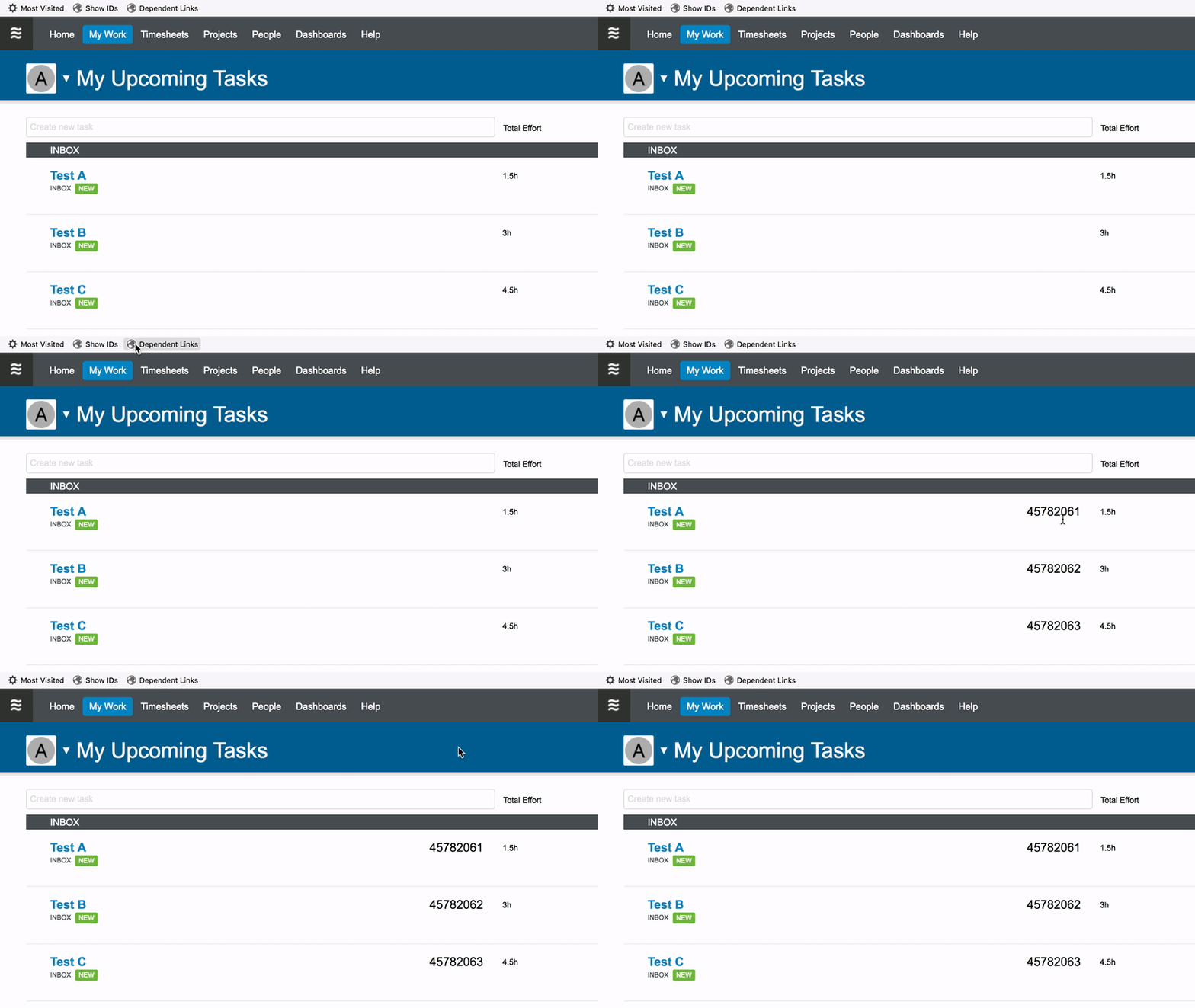
### Show IDs
When you are on the 'My Work' page, click this bookmarklet to display the ID of each task on the page.
```
javascript:(function(){var%20tasks=document.getElementsByClassName('task_row%20large_row');for(var%20i=0;i%20%3C%20tasks.length;i++){var%20taskID=tasks[i].getAttribute('data-item-id');var%20timerElement=tasks[i].getElementsByClassName('timer_column')[0];timerElement.innerHTML='%3Cspan%20style=%22font-size:1.5em%22%3E'+taskID+'%3C/span%3E';}})();
```
## Used from Task DetailView
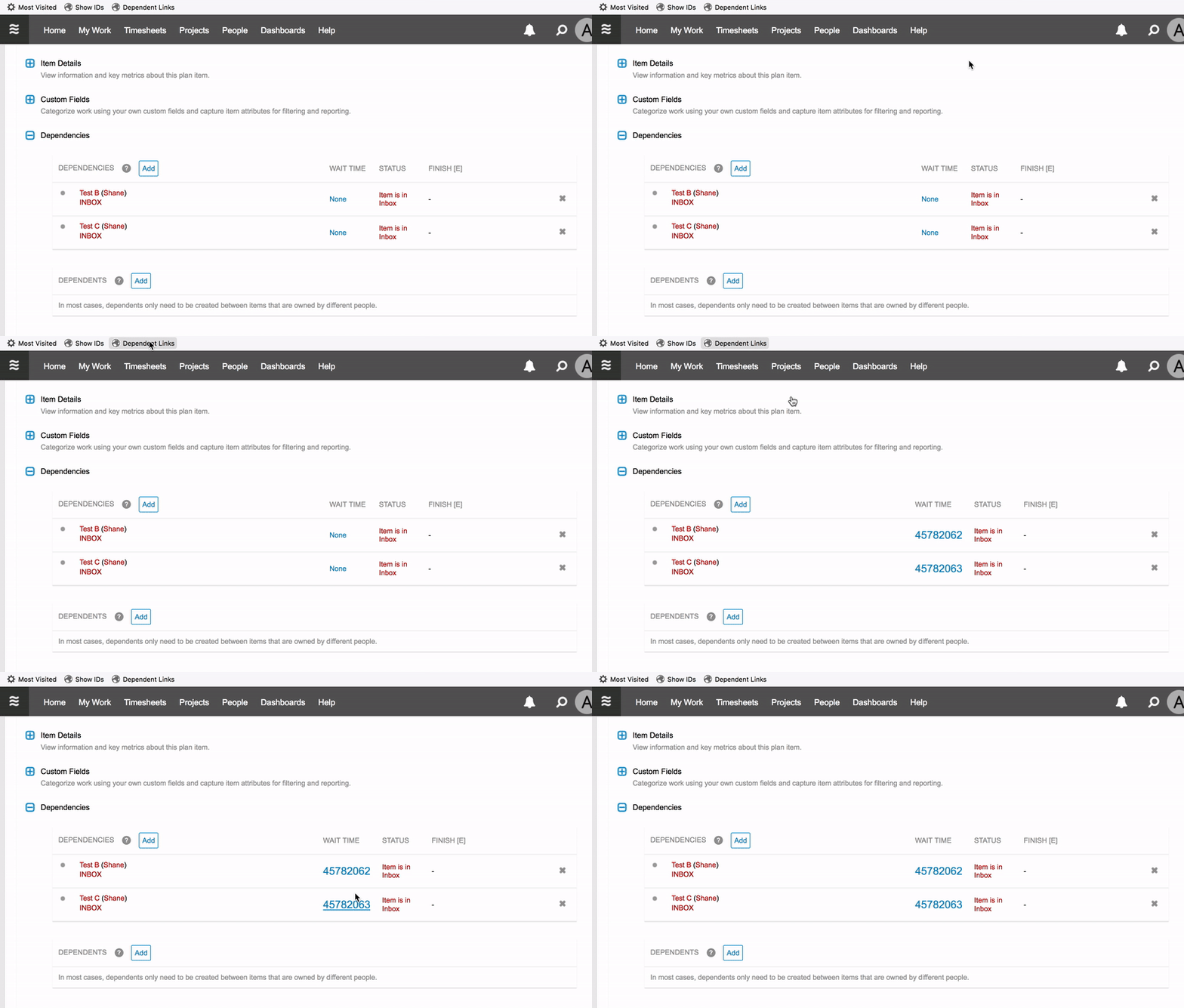
### Dependent Links
When you have a task open, click this bookmarklet to display a direct link to each dependent task's detail view. The link will open in a new tab / window.
```
javascript:(function(){var%20list=[];list[0]=document.getElementById('dependencies_section').getElementsByClassName('dep');list[1]=document.getElementById('dependents_section').getElementsByClassName('dep');for(var%20x=0;x%20%3C%20list.length;x++){var%20dep=list[x];for(var%20i=0;i%20%3C%20dep.length;i++){var%20link=dep[i].querySelector('.name%20a').href;var%20taskID=link.substr(link.length%20-%208);var%20waitElement=dep[i].querySelector('.wait_time');waitElement.innerHTML='%3Ca%20href=%22https://app.liquidplanner.com/space/172009/projects/panel/'+taskID+'%22%20target=%22_blank%22%20style=%22font-size:1.5em;%22%3E'+taskID+'%3C/a%3E';}}})();
```