https://github.com/shaps80/bash
Various bash scripts I've written to simply my development and sometimes just to make me smile.
https://github.com/shaps80/bash
Last synced: 3 months ago
JSON representation
Various bash scripts I've written to simply my development and sometimes just to make me smile.
- Host: GitHub
- URL: https://github.com/shaps80/bash
- Owner: shaps80
- Created: 2013-05-09T22:17:58.000Z (about 13 years ago)
- Default Branch: master
- Last Pushed: 2016-04-08T13:54:48.000Z (over 10 years ago)
- Last Synced: 2025-01-11T11:48:26.157Z (over 1 year ago)
- Language: Shell
- Size: 191 KB
- Stars: 2
- Watchers: 2
- Forks: 0
- Open Issues: 0
-
Metadata Files:
- Readme: README.md
Awesome Lists containing this project
README
BASH Profile
============
## Installation
`curl -L https://raw.githubusercontent.com/shaps80/bash/master/install.sh | bash `
Alternatively, download `script.sh` yourself and copy the script to `~/._bash_profile` or `~/.bashrc`
## Summary
As many of us developers know, working from Terminal on a Mac leaves something to be desired.
I certainly find it faster to get things done, but only when I have the right information and tools at my fingertips.
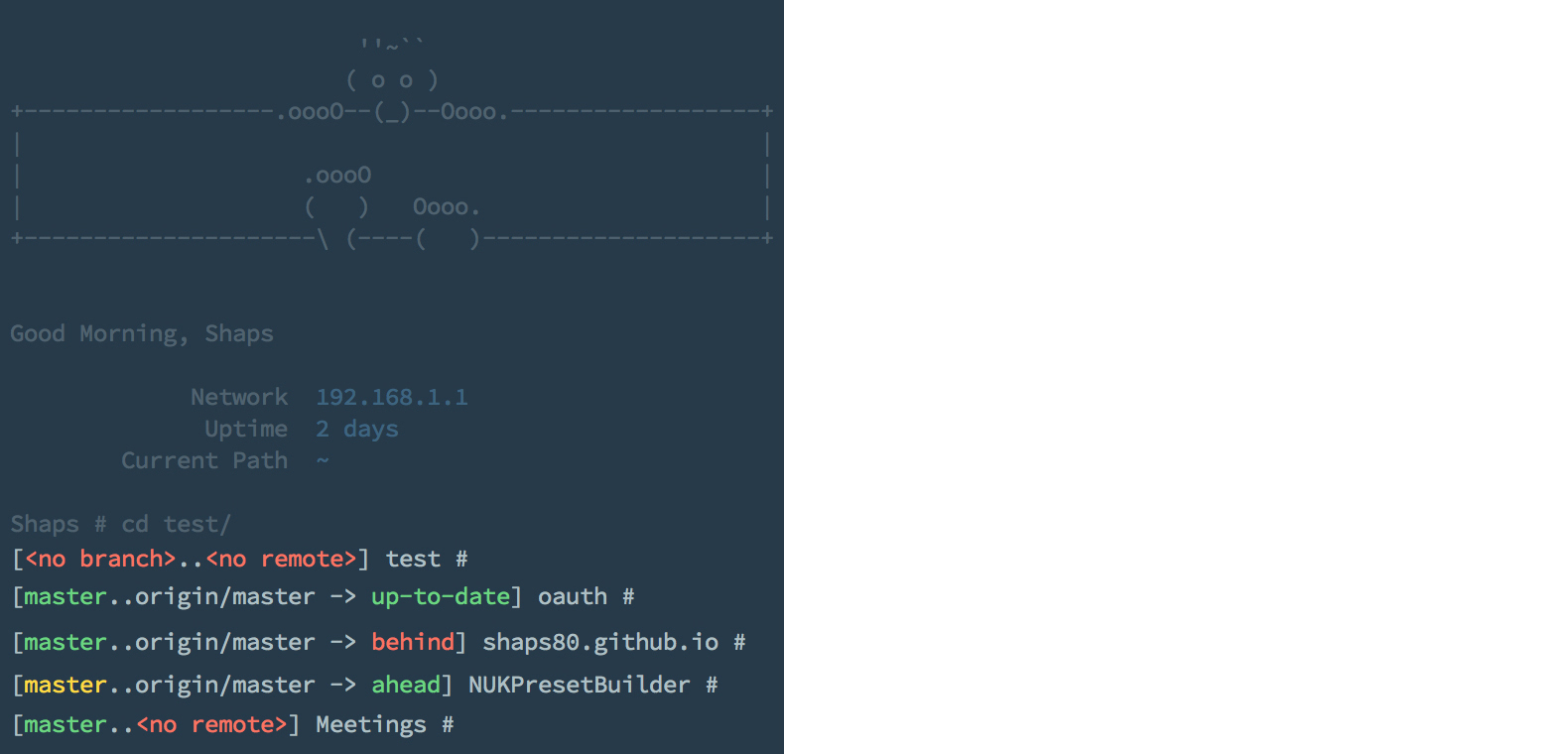
So I set out to create a simple .bash_profile that would have pretty GIT output on the prompt, as well as a nice welcome message with relevant information. I also needed Xcode and GIT support baked in.
For you AppCode users, there's some love for you too ;)
The most important upgrade to this version is that I've cleaned up the entire script to make it really easy to add custom 'dashboard' data, and to keep your aliases, etc... clean and out of the way at the top of the file.
## Dashboard
* A time-specific greeting
* IP address and gateway
* Connection state, IP, not connected, no internet, etc...
* Current working directory
* Current system uptime
## GIT Support
The prompt now shows various states to indicate the current status of your git repositories:
* If you're not inside a git repo, there's a nice fallback 'path-only' prompt
* If you are inside a repo with no branches
* If you have a local branch with no remote
* If you have changes on your local branch
* If you are ahead, behind, diverged or up-to-date on your local branch -- compare to remote
* and more...
## Development
* openx will search first for an Xcode workspace, falling back to a project if none found
- In the event you have multiple workspaces or projects, you will be prompted for a selection
* opena performs the same as above, but with AppCode as your editor choice