https://github.com/shashankssp12/voice-assistant-dexter
Dexter AI Assistant is a Python-based virtual assistant designed to respond to voice commands, perform various tasks, and provide information. Inspired by popular assistants like Siri and Alexa, Dexter aims to deliver a user-friendly and efficient experience.
https://github.com/shashankssp12/voice-assistant-dexter
deepgram-api newsapi openai-api python stt tts websockets
Last synced: about 1 year ago
JSON representation
Dexter AI Assistant is a Python-based virtual assistant designed to respond to voice commands, perform various tasks, and provide information. Inspired by popular assistants like Siri and Alexa, Dexter aims to deliver a user-friendly and efficient experience.
- Host: GitHub
- URL: https://github.com/shashankssp12/voice-assistant-dexter
- Owner: shashankssp12
- Created: 2024-07-15T04:31:45.000Z (almost 2 years ago)
- Default Branch: main
- Last Pushed: 2025-03-18T17:44:24.000Z (over 1 year ago)
- Last Synced: 2025-03-18T18:47:46.178Z (over 1 year ago)
- Topics: deepgram-api, newsapi, openai-api, python, stt, tts, websockets
- Language: Python
- Homepage:
- Size: 72.1 MB
- Stars: 1
- Watchers: 1
- Forks: 0
- Open Issues: 5
-
Metadata Files:
- Readme: README.md
Awesome Lists containing this project
README
# Voice Assistant Project - Dexter

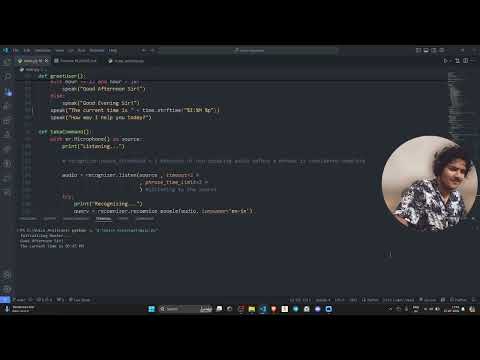
## Watch the Demo Video
[](https://youtu.be/P6a-EPebzmg)
# Dexter AI Assistant
Dexter AI Assistant is a Python-based virtual assistant designed to respond to voice commands, perform various tasks, and provide information. Inspired by popular assistants like Siri and Alexa, Dexter aims to deliver a user-friendly and efficient experience.
# Features
- **Voice Commands**: Dexter can open applications, browse websites, play music, fetch news, and more through voice commands.
- **Text-to-Speech**: Uses `pyttsx3` for converting text responses to speech.
- **Speech Recognition**: Uses `speech_recognition` to process and understand user commands.
- **API Integration**: Integrates with the NewsAPI to fetch the latest news headlines.
- **Custom Responses**: Uses OpenAI's GPT-3.5-turbo to generate responses for unrecognized commands.
# What did I Learn?
- **API Integration**: Learned how to integrate and fetch data from external APIs.
- **Environment Variables**: Utilized environment variables to securely manage API keys and other sensitive information using the `dotenv` library.
- **Libraries Used**:
- `speech_recognition`: For capturing and recognizing speech.
- `pyttsx3`: For converting text to speech.
- `webbrowser`: For opening websites.
- `requests`: For making HTTP requests to APIs.
- `dotenv`: For managing environment variables.
- `OpenAI`: For generating AI responses.
# Ongoing Improvements
- **Web Scraping via Voice Commands**: Working on the ability to scrape data from websites based on voice commands.
- **Enhanced Voice Recognition**: Improving the speed and accuracy of voice recognition to reduce latency and increase responsiveness.
- **Setting Alarms**: Adding functionality to set alarms and reminders through voice commands.
# **Getting Started**
# Prerequisites
- Python 3.x
- Pip (Python package installer)
### Installation
1. Clone the repository:
```bash
git clone https://github.com/yourusername/dexter-ai-assistant.git
cd dexter-ai-assistant
```
2. Install the required libraries:
```bash
pip install -r requirements.txt
```
3. Create a `.env` file in the project directory and add your API keys:
```plaintext
NEWS_API_KEY=your_news_api_key
OPENAI_API_KEY=your_openai_api_key
```
### Running the Assistant
1. Start the Dexter AI Assistant:
```bash
python dexter.py
```
2. Speak the trigger word "Dexter" followed by your command.
### Example Commands
- "Dexter, open VS Code"
- "Dexter, play my favorite song"
- "Dexter, what's the latest news?"
## Contributing
Feel free to submit issues, feature requests, and pull requests. Contributions are welcome!
## License
This project is licensed under the MIT License.
## Contact
For any inquiries, please contact:
- Your Name: Shashank Shekhar Pandey
- Email: shashankspandey12@gmail.com
## **References:**
- Documentation pyttsx3 : [link](https://pypi.org/project/pyttsx3/)
- Documentation speechRecognition : [link](https://pypi.org/project/SpeechRecognition/)
- Docuemetation OpenAI API key setup: [link](https://platform.openai.com/docs/introduction)