https://github.com/shilo/bongo-cat-catnip-mod
Catnip-infused mod that brings out Bongo Cat's zoomies and purrs. Includes quality of life features and fixes. Free, safe, and no cheats.
https://github.com/shilo/bongo-cat-catnip-mod
2d bongo-cat casual cat clicker doorstop free harmony idle mod steam unity windows
Last synced: 29 days ago
JSON representation
Catnip-infused mod that brings out Bongo Cat's zoomies and purrs. Includes quality of life features and fixes. Free, safe, and no cheats.
- Host: GitHub
- URL: https://github.com/shilo/bongo-cat-catnip-mod
- Owner: Shilo
- License: other
- Created: 2025-11-13T07:33:09.000Z (8 months ago)
- Default Branch: main
- Last Pushed: 2026-03-26T15:58:38.000Z (4 months ago)
- Last Synced: 2026-03-27T06:29:48.693Z (4 months ago)
- Topics: 2d, bongo-cat, casual, cat, clicker, doorstop, free, harmony, idle, mod, steam, unity, windows
- Language: Batchfile
- Homepage: https://store.steampowered.com/app/3419430/Bongo_Cat/
- Size: 951 KB
- Stars: 0
- Watchers: 0
- Forks: 0
- Open Issues: 18
-
Metadata Files:
- Readme: README.md
- License: LICENSE.md
Awesome Lists containing this project
README
# [Bongo Cat Catnip Mod →](https://github.com/Shilo/bongo-cat-catnip-mod/)
[](https://github.com/Shilo/bongo-cat-catnip-mod/)
> Catnip-infused mod that brings out [Bongo Cat](#bongo-cat-game-)'s zoomies and purrs. Includes quality of life features and fixes. Free, safe, and no cheats.
This mod extends the [Bongo Cat](#bongo-cat-game-) game with additional features and improvements by modifying the game's code while it runs, without changing the original game files.
## Table of Contents
- [Features](#features)
- [Installation](#installation)
- [Verification](#verification)
- [Uninstallation](#uninstallation)
- [Bongo Cat Game](#bongo-cat-game-)
- [Developer Setup ↗](docs/DEVELOPER.md)
- [License ↗](LICENSE.md)
## Features
TODO
## Installation
1. Go to the [Releases ↗](https://github.com/Shilo/bongo-cat-catnip-mod/releases) page
2. Download the latest `CatnipMod.zip` file
3. Extract the contents of the zip file
**Automatic Installation (Recommended)**
- Double-click `install.bat` in the extracted folder
- The installer will automatically detect your Bongo Cat installation path
- If Bongo Cat is running, it will be automatically closed to ensure a clean installation
- Only mod files (`winhttp.dll`, `doorstop_config.ini`, and `CatnipMod\` folder) will be copied to the game directory
- The game directory will open in Windows Explorer after successful installation
**Manual Installation**
- Copy all files and folders from the `BongoCat` folder to your Bongo Cat installation directory:
- **Default location:** `C:\Program Files (x86)\Steam\steamapps\common\BongoCat\`
- The files to copy include:
- `winhttp.dll` (in the root)
- `doorstop_config.ini` (in the root)
- `CatnipMod\` folder (containing `CatnipMod.dll` and assets)
Your game directory structure should look like this:
```
BongoCat/
├── BongoCat.exe
├── winhttp.dll ← Mod file
├── doorstop_config.ini ← Mod file
├── CatnipMod/ ← Mod folder
│ ├── CatnipMod.dll
│ └── ... (mod assets)
└── ... (other game files)
```
4. Launch Bongo Cat through Steam as normal
### Verification
TODO
### Uninstallation
**Automatic Uninstallation**
- Double-click `uninstall.bat` in the extracted mod folder
- The uninstaller will automatically detect your Bongo Cat installation path
- If Bongo Cat is running, it will be automatically closed to ensure a clean uninstallation
- Only mod files (`winhttp.dll`, `doorstop_config.ini`, and `CatnipMod\` folder) will be deleted from the game directory
- The game directory will open in Windows Explorer after successful uninstallation
**Manual Uninstallation**
- Delete the mod files from your Bongo Cat installation directory:
- **Default location:** `C:\Program Files (x86)\Steam\steamapps\common\BongoCat\`
- The files to delete include:
- `winhttp.dll` (in the root)
- `doorstop_config.ini` (in the root)
- `CatnipMod\` folder (containing `CatnipMod.dll` and assets)
## [Bongo Cat Game →](https://store.steampowered.com/app/3419430/Bongo_Cat/)
[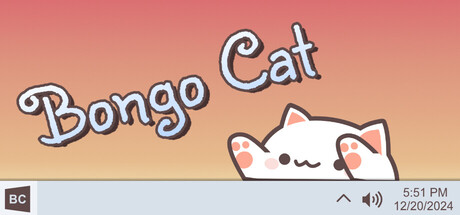](https://store.steampowered.com/app/3419430/Bongo_Cat/)
> Bongo cat needs your help. Bongo cat needz more hatz!!! Every time you press a key, Bongo cat will punch your taskbar. Type, click, play, work to collect more points. Which hats will you find?
**Publisher:** [Irox Games ↗](https://store.steampowered.com/publisher/irox?snr=1_5_9__2000)
**Developer:** [Marcel Zurawka ↗](https://store.steampowered.com/developer/irox?snr=1_5_9__2000), [Julius Krüger ↗](https://store.steampowered.com/developer/irox?snr=1_5_9__2000)
*Bongo Cat © Irox Games, Marcel Zurawka, Julius Krüger. Bongo Cat is a trademark of its respective owners. This mod is not affiliated with, endorsed by, or sponsored by the creators of Bongo Cat.*