https://github.com/shime/vim-livedown
Vim plugin for Livedown.
https://github.com/shime/vim-livedown
Last synced: 9 months ago
JSON representation
Vim plugin for Livedown.
- Host: GitHub
- URL: https://github.com/shime/vim-livedown
- Owner: shime
- Created: 2014-11-23T19:01:17.000Z (over 11 years ago)
- Default Branch: master
- Last Pushed: 2020-03-19T16:10:31.000Z (about 6 years ago)
- Last Synced: 2025-05-13T14:41:01.152Z (about 1 year ago)
- Language: Vim script
- Size: 9.77 KB
- Stars: 490
- Watchers: 7
- Forks: 19
- Open Issues: 10
-
Metadata Files:
- Readme: README.md
Awesome Lists containing this project
README
# livedown.vim
A Vim plugin for [Livedown](https://github.com/shime/livedown).
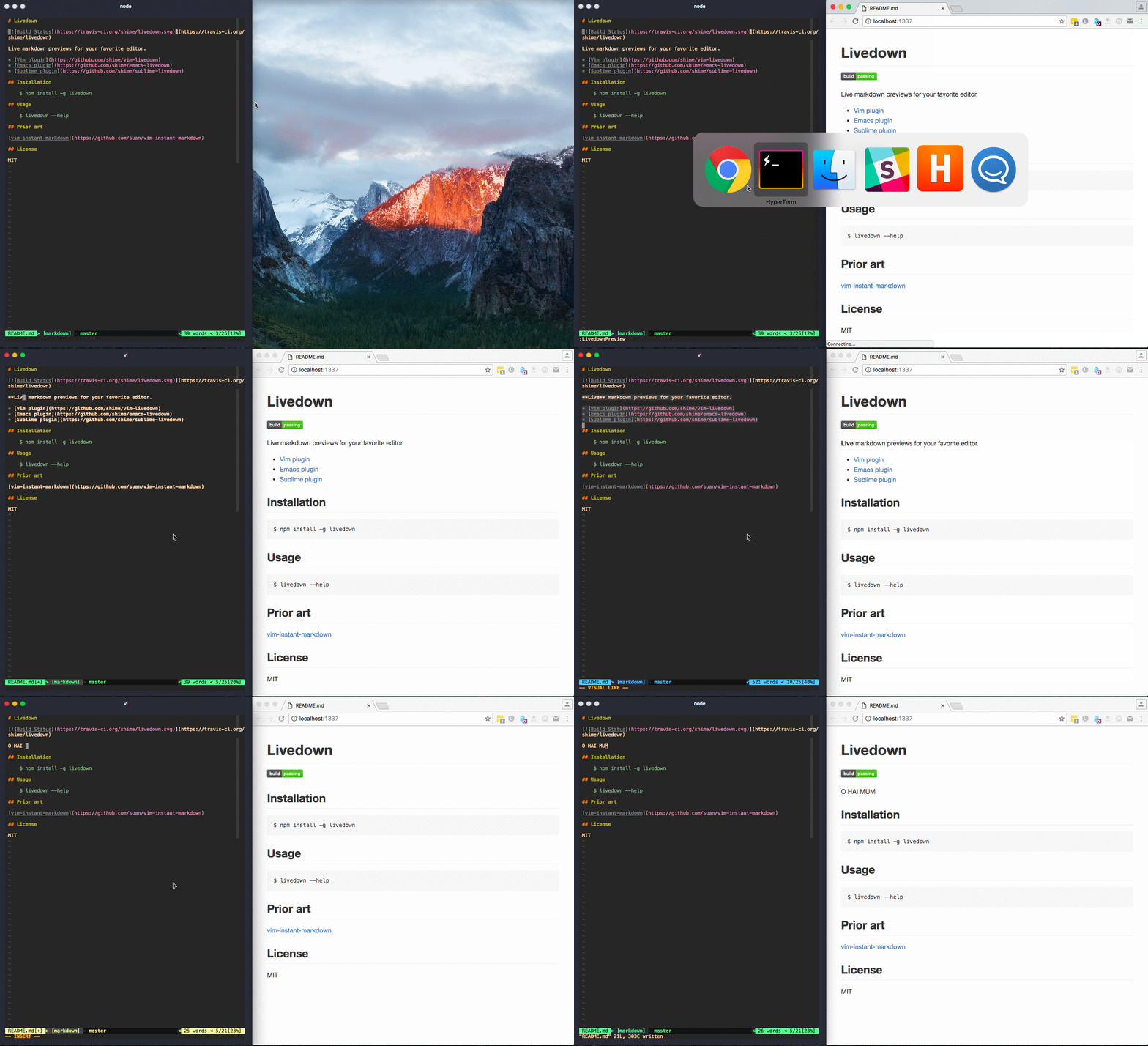
## Installation
First make sure you have [node](http://nodejs.org/) with [npm](https://www.npmjs.org/) installed.
If you have node do
$ npm install -g livedown
Then install this plugin with your preferred installation method. I recommend installing [pathogen.vim](https://github.com/tpope/vim-pathogen), and then simply copy and paste
$ git clone git://github.com/shime/vim-livedown.git ~/.vim/bundle/vim-livedown
## Usage
The following commands are available
```vimscript
" launch the Livedown server and preview your markdown file
:LivedownPreview
" stop the Livedown server
:LivedownKill
" launch/kill the Livedown server
:LivedownToggle
```
Bonus points for setting your own mapping
```vimscript
nmap gm :LivedownToggle
```
## Configuration
There are several configuration variables you can customize to suit your needs, with the following defaults.
```vimscript
" should markdown preview get shown automatically upon opening markdown buffer
let g:livedown_autorun = 0
" should the browser window pop-up upon previewing
let g:livedown_open = 1
" the port on which Livedown server will run
let g:livedown_port = 1337
" the browser to use, can also be firefox, chrome or other, depending on your executable
let g:livedown_browser = "safari"
```
## License
MIT