https://github.com/shipwebdotjp/youtubechecker
Notify number of subscriber and changes and so on of specific Youtube Channel via LINE notify once a day.
https://github.com/shipwebdotjp/youtubechecker
Last synced: about 1 month ago
JSON representation
Notify number of subscriber and changes and so on of specific Youtube Channel via LINE notify once a day.
- Host: GitHub
- URL: https://github.com/shipwebdotjp/youtubechecker
- Owner: shipwebdotjp
- License: mit
- Created: 2020-09-19T07:35:17.000Z (over 5 years ago)
- Default Branch: master
- Last Pushed: 2025-05-01T11:20:15.000Z (about 1 year ago)
- Last Synced: 2025-05-01T11:31:06.501Z (about 1 year ago)
- Language: Python
- Homepage: https://ytc.shipweb.jp/
- Size: 452 KB
- Stars: 0
- Watchers: 1
- Forks: 0
- Open Issues: 0
-
Metadata Files:
- Readme: README.md
- License: LICENSE.txt
Awesome Lists containing this project
README
# Youtube Subscriber Checker
[](https://ytc.shipweb.jp/ "Youtube Checker")
This is a web service on Python-Flask frame work.
You can LINE/Google login and link with LINE Notify. You can also list some Youtube channels id.
Notificate number of subscriber and total view count of specific Youtube Channel via LINE once a day.
you can download these data as csv file. The transition includes in the data. To use Excel you can also draw a graph.
PythonのFlaskフレームワーク上で動くWebサービス。
LINE/Googleでのシングルサインオン機能,LINE Notifyとの連携機能を持つ。
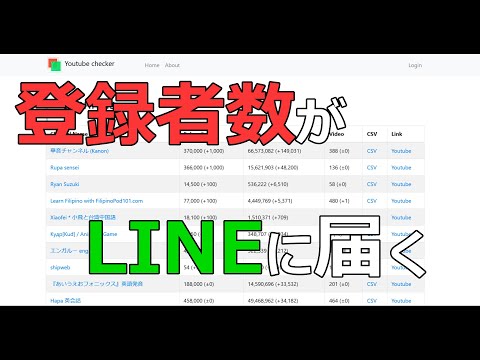
指定したYoutubeチャンネルの登録者数,総再生数と増減を毎日一回LINEで通知
登録者数,再生数,動画数のデータをチャンネルごとにCSVファイルでダウンロード可能
指定した動画の再生数やコメント数、いいねの数の推移も通知や記録可能
それらのデータの推移知ることができ,Excelなどで読み込むことでグラフ表示も可能。

## Need API Keys
* LINE Notify token(for developers)
* LINE login channel(ID and secret)
* LINE messaging channel access token
* LINE Notify service(Client ID and secret)
* Google Data API Key
* Google OAuth client ID
* Google OAuth client secret
## 必要なAPI
* LINE Notify トークン(開発者向け)
* LINE ログインチャンネル(IDとシークレット)
* LINE メッセージングチャンネル アクセストークン
* LINE Notify サービス(クライアントIDとシークレット)
* Google Data APIキー
* Google OAuth クライアントID
* Google OAuth クライアントシークレット
## Setting
1. input needed API Key to .env file. (you can copy .env.sample to .env and edit it.)
.envファイルに必要なAPIのキーを記入。(.env.sampleをコピーして使用可能)
## Requirements
* Dcoker
* Python 3
* Flask
## Install
```
git clone https://github.com/shipwebdotjp/youtubechecker
cd youtubechecker
cp ./app/.env.sample ./app/.env
vi ./app/.env
--Edit Your Keys
:wq
```
### Run with Docker
```
make init
make run
```
Then, Check http://localhost:5000/
### Run on production mode
If you want to run on production mode, edit docker-compose.yml
```
ports:
- "5000:80"
FLASK_ENV: production
```
## Data file output
You can download csv file from /channellist which contains current data of all channels.
If you want to see the history, see the each channel page.
You can find CSV Download button.
### channels-%y%M%D.csv for example channels-201002.csv
```
"Channel Id","Channel name","Published at","subscriberCount","subscriberChange","viewCount","viewChange","videoCount","videoChange","commentCount","commentChange"
"UCne2IBkAj3JoyzNAOzXxKMg","shipweb","2015-11-29 10:55:00","52","0","17841","0","17","0","0","0"
```
### 'Channel name'-%y%M%D.csv for example shipweb-201002.csv
```
"Date","subscriberCount","subscriberChange","viewCount","viewChange","videoCount","videoChange","commentCount","commentChange"
"2020-10-02 00:02:01","52","0","17841","0","17","0","0","0"
```
## Demo site
[Youtube Checker](https://ytc.shipweb.jp/)
## Author
ship [Youtube channel](https://www.youtube.com/channel/UCne2IBkAj3JoyzNAOzXxKMg)
## Youtube Video
[](https://www.youtube.com/watch?v=iepogFY4-Ns "Python Programming")
## License
MIT License