https://github.com/shirvanie/flutter_story
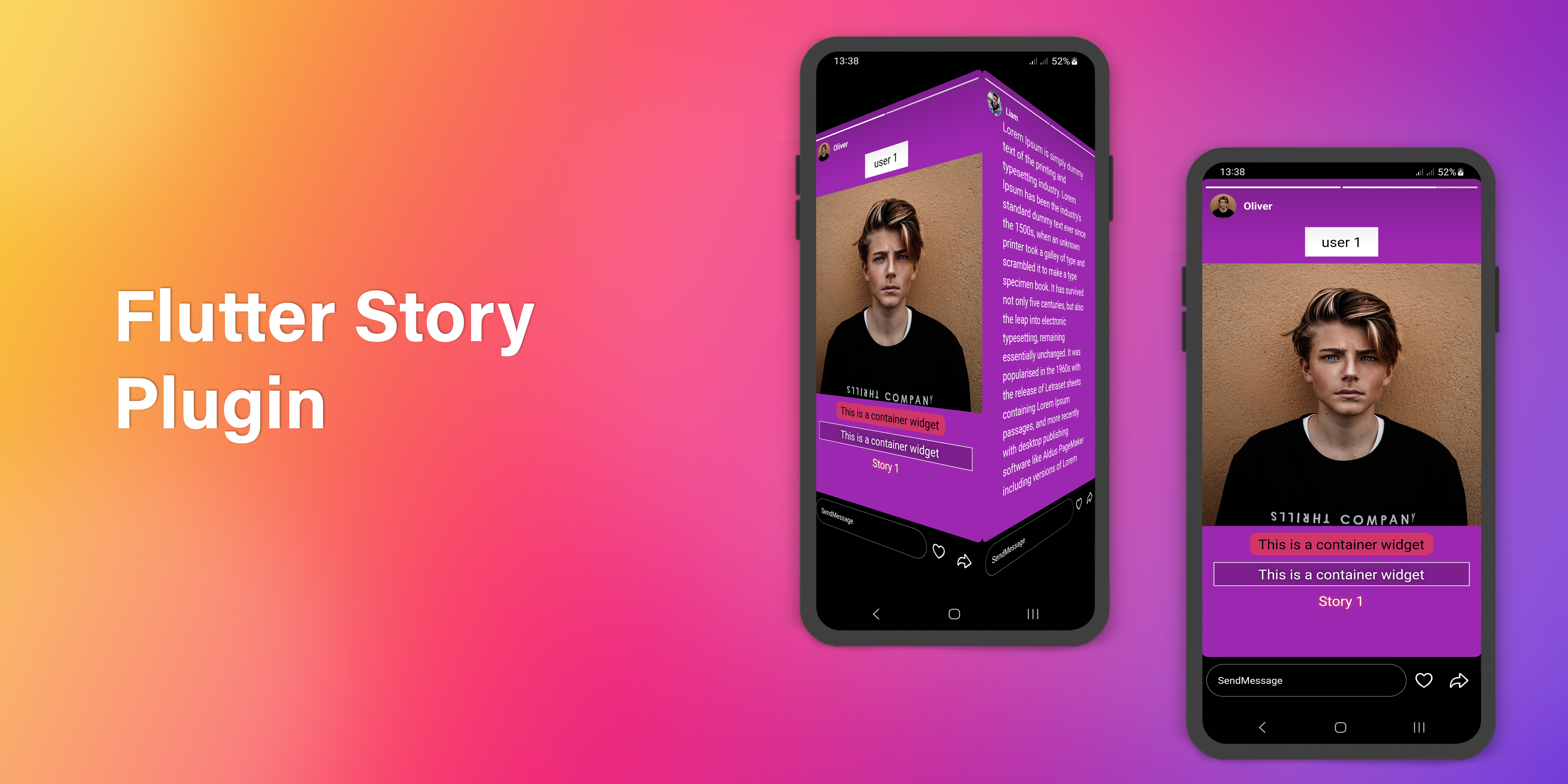
A flutter plugin for creating story (like Instagram, WhatsApp, Telegram, Facebook, etc) for all platforms.
https://github.com/shirvanie/flutter_story
dart dartlang flutter flutter-package flutter-packages flutter-plugin flutter-ui flutter-widget library
Last synced: 5 months ago
JSON representation
A flutter plugin for creating story (like Instagram, WhatsApp, Telegram, Facebook, etc) for all platforms.
- Host: GitHub
- URL: https://github.com/shirvanie/flutter_story
- Owner: shirvanie
- License: mit
- Created: 2023-11-20T15:17:17.000Z (over 2 years ago)
- Default Branch: master
- Last Pushed: 2023-11-20T19:29:14.000Z (over 2 years ago)
- Last Synced: 2025-10-23T01:41:25.856Z (9 months ago)
- Topics: dart, dartlang, flutter, flutter-package, flutter-packages, flutter-plugin, flutter-ui, flutter-widget, library
- Language: Dart
- Homepage: https://pub.dev/packages/flutter_story
- Size: 66.1 MB
- Stars: 5
- Watchers: 1
- Forks: 0
- Open Issues: 1
-
Metadata Files:
- Readme: README.md
- Changelog: CHANGELOG.md
- License: LICENSE
Awesome Lists containing this project
README
# Story for Flutter
[](https://pub.dartlang.org/packages/flutter_story)
[](https://pub.dev/packages/flutter_story/score)
[](https://github.com/shirvanie/flutter_story/stargazers)
[](https://github.com/shirvanie/flutter_story/blob/master/LICENSE)
[](https://pub.dev/packages/flutter_story/score)
[](https://pub.dev/packages/flutter_story/score)
[](https://img.shields.io/badge/platform-android%20|%20ios%20|%20linux%20|%20macos%20|%20web%20|%20windows-green.svg)
A flutter plugin for creating story (like Instagram, WhatsApp, Telegram, Facebook, etc) for all platforms.
## Features
- Widget support on story (Image, Video, Text, etc).
- Pause, play, next, previous and drag with touch and story controller.
- Creating custom footer (with message box or custom widget), like and forward buttons.
- Animated progress indicator for each story card.
To see example of the following Story on a device or simulator:
```bash
cd example/
flutter run --release
```
## Demo
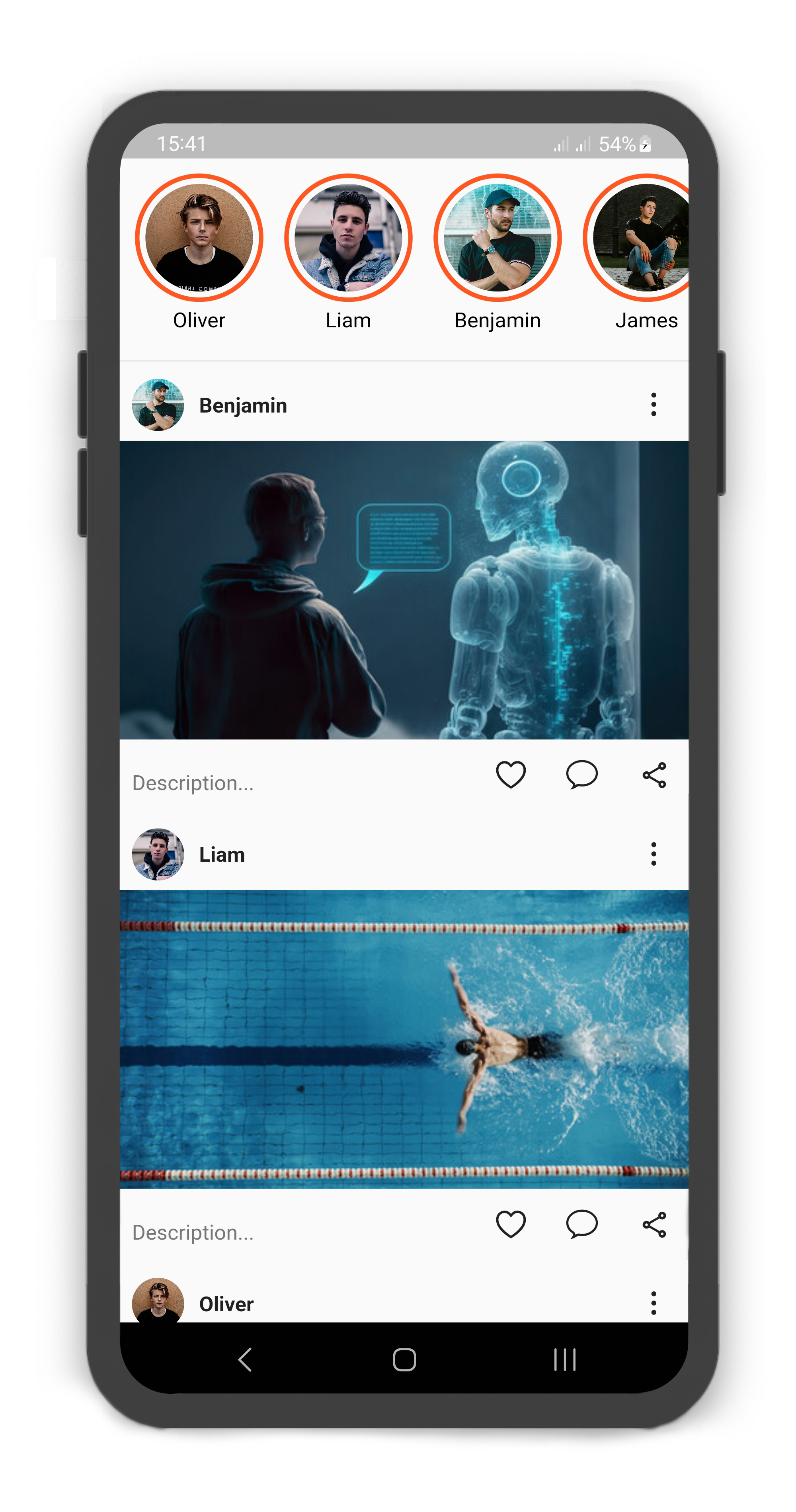
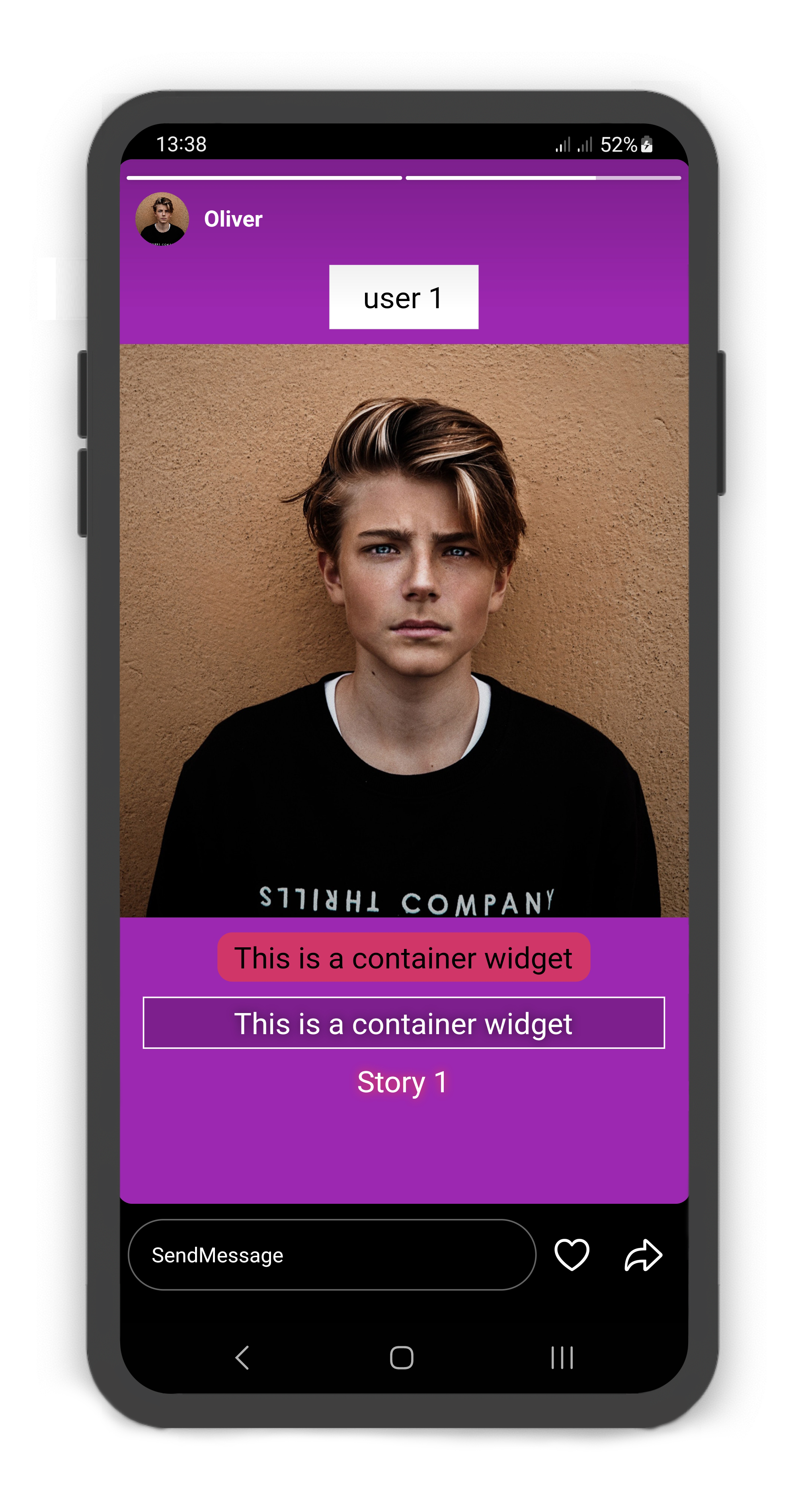
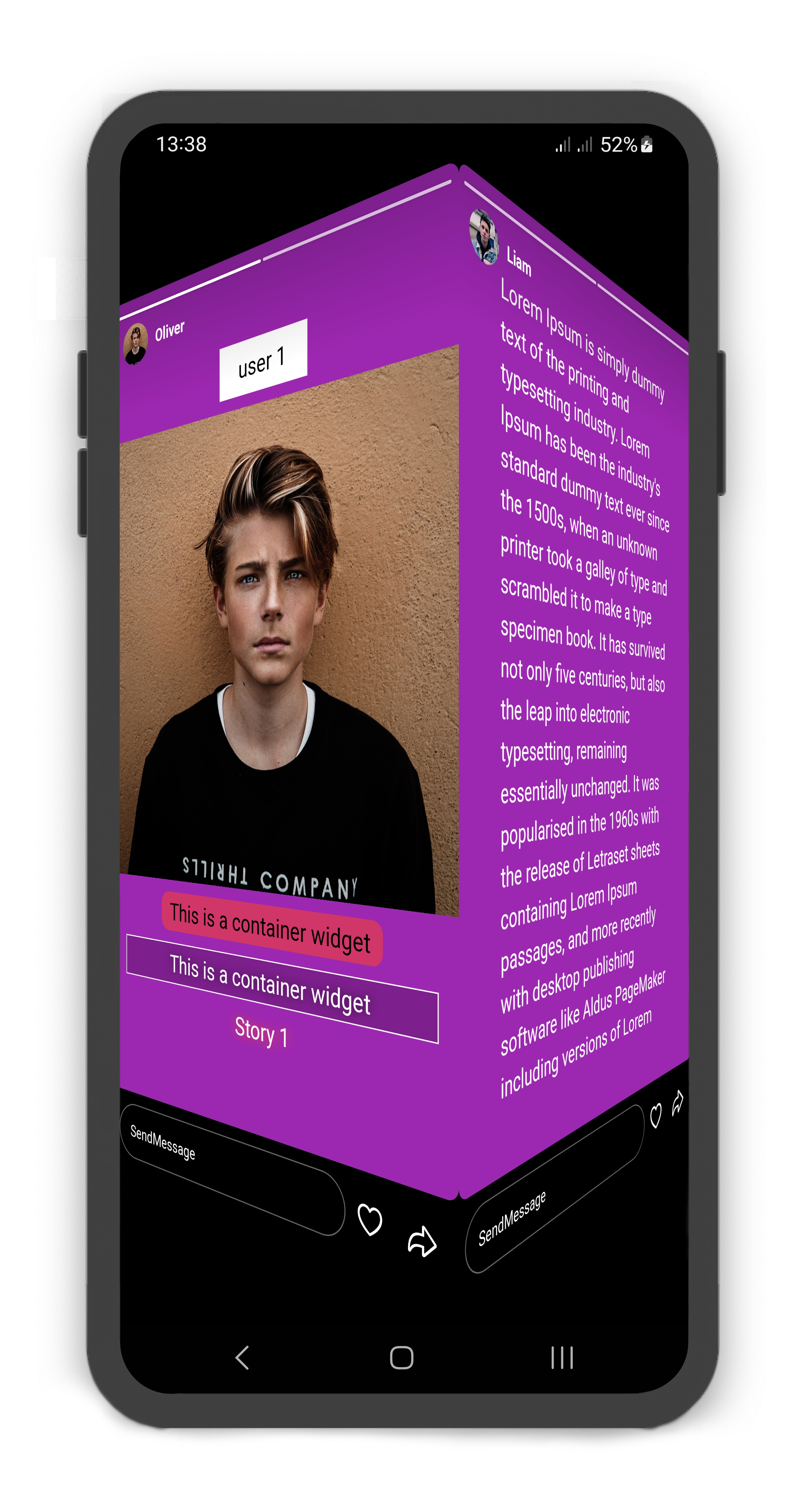
###

Source Link:
example/lib/main.dart
## Getting Started
1. [Installation](#installation)
2. [Usage](#usage)
3. [Custom Usage](#custom-usage)
4. [StoryUser Usage](#storyuser-usage)
5. [StoryCard Usage](#storycard-usage)
6. [StoryCardFooter Usage](#storycardfooter-usage)
7. [StoryCardMessageBox Usage](#storycardmessagebox-usage)
8. [StoryCardLikeButton Usage](#storycardlikebutton-usage)
9. [StoryCardForwardButton Usage](#storycardforwardbutton-usage)
10. [Story Controller](#storycontroller)
11. [Story Builder](#storybuilder)
### Installation
Add *flutter_story* as a dependency in your `pubspec.yaml` file:
```yaml
dependencies:
flutter_story: ^1.0.1
```
Import the plugin package to your dart code
```dart
import 'package:flutter_story/flutter_story.dart';
```
### Usage
|  |
|  |
|
|:--------------------------------------------------------------------------------------------------------------------------------------:|:--------------------------------------------------------------------------------------------------------------------------------------:|
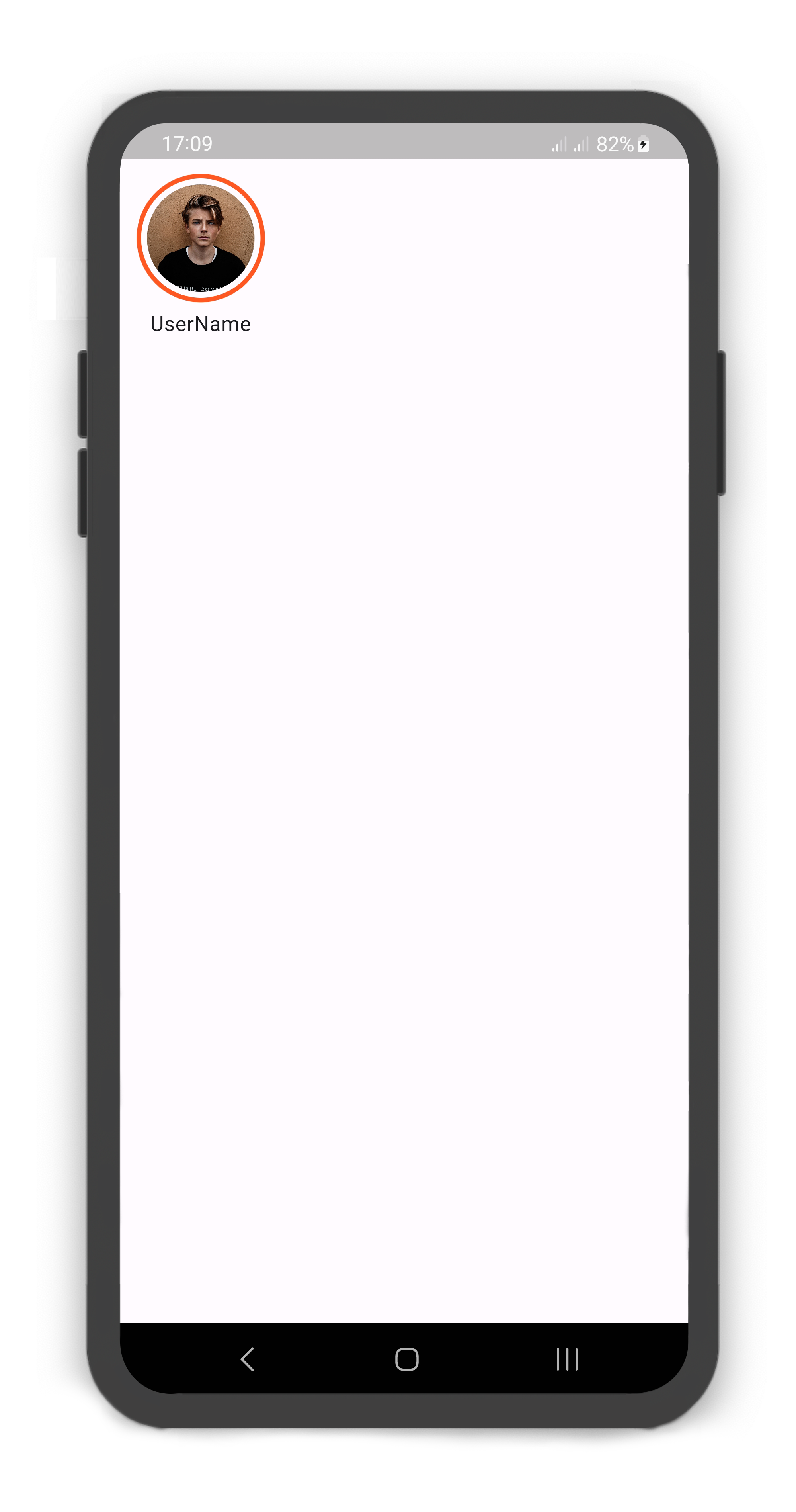
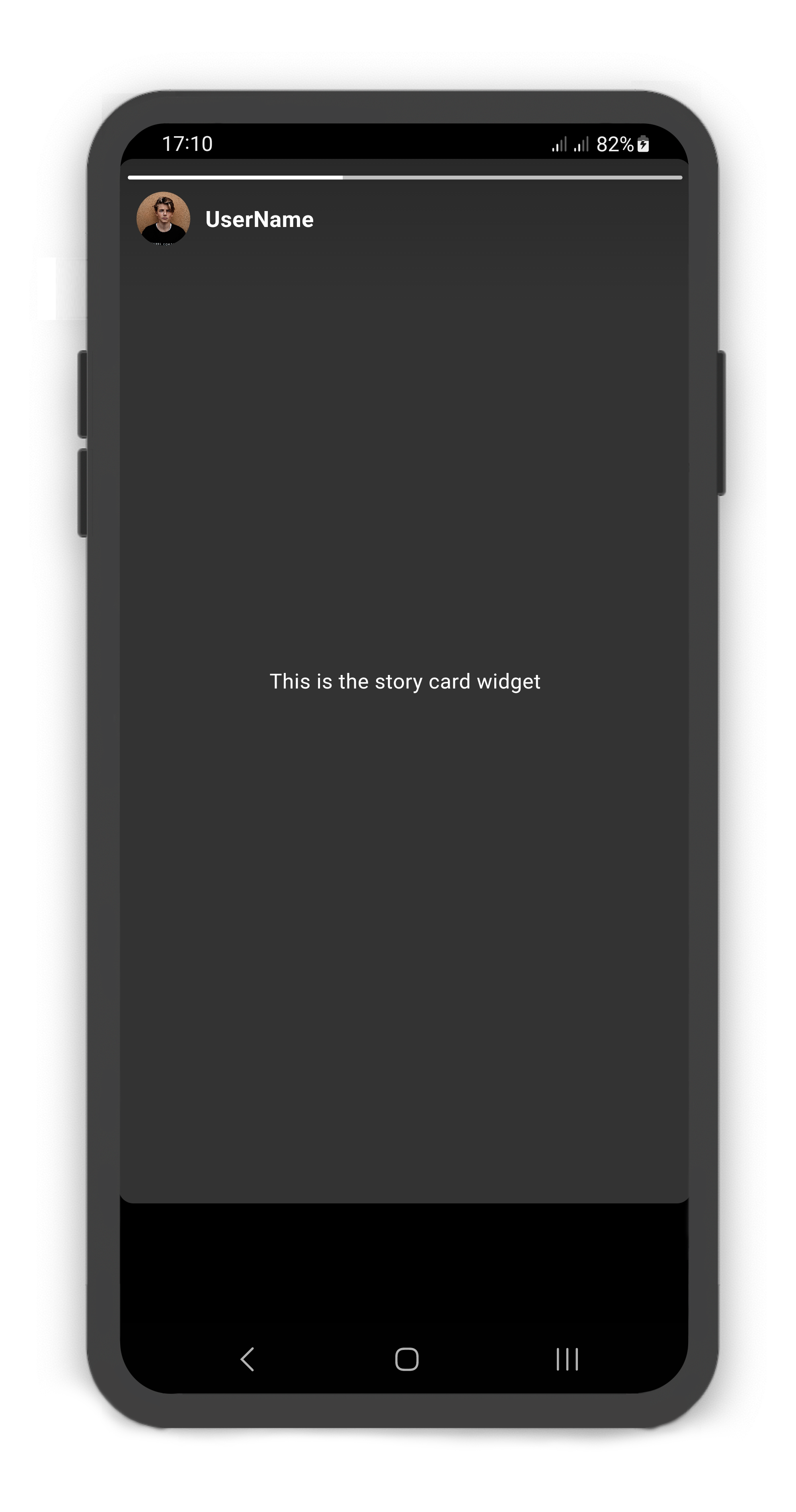
#### Simple usage
```dart
@override
Widget build(BuildContext context) {
return Scaffold(
body: SafeArea(
child: Story(
children: [
StoryUser(
avatar: Image.asset("assets/user_avatar.jpg"),
label: const Text("UserName"),
children: const [
StoryCard(
child: Center(
child: Text("This is the story card widget",
style: TextStyle(color: Colors.white),),
),
)
],
)
],
),
),
);
}
```
### Custom Usage
There are several options that allow for more control:
| Properties | Data Type | Description |
|--------------------------|----------------------------|---------------------------------------------------------------------------------------------------------------------------------------------------------------------------------------------------------|
| `controller` | `StoryController` | It can be used to control the state of `Story`. |
| `autoplay` | `bool` | Allows autoplaying of `Story`. if set this to false, the `Story` does not play. |
| `height` | `double` | The `height` of the `Story`. |
| `color` | `Color` | The `color` to fill the `Story`. |
| `backgroundColor` | `Color` | The color to fill the `backgroundColor` of the `Story`. |
| `padding` | `EdgeInsets` | The `padding` of the `Story`. |
| `shrinkWrap` | `bool` | Whether the extent of the scroll view in the `scrollDirection` should be determined by the contents being viewed. |
| `physics` | `ScrollPhysics` | How the scroll view should respond to user input. |
| `reverse` | `bool` | Whether the scroll view scrolls in the reading direction. |
| `scrollDirection` | `Axis` | The `Axis` along which the scroll view's offset increases. Defaults to `Axis.horizontal`. |
| `scrollController` | `ScrollController` | An object that can be used to control the position to which this scroll view is scrolled. |
| `children` | `List` | Creates a list of the `StoryUser` layout widget. |
| `itemBuilder` | `WidgetBuilder(StoryUser)` | Creates a scrollable, linear array of widgets that are created on demand. |
| `sortByVisited` | `bool` | If set to true, The list of `Story` sorts by `StoryCard.visited`. |
| `findChildIndexCallback` | `ChildIndexGetter` | Called to find the new index of a child based on its key in case of reordering. |
| `itemCount` | `bool` | The itemBuilder callback will be called only with indices greater than or equal to zero and less than itemCount. |
| `addAutomaticKeepAlives` | `bool` | Whether to wrap each child in an `AutomaticKeepAlive`. Typically, children in lazy list are wrapped in `AutomaticKeepAlive`. |
| `addRepaintBoundaries` | `bool` | Whether to wrap each child in a `RepaintBoundary`. Typically, children in a scrolling container are wrapped in repaint boundaries so that they do not need to be repainted as the list scrolls. |
| `addSemanticIndexes` | `bool` | Whether to wrap each child in an `IndexedSemantics`. Typically, children in a scrolling container must be annotated with a semantic index in order to generate the correct accessibility announcements. |
### StoryUser Usage
#### Using the `StoryUser`
Manually change the `StoryUser` properties.
| Properties | Data Type | Description |
|----------------------|---------------------|----------------------------------------------------------------------------------------------------------------------------------------|
| `userId` | `int` | The `userId` of the `StoryUser`. |
| `width` | `double` | The `width` of the `StoryUser`. |
| `height` | `double` | The `height` of the `StoryUser`. |
| `margin` | `EdgeInsets` | The `margin` of the `StoryUser`. |
| `avatarColor` | `Color` | The color to fill the background of the `StoryUser.avatar`. |
| `borderWidth` | `double` | Determines the width of the `StoryUser` border. |
| `borderColor` | `Color` | Determines the color of the `StoryUser` border. |
| `visitedBorderColor` | `Color` | Determines the color of the `StoryCard` border, when all `StoryUser` child visited. |
| `borderPadding` | `EdgeInsets` | The padding of the `StoryUser.avatar` border. |
| `borderRadius` | `BorderRadius` | If non-null, the corners of `StoryUser` are rounded by this. |
| `avatar` | `Widget` | The `avatar` of the `StoryUser`. A Widget that is placed in the `StoryUser.avatar`. |
| `label` | `Text` | A Text Widget that is placed in bottomCenter of the `StoryUser.avatar`. |
| `children` | `List` | Creates a `StoryUser` layout widget. By default, the non-positioned children of the `StoryUser` are aligned by their top left corners. |
| `onPressed` | `ValueChanged` | This callback is called when pressed on the `StoryUser.avatar`. Returns a index of the `StoryUser` list. |
| `onLongPressed` | `ValueChanged` | This callback is called when long pressed on the `StoryUser.avatar`. Returns a index of the `StoryUser` list. |
### StoryCard Usage
#### Using the `StoryCard`
Manually change the `StoryCard` properties.
| Properties | Data Type | Description |
|---------------------|-------------------------|---------------------------------------------------------------------------------------------------------------------------------------------------------------------------------------------------------------------------------------------------------------------------|
| `visited` | `bool` | If set true, the next card is displayed and all previous cards must be set true. If all are set false, they will be displayed from the first card. If all are set true, they will be displayed from the first card and its borderColor change to `StoryUser.borderColor`. |
| `cardDuration` | `Duration` | Determines the time to show the `StoryCard`. |
| `color` | `Color` | The `color` of the `StoryCard` background. |
| `borderRadius` | `BorderRadius` | If non-null, the corners of `StoryCard` are rounded by this. |
| `progressBarHeight` | `double` | The `progressBarHeight` of the `StoryCard` tab bar. |
| `footer` | `StoryCardFooter` | The `footer` of the `StoryCard`. A Widget that is placed in bottom of the `StoryCard`. |
| `childOverlay` | `Widget` | A Widget that is placed on the `StoryCard.child`. |
| `child` | `Widget` | Creates a `StoryCard` layout widget. |
| `onVisited` | `ValueChanged` | This callback is called when `StoryCard` is visited. Returns a card index of the `StoryCard` list. |
| `onDispose` | `ValueChanged` | This callback is called when `StoryCard` is dispose. Returns a card index of the `StoryCard` list. |
| `onPause` | `ValueChanged` | This callback is called when `StoryCard` is paused. Returns a card index of the `StoryCard` list. |
| `onResume` | `ValueChanged` | This callback is called when `StoryCard` is played. Returns a card index of the `StoryCard` list. |
| `onNext` | `ValueChanged` | This callback is called when next `StoryCard` is displayed. Returns a card index of the `StoryCard` list. |
| `onPrevious` | `ValueChanged` | This callback is called when previous `StoryCard` is displayed. Returns a card index of the `StoryCard` list. |
### StoryCardFooter Usage
#### Using the `StoryCardFooter`
Manually change the `StoryCardFooter` properties.
| Properties | Data Type | Description |
|-----------------|--------------------------|-----------------------------------------------------------------------------------|
| `messageBox` | `StoryCardMessageBox` | If null, the `child` is displayed. |
| `likeButton` | `StoryCardLikeButton` | If non-null, the `likeButton` is placed in right of the `StoryCardMessageBox`. |
| `forwardButton` | `StoryCardForwardButton` | If non-null, the `forwardButton` is placed in right of the `StoryCardMessageBox`. |
| `child` | `Widget` | Creates a `StoryCardFooter` layout widget. |
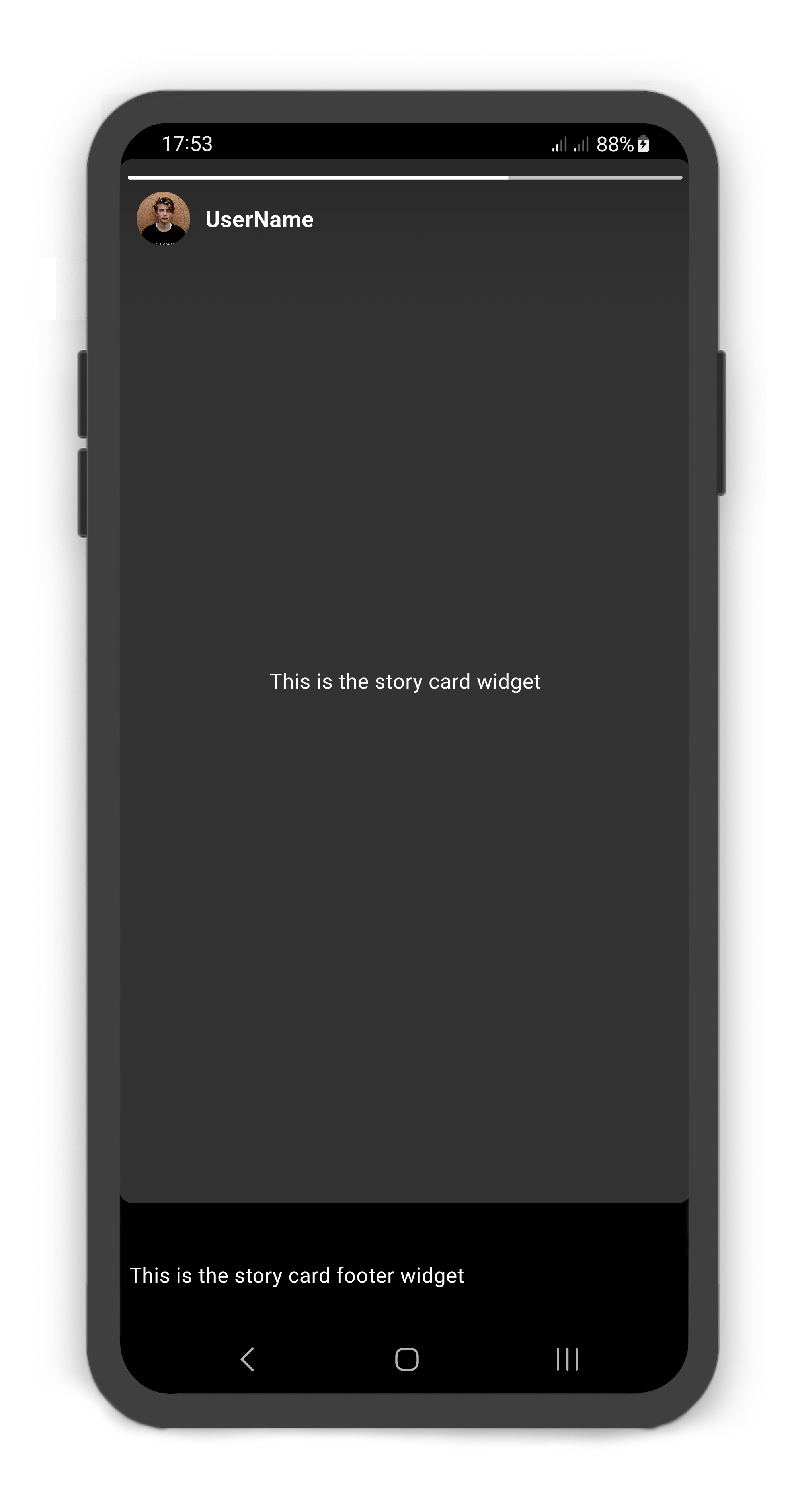
StoryCard includes footer: `StoryCardFooter`
```dart
@override
Widget build(BuildContext context) {
return Scaffold(
body: SafeArea(
child: Story(
children: [
StoryUser(
avatar: Image.asset("assets/user_avatar.jpg"),
label: const Text("UserName"),
children: const [
StoryCard(
footer: StoryCardFooter(
child: Text(
"This is the story card footer widget",
style: TextStyle(color: Colors.white),
),
),
child: Center(
child: Text(
"This is the story card widget",
style: TextStyle(color: Colors.white),
),
),
)
],
)
],
),
),
);
}
```
### StoryCardMessageBox Usage
#### Using the `StoryCardMessageBox`
Manually change the `StoryCardMessageBox` properties.
| Properties | Data Type | Description |
|----------------|----------------------------------|----------------------------------------------------------------------------------------------------------------------------------------|
| `color` | `Color` | The text `color` of the `StoryCardMessageBox`. |
| `borderRadius` | `BorderRadius` | If non-null, the corners of the `StoryCardMessageBox` are rounded by this. |
| `borderWidth` | `double` | Determines the width of the `StoryCardMessageBox` border. |
| `hintText` | `String` | The `hintText` of the `StoryCardMessageBox`. |
| `fontSize` | `double` | The `fontSize` of the `StoryCardMessageBox`. |
| `child` | `Widget` | Creates a layout widget on the `StoryCard` when the `StoryCardMessageBox`. |
| `onMessage` | `ValueChanged` | This callback is called when previous `StoryCard` is displayed. Returns a `StoryCardMessage` that includes the card index and message. |
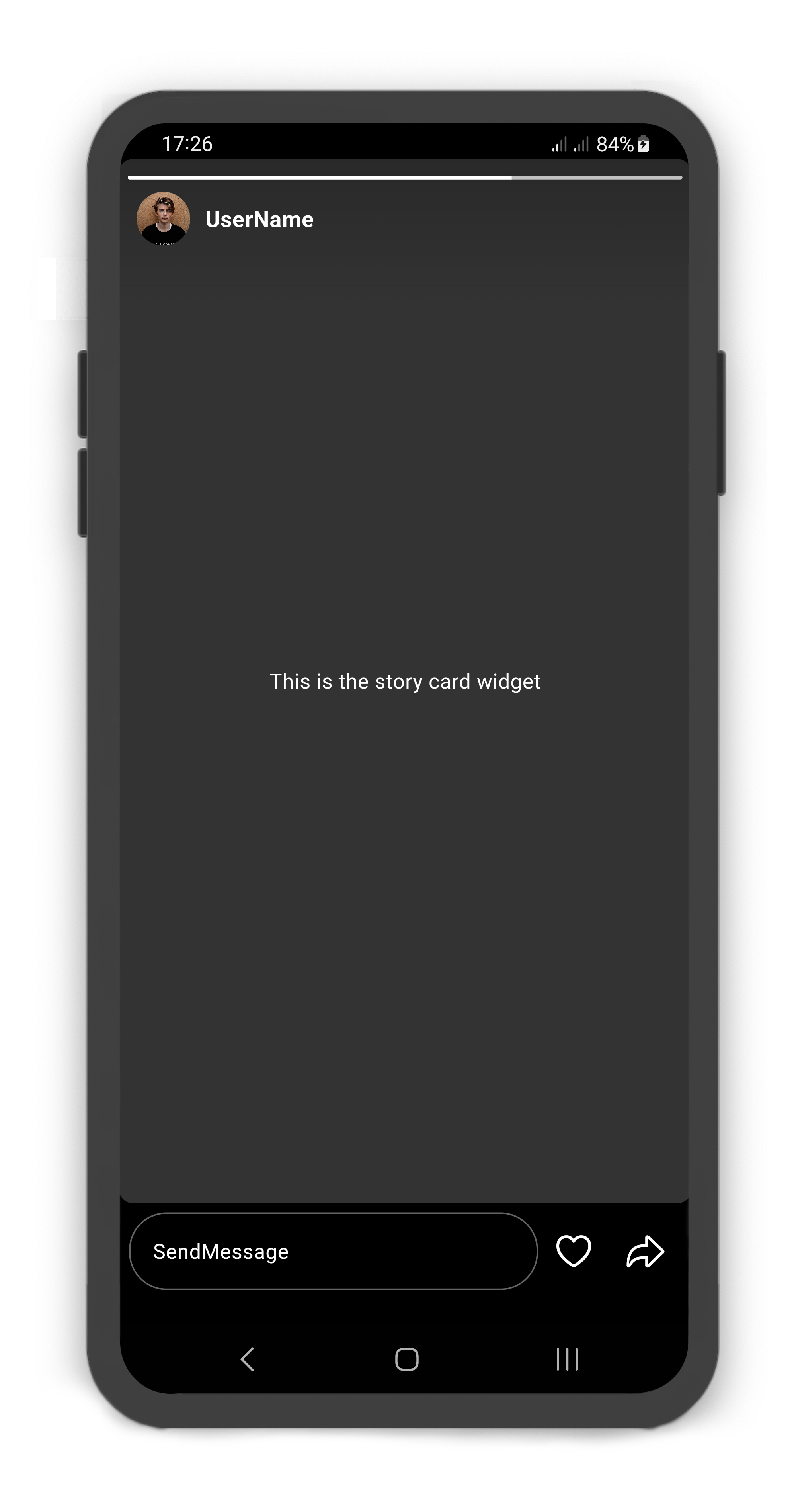
StoryCardFooter includes messageBox: `StoryCardMessageBox`
```dart
@override
Widget build(BuildContext context) {
return Scaffold(
body: SafeArea(
child: Story(
children: [
StoryUser(
avatar: Image.asset("assets/user_avatar.jpg"),
label: const Text("UserName"),
children: const [
StoryCard(
footer: StoryCardFooter(
messageBox: StoryCardMessageBox(),
likeButton: StoryCardLikeButton(),
forwardButton: StoryCardForwardButton(),
),
child: Center(
child: Text(
"This is the story card widget",
style: TextStyle(color: Colors.white),
),
),
)
],
)
],
),
),
);
}
```
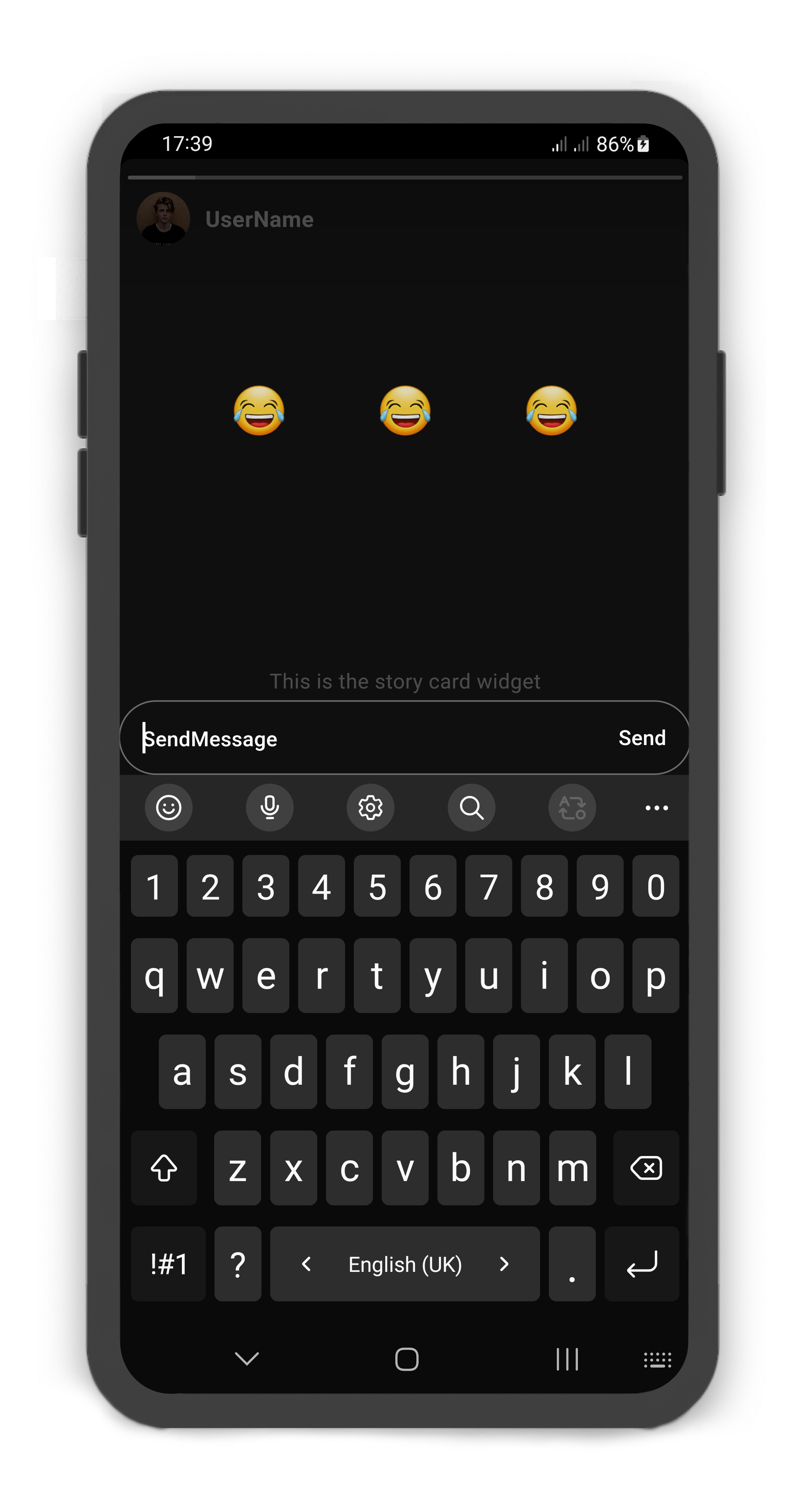
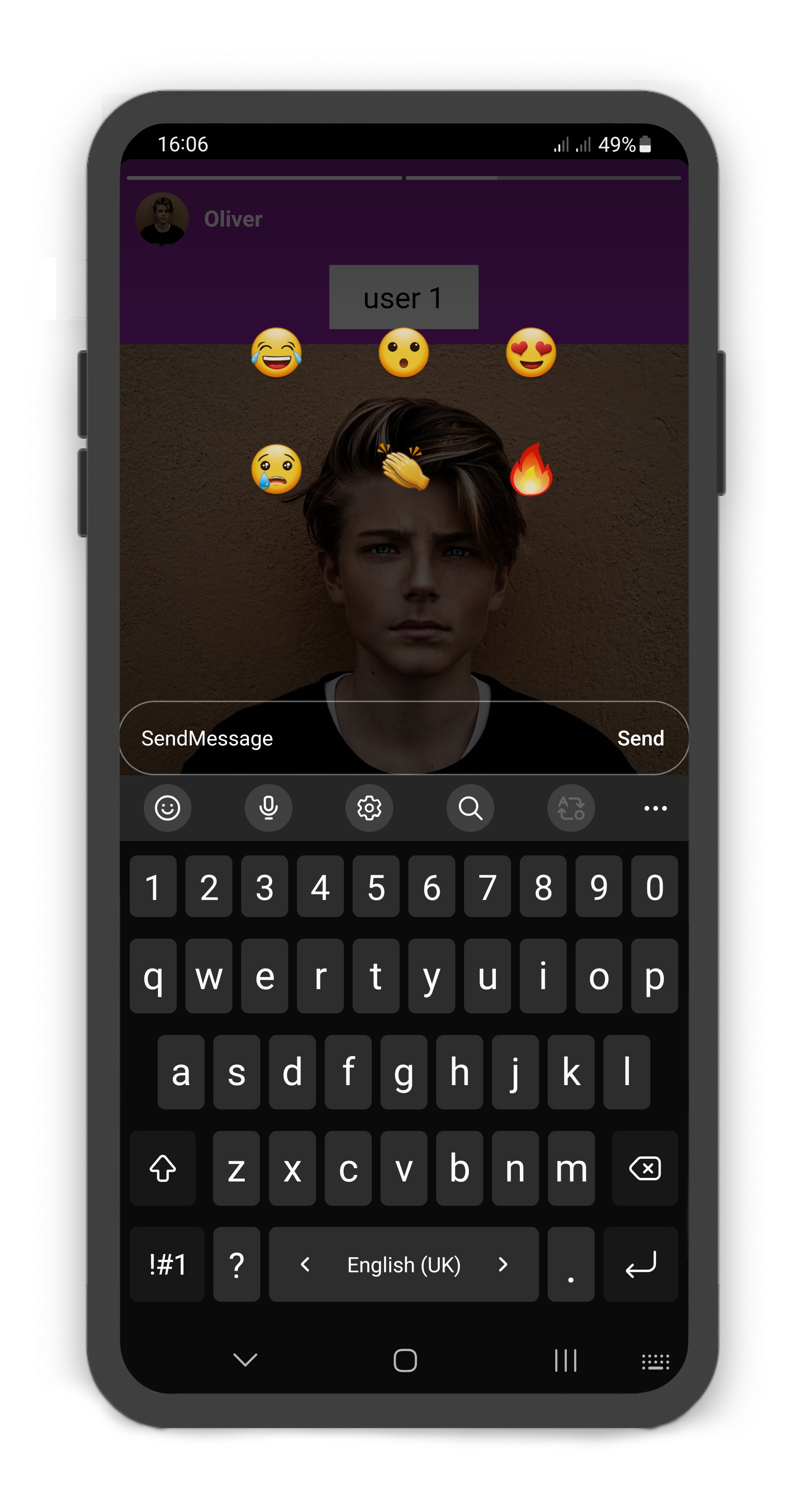
#### StoryCardMessageBox `emojis`
```dart
@override
Widget build(BuildContext context) {
return Scaffold(
body: SafeArea(
child: Story(
children: [
StoryUser(
avatar: Image.asset("assets/user_avatar.jpg"),
label: const Text("UserName"),
children: [
StoryCard(
footer: StoryCardFooter(
messageBox: StoryCardMessageBox(
child: Center(
child: Row(
mainAxisAlignment: MainAxisAlignment.center,
children: [
MaterialButton(
shape: const CircleBorder(),
child: const Text(
"😂",
style: TextStyle(fontSize: 32),
),
onPressed: () {},
),
const SizedBox(width: 10),
MaterialButton(
shape: const CircleBorder(),
child: const Text(
"😂",
style: TextStyle(fontSize: 32),
),
onPressed: () {},
),
const SizedBox(width: 10),
MaterialButton(
shape: const CircleBorder(),
child: const Text(
"😂",
style: TextStyle(fontSize: 32),
),
onPressed: () {},
),
],
),
),
),
likeButton: StoryCardLikeButton(),
forwardButton: StoryCardForwardButton(),
),
child: const Center(
child: Text(
"This is the story card widget",
style: TextStyle(color: Colors.white),
),
),
)
],
)
],
),
),
);
}
```
### StoryCardLikeButton Usage
#### Using the `StoryCardLikeButton`
Manually change the `StoryCardLikeButton` properties.
| Properties | Data Type | Description |
|------------|-------------------------------|-----------------------------------------------------------------------------------------------------------------------------------|
| `color` | `Color` | The `color` of the `StoryCardLikeButton`. |
| `icon` | `IconData` | A Icon Widget that is placed in right of the `StoryCardMessageBox`. Gets a IconData. |
| `iconSize` | `double` | The `iconSize` of the `StoryCardLikeButton`. |
| `onLike` | `ValueChanged` | This callback is called when previous `StoryCard` is displayed. Returns a `StoryCardLike` that includes the card index and liked. |
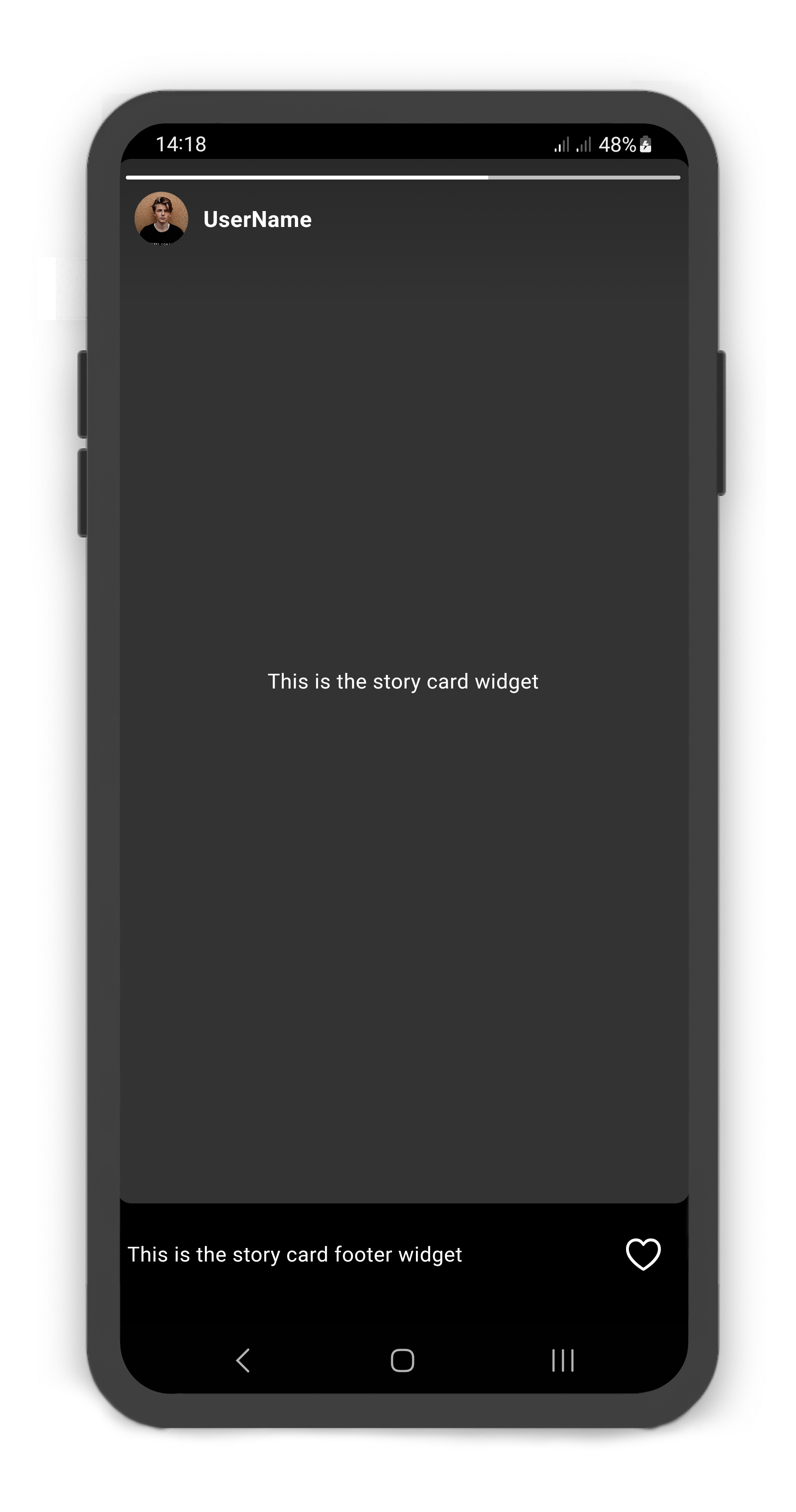
StoryCardFooter includes likeButton: `StoryCardLikeButton`
```dart
@override
Widget build(BuildContext context) {
return Scaffold(
body: SafeArea(
child: Story(
children: [
StoryUser(
avatar: Image.asset("assets/user_avatar.jpg"),
label: const Text("UserName"),
children: const [
StoryCard(
footer: StoryCardFooter(
likeButton: StoryCardLikeButton(),
child: Text(
"This is the story card footer widget",
style: TextStyle(color: Colors.white),
),
),
child: Center(
child: Text(
"This is the story card widget",
style: TextStyle(color: Colors.white),
),
),
)
],
)
],
),
),
);
}
```
### StoryCardForwardButton Usage
#### Using the `StoryCardForwardButton`
Manually change the `StoryCardForwardButton` properties.
| Properties | Data Type | Description |
|-------------|---------------------|---------------------------------------------------------------------------------------------------------------|
| `color` | `Color` | The `color` of the `StoryCardForwardButton`. |
| `icon` | `IconData` | A Icon Widget that is placed in right of the `StoryCardMessageBox`. Gets a IconData. |
| `iconSize` | `double` | The `iconSize` of the `StoryCardForwardButton`. |
| `child` | `Widget` | Creates a layout widget on the `StoryCard`. |
| `onForward` | `ValueChanged` | This callback is called when previous `StoryCard` is displayed. Returns a card index of the `StoryCard` list. |
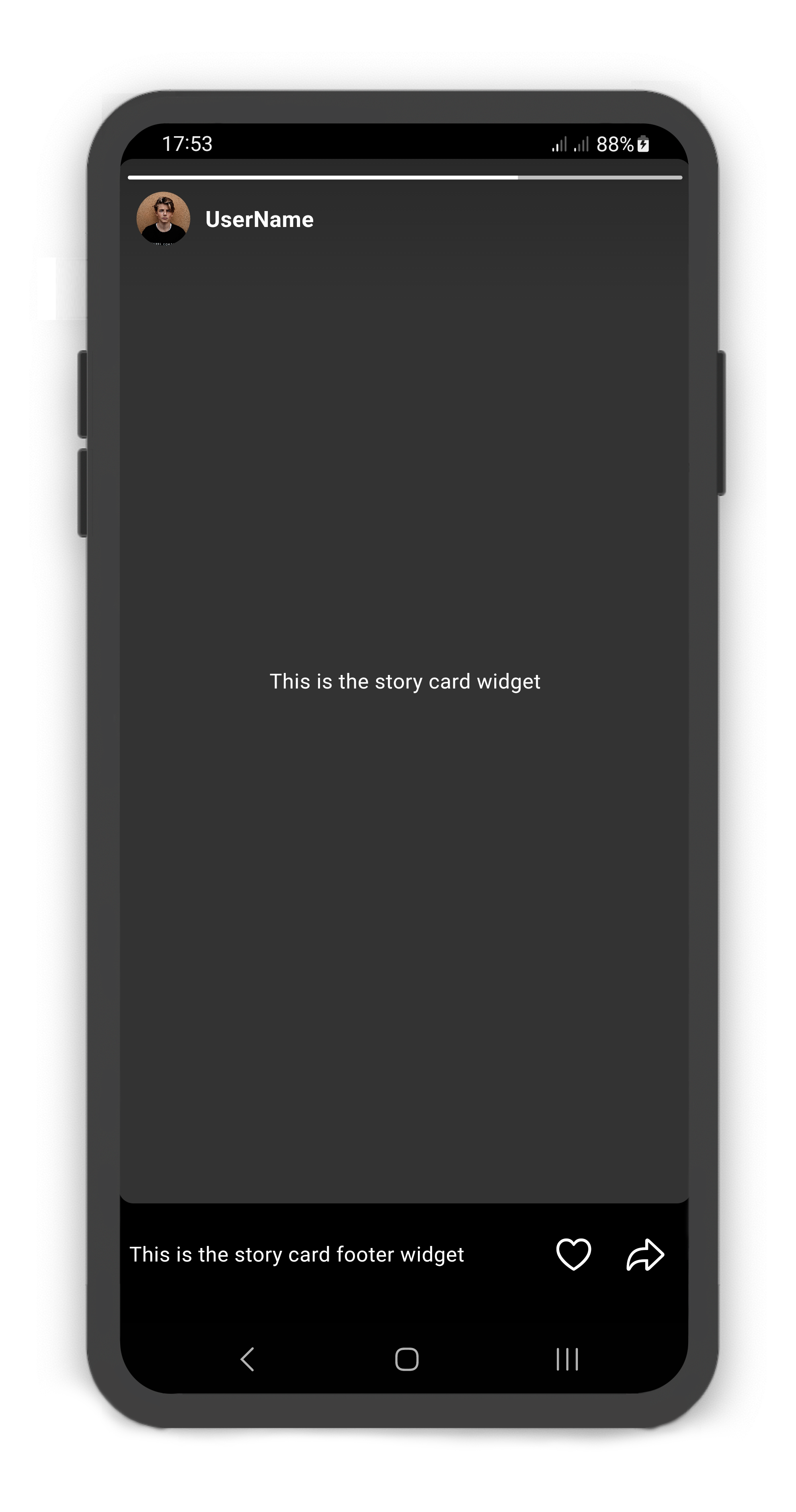
StoryCardFooter includes forwardButton: `StoryCardForwardButton`
```dart
@override
Widget build(BuildContext context) {
return Scaffold(
body: SafeArea(
child: Story(
children: [
StoryUser(
avatar: Image.asset("assets/user_avatar.jpg"),
label: const Text("UserName"),
children: const [
StoryCard(
footer: StoryCardFooter(
likeButton: StoryCardLikeButton(),
forwardButton: StoryCardForwardButton(),
child: Text(
"This is the story card footer widget",
style: TextStyle(color: Colors.white),
),
),
child: Center(
child: Text(
"This is the story card widget",
style: TextStyle(color: Colors.white),
),
),
)
],
)
],
),
),
);
}
```
### StoryController
#### Using the `StoryController`
Manually change the `Story` state. For better performance, use a `StoryController` as controller (recommended).
| Properties | Data Type | Description |
|--------------|-----------|----------------------------------------------------------------------------------------------------------------------------------------------------------------------|
| `isAttached` | `bool` | Determine if the `Story.controller` is attached to an instance of the `Story` (this property must be true before any other `StoryController` functions can be used). |
| `isAutoplay` | `bool` | Returns whether or not the `Story` is Autoplay. |
| Methods | Return Type | Description |
|---------------------------------|-------------|-------------------------------------------------------------------------------------------------------------------|
| `pauseStory()` | `void` | Pauses the `Story`. |
| `playStory()` | `void` | Plays the `Story`. |
| `closeStory()` | `void` | Closes the `Story`. |
| `openStory()` | `void` | Opens the `Story`. If the `cardIndex` null, default `cardIndex` is not `StoryCard.visited`. |
| `openStoryByUserId()` | `void` | Opens the `Story` by `StoryUser.userId`. If the `cardIndex` null, default `cardIndex` is not `StoryCard.visited`. |
| `setStoryCardVisited()` | `void` | Sets a value for the `StoryCard.visited`. |
| `setStoryCardVisitedByUserId()` | `void` | Sets a value for the `StoryCard.visited` by `StoryUser.userId`. |
| 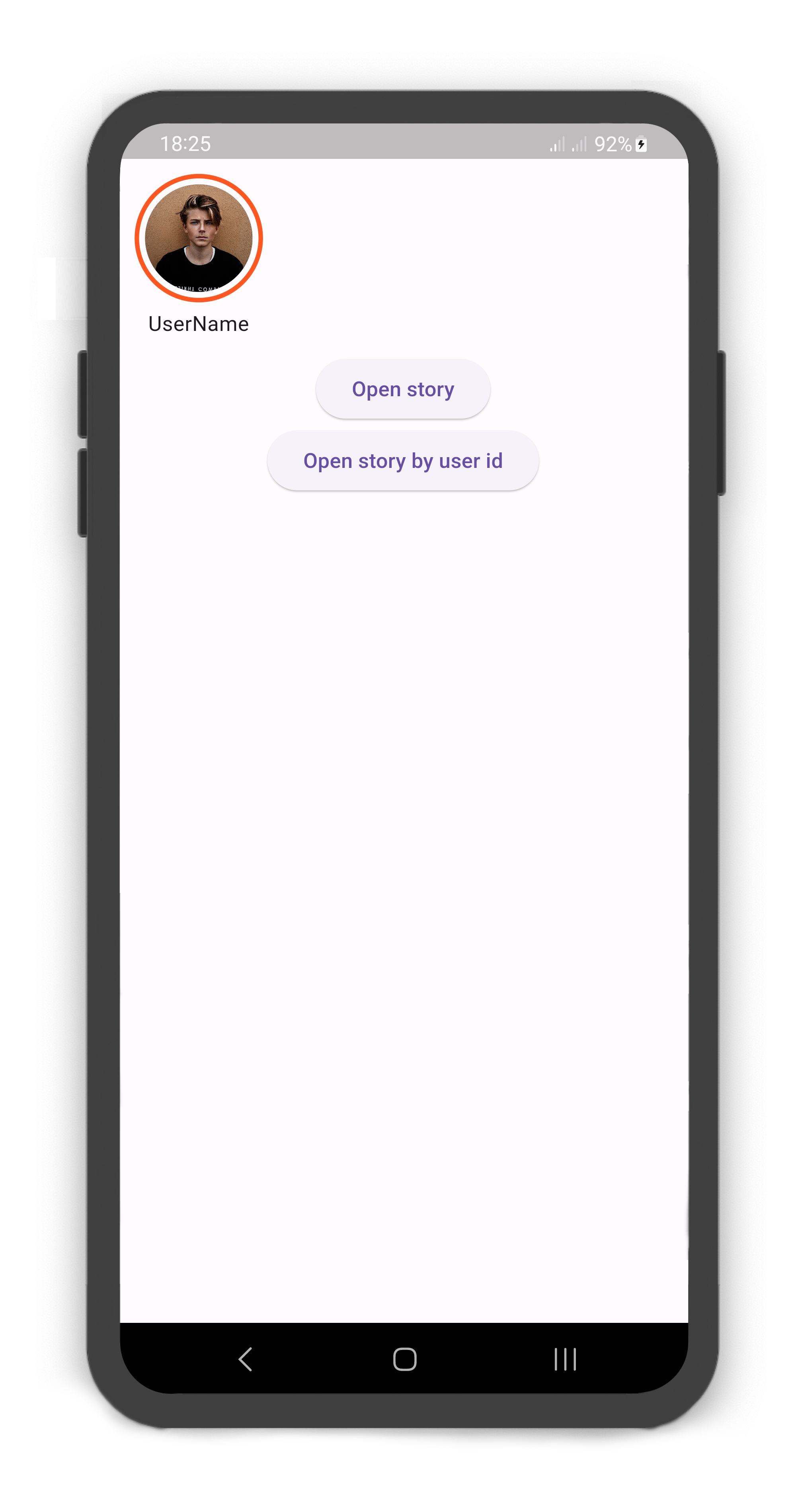 |
| 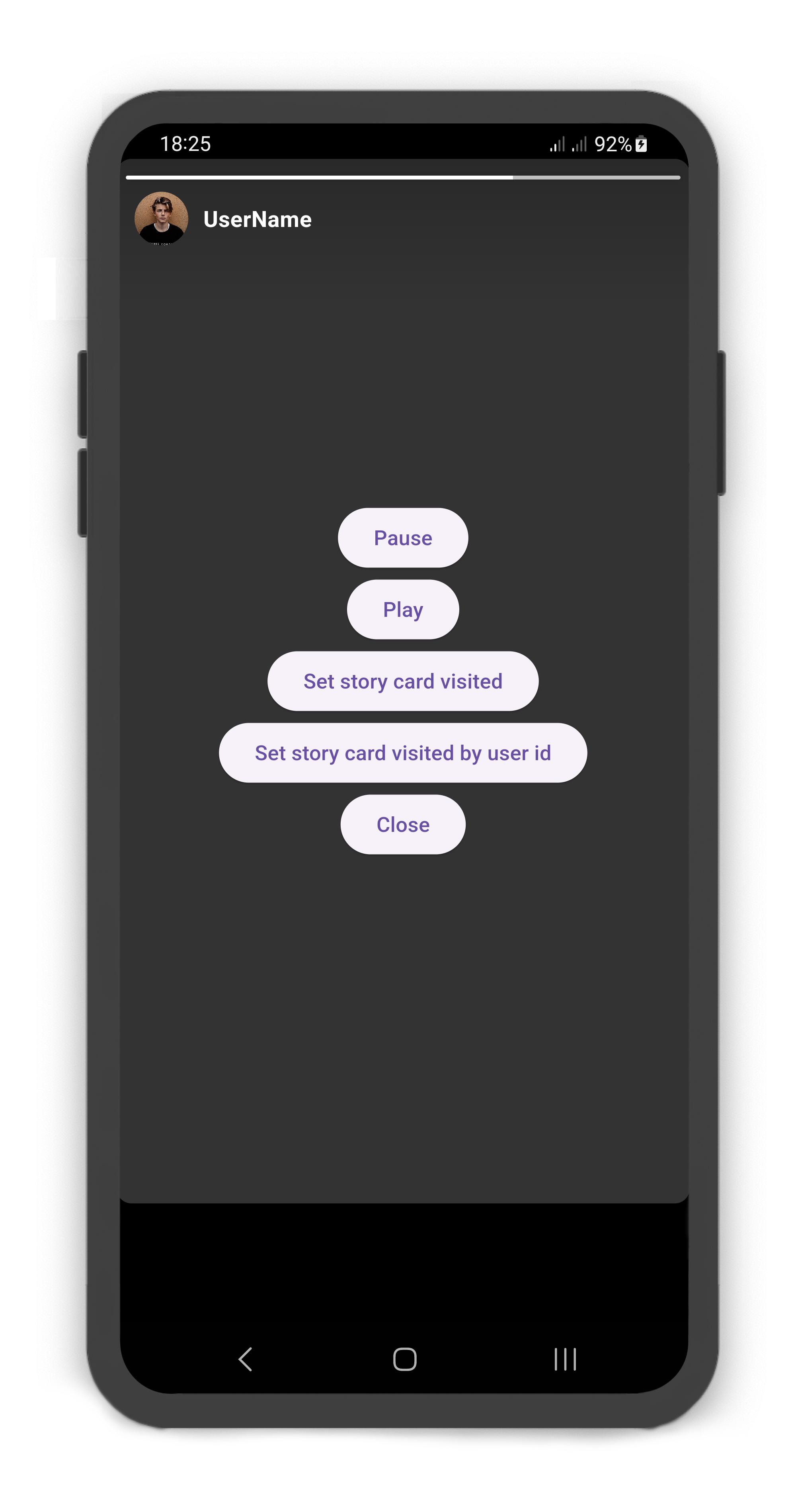 |
|
|:--------------------------------------------------------------------------------------------------------------------------------------------------:|:----------------------------------------------------------------------------------------------------------------------------------------------------------:|
```dart
StoryController storyController = StoryController();
@override
Widget build(BuildContext context) {
return Scaffold(
body: SafeArea(
child: Column(
crossAxisAlignment: CrossAxisAlignment.start,
children: [
Story(
controller: storyController,
children: [
StoryUser(
userId: 1,
avatar: Image.asset("assets/user_avatar.jpg"),
label: const Text("UserName"),
children: [
StoryCard(
childOverlay: Center(
child: Column(
mainAxisAlignment: MainAxisAlignment.center,
children: [
ElevatedButton(
onPressed: () => storyController.pauseStory(),
child: const Text("Pause"),
),
ElevatedButton(
onPressed: () => storyController.playStory(),
child: const Text("Play"),
),
ElevatedButton(
onPressed: () =>
storyController.setStoryCardVisited(
storyIndex: 0,
cardIndex: 0,
visited: true),
child: const Text("Set story card visited"),
),
ElevatedButton(
onPressed: () =>
storyController.setStoryCardVisitedByUserId(
userId: 1, cardIndex: 0, visited: true),
child: const Text(
"Set story card visited by user id"),
),
ElevatedButton(
onPressed: () => storyController.closeStory(),
child: const Text("Close"),
),
],
),
),
)
],
)
],
),
Center(
child: Column(
children: [
ElevatedButton(
onPressed: () => storyController.openStory(context,
storyIndex: 0, cardIndex: 0),
child: const Text("Open story"),
),
ElevatedButton(
onPressed: () => storyController.openStoryByUserId(context,
userId: 1, cardIndex: 0),
child: const Text("Open story by user id"),
),
],
),
)
],
),
),
);
}
```
### StoryBuilder
#### Using the `Story.builder`
see [example/lib/main.dart](https://github.com/shirvanie/flutter_story/blob/master/example/lib/main.dart)
```dart
StoryController storyController = StoryController();
late List stories;
@override
void initState() {
super.initState();
stories = getStories();
}
@override
void dispose() {
super.dispose();
storyController.dispose();
}
@override
Widget build(BuildContext context) {
return Scaffold(
body: SafeArea(
child: Story.builder(
controller: storyController,
itemCount: stories.length,
itemBuilder: (context, index) {
return StoryUser(
avatar: stories[index].avatar,
label: stories[index].label,
children: stories[index].cards == null
? []
: stories[index].cards!.map((card) =>
StoryCard(
color: card.color,
cardDuration: card.duration,
childOverlay: card.childOverlay,
visited: card.visited,
onVisited: (cardIndex) {
setState(() {
card.visited = true;
});
},
child: card.child,
)).toList(),
);
}),
),
);
}
List getStories() {
return [
StoryModel(
avatar: Image.asset("assets/user_avatar.jpg"),
label: const Text("UserName"),
cards: [
StoryCardModel(
child: const Center(
child: Text(
"This is the story card widget",
style: TextStyle(color: Colors.white),
),
),
)
]
),
];
}
class StoryModel {
StoryModel({
this.userId,
this.avatar,
this.label,
this.cards,
});
int? userId;
Widget? avatar;
Text? label;
List? cards;
}
class StoryCardModel {
StoryCardModel({
this.visited = false,
this.duration = const Duration(seconds: 2),
this.color = const Color(0xff333333),
this.childOverlay,
this.child,
});
bool visited;
Duration duration;
Color color;
Widget? childOverlay;
Widget? child;
}
```