https://github.com/shreyank031/listadapter
ListAdapter in Android simplifies list management by automatically handling updates and efficiently updating the UI when data changes. It utilizes DiffUtil.Callback to compute differences between lists, facilitating smooth updates by identifying added, removed, or modified items. This pairing imporves the user experience and optimizes performance.
https://github.com/shreyank031/listadapter
diffutil-recyclerview listadapter
Last synced: about 2 months ago
JSON representation
ListAdapter in Android simplifies list management by automatically handling updates and efficiently updating the UI when data changes. It utilizes DiffUtil.Callback to compute differences between lists, facilitating smooth updates by identifying added, removed, or modified items. This pairing imporves the user experience and optimizes performance.
- Host: GitHub
- URL: https://github.com/shreyank031/listadapter
- Owner: Shreyank031
- Created: 2024-03-18T04:19:39.000Z (over 2 years ago)
- Default Branch: master
- Last Pushed: 2024-03-18T04:44:22.000Z (over 2 years ago)
- Last Synced: 2025-02-27T10:59:11.408Z (over 1 year ago)
- Topics: diffutil-recyclerview, listadapter
- Language: Kotlin
- Homepage:
- Size: 107 KB
- Stars: 0
- Watchers: 1
- Forks: 0
- Open Issues: 0
-
Metadata Files:
- Readme: README.md
Awesome Lists containing this project
README
# RecyclerView and ListAdapter with ViewBinding
## Overview
This README provides an explanation of the theoretical concepts used in the
provided code for implementing a `RecyclerView` with a `ListAdapter` using
ViewBinding in Android development.
## RecyclerView The `RecyclerView` is a powerful and flexible widget in Android
used for displaying large datasets efficiently by recycling and reusing views.
It's an improvement over the older `ListView` and `GridView` widgets and offers
better performance and more customization options.
### Key Components:
- **LayoutManager**: Determines how items are laid out within the RecyclerView
(e.g., LinearLayoutManager, GridLayoutManager, StaggeredGridLayoutManager).
- **Adapter**: Binds the data to the views within the RecyclerView and manages
the creation, binding, and recycling of view holders.
- **ViewHolder**: Represents each individual item view within the RecyclerView.
It holds references to the views within the layout and is responsible for
binding data to them.
## ListAdapter The `ListAdapter` is a subclass of RecyclerView.Adapter
specifically designed to work with lists that can efficiently update the UI
when the underlying data changes. It uses DiffUtil under the hood to calculate
the difference between the old and new lists and efficiently update only the
changed items.
### Key Features:
- **Automatic List Updates**: ListAdapter automatically handles list updates
when you submit a new list of items using the `submitList` method.
- **Efficient Diffing**: Uses DiffUtil to compute the difference between old
and new lists in the background thread, ensuring efficient updates without
reloading all items.
## ViewBinding ViewBinding is a feature introduced in Android that generates a
binding class for each XML layout file in this project. It allows you to
reference views directly without the need for findViewById, leading to cleaner
and more efficient code.
### Key Benefits:
- **Type Safety**: ViewBinding provides type-safe access to views, reducing the
risk of runtime errors caused by incorrect view IDs or casting.
- **Null Safety**: Since ViewBinding creates direct references to views, it
eliminates the need for null checks, making the code more robust.
- **Improved Performance**: By eliminating the need for findViewById calls,
ViewBinding improves performance by reducing view lookup overhead.
## Handler and Delay In the provided code, a `Handler` object is used along
with a delay to simulate updating the RecyclerView data after a certain period.
### Handler:
- The `Handler` class in Android is used to schedule and execute tasks
asynchronously on the main thread. It allows you to perform operations after
a certain delay or at regular intervals.
- In this code, a `Handler` is created with the main Looper
(`Looper.getMainLooper()`) to ensure that the task is executed on the main
thread.
- The `postDelayed` method of the `Handler` is used to schedule a task
(`Runnable`) to be executed after a specified delay.
### Delay:
- The `postDelayed` method takes two parameters: a `Runnable` object
representing the task to be executed and a delay time in milliseconds.
- In this code, a delay of 2000 milliseconds (2 seconds) is specified, causing
the task to be executed 2 seconds after the `postDelayed` method is called.
## Code Explanation
The code demonstrates the implementation of a RecyclerView using a ListAdapter with ViewBinding.
- **ProgrammingAdapter**: Subclass of ListAdapter responsible for managing the
data and binding it to the views.
- **ProgrammingViewHolder**: Represents each item view within the RecyclerView.
It holds references to the views using ViewBinding and binds data to them in
the bind method.
- **DIFFUTIL**: Implementation of DiffUtil.ItemCallback used by ListAdapter to
compare two lists and efficiently update the UI.
## Demo Video
[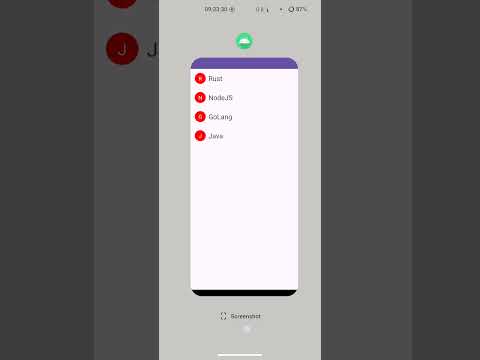](https://www.youtube.com/watch?v=0DR8OVJGNjM "LIST ADAPTER")
## Explanation:
In the code, the `ProgrammingAdapter` class utilizes a `DiffUtil.ItemCallback` implementation
to determine the differences between theold and new lists of `ProgrammingItem` objects. This is crucial
for efficientlyupdating the RecyclerView with new data without unnecessarily re-rendering items that haven't changed.
When the `submitList` method is called on the adapter with a new list of items,
`DiffUtil` compares the old and new lists to identify insertions, deletions,
and modifications. In the example, the old list contains an item with the text
"Java," and the new list also contains an item with the same text.
However, `DiffUtil` compares objects based on their identity (using the
`areItemsTheSame` method) and their contents (using the `areContentsTheSame`
method). In this case, even though both items have the same text ("Java"), they
are considered different objects (since they have different IDs).
As a result, when the new list is submitted to the adapter, `DiffUtil`
correctly identifies that the item with the text "Java" is already present in
the RecyclerView, and there is no need to re-render it. Instead, `DiffUtil`
focuses on updating any items that have changed or detecting new items that
need to be inserted.
This behavior ensures efficient updates to the RecyclerView, avoiding unnecessary re-rendering of items that
haven't changed and improving overall performance.
## Conclusion
Using RecyclerView with ListAdapter and ViewBinding is a recommended approach for implementing lists in
Android applications. It provides efficient updates, improved performance, and cleaner code compared to
traditional approaches.