https://github.com/shsiddhant/memory.fm
A Python library, CLI tool, and web-based dashboard for exploring music listening history from Last.fm and Spotify.
https://github.com/shsiddhant/memory.fm
analytics data-analysis data-visualization memories music
Last synced: 11 days ago
JSON representation
A Python library, CLI tool, and web-based dashboard for exploring music listening history from Last.fm and Spotify.
- Host: GitHub
- URL: https://github.com/shsiddhant/memory.fm
- Owner: shsiddhant
- License: mit
- Created: 2025-10-14T10:26:35.000Z (6 months ago)
- Default Branch: main
- Last Pushed: 2026-04-01T14:15:59.000Z (14 days ago)
- Last Synced: 2026-04-01T16:15:15.572Z (14 days ago)
- Topics: analytics, data-analysis, data-visualization, memories, music
- Language: Python
- Homepage:
- Size: 5.65 MB
- Stars: 1
- Watchers: 1
- Forks: 0
- Open Issues: 4
-
Metadata Files:
- Readme: README.md
- Changelog: CHANGELOG.md
- Contributing: CONTRIBUTING.md
- License: LICENSE
Awesome Lists containing this project
README
# memory.fm

[](LICENSE)
[](https://github.com/shsiddhant/memory.fm/actions/workflows/ci.yml)
**memory.fm** is a Python library, CLI tool, and web-based dashboard for exploring music listening history from Last.fm and Spotify.
Instead of focusing only on aggregate stats, it surfaces long-term and local patterns such as attachment, repetition, and obsessive listening, to help you revisit periods of your life through music.
>*✨Inspired by the idea of using music as a way to revisit memories.✨*
**[🔗 Check out the demo](https://memoryfm-demo.streamlit.app/)** to quickly test the stats and visuals dashboard.
## Features
### Import and Manage Your Listening History
- Import your complete listening history from **Last.fm** and **Spotify**.
- Fast incremental sync after the first import.
- Supports JSON/CSV exports from [lastfmstats](https://www.lastfmstats.com).
### Stats and Analytics
**memory.fm** focuses on *how* you listened, not just *what* you listened to.
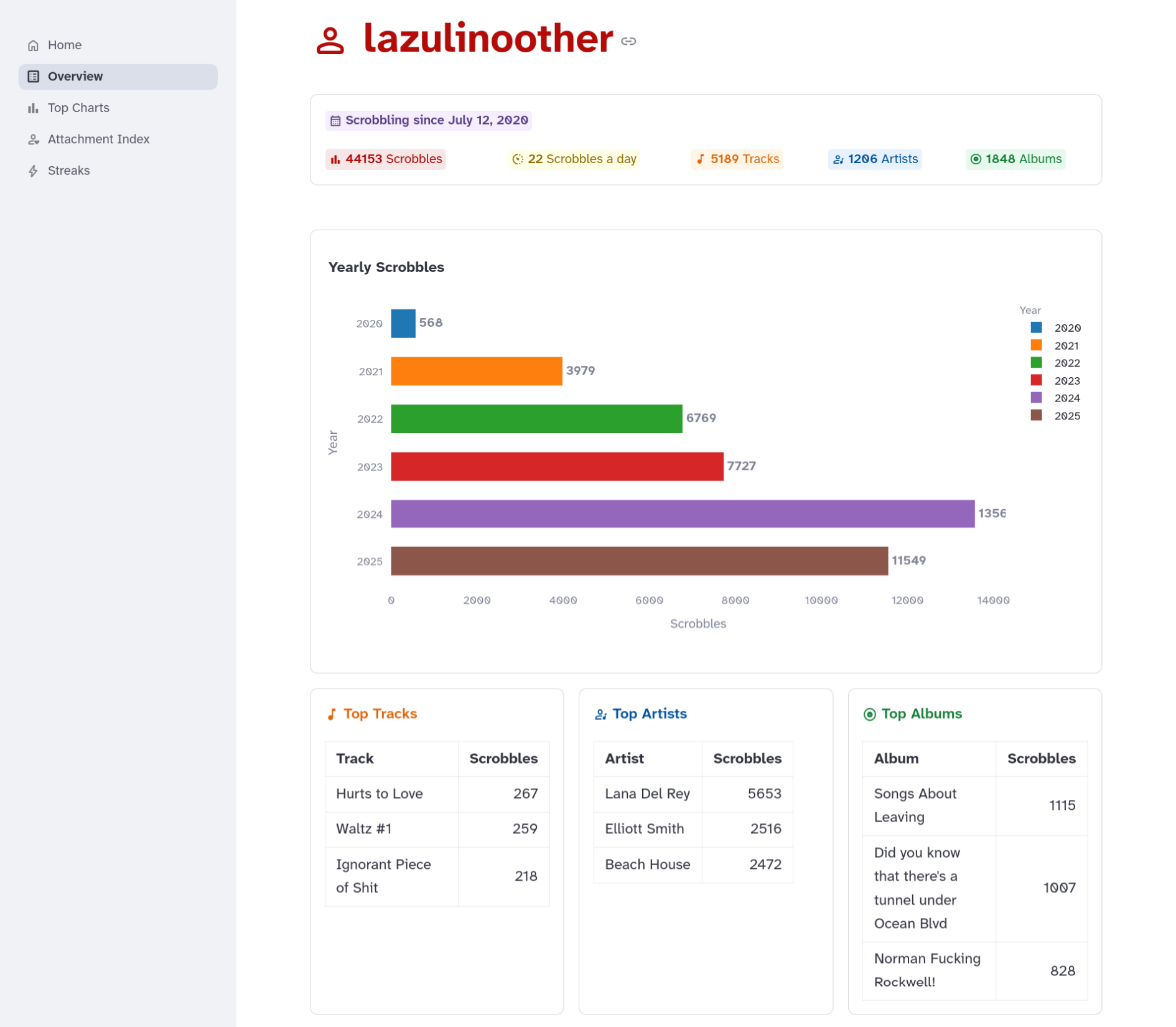
#### Overview
Get a clean summary of your music listening history.
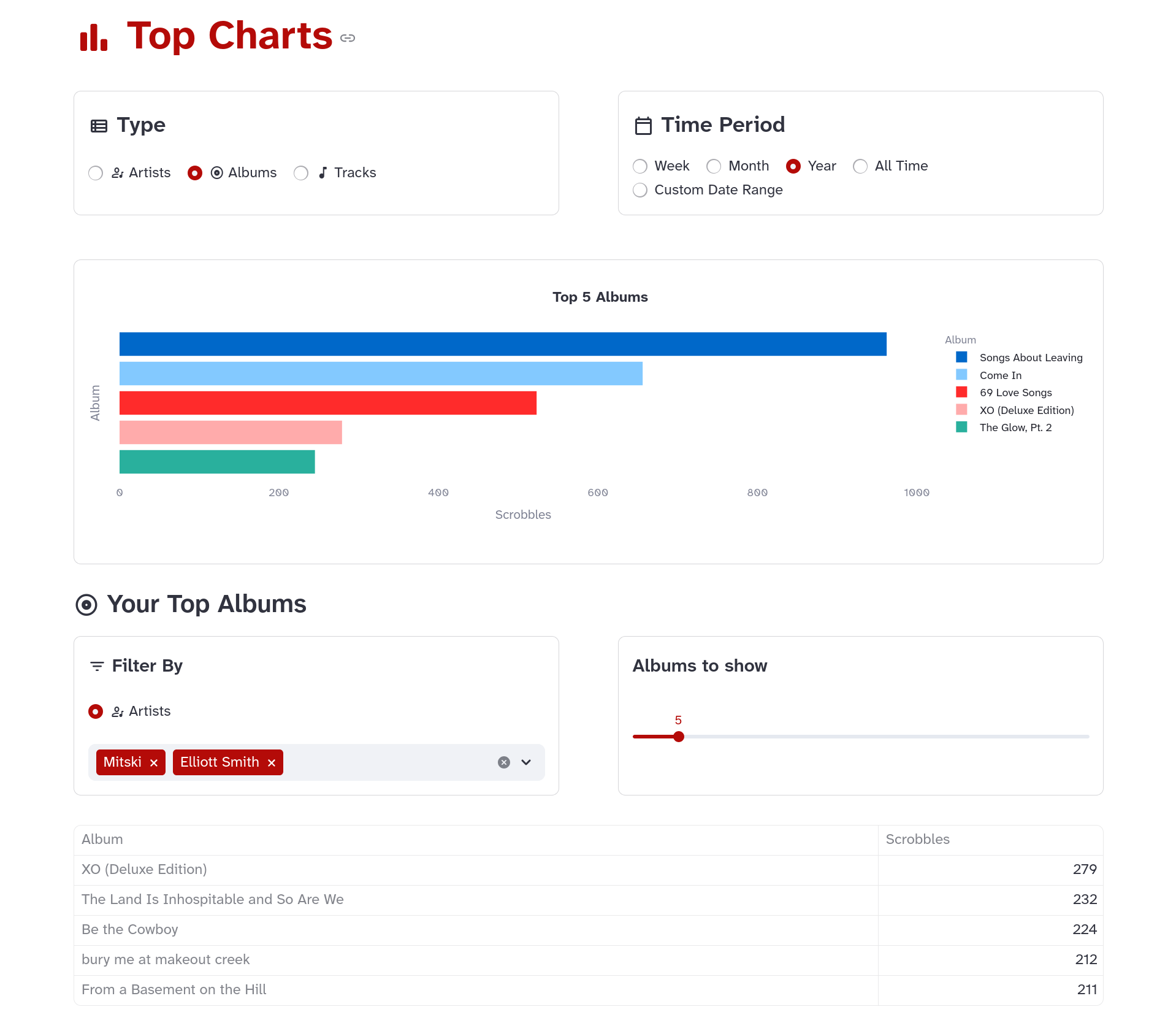
#### Top Charts
- View your top artists, albums, and tracks.
- Filter them by weekly, monthly, and yearly periods, or a custom date range.
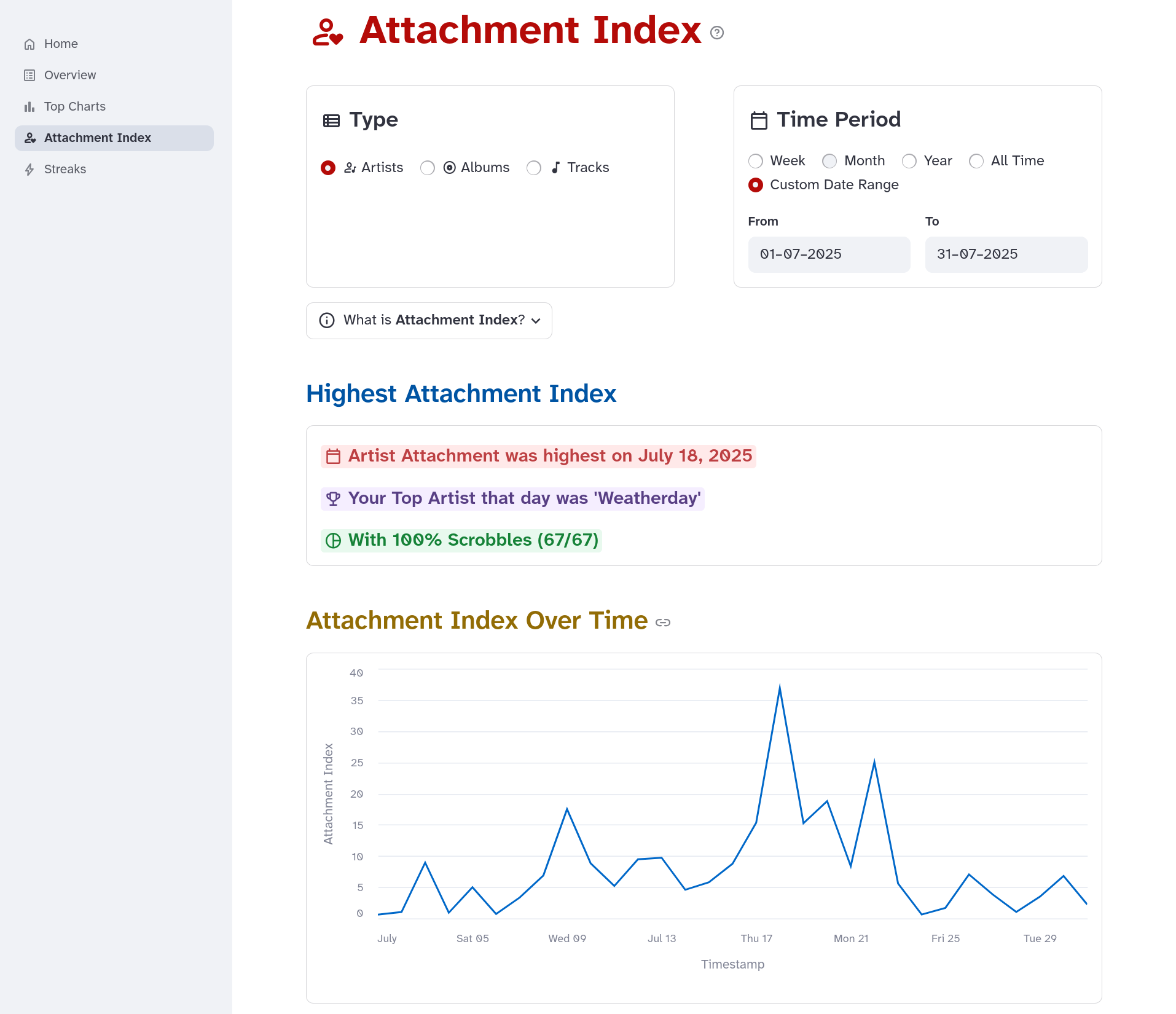
#### Attachment Index
- See how concentrated your listening was during a given period using **Attachment Index**.
- Find out whether you were deeply attached to a few tracks, albums, or artists, or broadly exploring.
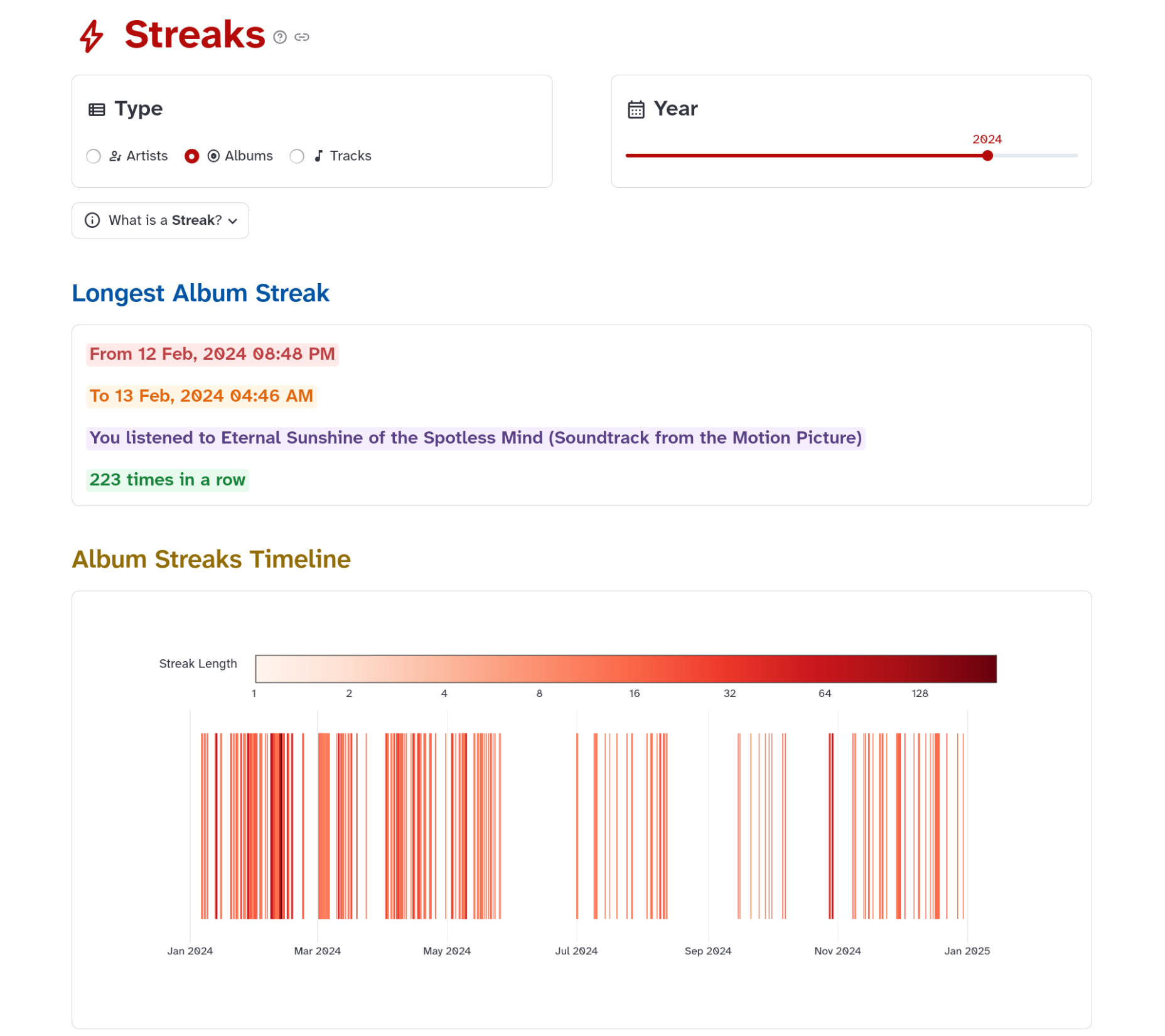
#### Streaks
- Detect periods of intense, repeated listening to a single artist, album, or track. Streaks often correspond to emotionally significant moments or phases.
- With **Streaks Timeline**, you can view an interactive, color-coded timeline of your listening streaks.
### Interface
You have two UI options:
- **Graphical Dashboard:** A user-friendly graphical dashboard that runs inside your web browser.
- **CLI:** A command line tool with more granular control for power users.
## Installation
You can install the package from PyPI.
```shell
pip install memory.fm
```
Requires **Python>=3.10**
## Quick Start
### Dashboard (Recommended for First-Time Users)
Launch the interactive web dashboard:
```bash
memoryfm-gui
```
This opens a browser interface at `http://localhost:8501` where you can:
- Import your listening history from Last.fm or Spotify
- Explore visualizations and analytics
- View your attachment patterns and listening streaks
### Command Line Interface
For power users, the CLI offers more granular control:
```bash
# Import data from Last.fm
memoryfm import last.fm
# Import from Spotify export
memoryfm import spotify path/to/my_spotify_data.zip --username
# Load your import
memoryfm load
# View top artists for the last month
memoryfm top artists --last month
```
See the [CLI documentation](https://memoryfm.readthedocs.io/en/stable/quickstart/cli_usage.html) for all available commands.
### Python Library
Use memory.fm programmatically in your own projects:
```python
import memoryfm as mfm
# Load your listening history
sclog = mfm.from_lastfm_api(username="your_username",
tz="Asia/Kolkata")
# Filter by dates
filtered_sclog = sclog.filter_by_date("2025-09-12 10 PM", end="2025-09-13 10:40 AM")
# Calculate attachment index of order alpha
attachment = mfm.attachment(sclog, by="album", year=2024, alpha=2)
```
See the [API documentation](https://memoryfm.readthedocs.io/en/stable/references/index.html#api) for more examples.
## Documentation
Full documentation is available at: https://memoryfm.readthedocs.io
## Roadmap
- [x] Support for loading Spotify listening history exports
- [x] CLI commands for loading, printing, exporting, filters, top charts, etc.
- [x] API support for Last.fm
- [x] Attachment Index
- [x] Streaks and Streaks Timeline
- [ ] Time of Day / Season based analysis
- [ ] Memory Attachments and Timeline integration
- [ ] Spotify wrapped but make it nerdier
- [ ] Export options for data, visuals, and memory attachments
- [ ] Apple Music support
Check the [issue tracker](https://github.com/shsiddhant/memory.fm/issues) for more details.
## Contributing
Contributions are welcome - whether you’d like to fix a bug, suggest an improvement, or propose new ideas for **memory.fm**.
If you find a bug or have a feature request, please open an issue using the appropriate template in the [issue tracker](https://github.com/shsiddhant/memory.fm/issues).
For detailed guidelines on contributing and development setup, see [CONTRIBUTING.md](CONTRIBUTING.md).
## License
This project is licensed under the [MIT License](LICENSE).
## Acknowledgements
Thanks to Felix Hagemans ([felhag](https://github.com/felhag)) for creating [lastfmstats](https://www.lastfmstats.com), which inspired parts of this
project.