https://github.com/shuntaka9576/oax
💥 CLI for OpenAI's ChatGPT
https://github.com/shuntaka9576/oax
chatgpt chatgpt-api cli openai
Last synced: 6 months ago
JSON representation
💥 CLI for OpenAI's ChatGPT
- Host: GitHub
- URL: https://github.com/shuntaka9576/oax
- Owner: shuntaka9576
- License: mit
- Created: 2023-03-26T10:53:54.000Z (over 3 years ago)
- Default Branch: main
- Last Pushed: 2023-04-06T21:29:34.000Z (over 3 years ago)
- Last Synced: 2026-01-13T03:42:38.984Z (6 months ago)
- Topics: chatgpt, chatgpt-api, cli, openai
- Language: Go
- Homepage:
- Size: 33.2 KB
- Stars: 5
- Watchers: 0
- Forks: 0
- Open Issues: 0
-
Metadata Files:
- Readme: README.md
- License: LICENSE
Awesome Lists containing this project
README
# oax(OpenAI eXecutor)
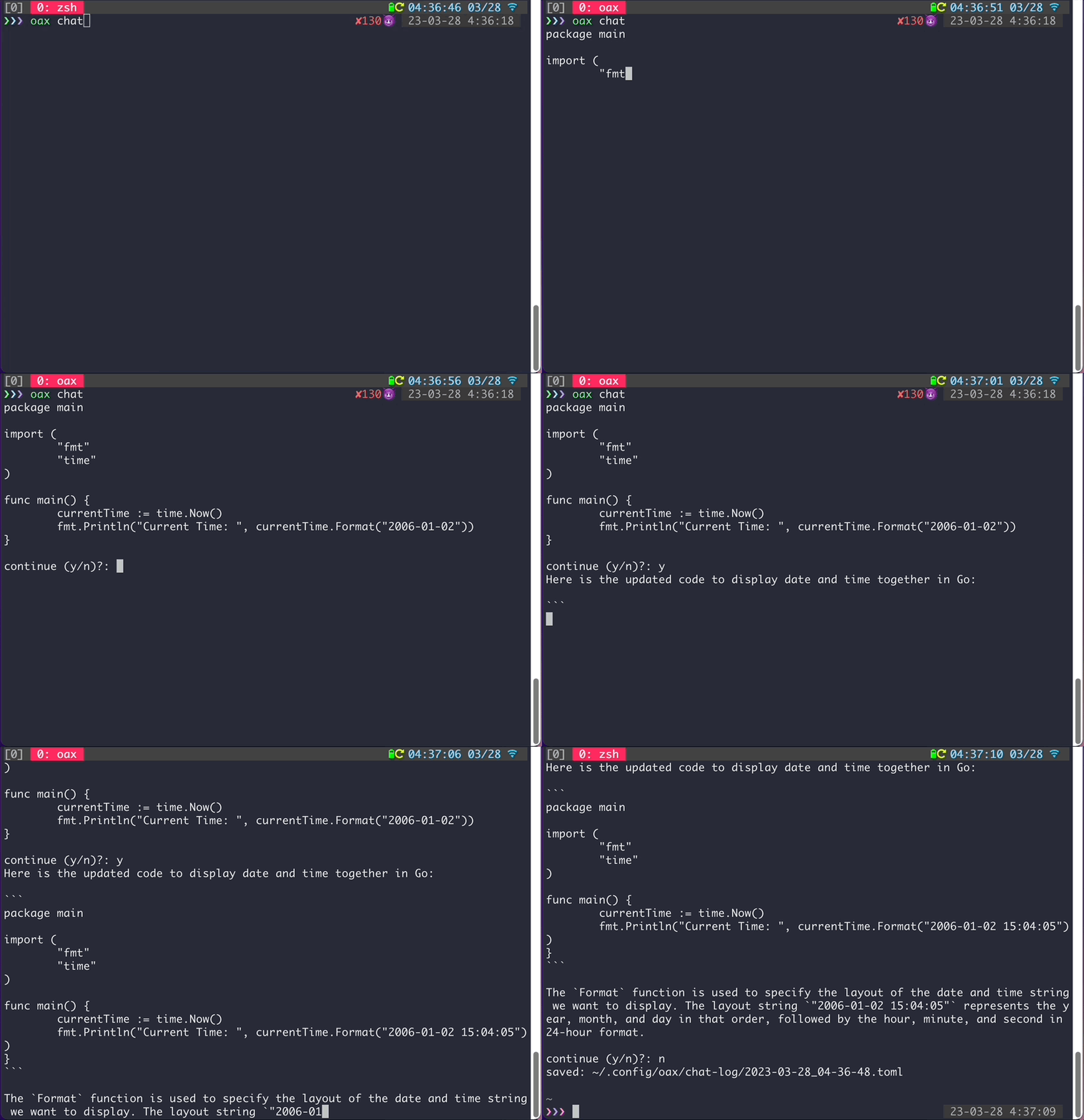
💥 CLI for OpenAI's ChatGPT.
*For basic use cases.*
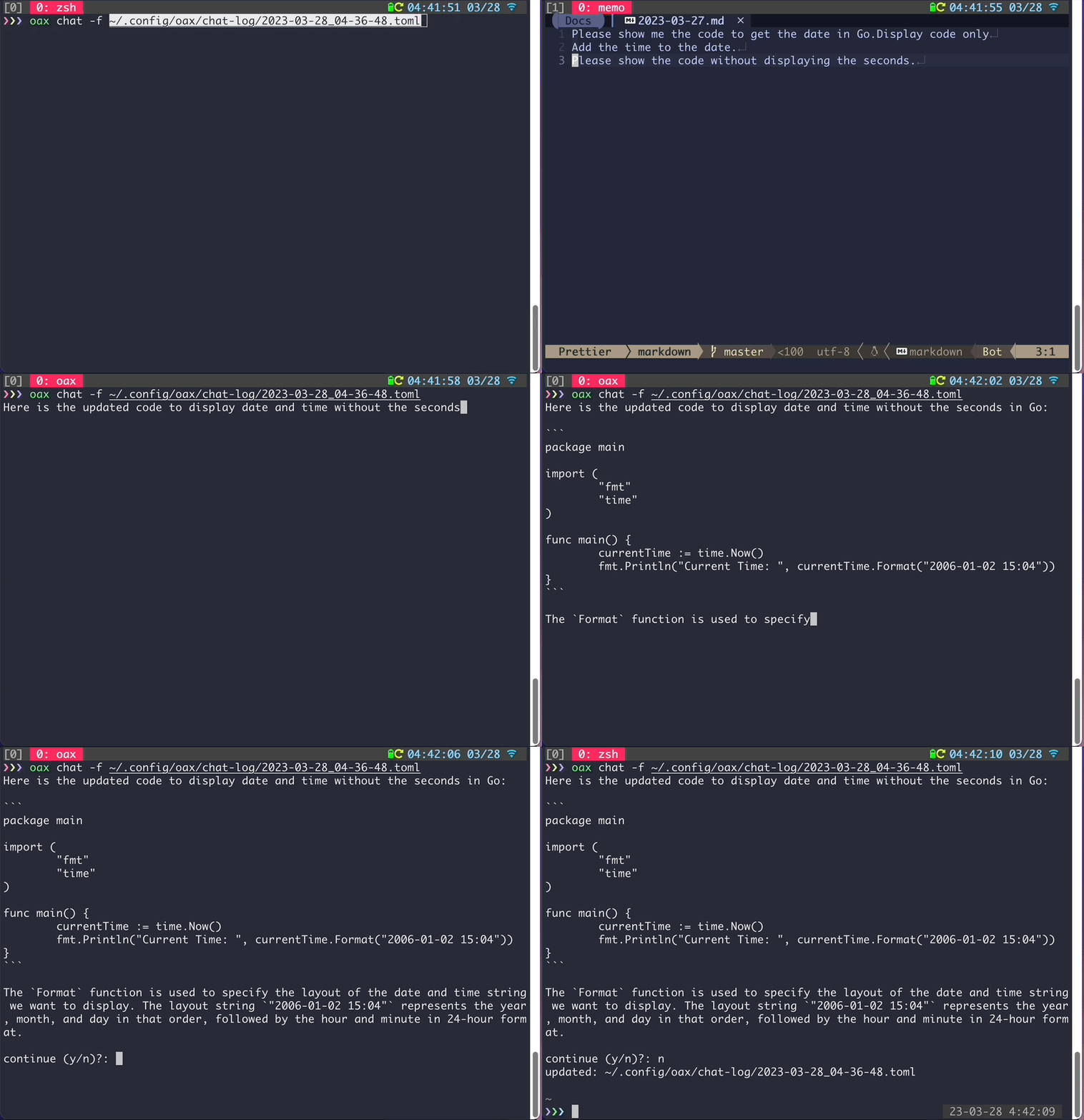
*Resuming chat sessions from a previous point.*
## Installation
```bash
brew tap shuntaka9576/tap
brew install shuntaka9576/tap/oax
```
## Requirements
Command-line text editor tools (Vim/Neovim/Nano, etc.).
## Quick Start
Open profile (`~/.config/oax/profiles.toml`).
```bash
oax config --profiles
```
Specify the OpenAI API API key in the apiKey field (replace `sk-xxxx`).
```toml
[[profiles]]
name = "personal"
apiKey = "sk-xxxx" # <--
default = true
```
Open setting (`~/.config/oax/settings.toml`).
```bash
oax config --settings
```
Specify edit to lunch editor. `vim` or `nvim`.
```toml
[setting]
editor = "vim" # <--
```
Start ChatGPT. Default model `gpt-3.5-turbo`. Open ChatGPT request file (`~/.config/oax/chat-log/2006-01-02_15-04-05.toml`).
```bash
oax chat
```
Specify sent content to ChatGPT. exit with wq.
```toml
[[messages]]
role = "user"
content = '''
# Remove this comment and specify content to send to OpenAI API; otherwise, nothing is sent.
'''
```
Streaming response is returned from ChatGPT.
```bash
$ oax chat
Hello! How can I assist you today?
continue (y/n)?: n
saved: ~/.config/oax/chat-log/2023-03-26_17-01-54.toml
```
When resuming, you can perform fuzzy search on chat history files by their titles.
```bash
oax chat -c
```
Files can be resumed from the middle of the process by specifying the full path of the file.
```bash
oax chat -m "gpt-3.5-turbo" -f "~/.config/oax/chat-log/2023-03-26_15-11-04.toml"
```
## Configuration
|File Path|Description|Open Command
|---|---|---|
|`~/.config/oax/settings.toml`|Specify command assist information for oax.|`oax config --settings`
|`~/.config/oax/profiles.toml`|Specify information required for API connection.|`oax config --profiles`
### Settings
#### setting
|Option|Description|Required|Default|
|---|---|---|---|
|editor|Integrated editor|true|`vim`|
|chatLogDir|Directory for saving chat logs|false|`~/.config/oax/chat-log`|
e.g.
```toml
[setting]
editor = "nvim"
chatLogDir = "~/.config/oax/chat-log"
```
#### chat
|Option|Description|Required|Default|
|---|---|---|---|
|model|ChatGPT model|false|`gpt-3.5-turbo`|
|fileNameFormat|Providing `${title}` placeholder|false|`%Y-%m-%d_%H-%M-%S`
|chat.templates|Chat template|false||
```toml
[chat]
model = "gpt-3.5-turbo"
fileNameFormat = "%Y-%m-%d_%H-%M-%S"
[[chat.templates]]
name = "friends"
[[chat.templates.messages]]
role = "system"
content = "You are ChatGPT, a large language model trained by OpenAI. You are a friendly assistant that can provide help, advice, and engage in casual conversations."
```
Specify a model.
```bash
oax chat -m "gpt-4"
```
Specify a chat template
```bash
oax chat -t "friends"
```
### Profiles
|Option|Description|Required|Default|
|---|---|---|---|
|name|Profile name|true|`vim`|
|apiKey|OpenAI API key|true|`~/.config/oax/chat-log`|
|default|Set the default profile configuration (API key) to be used.|false. Please ensure that the "default" option is set for at least one Profile.|`true`|
|organizationId|OpenAI Organization ID|false|
e.g.
```toml
[[profiles]]
name = "me"
apiKey= "sk-xxxx"
default = true
[[profiles]]
name = "org"
organizationId = ""
```
## Troubleshooting
### Reset
```bash
rm -rf ~/.config/oax
```