https://github.com/shweshi/consul-power-ui
An alternate consul UI built for power users.
https://github.com/shweshi/consul-power-ui
consul consul-ui hashicorp-ui react tailwindcss-ui tailwindcss-v3
Last synced: about 1 month ago
JSON representation
An alternate consul UI built for power users.
- Host: GitHub
- URL: https://github.com/shweshi/consul-power-ui
- Owner: shweshi
- License: mit
- Created: 2022-12-12T07:24:12.000Z (over 3 years ago)
- Default Branch: main
- Last Pushed: 2022-12-16T22:00:14.000Z (over 3 years ago)
- Last Synced: 2025-01-10T03:21:04.782Z (over 1 year ago)
- Topics: consul, consul-ui, hashicorp-ui, react, tailwindcss-ui, tailwindcss-v3
- Language: JavaScript
- Homepage:
- Size: 2.42 MB
- Stars: 1
- Watchers: 1
- Forks: 0
- Open Issues: 0
-
Metadata Files:
- Readme: README.md
- Changelog: CHANGELOG.md
- Contributing: CONTRIBUTING.md
- License: LICENSE
- Code of conduct: CODE_OF_CONDUCT.md
Awesome Lists containing this project
- awesome-consul - consul-power-ui
README
# Consul Power UI
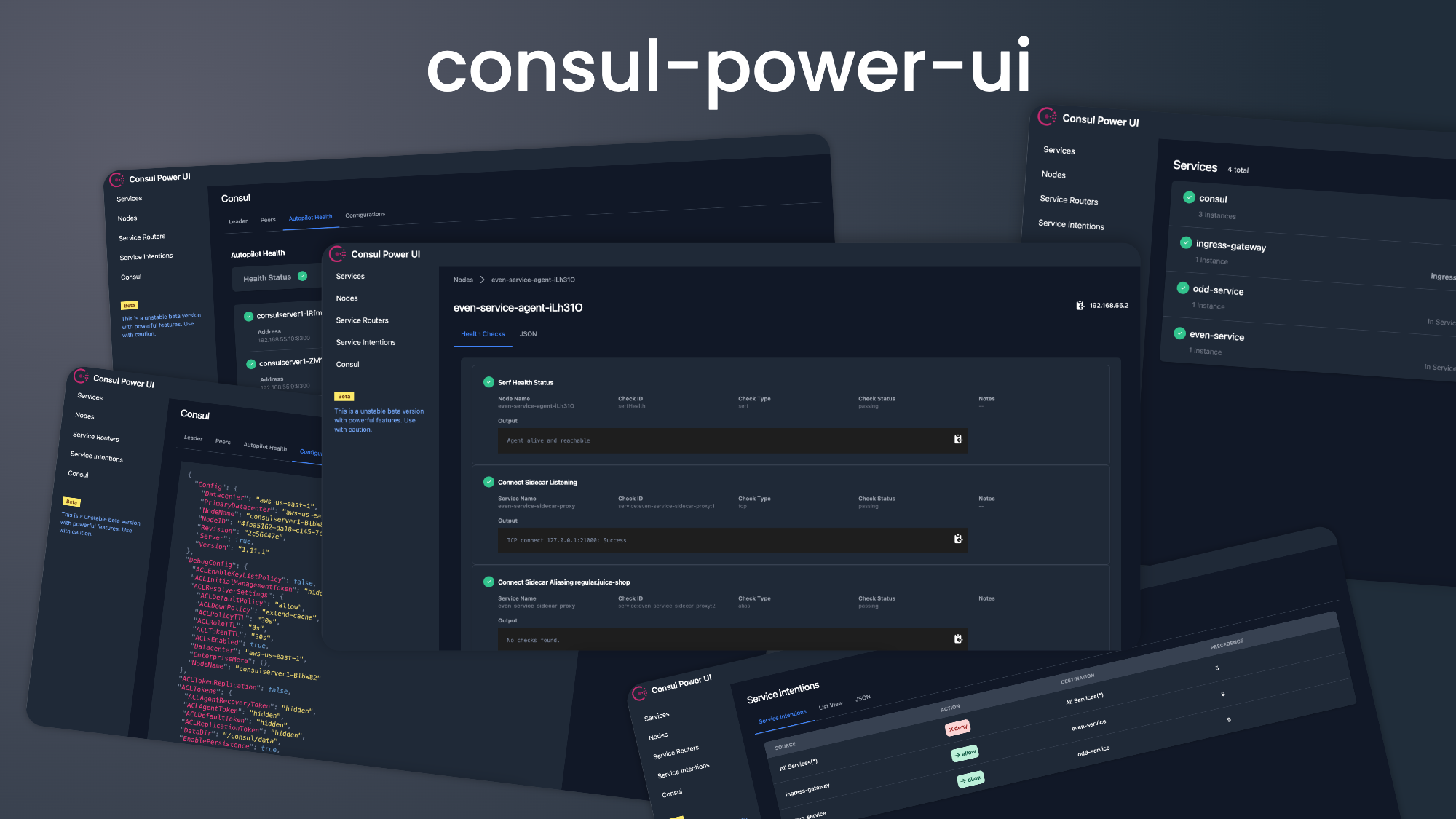
An alternate consul UI build for power users.
## Why?
- Dark Mode
- Advanced feature such as node deregistration, json view etc.
## How to use?
### Using docker image
```
docker pull shweshi/consul-power-ui
docker run -e CONSUL_URL= -p 3000:3000 -p 3001:3001 shweshi/consul-power-ui
```
### Using Docker compose
```
docker-compose build --build-arg CONSUL_URL=
docker-compose up
```
### Running locally
## Requirements
- Node.js
- React.js
## Development Setup
- Install necessary dependency for the dashboard.
```
cd ui
npm install
```
- Install necessary dependency for the proxy server.
```
cd proxy
npm install
```
In the project directory, run:
```
cd ui
npm start
```
Runs the app in the development mode.\
Open [http://localhost:3000](http://localhost:3000) to view it in your browser.
The page will reload when you make changes.\
You may also see any lint errors in the console.
The UI needs a proxy server avoid CORS issue with Consul API. So we need to start proxy server.
Run the proxy server:
```
cd proxy
CONSUL_URL= npm run start
```
### Changelog
Please see [CHANGELOG](CHANGELOG.md) for more information what has changed recently.
### Contributing
Please see [CONTRIBUTING](CONTRIBUTING.md) and [CODE OF CONDUCT](CODE_OF_CONDUCT.md) for details.
### License
The MIT License (MIT). Please see [License File](LICENSE) for more information.
## Learn More
You can learn more in the [Create React App documentation](https://facebook.github.io/create-react-app/docs/getting-started).
To learn React, check out the [React documentation](https://reactjs.org/).
### Happy coding!