https://github.com/shybyte/zig-micro-game
How to write a very small Linux game in Zig
https://github.com/shybyte/zig-micro-game
Last synced: 11 months ago
JSON representation
How to write a very small Linux game in Zig
- Host: GitHub
- URL: https://github.com/shybyte/zig-micro-game
- Owner: shybyte
- License: mit
- Created: 2023-06-06T04:06:42.000Z (over 2 years ago)
- Default Branch: main
- Last Pushed: 2023-08-22T06:25:38.000Z (over 2 years ago)
- Last Synced: 2025-01-03T20:27:02.858Z (about 1 year ago)
- Language: C
- Homepage:
- Size: 91.8 KB
- Stars: 0
- Watchers: 1
- Forks: 0
- Open Issues: 0
-
Metadata Files:
- Readme: README.md
- License: LICENSE
Awesome Lists containing this project
README
# zig-micro-game
How to write a very small Linux game in Zig.
The goal of this project is to provide a working example of a small Linux game,
that can be used as starting point for your own game development.
This makes it easier to compete in game jams like the [4MB Jam](https://itch.io/jam/4mb-jam-2023).
The compressed binary of this example "game" has only 8.6KB and it contains:
* A trippy animated GLSL shader background
* A (OpenGL) triangle that can be moved with the cursor keys
* Interactive sound effects: Moving the triangle plays notes
* Simple music generated in real time
Without sound it needs only 5.6 KB.
Predefined keyboard shortcuts:
* Esc = Quit
* f = Toggle between window and fullscreen mode
* A / Cursor Left = Left
* D / Cursor Right = Right
* W / Cursor Up = Up
* S / Cursor Down = Down
If you want to build a real small game based on this basis, have a look at [game.zig](./src/game.zig) and have fun!
You might want to learn about OpenGL, for example here: [Learn OpenGL](https://learnopengl.com/).
## Demo Video
[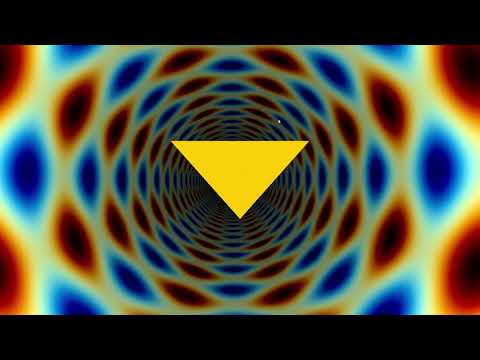](http://www.youtube.com/watch?v=9-FE2YLY7X0 "Demo Video")
Please note that the animation is in reality much smoother (60fps) and with no screen tearing compared to this video.
## Build and Run
Tested with zig v0.11.0 on Ubuntu 20.04 and 22.04.
First install [Zig](https://ziglang.org/learn/getting-started/).
Then install lib dev packages:
sudo apt install libgtk-3-dev libgl-dev libasound2-dev
Run with:
zig build run
Build compressed release version:
./build-compressed-release.sh
Running this script will also update the [size.txt](./size.txt) file, so you are always aware and in control of the file size and can compare it to previous versions.
For debugging purposes its helpful to enable DEBUG in [config.zig](./src/config.zig).
If you don't need sound, you can disable it by setting ENABLE_SOUND in [config.zig](./src/config.zig) to false.
## Games based on this template
* [The Tunnel Effect](https://shybyte.itch.io/the-tunnel-effect)
## Inspired by
* https://github.com/Swoogan/ziggtk
* https://github.com/blackle/Linux-OpenGL-Examples
* https://github.com/donnerbrenn/gtk_4k_template
* https://in4k.github.io/wiki/linux
## Tools
* https://ziglang.org/
* https://github.com/aunali1/super-strip
* https://gitlab.com/PoroCYon/vondehi
## License
MIT
## Copyright
Copyright (c) 2023 Marco Stahl