https://github.com/sideeffect-io/regulate
Provides time-based regulation operators like Debounce and Throttle. 100% based on Swift concurrency.
https://github.com/sideeffect-io/regulate
debounce swiftui throttle
Last synced: 12 months ago
JSON representation
Provides time-based regulation operators like Debounce and Throttle. 100% based on Swift concurrency.
- Host: GitHub
- URL: https://github.com/sideeffect-io/regulate
- Owner: sideeffect-io
- License: mit
- Created: 2022-09-28T21:31:11.000Z (over 3 years ago)
- Default Branch: main
- Last Pushed: 2023-11-11T14:24:39.000Z (over 2 years ago)
- Last Synced: 2025-06-13T06:07:26.959Z (12 months ago)
- Topics: debounce, swiftui, throttle
- Language: Swift
- Homepage:
- Size: 380 KB
- Stars: 60
- Watchers: 1
- Forks: 8
- Open Issues: 2
-
Metadata Files:
- Readme: README.md
- Changelog: CHANGELOG.md
- License: LICENSE
Awesome Lists containing this project
README
# Regulate
**Regulate** is a lightweight library that brings the following time-based regulation operations for things that can emit values over times (and are not using reactive programming or `AsyncSequence`).
- [Debounce](./Sources/Debouncer.swift) (Outputs elements only after a specified time interval elapses between events)
- [Throttle](./Sources/Throttler.swift) (Outputs either the most-recent or first element pushed by a producer in the specified time interval)
**Regulate** is entirely backed by Swift concurrency and limits the number of created `Tasks` to the minimum.
```swift
let regulator = Task.debounce(dueTime: .milliseconds(200)) { (value: Int) in
print(value)
}
// the created `regulator` can be used across `Tasks` and each call to `regulator.push(x)`
// will feed the regulation system
// the execution of the provided closure will be debounced and executed 200ms after the last call to `push(x)`
```
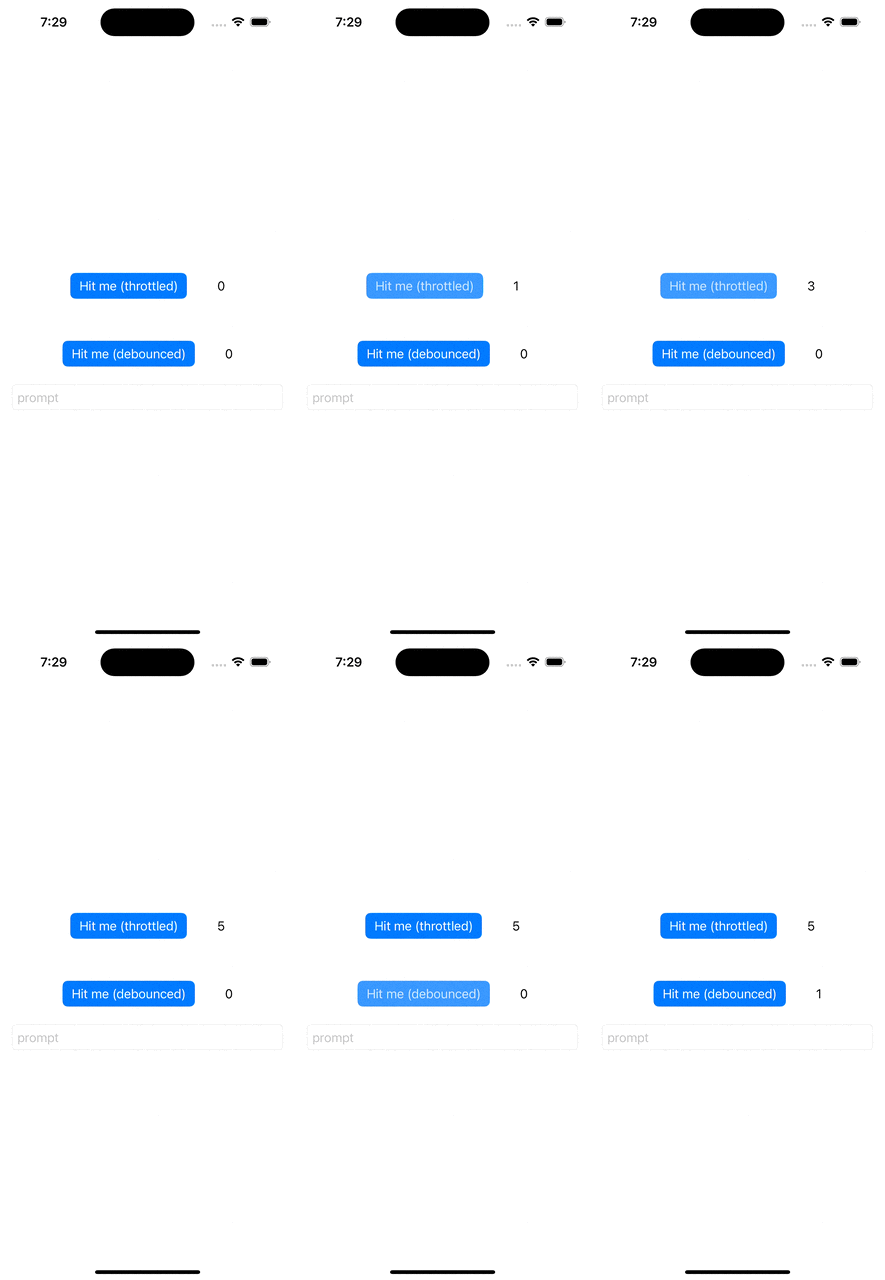
**Regulate** also provides SwiftUI helpers to regulate buttons and bindings out of the box.
You can give a look at the [Sample app](./Sample).
For a Button, it is as simple as:
```swift
Button {
print("I've been hit (throttled)!")
} label: {
Text("Hit me")
}
.throttle(dueTime: .seconds(1))
```
For a Binding, there is a tiny bit of extra work:
```swift
@State private var text = ""
@StateObject private var debouncer = Debouncer(dueTime: .seconds(1))
...
TextField(
text: self
.$text
.perform(regulator: debouncer) { text in
print("regulated text \(text)") // you can perform any side effect here!
}
) {
Text("prompt")
}
```
## Demo
## Adding Regulate as a Dependency
To use the `Regulate` library in a SwiftPM project,
add the following line to the dependencies in your `Package.swift` file:
```swift
.package(url: "https://github.com/sideeffect-io/Regulate"),
```
Include `"Regulate"` as a dependency for your executable target:
```swift
.target(name: "", dependencies: ["Regulate"]),
```
Finally, add `import Regulate` to your source code.