https://github.com/sidmohanty11/forum
A college hangout hub where you can discuss, ask questions and write blogs
https://github.com/sidmohanty11/forum
apollo forums fullstack graphql postgresql prisma react reactjs
Last synced: 6 months ago
JSON representation
A college hangout hub where you can discuss, ask questions and write blogs
- Host: GitHub
- URL: https://github.com/sidmohanty11/forum
- Owner: sidmohanty11
- License: mit
- Created: 2022-04-18T16:37:31.000Z (over 4 years ago)
- Default Branch: main
- Last Pushed: 2022-07-06T09:24:55.000Z (about 4 years ago)
- Last Synced: 2025-08-23T17:45:48.717Z (11 months ago)
- Topics: apollo, forums, fullstack, graphql, postgresql, prisma, react, reactjs
- Language: TypeScript
- Homepage: https://outr-forums.netlify.app/
- Size: 868 KB
- Stars: 3
- Watchers: 0
- Forks: 1
- Open Issues: 1
-
Metadata Files:
- Readme: README.md
Awesome Lists containing this project
README
# Forum
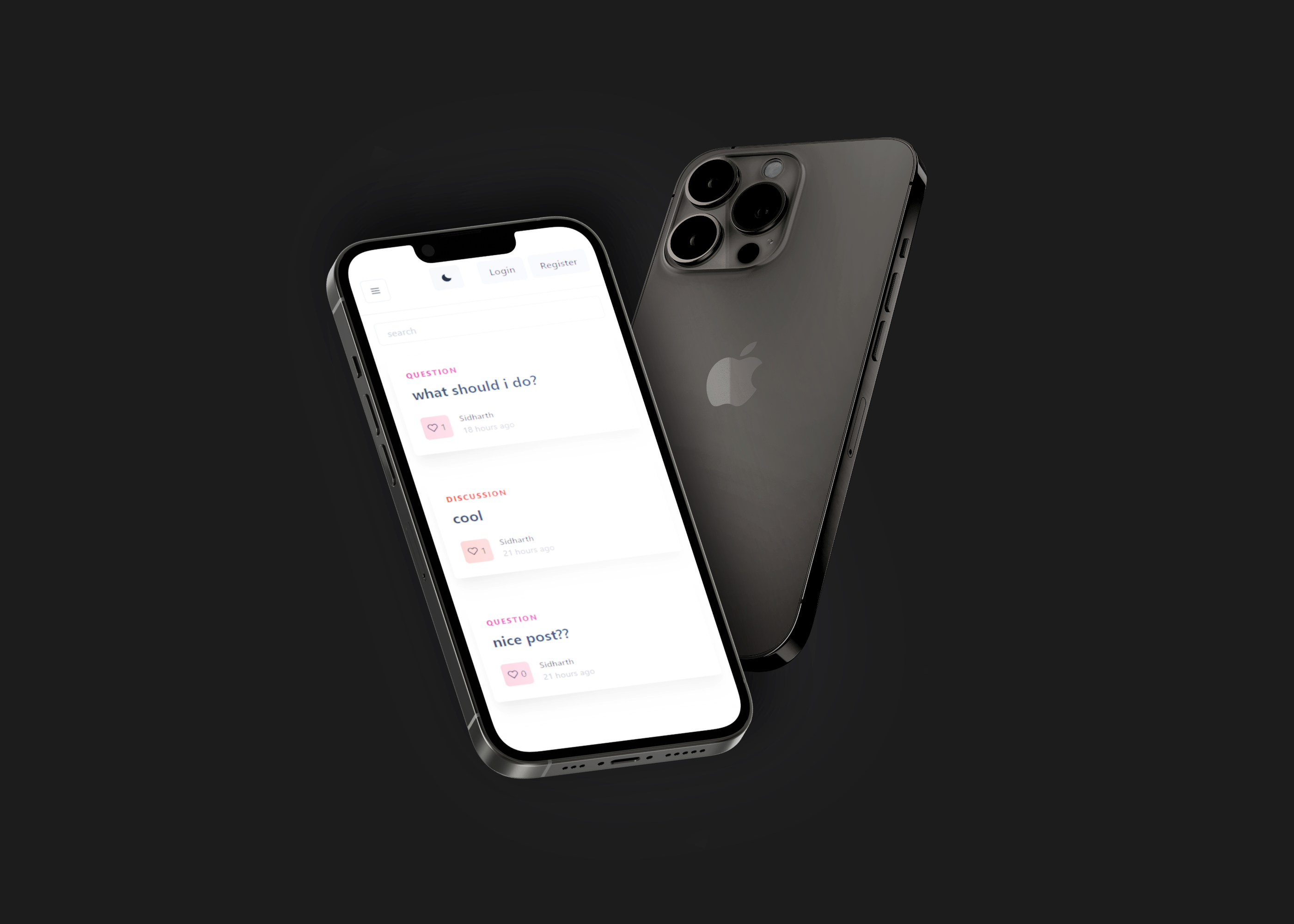
An open source full-stack forum system developed in PERNG stack, where students can discuss, ask questions and write blogs.
## Main features
1. Barebone forum system for colleges to use
2. Extensible, you can extend the features as you like
3. FullText debounced search
4. Secure JWT authentication
5. Load tested GRAPHQL API (check load test results inside `/load_tests` directory)
6. Uses batching and caching to solve famous N+1 problem and make efficient requests
7. Full Markdown support for posts and even comments
8. Light theme/Dark theme
9. Like Posts
10. Draft/Publish posts
## Quick Start
Fork (optional) and clone this repository.
Make changes according to your college in `client/src/app.json` following the `app-example.json`.
For example,
```JSON
{
"college": "OUTR",
"collegeUrl": "https://cet.edu.in",
"branches": [
"CSE",
"IT",
"EE",
"EIE",
"MECH",
"CIVIL",
"BIO",
"FAT",
"TE",
"B.PLAN"
]
}
```
and that's it, it's ready for deployment.
## Development
Fork and clone the repository.
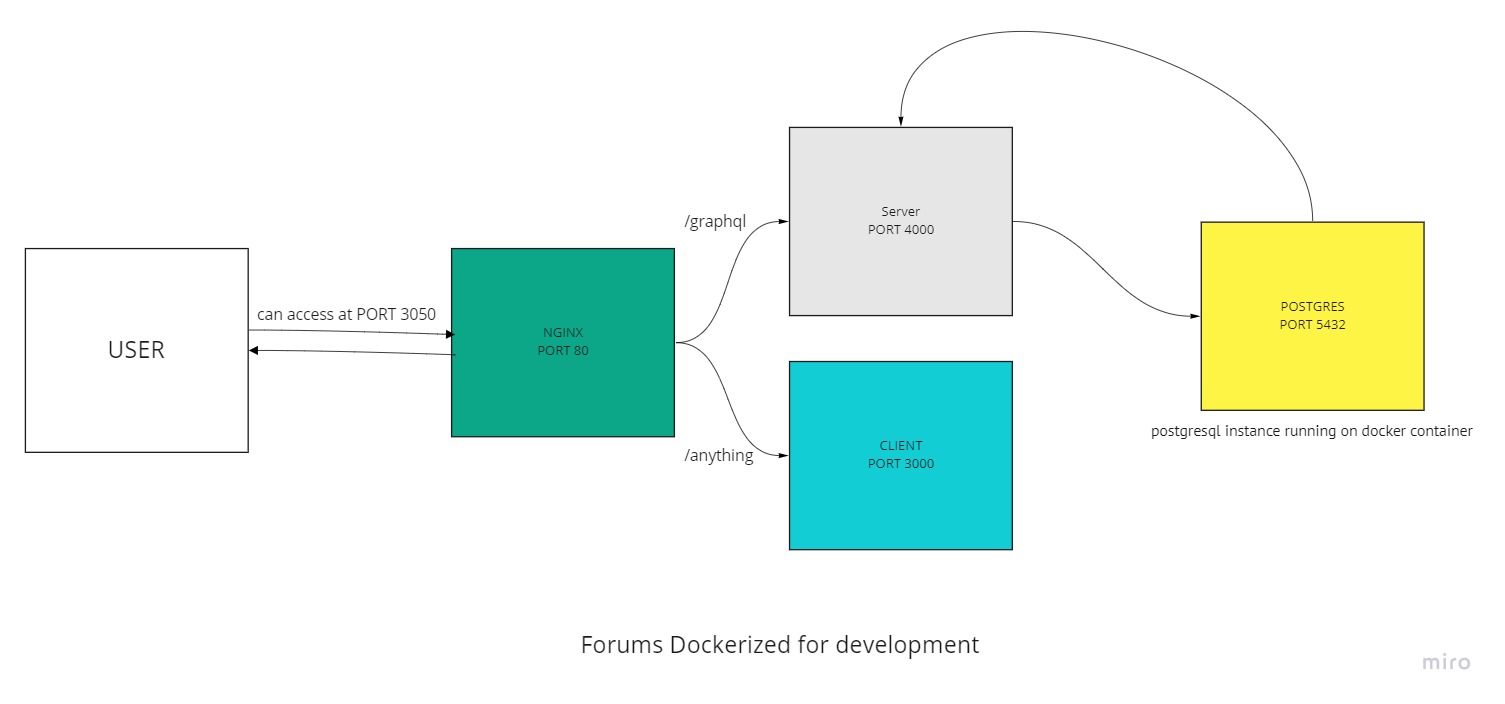
### For local development (using docker),
Make sure you have docker running on the background.
> Note: Check [URL](https://github.com/EduHeat/forum/blob/6598774e5d0bf4bae21d23f708369bbec56eee84/client/src/index.tsx#L16) inside `client/src/index.tsx` and change it to `/graphql` if you're using docker as everything is handled by nginx proxy.
Then run,
```
docker-compose up
```
Now you can visit http://localhost:3050/ to see the application running.
To better understand this, we can visualise the process with the diagram below
### For local development (not using docker),
In one terminal (**for running client**),
> Note: Check [URL](https://github.com/EduHeat/forum/blob/6598774e5d0bf4bae21d23f708369bbec56eee84/client/src/index.tsx#L16) inside `client/src/index.tsx` and change it to `http://localhost:4000/graphql` if you're not using docker.
1. `cd client`
2. `npm i`
3. `npm start`
You will have the client running at http://localhost:3000
In another terminal (**for running server**),
**Make sure you have `psql` running in the background.**
Make a `.env` file and add these values:
```
DATABASE_URL="postgres://postgres:postgres@localhost:5432/mydb?sslmode=disable?connect_timeout=300"
JWT_SECRET=mysecret
```
Provide the uri of your postgres instance, for example:
```
DATABASE_URL=postgres://YourUserName:YourPassword@YourHostname:5432/YourDatabaseName
```
Inside `dev.sh` file also change the `DATABASE_URL` accordingly.
Then run,
`sh dev.sh`
> Note: This is required to do one time to run the db migrations, afterwards you can use `npm run dev`
You will have the server running at http://localhost:4000
## Features to add in future
- [ ] Notifications system
## Contributing
Pull requests are much appreciated. Please let us know about the features you would like to see in the future in the [issues](https://github.com/EduHeat/forum/issues) section.