https://github.com/signiant/datadog-deepsecurity-event-forwarder
AWS lambda function which formats and forwards events from Trend Micro Deep Security to Datadog
https://github.com/signiant/datadog-deepsecurity-event-forwarder
Last synced: 19 days ago
JSON representation
AWS lambda function which formats and forwards events from Trend Micro Deep Security to Datadog
- Host: GitHub
- URL: https://github.com/signiant/datadog-deepsecurity-event-forwarder
- Owner: Signiant
- License: mit
- Created: 2018-05-18T11:28:16.000Z (about 8 years ago)
- Default Branch: master
- Last Pushed: 2020-03-03T18:38:37.000Z (over 6 years ago)
- Last Synced: 2025-03-05T13:49:08.845Z (over 1 year ago)
- Language: Python
- Size: 110 KB
- Stars: 4
- Watchers: 5
- Forks: 0
- Open Issues: 0
-
Metadata Files:
- Readme: README.md
- License: LICENSE
Awesome Lists containing this project
README
# datadog-deepsecurity-event-forwarder
AWS lambda function which formats and forwards events from Trend Micro Deep Security to Datadog.
## Sample Events
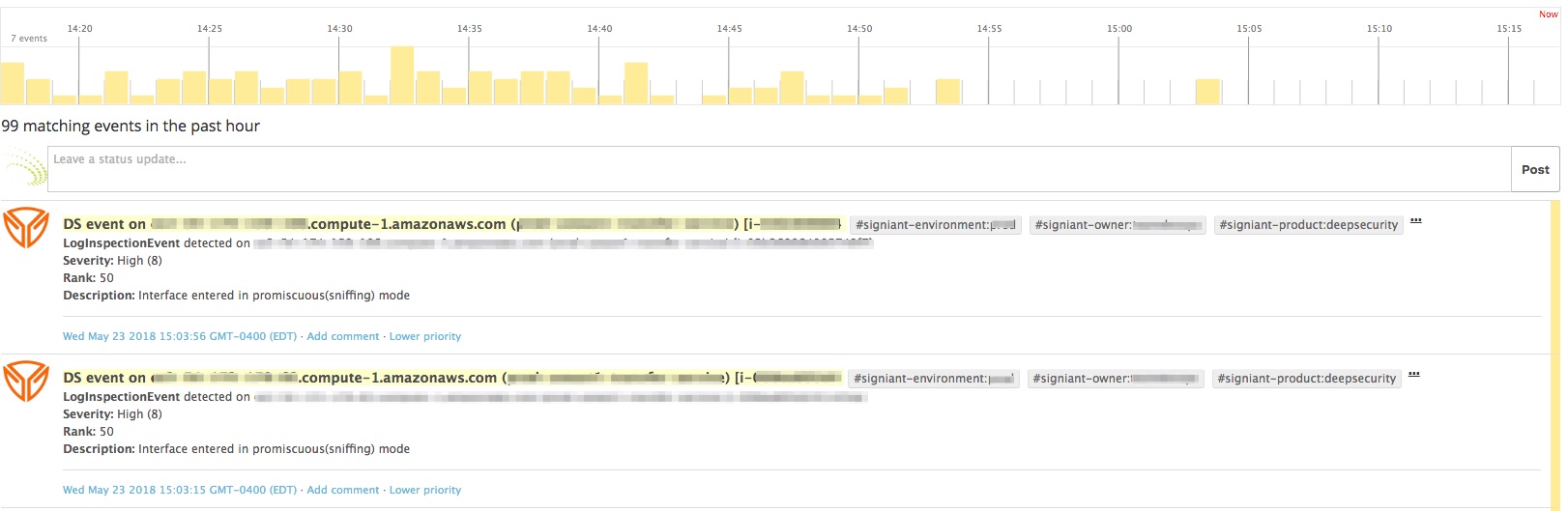
Datadog does not support custom named event sources alas so for this solution, we have tagged the Deep Security events as Immunio (a Trend Micro owned solution that has a Datadog integration). You can then search for all immunio events in the event stream to place on dashboards, filter, alert, etc. within Datadog
---
## Solution Overview
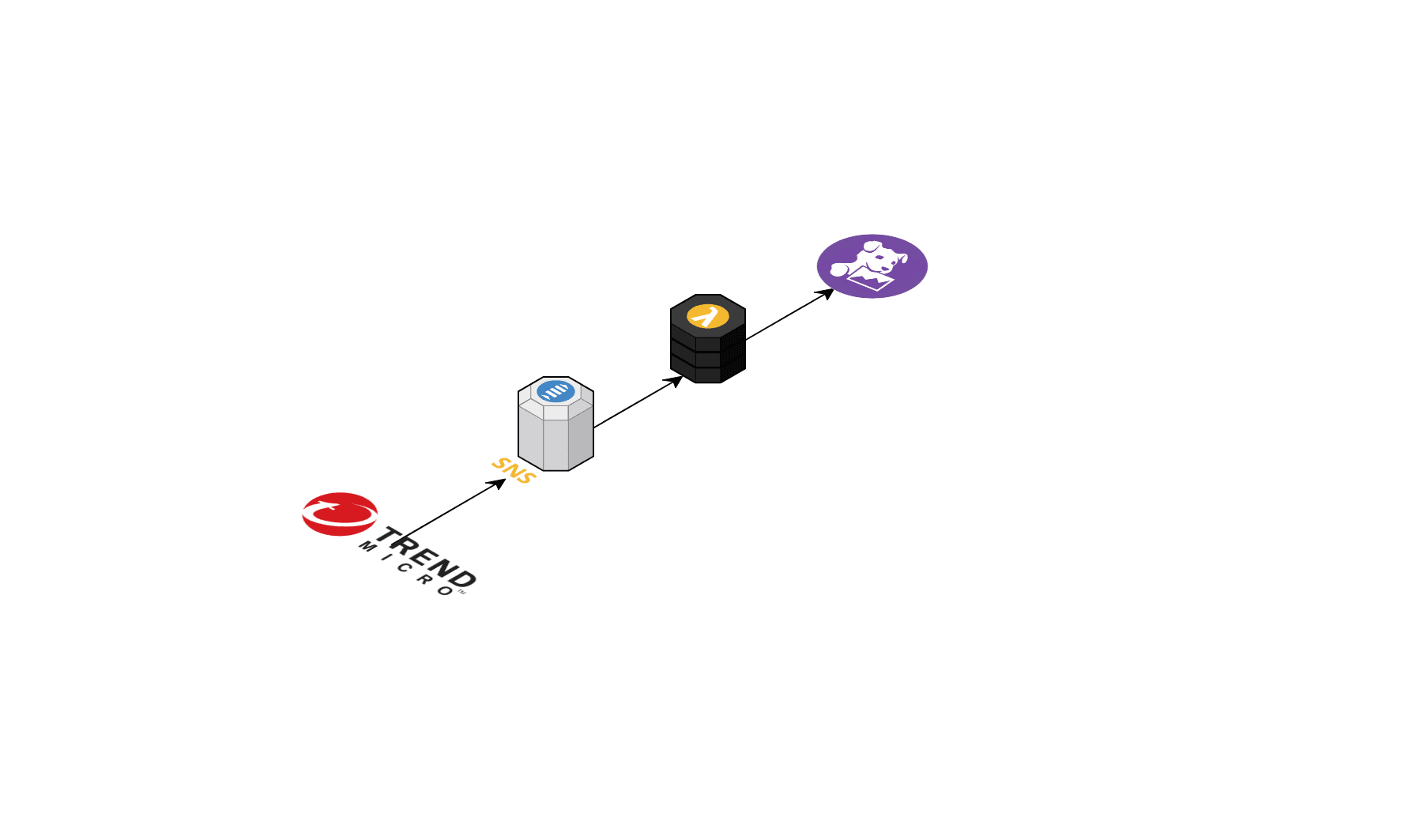
The solution is a small Lambda function which captures Deep Security events sent to an SNS topic. Events are then formatted and sent to Datadog using their Python API
---
# Parameter Store Configuration
Before you can deploy the cloudformation solution, you must add your datadog API key and app key into AWS parameter store in the same region as you are creating the stack in. These can have any name but must be a string (cloudformation does not support secure string yet). You will be passing in the names of the parameters when deploying the solution
# Deploying the Cloudformation stack
Deployment consists of deploying a cloudformation template in AWS and configuring Trend Micro Deep Security to send events to an SNS topic (which is created by the Cloudformation template)
The Lambda function and other resources are packaged using [AWS SAM](https://github.com/awslabs/serverless-application-model). Deployment is via 2 simple SAM commands. You can run the `build.sh` script using the following parameters or the actual SAM commands are below
## Using build.sh
See note below on environment variable values
```
./build.sh tagname1=tagvalue1,tagname2=tagvalue2,tagname3=tagvalue3
```
## Using AWS SAM directly
This will upload the lambda function to S3 and modify the `template.yaml` file to point to the uploaded function, producing a `packaged-template.yaml` file
```
cd lambda-src
pip install -r requirements.txt -t .
cd ..
aws cloudformation package \
--template-file template.yaml \
--s3-bucket \
--output-template-file packaged-template.yaml \
--profile
```
This will create or update a cloudformation stack (see note below on environment variable values)
```
aws cloudformation deploy \
--capabilities CAPABILITY_IAM CAPABILITY_NAMED_IAM \
--template-file packaged-template.yaml \
--stack-name trend-deep-security-events-to-datadog \
--parameter-overrides EventFilter=all DatadogAPIKey= DatadogAppKey= DatadogTags=tagname1=tagvalue1,tagname2=tagvalue2,tagname3=tagvalue3 \
--profile \
--region
```
# Environment Variables / Parameters
The function takes a few parameters to customize alert thresholds and add Datadog tags:
* EventFilter - the keyword *all* to send all events or a commma seperated list of alert severities. Only events matching one of the severities will be sent to Datadog
* RankGreater - Any events greater than this rank will be sent to Datadog. Default is 0 (ie. send all ranked events)
* DatadogAPIKey - Name of a parameter in AWS Parameter Store containing a valid Datadog API key
* DatadogAppKey - Name of a parameter in AWS Parameter Store containing a valid Datadog app key
* DatadogTags - comma-seperated list of tag names and values to apply to events sent to Datadog. ie. env=prod,service=myservice,foo=bar
# Deep Security Configuration
The cloudformation template will create the required SNS topic and a user for which you will need to generate an access key/secret key for (please Trend Micro, role support would be great here!). Find the SNS topic ARN and generate a key for the user and then in the Deep Security interface under Administration -> Event Forwarding, configure the Amazon SNS section with the keys and SNS topic ARN.