https://github.com/silverbirder/micro-frontends-on-kubernetes
micro frontends application works on kubernetes
https://github.com/silverbirder/micro-frontends-on-kubernetes
kubernetes micro-frontends minikube
Last synced: 9 months ago
JSON representation
micro frontends application works on kubernetes
- Host: GitHub
- URL: https://github.com/silverbirder/micro-frontends-on-kubernetes
- Owner: silverbirder
- License: mit
- Created: 2019-09-12T21:46:45.000Z (almost 7 years ago)
- Default Branch: master
- Last Pushed: 2023-12-15T05:26:25.000Z (over 2 years ago)
- Last Synced: 2024-04-13T19:02:17.566Z (about 2 years ago)
- Topics: kubernetes, micro-frontends, minikube
- Language: JavaScript
- Homepage:
- Size: 1.72 MB
- Stars: 9
- Watchers: 0
- Forks: 0
- Open Issues: 37
-
Metadata Files:
- Readme: README.md
- License: LICENSE
Awesome Lists containing this project
README
# micro-frontends-on-kubernetes
micro frontends application works on kubernetes
fork by https://github.com/neuland/micro-frontends
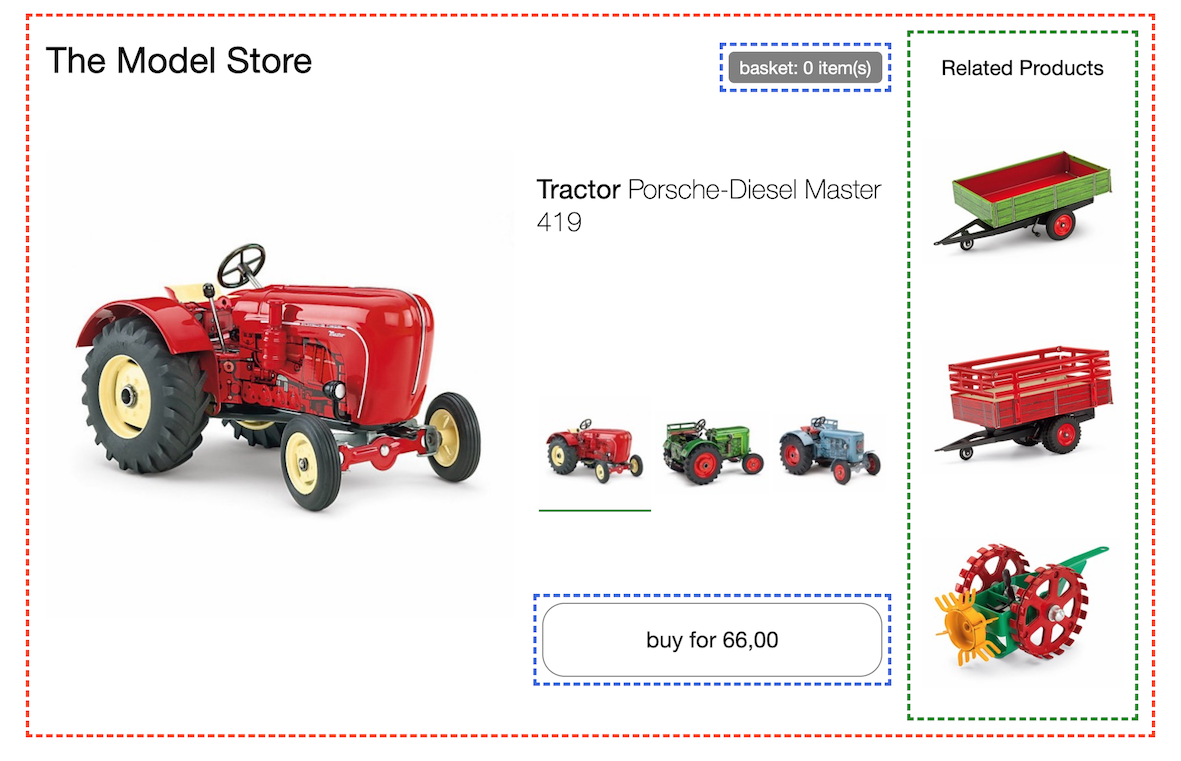
# Usage
## My Env
```
$ sw_vers
ProductName: Mac OS X
ProductVersion: 10.14.6
BuildVersion: 18G84
$ docker -v
Docker version 19.03.1, build 74b1e89
```
## Install
### minikube
use [minikube](https://github.com/kubernetes/minikube) for single cluster or single node
``` bash
$ brew cask install minikube
$ curl -LO https://storage.googleapis.com/minikube/releases/latest/docker-machine-driver-hyperkit \
&& sudo install -o root -m 4755 docker-machine-driver-hyperkit /usr/local/bin/
$ minikube start --vm-driver=hyperkit
$ eval $(minikube docker-env)
```
### kind
use [kind](https://github.com/kubernetes-sigs/kind) for multi clusters or multi nodes
```bash
$ brew install go
$ go version
go version go1.13 darwin/amd64
$ PATH=${PATH}:$(go env GOPATH)/bin
$ kind create cluster
$ export KUBECONFIG="$(kind get kubeconfig-path --name="kind")"
```
## Build & Load
```bash
$ cd team-blue && docker build -t team-blue . && cd ..
$ cd team-green && docker build -t team-green . && cd ..
$ cd team-red && docker build -t team-red . && cd ..
$ cd team-black && docker build -t team-black . && cd ..
```
※ The yaml files was generated using [kompose](https://github.com/kubernetes/kompose)
next step is for kind
```bash
$ kind load docker-image team-blue:1.0.0
$ kind load docker-image team-green:1.0.0
$ kind load docker-image team-red:1.0.0
$ kind load docker-image team-black:1.0.0
```
### skaffold
[skaffold](https://github.com/GoogleContainerTools/skaffold) is
> Easy and Repeatable Kubernetes Developmen
I use it for minikube
```
$ brew install skaffold
```
## Prepare
### Database
```bash
$ find . -name "mysql*.yaml" | xargs -I {} kubectl apply -f {}
```
```
$ kubectl run mysql-client --image=mysql:5.7 -i --rm --restart=Never -- mysql -h mysql-0.mysql < team-red-secrets && \
kubectl create secret generic team.red --from-env-file=./team-red-secrets
```
※ [sentry](https://docs.sentry.io/error-reporting/quickstart/?platform=browser#configure-the-sdk)
## Apply
```bash
$ find . -name "*.yaml" | grep -v "skaffold.yaml" |xargs -I {} kubectl apply -f {}
$ kubectl port-forward $(k get pods | grep nginx | awk '{print $1}') 3000:3000
```
or
```bash
$ skaffold dev --port-forward
```
## Delete
```bash
$ find . -name "*.yaml"|xargs -I {} kubectl delete -f {}
```
next step is for kind
```bash
$ kind delete cluster --name kind
```
```bash
$ docker images | grep "team-" | awk '{print $3}' | xargs docker rmi -f
```