https://github.com/simonguo/gitbook-ext
Gitbook-Ext是对GitBook的扩展,并提供一些更丰富的模板
https://github.com/simonguo/gitbook-ext
Last synced: 11 months ago
JSON representation
Gitbook-Ext是对GitBook的扩展,并提供一些更丰富的模板
- Host: GitHub
- URL: https://github.com/simonguo/gitbook-ext
- Owner: simonguo
- Created: 2015-09-22T08:47:59.000Z (over 10 years ago)
- Default Branch: master
- Last Pushed: 2016-02-19T10:10:45.000Z (over 10 years ago)
- Last Synced: 2025-07-13T16:31:11.793Z (11 months ago)
- Language: CSS
- Homepage: https://www.npmjs.com/package/gitbook-ext
- Size: 2.05 MB
- Stars: 9
- Watchers: 2
- Forks: 6
- Open Issues: 1
-
Metadata Files:
- Readme: README.md
Awesome Lists containing this project
README
# Gitbook-Ext
迁移到:https://github.com/simonguo/hbook
GitBook 是一个基于 Node.js 的命令行工具,可使用 Github/Git 和 Markdown 来制作精美的电子书,GitBook 并非关于 Git 的教程。
GitBook 提供的的默认样式可能不能满足您的视觉需求,Gitbook-Ext是对GitBook的扩展,并陆续会提供一些更丰富的模板选择。
**扩展功能**
- 提供多种色彩模板选择:theme-green,theme-purple,theme-orange,theme-gray;
- 提供菜单可折叠配置;
- 提供是否生成菜单序号配置;
- 提供标题与版权信息设置。
电脑上的效果
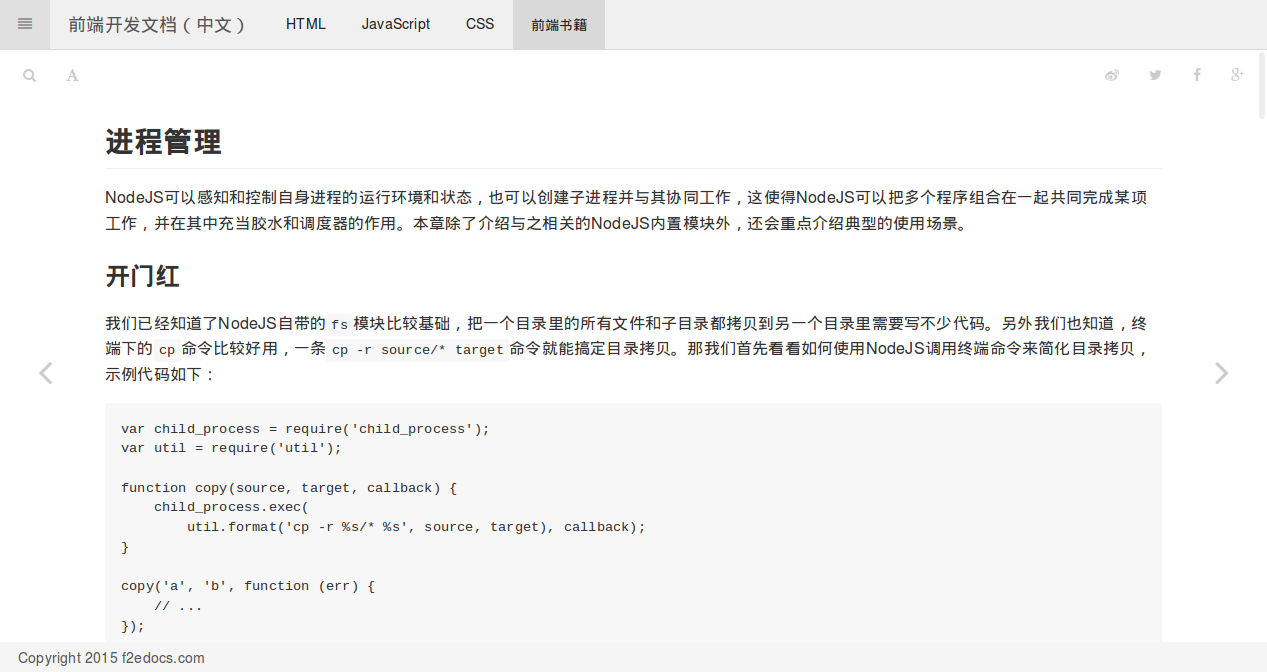
手机上的效果
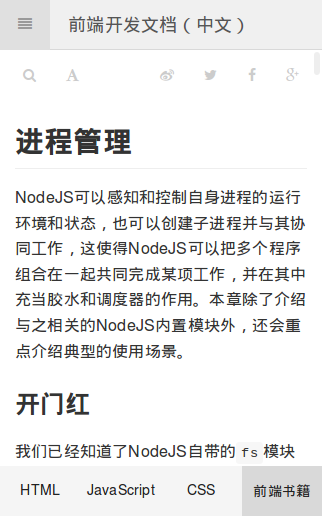
预览效果 [http://f2edocs.com/](http://f2edocs.com/)
深蓝色主题效果

## 快速开始
**安装GitBook**
首先你需要先安装nodejs/npm, 然后在安装gitbook 通过以下命令就可以安装
```
$ npm install gitbook-cli -g
```
gitbook具体详细可以参考 [https://github.com/GitbookIO/gitbook](https://github.com/GitbookIO/gitbook)
**安装Gitbook-Ext**
```
npm install gitbook-ext -g
```
**查看帮助**
```
gitbook-ext -h
```
会列出以下信息
```
Usage: index [options]
Options:
-h, --help output usage information
-V, --version output the version number
-d, --default default template
-p, --pagurian pagurian template
```
**使用模板**
初始化模板信息
```
gitbook-ext -i
```
你也可以手动创建以下文件
```
├── book.json
├── README.md
└── SUMMARY.md
```
book.json 这个文件可以配置模板参数
```json
{
"variables": {
"title": "前端工程师文档",
"theme": "theme-gray",
"copyright": "Copyright 2015 f2edocs.com"
},
"collapsible_menu":true,
"level_number":false,
"links": {
"gitbook": false,
"sharing": {
"all":false,
"vk": false,
"facebook": true,
"twitter": true,
"google": true,
"weibo": true
}
}
}
```
- variables-title: 配置文档标题,显示在页面顶部;
- variables-theme: 模板颜色,当前支持:theme-green,theme-purple,theme-orange;
- variables-copyright: 配置版权信息,显示在页面底部;
- collapsible_menu: 使用折叠菜单;
- level_number: 使用菜单结构序号;
- links: 开启一些连接.
切换你需要使用的模板 比如使用pagurian模板
```
gitbook-ext -p
```
当配置完成以后,执行以下命令,就默认生成了一个_book文件
```
gitbook build
```
如果你想切换到默认的模板,执行以下命令
```
gitbook-ext -d
gitbook build
```
## 谁在用
[http://f2edocs.com/](http://f2edocs.com/)
##问题
如果需要帮助,可以联系[这里](https://github.com/simonguo/gitbook-ext/issues)