https://github.com/simonquasar/add-pingbacks
WordPress Add Pingbacks Plugin
https://github.com/simonquasar/add-pingbacks
comments pingbacks plugins wordpress wp-plugin
Last synced: about 1 month ago
JSON representation
WordPress Add Pingbacks Plugin
- Host: GitHub
- URL: https://github.com/simonquasar/add-pingbacks
- Owner: simonquasar
- License: gpl-2.0
- Created: 2024-11-02T09:28:37.000Z (over 1 year ago)
- Default Branch: main
- Last Pushed: 2026-03-05T12:12:36.000Z (4 months ago)
- Last Synced: 2026-03-05T16:15:54.692Z (4 months ago)
- Topics: comments, pingbacks, plugins, wordpress, wp-plugin
- Language: PHP
- Homepage: https://wordpress.org/plugins/add-pingbacks
- Size: 1.13 MB
- Stars: 1
- Watchers: 1
- Forks: 0
- Open Issues: 0
-
Metadata Files:
- Readme: README.md
- License: LICENSE
Awesome Lists containing this project
README

# WordPress Manual Pingbacks Plugin
**Version:** 1.2.3
**Last Updated:** 5 Mar 2026
**WordPress 7.0 ready**






### Plugin URL
https://wordpress.org/plugins/add-pingbacks/
## Description
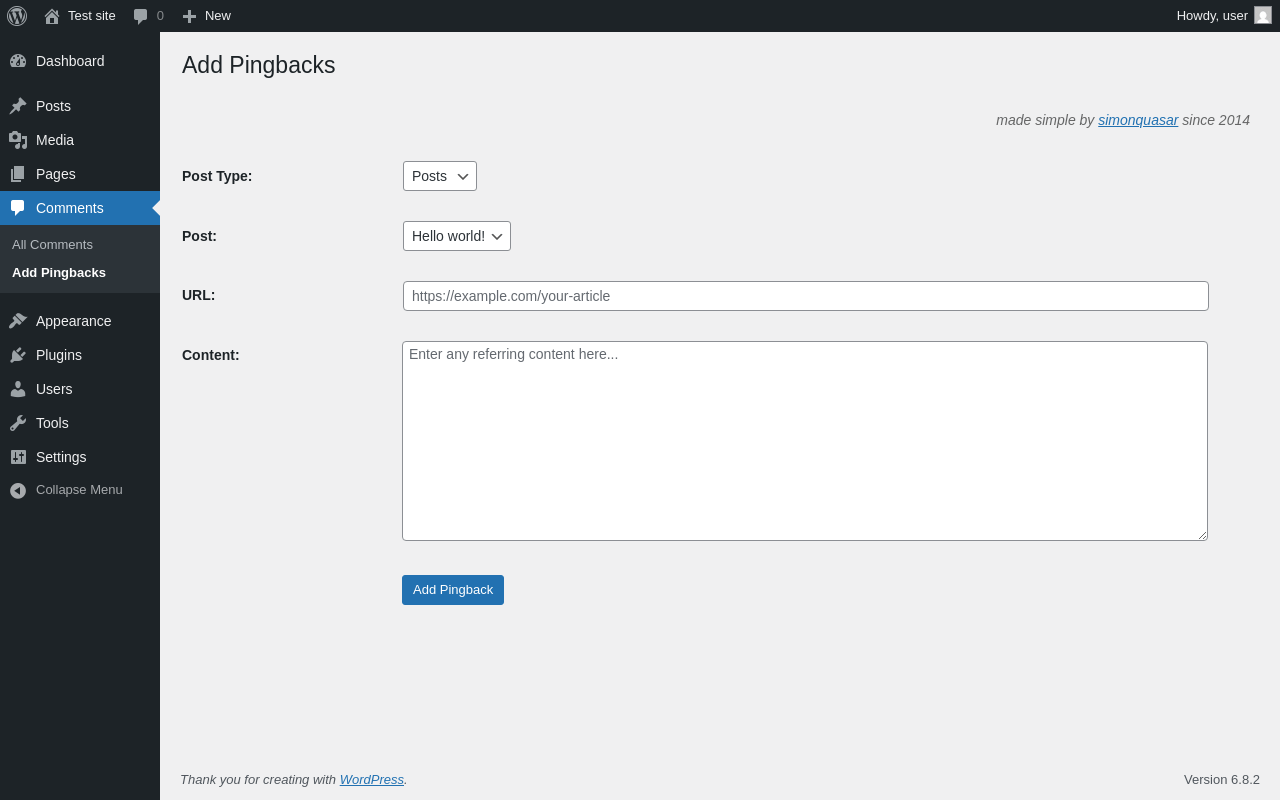
This WordPress plugin adds an **Add Pingbacks** page under the **Comments** menu, allowing to add **referral links** aka **Pingbacks** associated with any type of posts.
With this plugin, you can select any published post, media or page where the referral link will appear, add the referring site's name, URL and the content to be displayed.
#### Simple and effective
* Backwards compatible (WP 5.0+).
* Less than 150 lines of code.
* Page speed impact: insignificant!
* Just one PHP file.
## How to Use
1. Go to the `Comments > Add Pingbacks` menu.
2. Select the post type, then the desired post, add the referrer site name and URL, and the excerpt or custom content.
4. Click `Add Pingback` and the referral link will be added to the selected post/page.
## Installation
1. Download the zip file and extract the `add-pingbacks` directory.
2. Upload this directory to your `/wp-content/plugins/` directory.
### Requirements


### Smoke test
[](https://plugintests.com/plugins/wporg/add-pingbacks/latest)
[](https://plugintests.com/plugins/wporg/add-pingbacks/latest)

see also: https://plugintests.com/plugins/wporg/add-pingbacks/latest
## Development

Feel free to open issues for bugs and feature requests.