https://github.com/simplyyan/simplyprojector
An application to define keyboard shortcuts to play/display specific images and audios (created with the idea of being used on projectors, but for general use)
https://github.com/simplyyan/simplyprojector
keyboard keyboard-events keyboard-shortcuts livestream media-player projection python python3 stream streamdeck streaming
Last synced: 10 months ago
JSON representation
An application to define keyboard shortcuts to play/display specific images and audios (created with the idea of being used on projectors, but for general use)
- Host: GitHub
- URL: https://github.com/simplyyan/simplyprojector
- Owner: simplyYan
- License: cc0-1.0
- Created: 2024-08-26T23:39:46.000Z (over 1 year ago)
- Default Branch: main
- Last Pushed: 2024-08-27T18:08:39.000Z (over 1 year ago)
- Last Synced: 2025-02-07T06:22:25.392Z (11 months ago)
- Topics: keyboard, keyboard-events, keyboard-shortcuts, livestream, media-player, projection, python, python3, stream, streamdeck, streaming
- Language: Python
- Homepage:
- Size: 682 KB
- Stars: 1
- Watchers: 1
- Forks: 0
- Open Issues: 0
-
Metadata Files:
- Readme: README.md
- Funding: .github/FUNDING.yml
- License: LICENSE
Awesome Lists containing this project
README
# simplyProjector
**simplyProjector** is a lightweight and modern tool designed to enhance your experience by allowing you to control what is projected onto a secondary display. With simplyProjector, you can assign custom keyboard shortcuts to display images or play audio files, making your gaming sessions more immersive and streamlined.
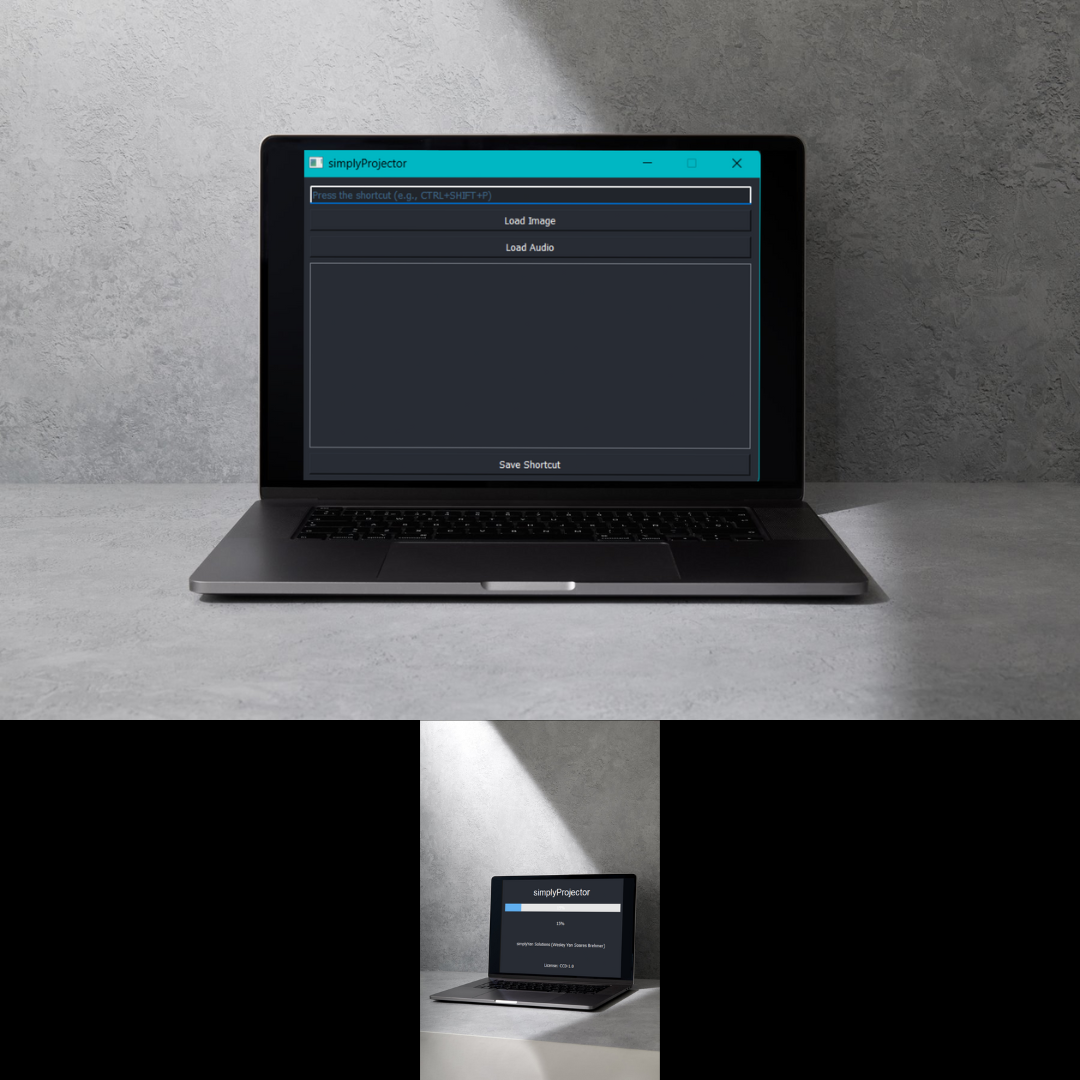
## Features
- **Custom Keyboard Shortcuts**: Assign shortcuts using combinations like `CTRL + SHIFT + ` to avoid conflicts with other applications.
- **Image Projection**: Display images on a secondary screen with ease.
- **Audio Playback**: Play sound effects or background music during your sessions.
- **Modern UI**: Dark and sleek user interface for easy navigation.
## How to Use
1. **Launch simplyProjector**: After the application starts, you’ll be greeted with a loading screen. Once loaded, the main interface will appear.
2. **Assign Shortcuts**:
- Enter the desired keyboard shortcut in the input field (e.g., `CTRL+SHIFT+P`).
- Load the image or audio file you wish to associate with this shortcut.
- Click "Save Shortcut" to save the configuration.
3. **Projection and Playback**:
- Press the assigned keyboard shortcut to display the image on the secondary screen and/or play the associated audio file.
## Installation
### For Windows (via Pre-compiled Executable)
1. **Download the ZIP file**:
- [Mediafire](https://www.mediafire.com/file/8ie7016hec76zzd/simplyProjector.zip/file)
- [Google Drive](https://drive.google.com/file/d/10gpyWSM1i9smW1zm0vjCYdk5cKxybtuz/view?usp=sharing)
2. **Extract the ZIP**:
- The ZIP file is password protected. Use the password: `simplyYan`.
3. **Run the Executable**:
- Navigate to the extracted folder and double-click the `simplyProjector.exe` to start the application.
### For Linux and macOS (via Python)
1. **Clone the Repository**:
```bash
git clone https://github.com/simplyYan/simplyProjector.git
cd simplyProjector
```
2. **Install Dependencies**:
- Make sure you have Python 3.x installed. Then run:
```bash
pip install -r requirements.txt
```
3. **Run the Application**:
```bash
python main.py
```
### For Linux and macOS (via PyInstaller)
1. **Clone the Repository** and **Install Dependencies** (as mentioned above).
2. **Compile the Application**:
```bash
pyinstaller --onefile main.py
```
3. **Run the Executable**:
- After compilation, the executable will be found in the `dist/` directory.
## Contributing
We welcome contributions from the community! If you want to contribute:
1. **Open an Issue**: If you find a bug or have a feature request, please open an issue in the repository.
2. **Submit a Pull Request**: If you'd like to make changes or add new features, fork the repository, make your changes, and submit a pull request for review.
## License
This project is licensed under the **CC0-1.0** License. You are free to use, modify, and distribute the software without any restrictions.