https://github.com/simran2104/wordpress-operator
A Kuberentes Operator using the operator-sdk project that deploys wordpress using on sql via a custom resource.
https://github.com/simran2104/wordpress-operator
docker-image golang kubernetes operator-sdk
Last synced: about 2 months ago
JSON representation
A Kuberentes Operator using the operator-sdk project that deploys wordpress using on sql via a custom resource.
- Host: GitHub
- URL: https://github.com/simran2104/wordpress-operator
- Owner: simran2104
- Created: 2022-02-22T15:18:19.000Z (over 4 years ago)
- Default Branch: main
- Last Pushed: 2022-03-15T06:02:51.000Z (over 4 years ago)
- Last Synced: 2025-06-05T01:38:51.621Z (about 1 year ago)
- Topics: docker-image, golang, kubernetes, operator-sdk
- Language: Go
- Homepage:
- Size: 90.8 KB
- Stars: 2
- Watchers: 1
- Forks: 1
- Open Issues: 0
-
Metadata Files:
- Readme: README.md
Awesome Lists containing this project
README
Wordpress Operator
The Objective of this Operator is to demonstrate Wordpress kind of resource using Kuberentes controller pattern- [Operator](https://kubernetes.io/docs/concepts/extend-kubernetes/operator/). Another objective of the repository is to show how to build the custom controller that encapsulates specific domain/application level knowledge. The Operator is built using the [operator-sdk framework](https://github.com/operator-framework/operator-sdk).
If Wordpress and MySQL were to be deployed without operator on Kuberenetes, it can be referred [here](https://kubernetes.io/docs/tutorials/stateful-application/mysql-wordpress-persistent-volume/). Lets understand how can this be achieved via Kubernetes Operator.
## Prerequistites
- golang v1.12+.
- set GO111MODULE="on"
- [Install the operator-sdk (version 0.15)](https://sdk.operatorframework.io/docs/installation/install-operator-sdk/)
- [minikube](https://kubernetes.io/docs/tasks/tools/install-minikube/)
- [kubectl client](https://kubernetes.io/docs/tasks/tools/install-kubectl/)
## Wordpress Resource
The Wordpress Operator using the operator-sdk project deploys wordpress using on sql via a [custom resource](https://kubernetes.io/docs/concepts/extend-kubernetes/api-extension/custom-resources/)
- A kubernetes resource of kind: `Wordpress` and apiVersion: `example.com/v1` is created that results in the Operator deploying `Deployments`, `PersistentVolumeClaims`, `Services`, that constitute a simple instance of wordpress on sql.
- The user can specify plaintext password that can be used as a `MYSQL_ROOT_PASSWORD`.
Once the user applies the Wordpress resource (kubectl aply -f ./deploy/crds/example.com_v1_wordpress_cr.yaml) resource, controller could spin up `mysql and wordpress pods` using the `MYSQL_ROOT_PASSWORD` as specified in `spec.sqlrootpassword`.
e.g.,
```
apiVersion: example.com/v1
kind: Wordpress
metadata:
name: mysite
spec:
sqlRootPassword: plaintextpassword
```
## Trying the Operator
`git clone https://github.com/simran2104/Wordpress-Operator.git`
`cd Wordpress-Operator`
We would be trying out the operator locally. By locally we mean that we want to run the operatot logic binary without actually building an image and pushing it to a container registry. Running the operator locally helps in day to day development.
You can have a [minikube](https://kubernetes.io/docs/tasks/tools/install-minikube/) single node local cluster to play with the operator.
Before running the operator do:
```
kubectl apply -f ./config/crd/bases/example.com_wordpresses.yaml
```
The CRD would be registerd and you can check that by the following command:
`kubectl get crd`
After that run the operator locally with `operator-sdk run --local`
See if the pods,deployments,pvcs and services are up and running:
```
kubectl get pods
kubectl get deploy
kubectl get pvc
kubectl get svc
```
You should be able to see the following output:

Run the following command to get the IP Address for the Wordpress Service:
`minikube service wordpress --url`
The response should be like this:
`http://192.168.99.101:31881`
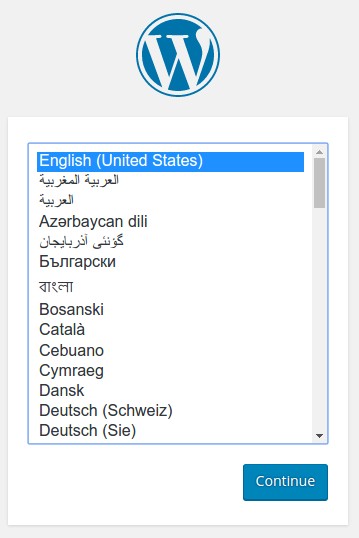
Copy the IP address and load the page in your browser to view your site: