https://github.com/simtabi/lapload
Livewire upload image component.
https://github.com/simtabi/lapload
Last synced: 6 months ago
JSON representation
Livewire upload image component.
- Host: GitHub
- URL: https://github.com/simtabi/lapload
- Owner: simtabi
- License: mit
- Created: 2021-11-25T18:05:40.000Z (over 4 years ago)
- Default Branch: master
- Last Pushed: 2022-04-11T14:15:43.000Z (about 4 years ago)
- Last Synced: 2025-01-28T23:22:45.260Z (over 1 year ago)
- Language: PHP
- Size: 29.3 KB
- Stars: 1
- Watchers: 1
- Forks: 0
- Open Issues: 0
-
Metadata Files:
- Readme: README.md
- Changelog: CHANGELOG.md
- Contributing: CONTRIBUTING.md
- License: LICENSE.md
Awesome Lists containing this project
README

## Demo
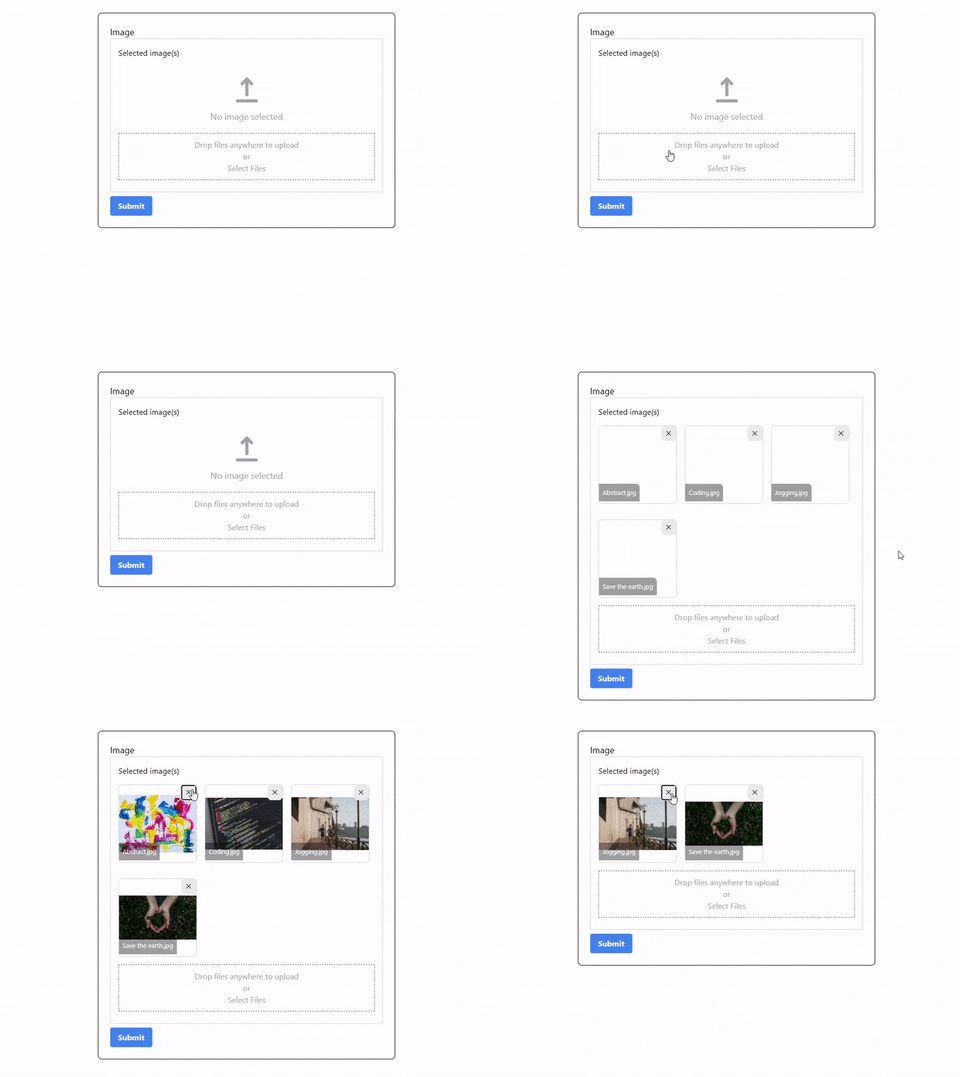
## Features
- Upload image
- Upload multiple images
- Remove image
## Requirements
- Laravel Livewire 2.0
## Installation
You can install the package via composer:
```bash
composer require simtabi/lapload
```
## Usage
Add the Livewire directive into component blade page (E.g form-component.blade.php).
```html
or
```
| Props | Type | Required | Description|
| -----------| ---------| :------: |-----------|
| name | string | ✅ |Parent component public properties to store uploaded images name.|
| multiple | bool | ❌ |Enable multiple upload. (Default: false)|
| size | int | ❌ | Image size limit. (Default: 1024KB)|
Add public properties to store the name of the images uploaded in array and use the ImageUploader trait in the component code (E.g FormComponent.php).
```PHP
```
## Styling
To add the styling, you need publish the package assets folder to your project public folder. To publish the package assets folder run:
```bash
php artisan vendor:publish --provider="Simtabi\Lapload\LaploadServiceProvider" --tag="assets"
```
Next, include the css file inside the assets folder in your HTML page section:
```html
...
```