https://github.com/sinedied/vscode-windows-xp-theme
Windows XP theme for VS Code
https://github.com/sinedied/vscode-windows-xp-theme
vscode vscode-theme windows xp
Last synced: about 1 year ago
JSON representation
Windows XP theme for VS Code
- Host: GitHub
- URL: https://github.com/sinedied/vscode-windows-xp-theme
- Owner: sinedied
- License: mit
- Created: 2021-07-13T08:19:49.000Z (almost 5 years ago)
- Default Branch: main
- Last Pushed: 2023-03-15T14:05:40.000Z (over 3 years ago)
- Last Synced: 2025-04-25T05:46:49.223Z (about 1 year ago)
- Topics: vscode, vscode-theme, windows, xp
- Homepage:
- Size: 390 KB
- Stars: 46
- Watchers: 2
- Forks: 4
- Open Issues: 1
-
Metadata Files:
- Readme: README.md
- Contributing: CONTRIBUTING.md
- License: LICENSE
- Code of conduct: CODE_OF_CONDUCT.md
Awesome Lists containing this project
README
# Windows XP Theme for VS Code
> A theme extension for [Visual Studio Code](https://code.visualstudio.com/?WT.mc_id=javascript-36167-yolasors) based on the Windows XP Luna theme.
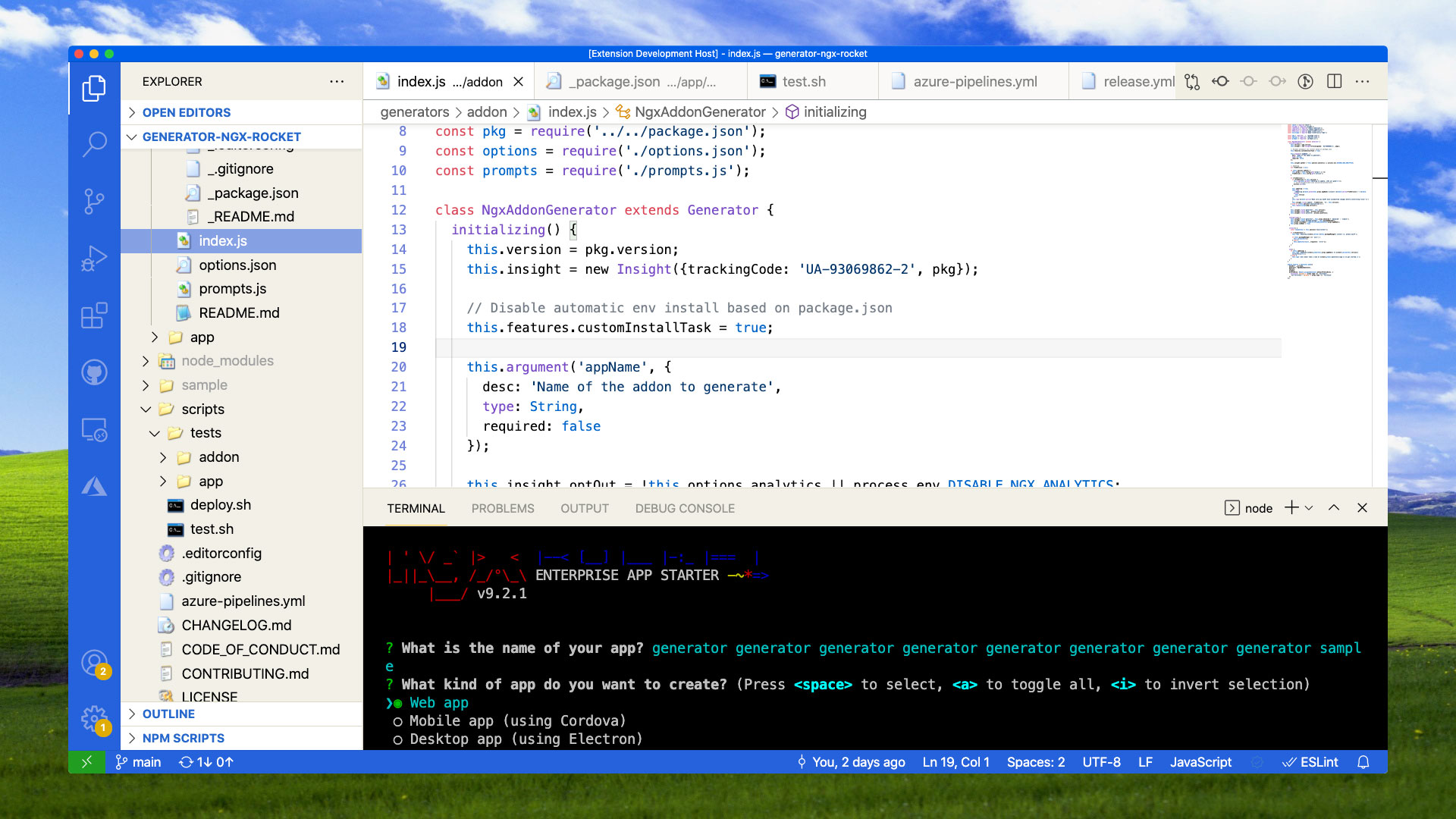
[Test it online!](https://vscode.dev/theme/sinedied.vscode-windows-xp-theme)
## Install
### From VS Marketplace
1. Go to [VS Marketplace](https://marketplace.visualstudio.com/items?itemName=sinedied.vscode-windows-xp-theme&WT.mc_id=javascript-36167-yolasors).
2. Click on the **Install** button.
3. Then [select a theme](https://code.visualstudio.com/docs/getstarted/themes?WT.mc_id=javascript-36167-yolasors#_selecting-the-color-theme). Currently the following themes are available:
- `Windows XP Luna (Light)`
### From VS Code
1. Select the extension tab.
2. Search for `@category:"themes" windows XP`.
3. Locate the theme and click **Install**.
## Apply the Color Theme
1. In VS Code, open the Color Theme picker with `File > Preferences > Color Theme`. (`Code > Preferences > Color Theme` on macOS).
1. Select `Windows XP Luna (Light)` and press Enter.
## Override this theme
You can override this (or any other) theme in your personal config file. Please follow the guide in the [color theme](https://code.visualstudio.com/api/extension-guides/color-theme?WT.mc_id=javascript-36167-yolasors) documentation.
## Credits
This theme was inspired by the default Windows XP "Luna" theme. The code editor color scheme was derived from the default VS Code Light (Visual Studio) theme.