https://github.com/siruscodes/stocker
https://github.com/siruscodes/stocker
Last synced: about 1 year ago
JSON representation
- Host: GitHub
- URL: https://github.com/siruscodes/stocker
- Owner: SirusCodes
- License: mit
- Created: 2022-04-25T15:30:11.000Z (about 4 years ago)
- Default Branch: main
- Last Pushed: 2022-05-12T22:14:21.000Z (about 4 years ago)
- Last Synced: 2025-03-27T04:41:30.054Z (over 1 year ago)
- Language: Dart
- Size: 6.4 MB
- Stars: 9
- Watchers: 1
- Forks: 4
- Open Issues: 0
-
Metadata Files:
- Readme: README.md
Awesome Lists containing this project
README
# Stocker

It is an inventory and sales management app made using [Flutter](flutter.dev) and [Appwrite](appwrite.io).
This project is made for [#appwritehack](https://dev.to/devteam/announcing-the-appwrite-hackathon-on-dev-1oc0) submitted at [here](https://dev.to/siruswrites/stocker-an-inventory-and-crm-app-made-using-flutter-and-appwrite-m65).
## Video
[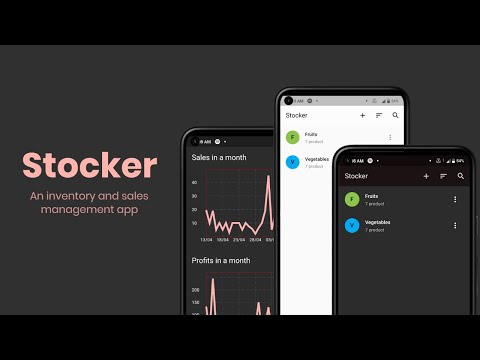](https://www.youtube.com/watch?v=PQvL0BjCfLA)
## Screenshots
| | | |
| ----------------------------------------------------------------------------------------------- | ---------------------------------------------------------------------------------- | ------------------------------------------------------------------------ |
|  |  |  |
| Home page which lists categories | Home page in light theme | Search page where you can search for products irrespective of categories |
|  |  |  |
| Shows stats about your sales and profits | More options for app | User profile to change password |
|  |  |  |
| Transaction history with option to filter by all, buy or sell | Page to add new categories | Color picker to pick a color for category |
|  |  |  |
| Page to add new products | Product and categories can be sorted alphabetically | Add product in cart |
|  |  |  |
| Once a product is created a floating action will be present on all screens to move for checkout | Checkout page | Other details will be auto-filled as soon as you selects a phone number |
| |  | |
| | You can either add discount by percentage or a specific amount by clicking on icon | |
## Setup
First of all you need to setup [Appwrite](https://appwrite.io/docs/installation).
After creating a project on Appwrite enable platforms which ever you want to develop for with identifier as `com.darshan.stocker`
Create collections in database with attributes:
**category:**
- name: string
- productCount: integer
- color: integer
**product:**
- categoryId: string
- name: string
- costPrice: double
- sellingPrice: double
- quantity: double
- color: integer
**customer:**
- name: string
- email: email
- phone: string
**transaction:**
- productId: string
- productName: string
- quantity: double
- sellingPrice: double
- costPrice: double
- timestamp: string
- transactionType: enum(buy, sell)
- customerId: string
To update `category.productCount` I have used functions to deploy it
Use [appwrite-cli](https://appwrite.io/docs/command-line)
The function could be found in `./appwrite-functions` directory
After setting up everything on appwrite we should update the secrets
Rename `secrets.dart.example` to `secrets.dart` and fill in the empty string.
Run `flutter pub get` to get all the dependencies and finally `flutter run` to run the app