https://github.com/sitespeedio/onlinetest
Deploy your own version of sitespeed.io online.
https://github.com/sitespeedio/onlinetest
webperformance
Last synced: 12 months ago
JSON representation
Deploy your own version of sitespeed.io online.
- Host: GitHub
- URL: https://github.com/sitespeedio/onlinetest
- Owner: sitespeedio
- License: agpl-3.0
- Created: 2024-05-17T13:22:22.000Z (about 2 years ago)
- Default Branch: main
- Last Pushed: 2025-07-10T05:31:09.000Z (12 months ago)
- Last Synced: 2025-07-14T00:47:23.597Z (12 months ago)
- Topics: webperformance
- Language: JavaScript
- Homepage:
- Size: 1.9 MB
- Stars: 20
- Watchers: 2
- Forks: 9
- Open Issues: 7
-
Metadata Files:
- Readme: README.md
- Funding: .github/FUNDING.yml
- License: LICENSE
Awesome Lists containing this project
README
[](https://github.com/sitespeedio/onlinetest/actions/workflows/api.yml)
[](https://github.com/sitespeedio/onlinetest/actions/workflows/gui.yml)
[](https://github.com/sitespeedio/onlinetest/actions/workflows/docker.yml)
[](https://github.com/sitespeedio/onlinetest/actions/workflows/lint.yml)
[Website](https://www.sitespeed.io/) | [Documentation](https://www.sitespeed.io/documentation/onlinetest/) | [Changelog server](https://github.com/sitespeedio/onlinetest/blob/main/server/CHANGELOG.md) | [Changelog testrunner](https://github.com/sitespeedio/onlinetest/blob/main/testrunner/CHANGELOG.md) | [Bluesky](https://bsky.app/profile/sitespeed.io) | [Mastodon](https://fosstodon.org/@sitespeedio)
# Onlinetest - deploy your own version of sitespeed.io online.
Setup your own online version of sitespeed.io. You get:
* **A server with GUI and API**:
- Add tests using a HTML frontend (you can style the frontend using your own CSS)
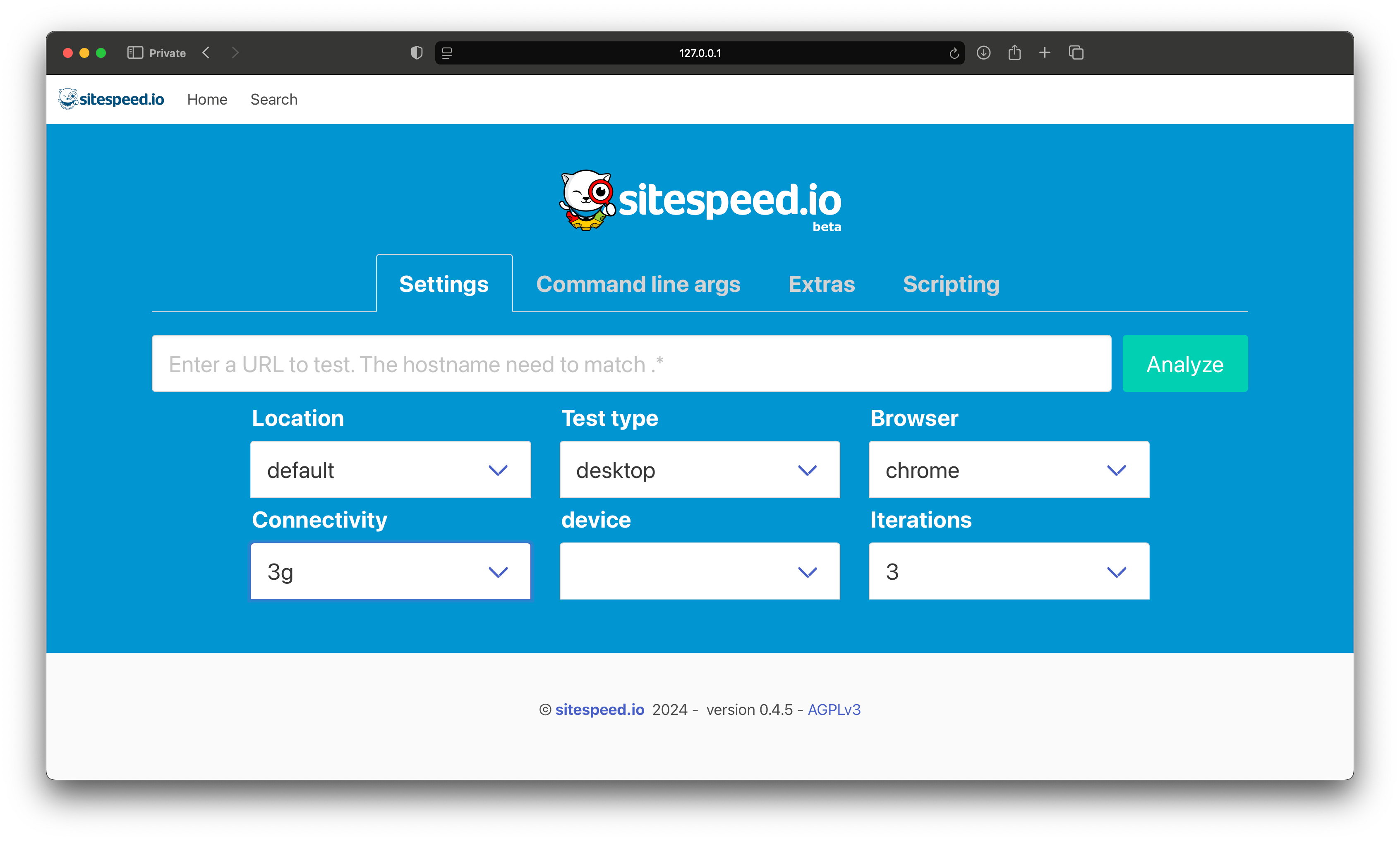
- Add tests using [the command line](https://www.sitespeed.io/documentation/onlinetest/#using-the-api) (using `sitespeed.io --api.hostname my.host.com --api.location default https://www.sitespeed.io`)
* **Test Runners**:
- Run your tests on different platforms: desktop, emulated mobile and Android.
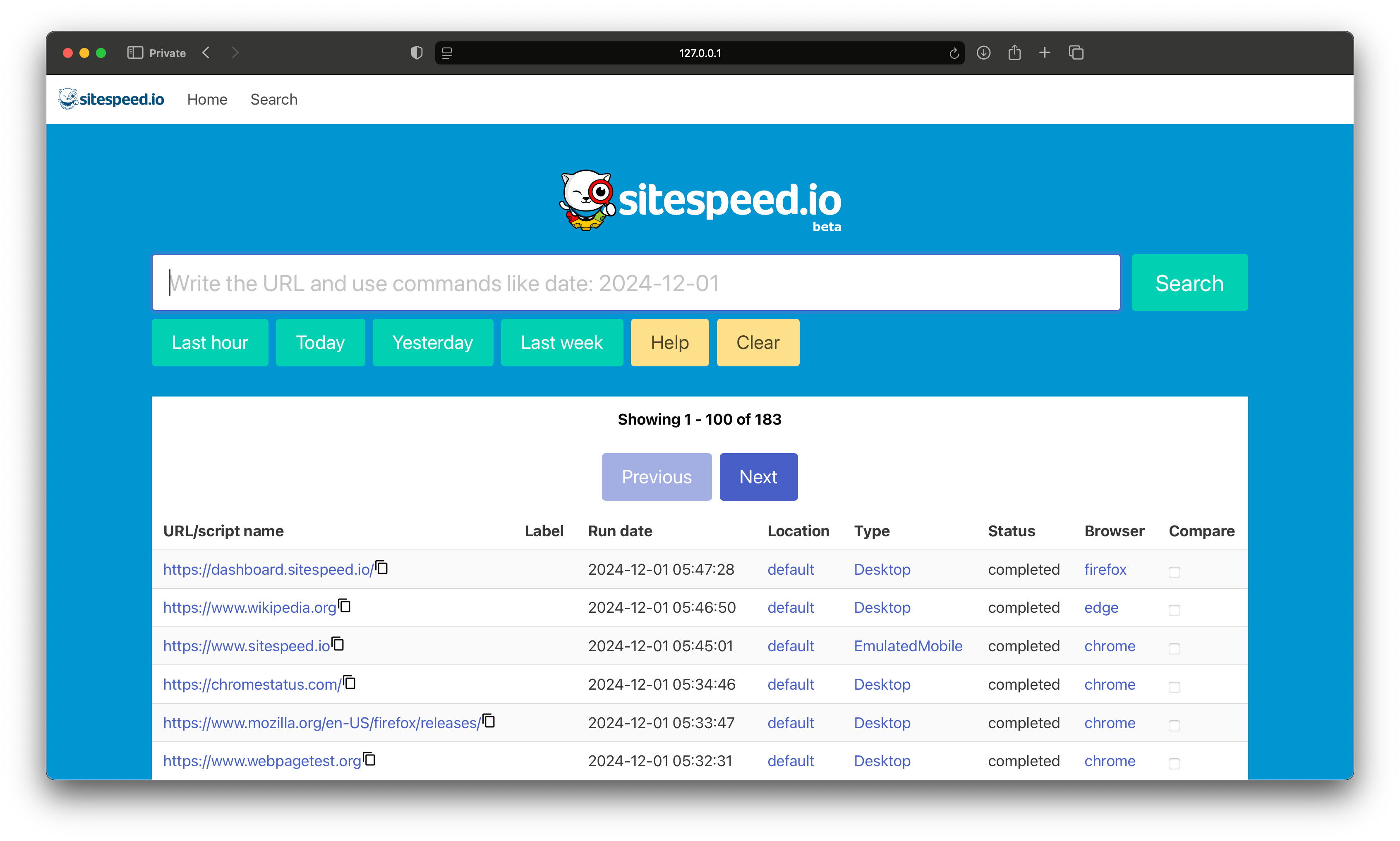
* **Search Functionality**:
- Easily find the results of your tests.
## Quick setup on your local machine (using Docker)
Follow these steps to quickly set up and run the online version of sitespeed.io on your local Linux or Mac OS machine. Make sure you have [Docker](https://www.docker.com) and [docker compose](https://docs.docker.com/compose/) installed.
1. **Clone the repository:**
```bash
git clone https://github.com/sitespeedio/onlinetest.git
```
2. **Navigate to the project directory:**
```bash
cd onlinetest
```
3. **Start the Docker containers (Redis/PostgreSQL/Minio/sitespeed.io server and testrunner):**
```bash
docker compose -f docker-compose.yml -f docker-compose.app.yml up
```
Now you can open your web browser and navigate to [http://127.0.0.1:3000](http://127.0.0.1:3000) to run your first test.
If you are on Linux you need to run `sudo modprobe ifb numifbs=1` to be able to set different connectivites inside of Docker. On Mac you can only run native connectivity when you run inside of Docker.
You can also run the server and testrunner [directly]() using NodeJS if you don't want to run Docker.
### Configuration
You can configure everything that you are used to configure with sitespeed.io + more. The server and the testrunner takes `--config /path/to/file`.
You can also use the **[.env](https://github.com/sitespeedio/onlinetest/blob/main/.env)** file for some common configuration to setup the server/testrunner.
### Change which pages/URLs you can test
There's a regular expression that validates the domain of the URL that you want to test. You can use this to make sure a public instance only can tests pages on your web sites.
```VALID_TEST_DOMAINS=".*"```
### Update sitespeed.io version
By default latest major release of sitespeed.io is configured, it looks like this in the **.env** file:
`SITESPEED_IO_CONTAINER="sitespeedio/sitespeed.io:35"`
When 36 is released you just switch to:
`SITESPEED_IO_CONTAINER="sitespeedio/sitespeed.io:36"`
To get latest version of 35 you need to periodically pull down the version:
```docker pull sitespeedio/sitespeed.io:35```
If you want to run a specific version, you can pin the version to a specific version:
`SITESPEED_IO_CONTAINER="sitespeedio/sitespeed.io:35.0.0"`
#### Access the result
Running on your own machine the result is served from localhost. If you deploy on a server you want to change that:
```RESULT_BASE_URL="http://127.0.0.1:9000/sitespeedio"```
By default the result is served by [MinIO](https://min.io) on port 9000. If you serve the result on the URL `https://sitespeed.domain.com` you change your result base to: ```RESULT_BASE_URL="https://sitespeed.domain.com/sitespeedio"```
#### Update server and testrunner
You can configure which version of the server and the testrunner you want to use. You can either use latest stable version or specify a specific tag. In the *.env* file you configure which Docker tag to use.
```
SITESPEED_IO_SERVER_VERSION=1
SITESPEED_IO_TESTRUNNER_VERSION=1
```
## Using NodeJS
If you do not want to use Docker for the server and the testrunner you can use NodeJS libraries directly. Install the testrunner and the server:
```bash
npm install @sitespeed.io/server -g
npm install @sitespeed.io/testrunner -g
```
You then need the depencencies (PostgreSQL/KeyDB etc) and the easiet way to get them running is to use the docker compose file:
```bash
git clone https://github.com/sitespeedio/onlinetest.git
cd onlinetest
docker compose up
```
Then start the testrunner and the server:
```bash
sitespeed.io-testrunner
sitespeed.io-server s
```
In the real world you want to also supply your own configuration files. Default [server configuration](https://github.com/sitespeedio/onlinetest/blob/main/server/config/default.yaml) and [testrunner configuration](https://github.com/sitespeedio/onlinetest/blob/main/testrunner/config/default.yaml):
```bash
sitespeed.io-testrunner --config path/to/testrunnerfile
sitespeed.io-server --config path/to/file
```
## What's in the box?
To get it up and running (the [docker-compose file](https://github.com/sitespeedio/onlinetest/blob/main/docker-compose.yml)), you need:
* **A Message broker**: - A Redis-like data storage/message broker. The default setup uses [keydb](https://docs.keydb.dev) and has also been tested with [Valkey](https://github.com/valkey-io/valkey).
* **A Database**: - [PostgreSQL](https://www.postgresql.org) - the open source database.
* **A Test Result Storage**: - Somewhere to store test results. The default setup uses [minio](https://min.io), an open source implementation of S3 but you can use all the result storages that work with sitespeed.io: S3, Google Cloud Storage or your own storage where you can scp the result.
Additionally, there's a server and one or multiple test runners that run the sitespeed.io tests.
## Setup for production
Onlinetest is super flexible and highly configurable. I'm working on the documentation and you will find the full documentation at [https://www.sitespeed.io/documentation/onlinetest](https://www.sitespeed.io/documentation/onlinetest) when it's ready.
## Support
Running servers and testing costs money and you can help support sitespeed.io at [Open Collective](https://opencollective.com/sitespeedio).
## License
[AGPL-3.0 license](LICENSE).