https://github.com/siuxsa/github_dork_analyzer
Create your own dork file and provide it as a .txt file. Generate the dork links, then check them one by one or open five links at a time in batches.
https://github.com/siuxsa/github_dork_analyzer
bug bugbounty css dorking-tool githubdork githubrecon html javascript tools
Last synced: 2 months ago
JSON representation
Create your own dork file and provide it as a .txt file. Generate the dork links, then check them one by one or open five links at a time in batches.
- Host: GitHub
- URL: https://github.com/siuxsa/github_dork_analyzer
- Owner: siuxsa
- Created: 2025-03-04T10:30:00.000Z (over 1 year ago)
- Default Branch: main
- Last Pushed: 2025-03-05T17:07:47.000Z (over 1 year ago)
- Last Synced: 2025-03-17T00:46:51.647Z (over 1 year ago)
- Topics: bug, bugbounty, css, dorking-tool, githubdork, githubrecon, html, javascript, tools
- Language: HTML
- Homepage:
- Size: 81.1 KB
- Stars: 0
- Watchers: 1
- Forks: 0
- Open Issues: 0
-
Metadata Files:
- Readme: README.md
Awesome Lists containing this project
README
# GitHub Dork Analyzer
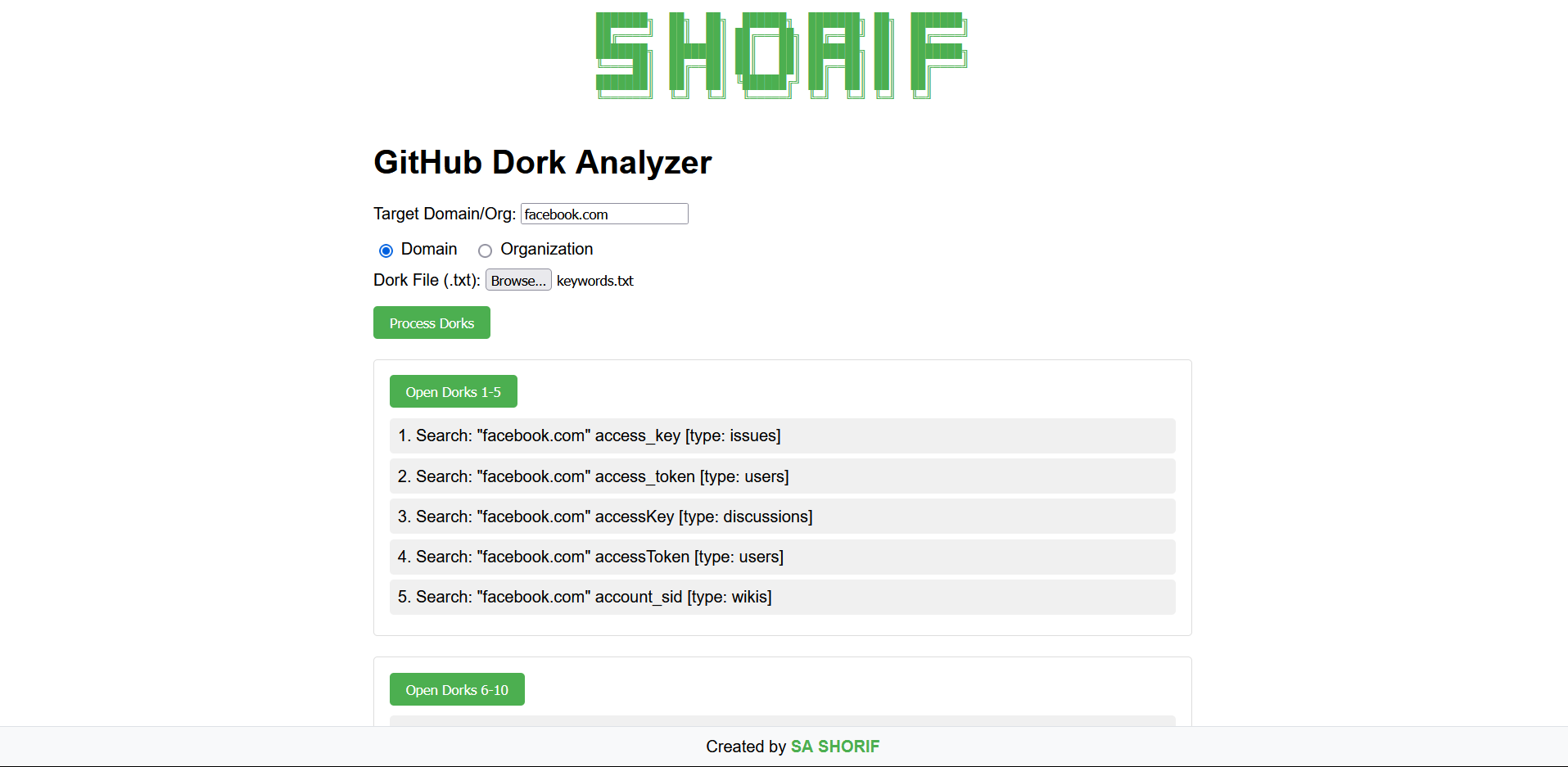
A client-side tool to analyze GitHub dorks by generating search links for a target domain/organization and opening them in bulk.
## Features
- **Domain/Org Targeting**
Specify a target domain (e.g., `github.com`) or organization to tailor search results.
- **Dork File Support**
Upload a `.txt` file containing GitHub search queries (one per line) to generate search links.
- **Search Link Generation**
Automatically creates GitHub search URLs in the format:
`https://github.com/search?q="domain"%20dork&type=repositories`.
- **Batch Processing**
Open search results in batches of 5 links at a time to avoid browser restrictions.
- **Background Tabs**
Opens links in new background tabs without disrupting your current workflow.
- **Visual Progress Tracking**
Marks visited links with a green background for easy tracking.
## Installation
1. Clone the repository or download the HTML file:
```bash
git clone https://github.com/siuxsa/GitHub_Dork_Analyzer.git
```
## Usage
1. Input Target Domain
- Enter the target domain or organization (e.g., github.com).
2. Upload Dork File
- Upload a .txt file containing GitHub dorks (one per line).
3. Generate Links
- Click Process Dorks to create search links.
4. Open Links
- Click individual links to open them in new tabs.
- Use the Open Next 5 Links button to automate batch opening.
## Notes
- Ensure pop-ups are allowed for the tool to open multiple tabs.
- Works best in modern browsers (Chrome, Firefox, Edge).
- No data is stored or transmitted—everything runs locally.
HAPPY HUNTING 🍃