https://github.com/skillmaker-dev/php_hum_temp
IoT project to monitor Temperature & Humidity in PHP server
https://github.com/skillmaker-dev/php_hum_temp
Last synced: 3 months ago
JSON representation
IoT project to monitor Temperature & Humidity in PHP server
- Host: GitHub
- URL: https://github.com/skillmaker-dev/php_hum_temp
- Owner: skillmaker-dev
- Created: 2021-09-07T20:58:38.000Z (almost 5 years ago)
- Default Branch: main
- Last Pushed: 2021-09-07T21:20:31.000Z (almost 5 years ago)
- Last Synced: 2025-03-23T09:35:20.606Z (over 1 year ago)
- Language: PHP
- Size: 154 KB
- Stars: 2
- Watchers: 1
- Forks: 0
- Open Issues: 0
-
Metadata Files:
- Readme: README.md
Awesome Lists containing this project
README
# php_hum_temp
IoT project to monitor Temperature & Humidity in PHP server

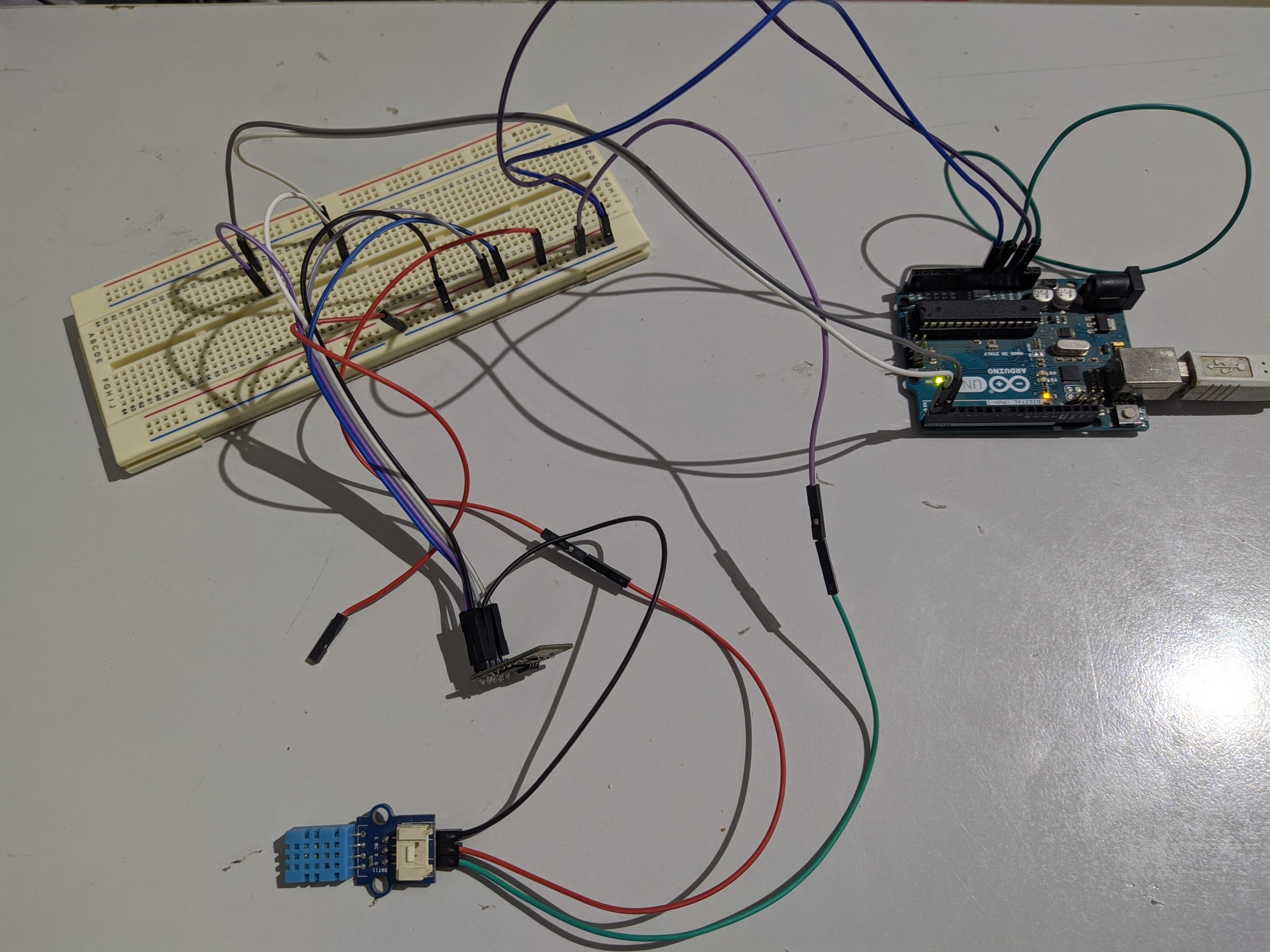
Copy IoTth folder directly to htdocs in xampp then change username,password,servername... in "main_processing.php".
Import sql database file to your mysql server in phpmyadmin.
Upload the code located in folder "ESP8266 side" to ESP8266
Circuit is very simple: to upload code to your ESP8266 either you use ftdi or you can connect it via arduino,
Connect EN,VCC to arduino's 3.3V
GND to arduino's GND
RX to RX
TX to TX
GPI0 to GND to be able to connect to ESP8266
and don't forget to put Arduino's RESET pin in GND
after Uploading the code you can now connect your DHT11:
remove GPIO0 pin from GND
connect DHT11 VCC to 5V
DHT11 GND to GND
DHT11 S to GPIO2 in your ESP8266
Remove RESET pin from GND
Now you can type your server's ip address in browser and start monitoring data.