https://github.com/skoenig/jsonresume-theme-engineering
JSONResume theme for senior and staff level engineers.
https://github.com/skoenig/jsonresume-theme-engineering
curriculum-vitae cv json jsonresume jsonresume-theme resume resume-template
Last synced: 4 months ago
JSON representation
JSONResume theme for senior and staff level engineers.
- Host: GitHub
- URL: https://github.com/skoenig/jsonresume-theme-engineering
- Owner: skoenig
- Created: 2026-02-13T10:47:15.000Z (5 months ago)
- Default Branch: main
- Last Pushed: 2026-03-02T11:04:08.000Z (4 months ago)
- Last Synced: 2026-03-02T14:54:24.510Z (4 months ago)
- Topics: curriculum-vitae, cv, json, jsonresume, jsonresume-theme, resume, resume-template
- Language: JavaScript
- Homepage: https://jsonresume.org/themes/
- Size: 1.76 MB
- Stars: 0
- Watchers: 0
- Forks: 1
- Open Issues: 1
-
Metadata Files:
- Readme: README.md
Awesome Lists containing this project
README
# jsonresume-theme-engineering [](https://www.npmjs.org/package/jsonresume-theme-engineering)
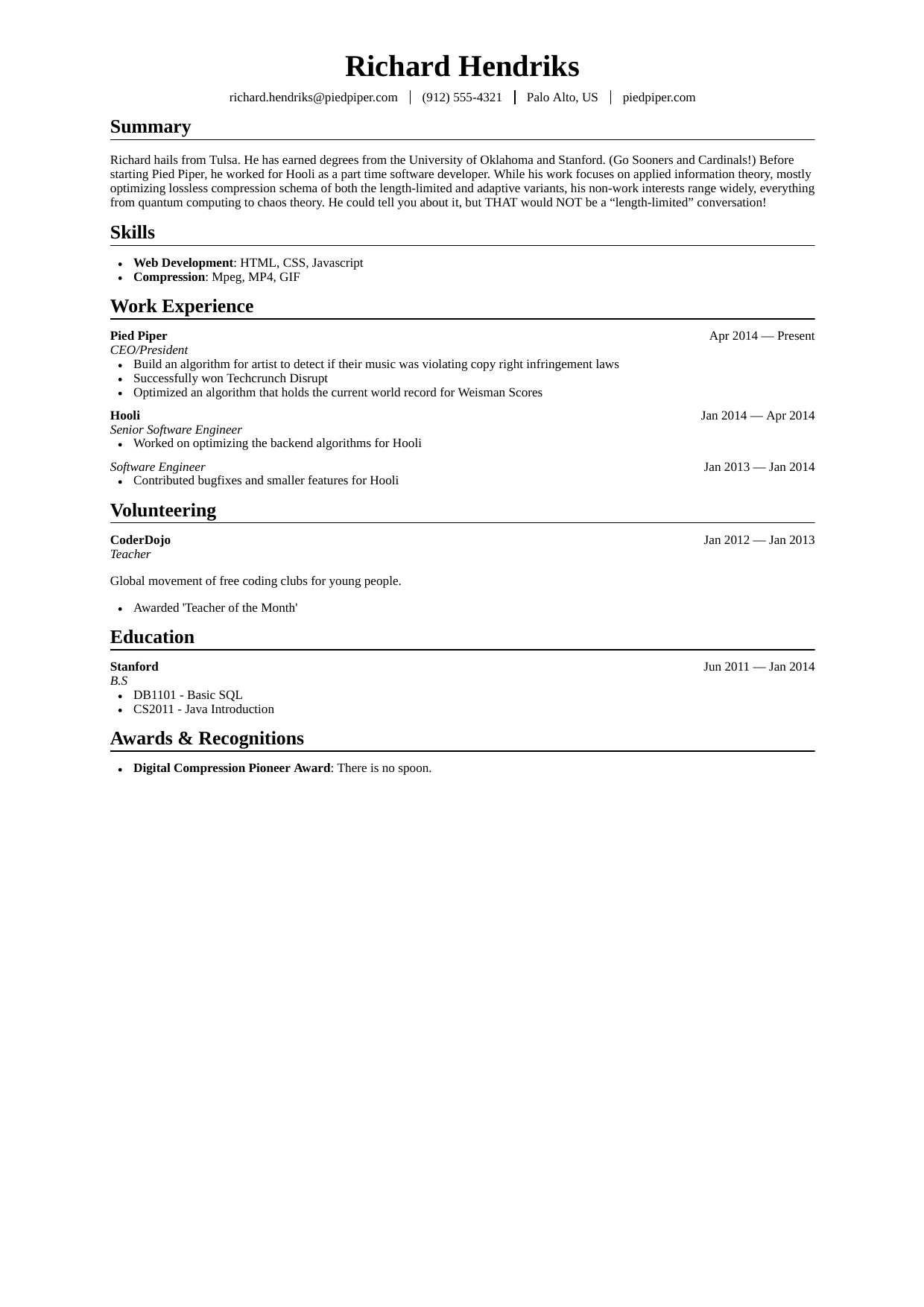
This is the engineering theme for [JSON Resume](http://jsonresume.org/), based on [jsonresume-theme-business-professional-compact](https://github.com/yechoorv/jsonresume-theme-business-professional-compact); it aims to implement the best practices for engineering resumes described in https://www.reddit.com/r/EngineeringResumes/wiki/index/.
It is intended for [senior/staff level engineers](https://www.reddit.com/r/EngineeringResumes/wiki/index/#wiki_senior_engineers_and_above_.2810.2B_yoe.29), meaning engineers who already have a professional track record. Therefore, it is possible to group several positions at a company under a single heading in order to visualize promotions. Similarly, consulting work for several projects can be displayed for a consulting agency.
This can be done by multiple work items with the same (company) name like this:
```
"work": [
{
"name": "Stripe",
"position": "Staff Software Engineer",
},
{
"name": "Stripe",
"position": "Senior Software Engineer"
}
]
```
## Getting started
To get started with theme development, this is what you'll need:
- [node.js](http://howtonode.org/how-to-install-nodejs)
- [npm](http://howtonode.org/introduction-to-npm)
If you're on Linux, you can simply run:
```
sudo apt-get install nodejs-legacy npm
```
Or if you're on OSX and got [Homebrew](http://brew.sh/) installed:
```
brew install node
```
### Install npm packages
We need to install the dependencies:
```bash
npm install
```
### Render Resume
If you do not provide a `resume.json` at the root directory level, use the sample resume and render it as HTML:
```
cp sample-resume.json resume.json
npm run html
```
You should now see this message:
```
You can find your rendered resume at resume.html. Nice work! 🚀
```
Congratulations, you've made it! You can now start to modify this theme (see Contribute section below).
## PDF Export
To export your resume in PDF format, you can run the following command below. This will automatically create a `resume.pdf` file within your current directory:
```
npm run pdf
```
Alternatively, you can also do a **print page** on the browser and save it as as PDF (by setting margins to none and removing header/footers.)
## Contribute
Currently, this theme is still based on the old [jsonresume-theme-boilerplate](https://github.com/jsonresume/jsonresume-theme-boilerplate), so a look at the README will give you an overview of the files involved in theme modification.
Contributions to the implementation of new functions or bug fixes are very welcome!
## License
Available under [the MIT license](http://mths.be/mit).