https://github.com/skywind3000/viz
🚀 Smallest Vi-clone Text Editor for Windows CLI and SSH session (only 62KB) !!
https://github.com/skywind3000/viz
Last synced: 4 months ago
JSON representation
🚀 Smallest Vi-clone Text Editor for Windows CLI and SSH session (only 62KB) !!
- Host: GitHub
- URL: https://github.com/skywind3000/viz
- Owner: skywind3000
- Created: 2025-03-31T07:40:12.000Z (about 1 year ago)
- Default Branch: master
- Last Pushed: 2025-03-31T07:47:41.000Z (about 1 year ago)
- Last Synced: 2025-10-08T21:57:15.962Z (9 months ago)
- Size: 8.79 KB
- Stars: 3
- Watchers: 1
- Forks: 0
- Open Issues: 0
-
Metadata Files:
- Readme: README.md
Awesome Lists containing this project
README
# Viz
Smallest Vi-clone text editor for Windows (62KB) that runs in terminal and SSH sessions.
## Features
- Smallest full function vi-clone text editor, **only 62KB**.
- Portable, distrubted as a single executable file.
- Offers a wide range of vi functions: search (`/` and `?`), undo (`u`), repeat (`.`), and marks (`m{letter}`).
- Named register for yank/paste: `"a3yy` and `"ap`.
- Supports multiple files with commands like `:next`, `:prev`, and `:rewind`.
- Some colon mode commands with `:` (available options can be listed with `:set`).
- Adapt to window re-sizes.
- Can be used in ssh sessions and none-GUI environments (eg. server container).
- Even runs on Windows XP and Windows 7.
- Supports `%USERPROFILE%\.exrc` configuration.
- Ideal for occasional or emergency use.
- Ideal for keeping it in your rescue USB-stick.
## Download
- Executable file can be found in the [release](https://github.com/skywind3000/viz/releases) page.
## Screenshots
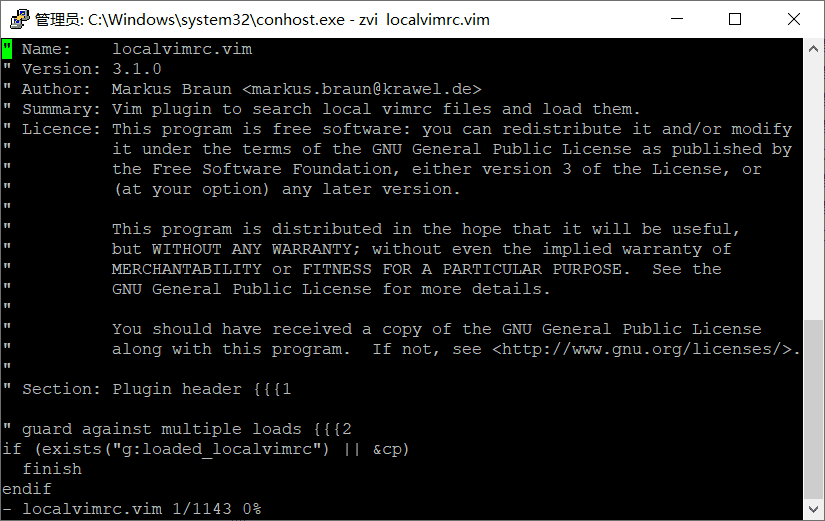
Runs remotely over an SSH session on a Windows 10 server (using PuTTY):
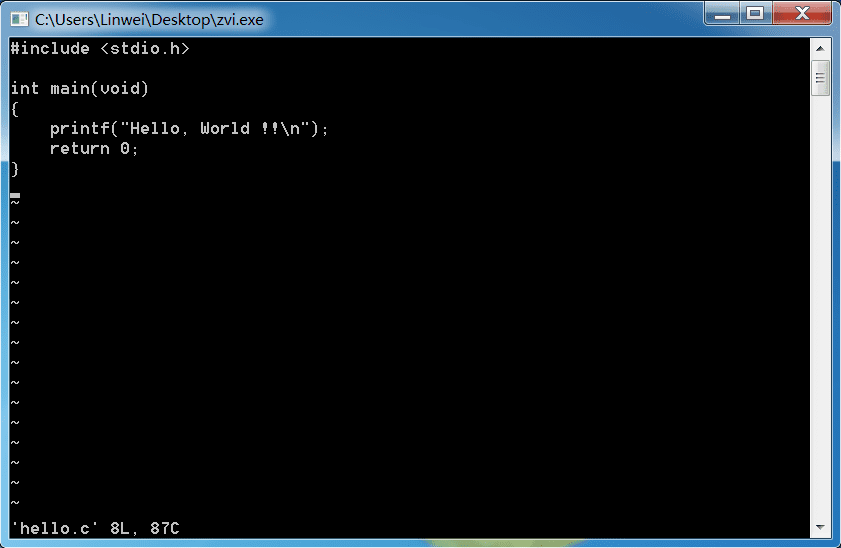
Runs natively on Windows 7:
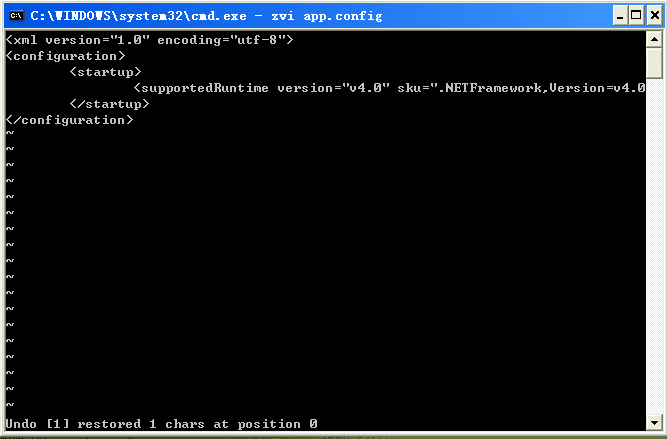
Runs natively on Windows XP:
## Source
Busybox includes a well-implemented and maintained `vi` applet, which has been contributed to for more than 10 years by the busybox contributors
The code is from [busybox-w32](https://github.com/rmyorston/busybox-w32) project, I just tailor it into a single applet.
## Build
Download and install MSYS2, start `MinGW32` program:
```
git clone --depth 1 https://github.com/rmyorston/busybox-w32.git
git clone https://github.com/skywind3000/viz.git
cd busybox-w32
make mingw32_defconfig # 32 bits will run on more platforms
```
then just:
```
copy ../viz/.config . # use the predefined configuration
make
mv busybox.exe viz.exe
```
## Credit
- https://github.com/rmyorston/busybox-w32