https://github.com/slack-samples/javascript-account-binding
A sample Slack app that shows you how to bind a Slack user to a user on another system
https://github.com/slack-samples/javascript-account-binding
slack-blueprint
Last synced: 9 months ago
JSON representation
A sample Slack app that shows you how to bind a Slack user to a user on another system
- Host: GitHub
- URL: https://github.com/slack-samples/javascript-account-binding
- Owner: slackapi
- License: mit
- Created: 2017-06-12T21:10:02.000Z (about 9 years ago)
- Default Branch: master
- Last Pushed: 2023-04-18T16:19:40.000Z (about 3 years ago)
- Last Synced: 2024-10-04T21:35:46.516Z (over 1 year ago)
- Topics: slack-blueprint
- Language: JavaScript
- Size: 89.8 KB
- Stars: 22
- Watchers: 6
- Forks: 8
- Open Issues: 6
-
Metadata Files:
- Readme: README.md
- License: LICENSE
- Code of conduct: .github/CODE_OF_CONDUCT.md
Awesome Lists containing this project
README
# Account Binding Template
A Sample Slack app that shows how a user account on Slack can be bound to an account on another system.
## Setup
#### Create a Slack app
1. Create an app at api.slack.com/apps
1. Click on `Bot Users`
1. Add a bot user and make sure it displays as always online
1. Install the app and copy the `xoxb-` token
#### Run locally or [](https://glitch.com/edit/#!/remix/slack-account-binding-blueprint)
1. Get the code
* Either clone this repo and run `npm install`
* Or visit https://glitch.com/edit/#!/remix/slack-account-binding-blueprint
1. Set the following environment variables to `.env` (see `.env.sample`):
* `SLACK_BOT_TOKEN`: Your app's `xoxb-` token (available on the Install App page)
* `SLACK_VERIFICATION_TOKEN`: Your app's Verification Token (available on the Basic Information page)
* `SESSION_SECRET`: A randomly generated secret for your session storage
1. If you're running the app locally:
1. Start the app (`npm start`)
1. In another windown, start ngrok on the same port as your webserver (`ngrok http $PORT`)
#### Add Slash Commands
1. Go back to the app settings and click on Slash Commands
1. Add the following Slash Commands:
* Command: /read-message
* Request URL: ngrok or Glitch URL + api/slack/command
* Description: Read secret message
* Command: /write-message
* Request URL: ngrok or Glitch URL + api/slack/command
* Description: Write secret message
* Usage Hint: [message]
1. Reinstall the app by navigating to the Install App page
#### In Slack
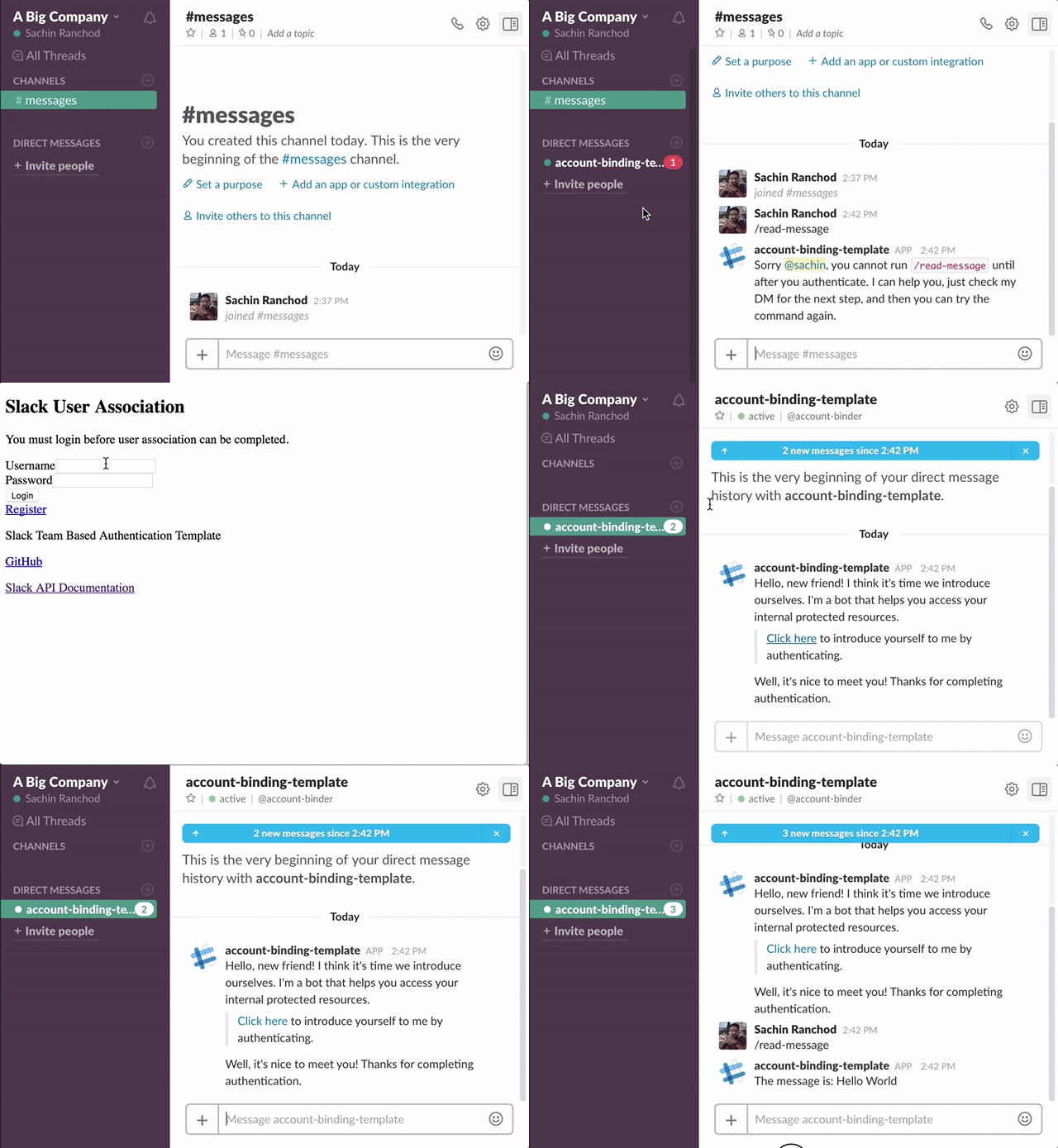
1. In any channel, run /read-message
1. You should see a DM from the bot asking you to link your accounts