https://github.com/slice/capstone
https://github.com/slice/capstone
Last synced: 8 months ago
JSON representation
- Host: GitHub
- URL: https://github.com/slice/capstone
- Owner: slice
- License: mit
- Created: 2024-12-15T08:20:30.000Z (over 1 year ago)
- Default Branch: main
- Last Pushed: 2024-12-16T08:34:13.000Z (over 1 year ago)
- Last Synced: 2024-12-26T16:14:41.490Z (over 1 year ago)
- Language: TypeScript
- Size: 90.8 KB
- Stars: 7
- Watchers: 1
- Forks: 0
- Open Issues: 0
-
Metadata Files:
- Readme: README.md
- License: LICENSE
Awesome Lists containing this project
README
# capstone
> [!WARNING]
> Work in progress. Not ready for production use. Caveat emptor, etc. etc.
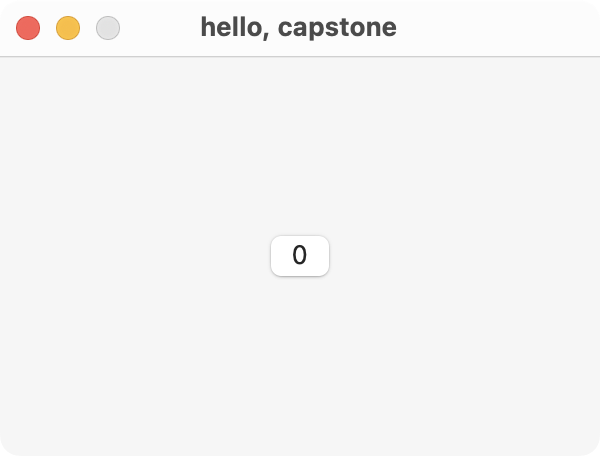
capstone is a [React] renderer for [AppKit] that lets you create
native macOS apps using JavaScript.
When you use capstone, your code runs inside of the [Open Scripting
Architecture][osa] via [JavaScriptCore][jsc], which is shared with the onboard
installation of Safari on the system. capstone abstracts over the [Objective-C
bridge][bridge], directly interacting with system frameworks from JavaScript.
[react]: https://react.dev
[appkit]: https://developer.apple.com/documentation/appkit
[jsc]: https://developer.apple.com/documentation/javascriptcore?language=objc
[bridge]: https://developer.apple.com/library/archive/releasenotes/InterapplicationCommunication/RN-JavaScriptForAutomation/Articles/OSX10-10.html#//apple_ref/doc/uid/TP40014508-CH109-SW17
[osa]: https://developer.apple.com/library/archive/documentation/LanguagesUtilities/Conceptual/MacAutomationScriptingGuide/HowMacScriptingWorks.html
```tsx
import {run, useConstraints} from 'capstone';
import {useReducer} from 'react';
function App() {
const [count, increment] = useReducer((num) => num + 1, 0);
function handleClick() {
console.log(':3');
increment();
}
const views = useConstraints(({gte}) => ({
container: {width: gte(300), height: gte(200)},
button: {},
}));
return (
{String(count)}
);
}
run();
```
A manual bridge implementation written in [Rust] or [Swift] is being considered.
[rust]: https://www.rust-lang.org
[swift]: https://www.swift.org
Hot reloading with [Fast Refresh][fast-refresh] and use of [Vite's environment
API][vite-envs] are planned.
[vite-envs]: https://vite.dev/guide/api-environment
[fast-refresh]: https://reactnative.dev/docs/fast-refresh
## idc that it's unstable, i wanna use it
If you have [Nix] installed, then the included [flake] exposes a `devShell` for
you. Otherwise, install [pnpm] yourself, and run:
```
pnpm test
```
[pnpm]: https://pnpm.io
[flake]: https://wiki.nixos.org/wiki/Flakes
[nix]: https://nixos.org