https://github.com/slimani-dev/filament-media-manager
A media manager plugin for Filament.
https://github.com/slimani-dev/filament-media-manager
filament-plugin laravel spatie-media-library
Last synced: 4 months ago
JSON representation
A media manager plugin for Filament.
- Host: GitHub
- URL: https://github.com/slimani-dev/filament-media-manager
- Owner: slimani-dev
- License: mit
- Created: 2026-03-13T05:16:03.000Z (5 months ago)
- Default Branch: main
- Last Pushed: 2026-03-21T17:44:15.000Z (4 months ago)
- Last Synced: 2026-03-27T15:39:55.142Z (4 months ago)
- Topics: filament-plugin, laravel, spatie-media-library
- Language: PHP
- Homepage: https://media-manager.slimani.dev
- Size: 150 KB
- Stars: 4
- Watchers: 0
- Forks: 1
- Open Issues: 0
-
Metadata Files:
- Readme: README.md
- Changelog: CHANGELOG.md
- Contributing: CONTRIBUTING.md
- License: LICENSE
- Security: SECURITY.md
Awesome Lists containing this project
README
# Filament Media Manager
[](https://github.com/slimani-dev/filament-media-manager/actions/workflows/run-tests.yml)
[](https://github.com/slimani-dev/filament-media-manager/actions/workflows/phpstan.yml)
[](https://github.com/slimani-dev/filament-media-manager/actions/workflows/fix-php-code-style-issues.yml)
[](https://packagist.org/packages/slimani/filament-media-manager)
[](https://github.com/slimani-dev/filament-media-manager/blob/main/LICENSE)
A comprehensive media manager plugin for Filament v4 and v5.
## Features
- **Folder-based organization**: Organize your media into hierarchical folders.
- **Native Filament integration**: Built specifically for Filament with support for forms, tables, and actions across both v4 and v5 versions.
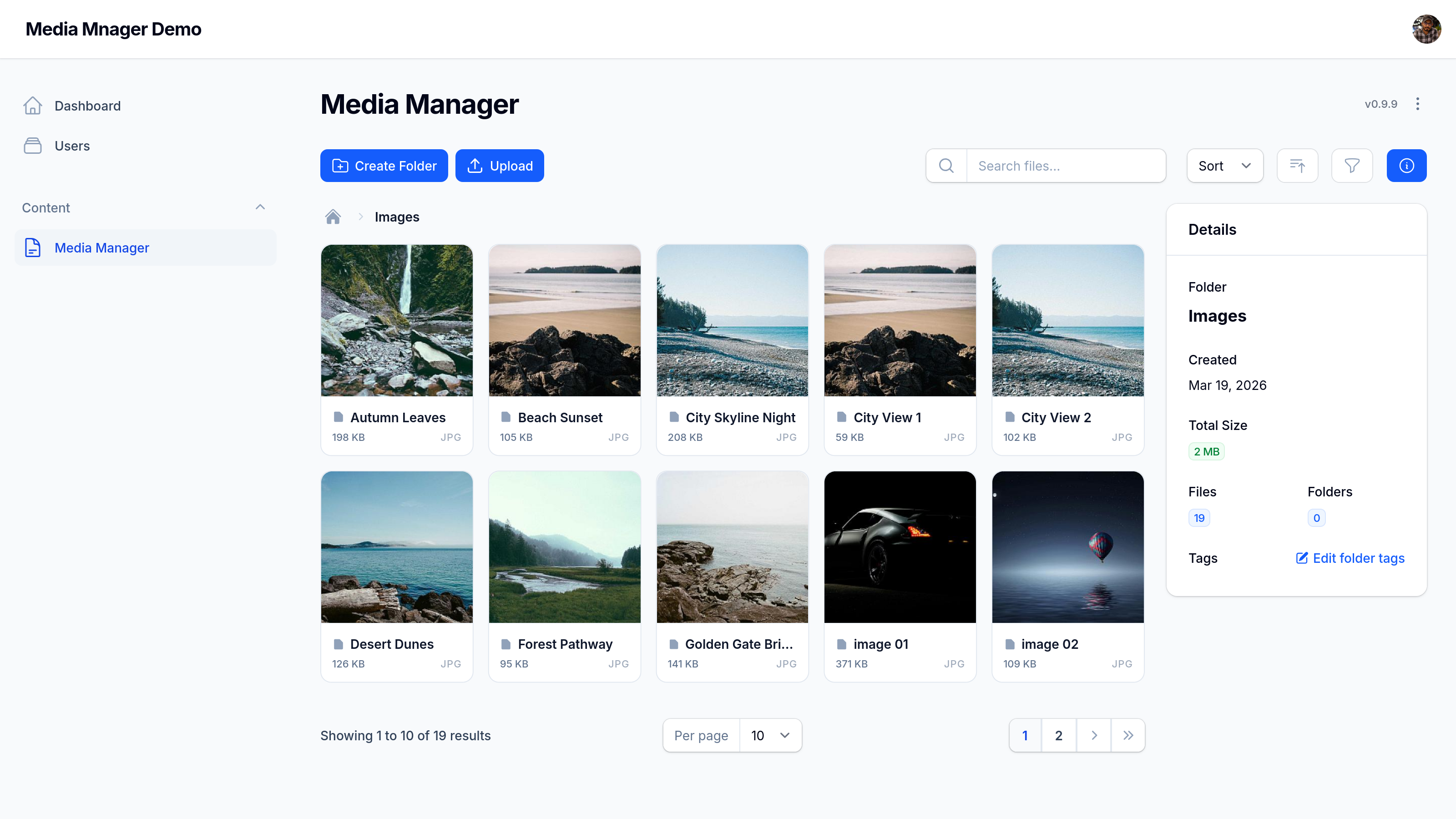
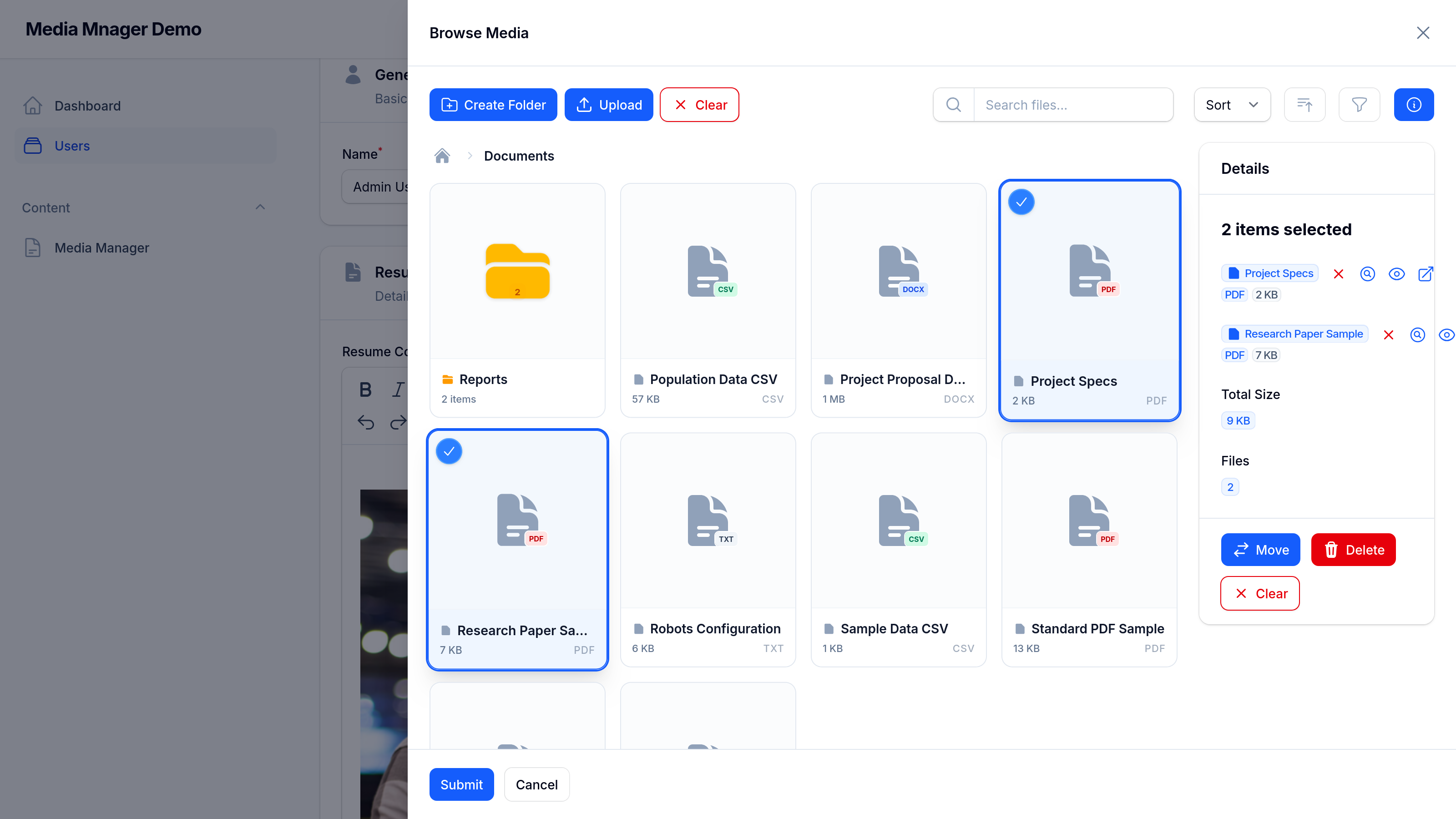
- **Smooth UI**: Modern, responsive media browser with search and filtering capabilities.
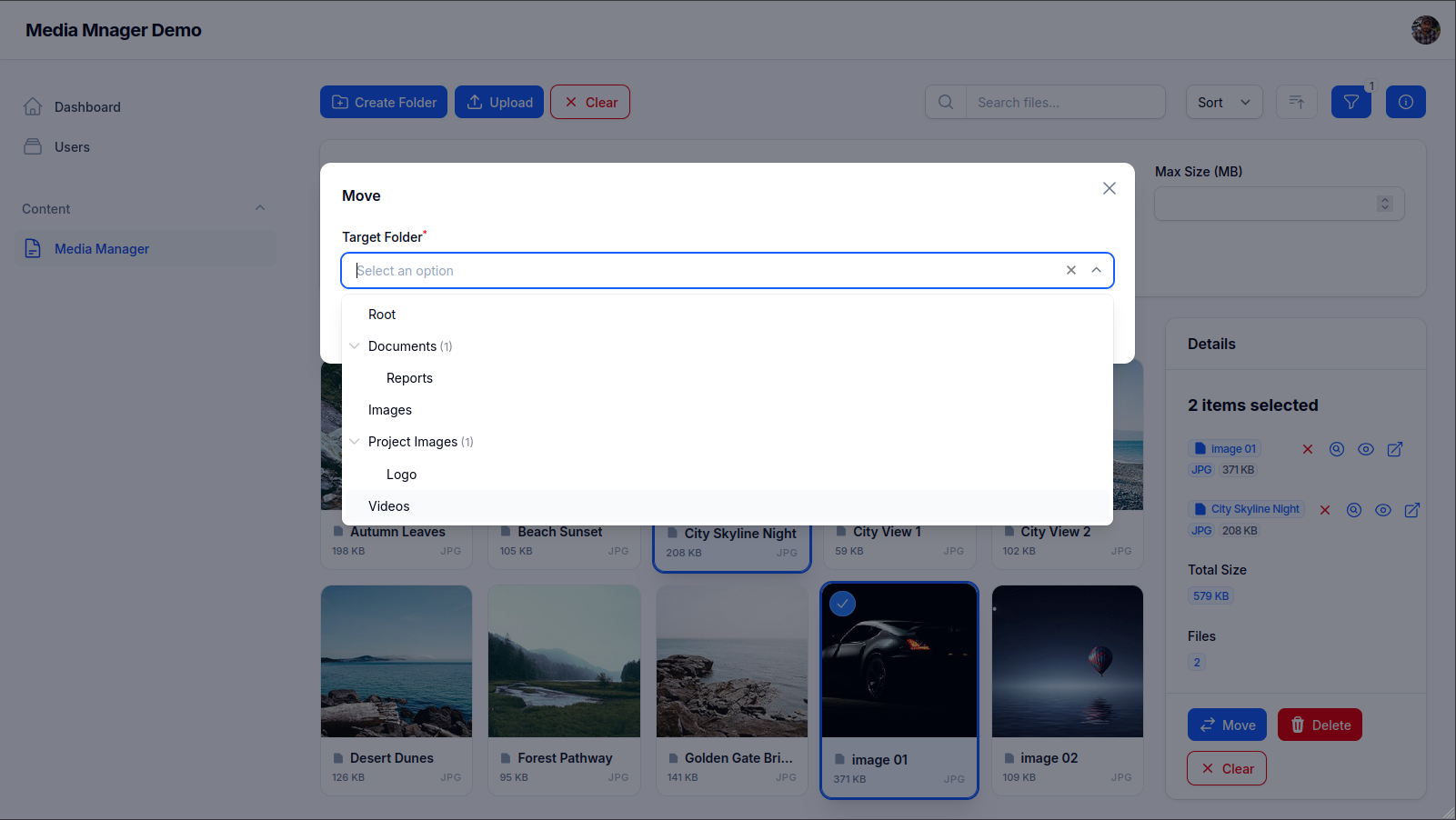
- **Hierarchical Folder Navigation**: Browse and organize media using a powerful tree selection interface, thanks to `filament-select-tree`.
- **Taggable media**: Add tags to your files for easier searching and filtering.
- **Support for multiple disks**: Configure which disk to use for storage per field or globally.
## Screenshots
### Media Manager Overview
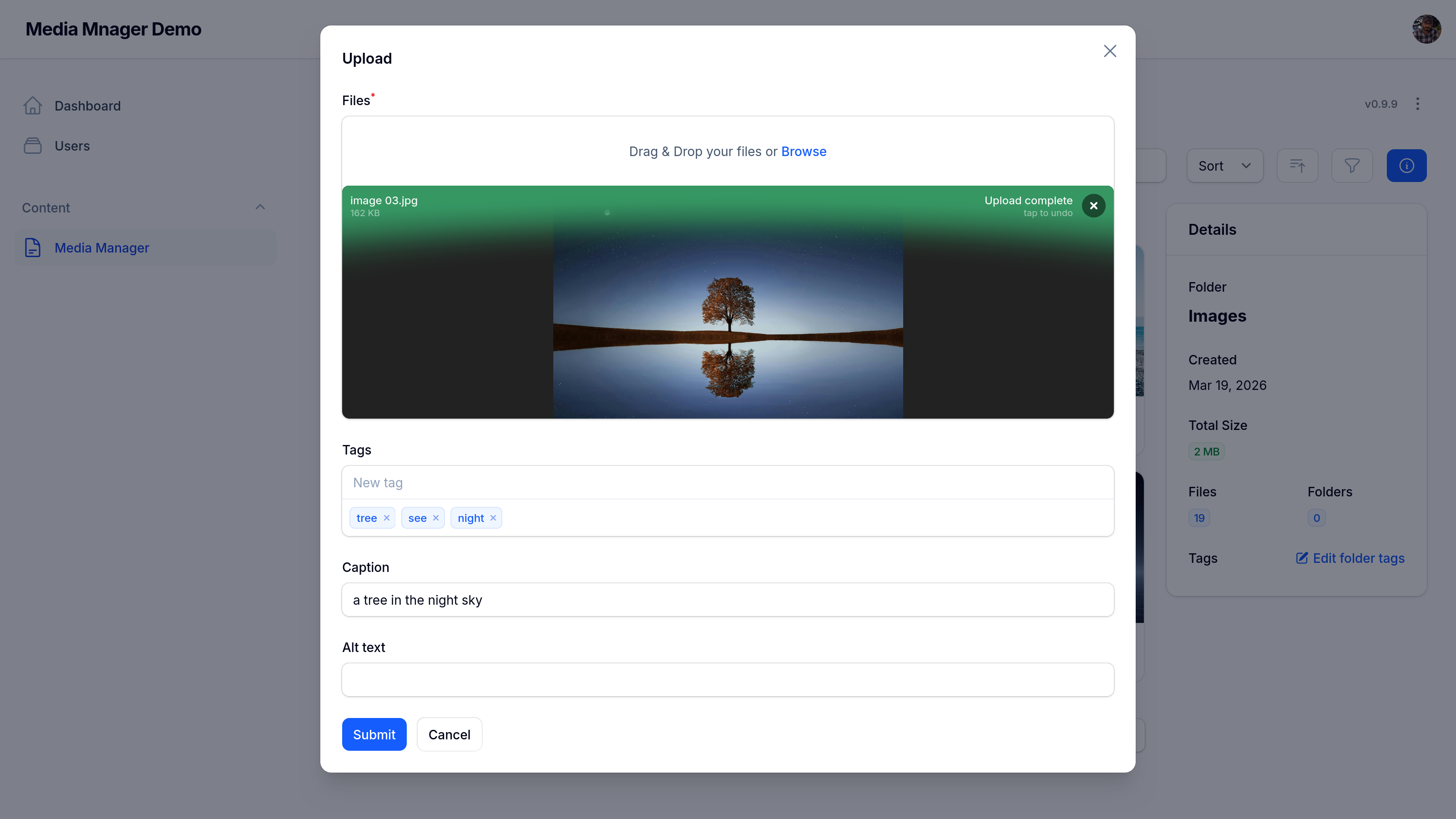
### File Upload
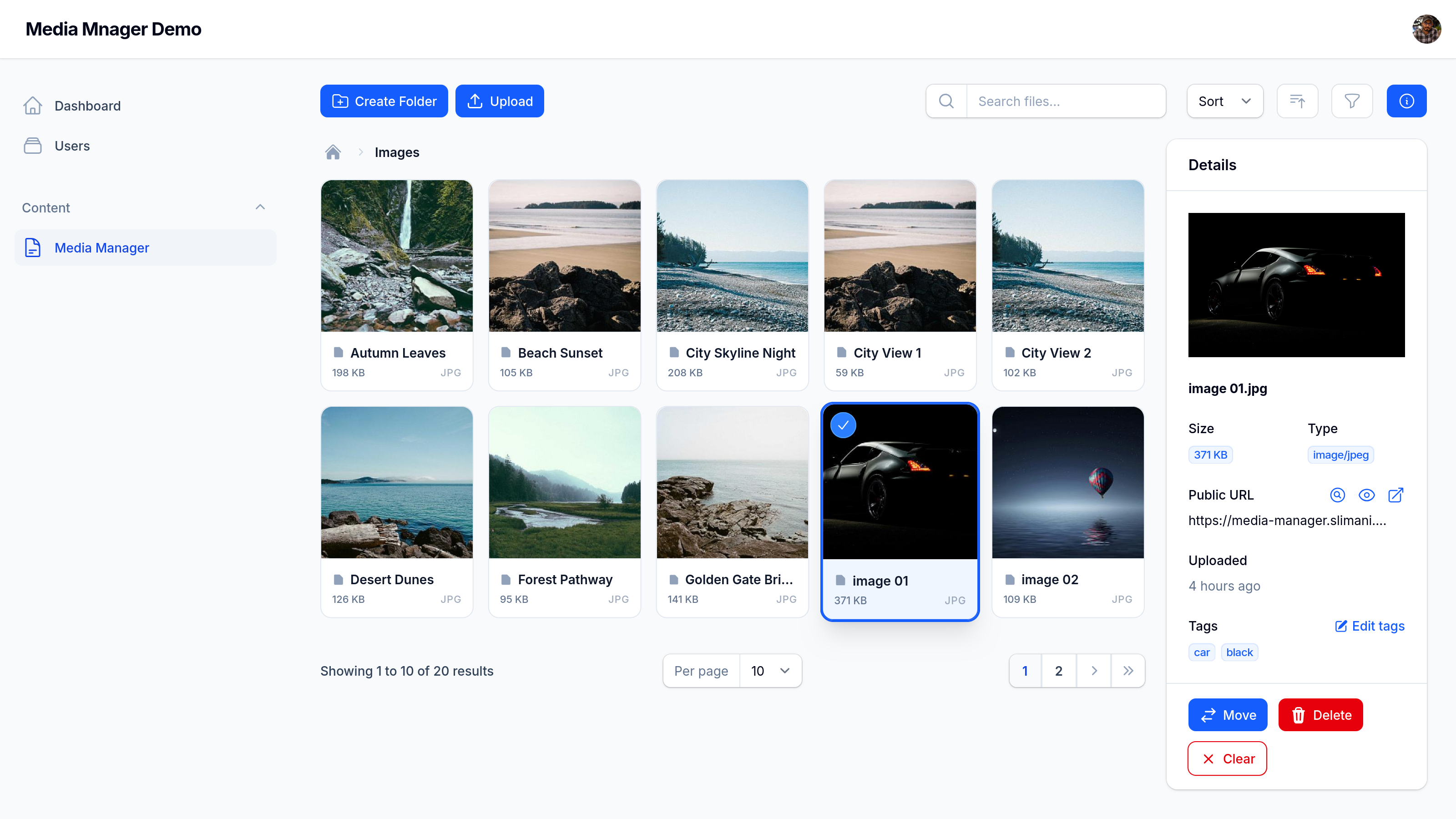
### File Details
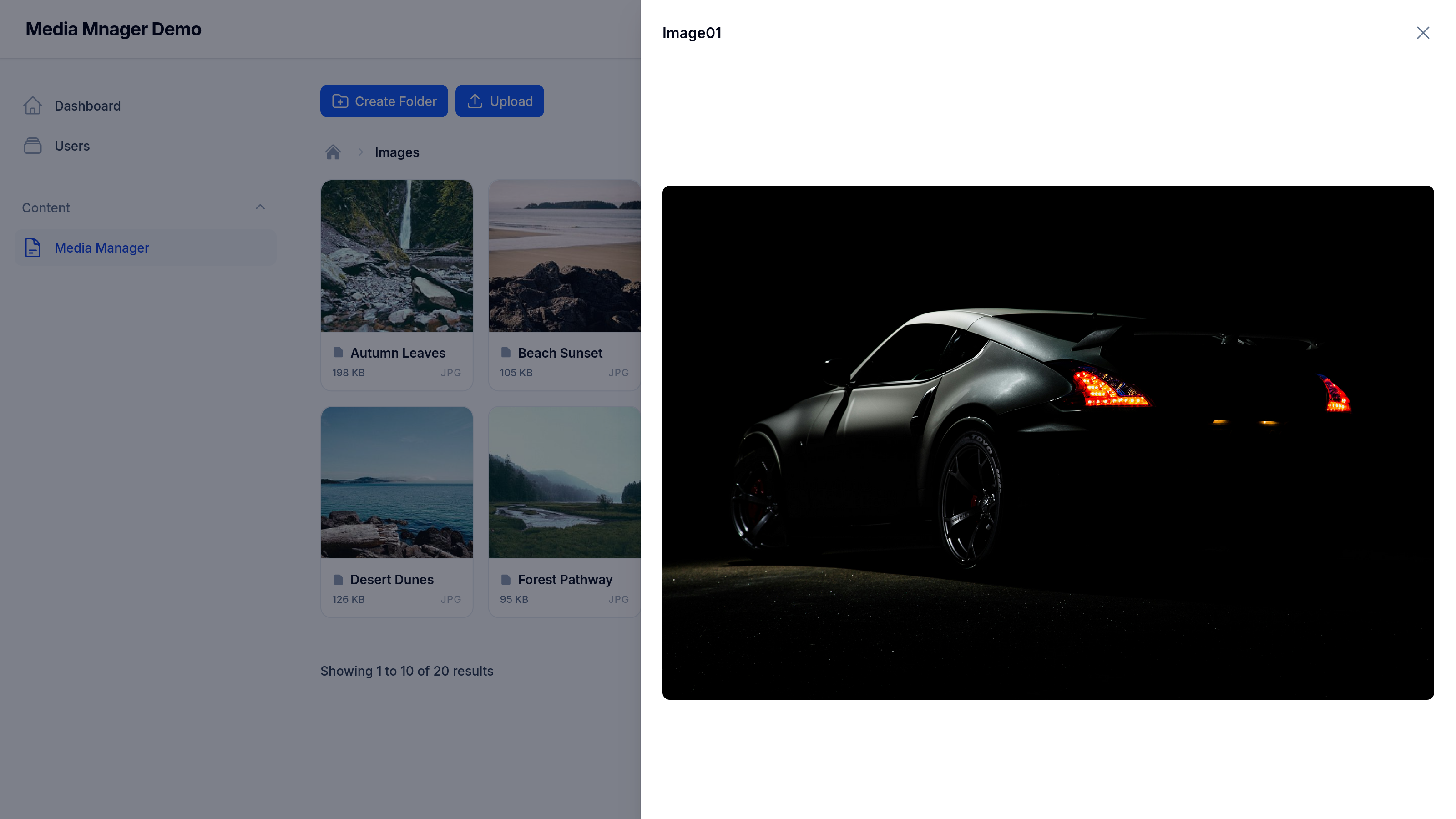
### File Preview
### Filter, Search and Sort (with Multiple selectin and Actions)
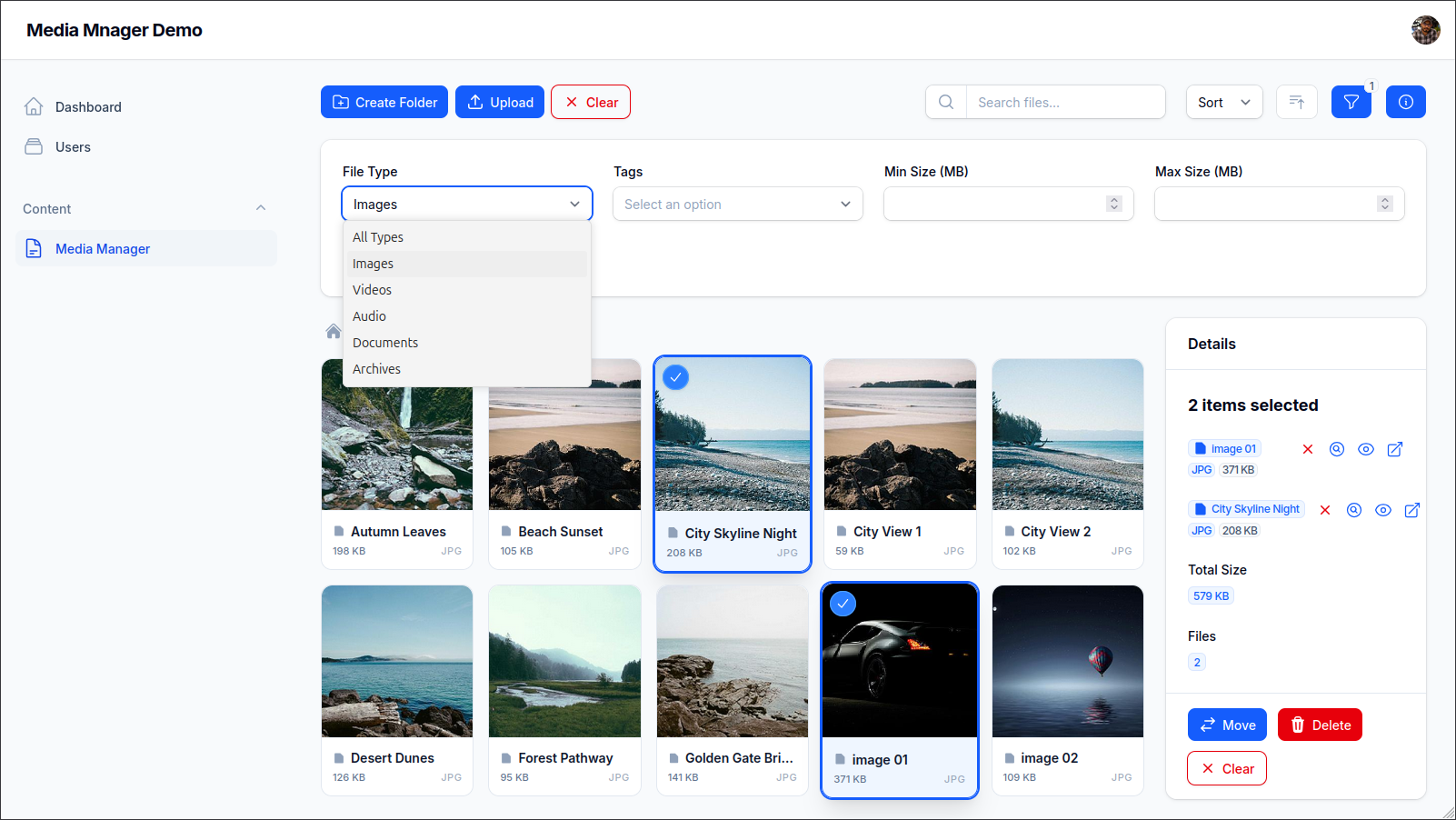
### Move Action Dialoge
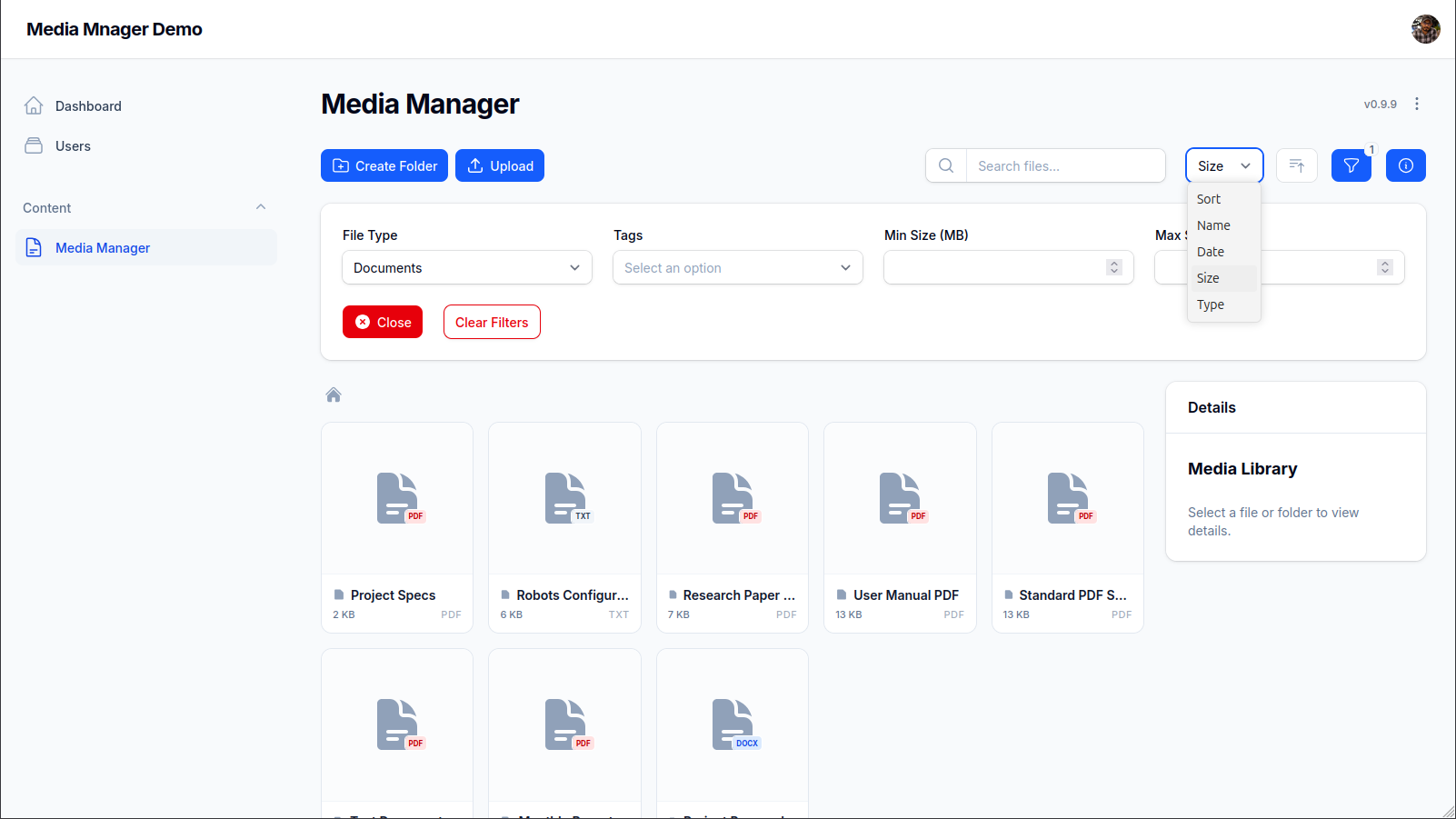
### Filtering by Type (Document) and Sorting By size
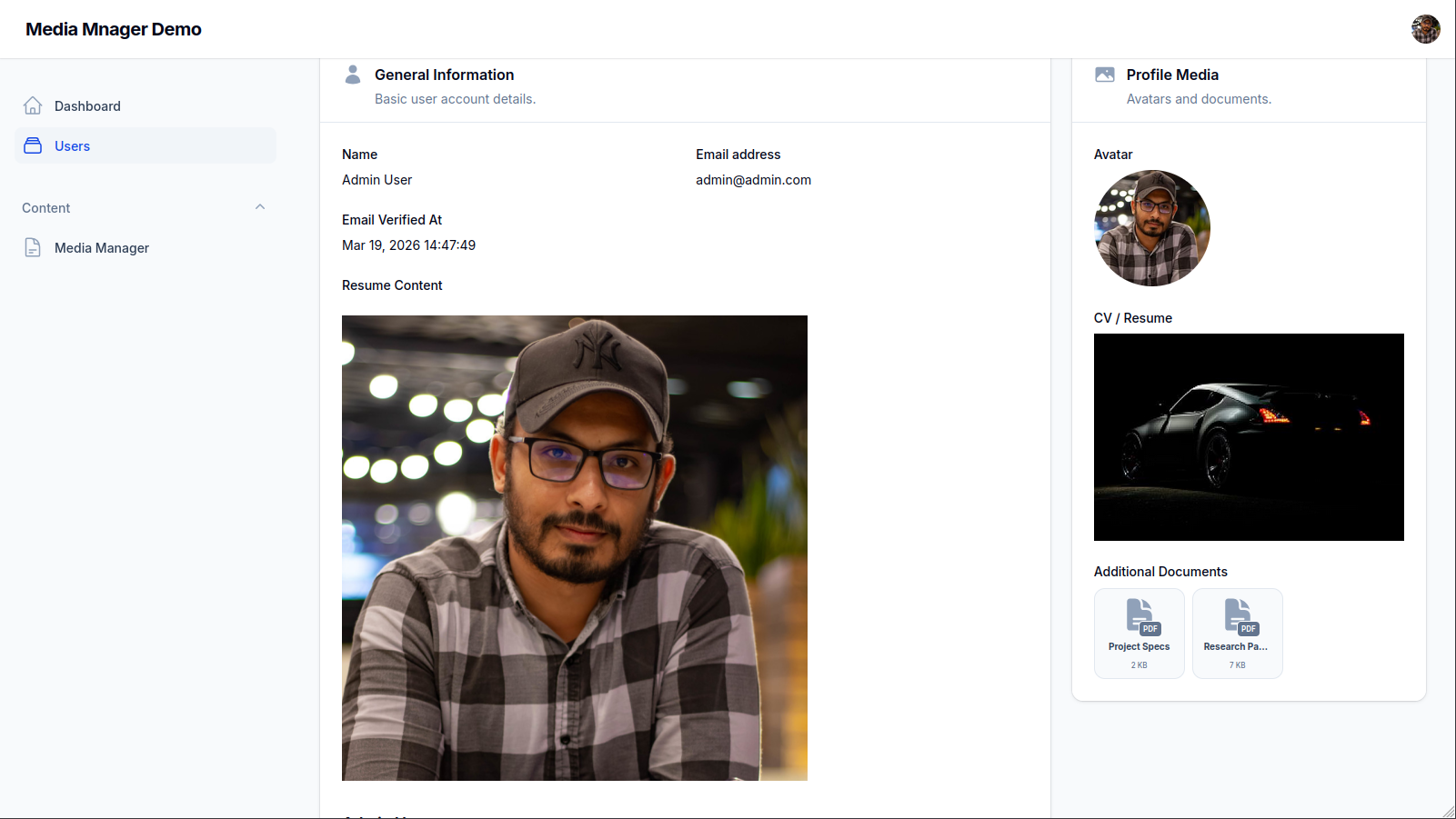
### Rich Text Integration, Media Picker, MediaEntries
### Media Picker (in Action)
## Installation
You can install the package via composer:
```bash
composer require slimani/filament-media-manager
```
```bash
# Publish Media Manager migrations
php artisan vendor:publish --tag="media-manager-migrations"
# Publish Spatie MediaLibrary migrations (if not already published)
php artisan vendor:publish --provider="Spatie\MediaLibrary\MediaLibraryServiceProvider" --tag="medialibrary-migrations"
# Run migrations
php artisan migrate
```
You can publish the config file with:
```bash
php artisan vendor:publish --tag="media-manager-config"
```
## Styling
If you are using a [Custom Filament Theme](https://filamentphp.com/docs/5.x/styling/overview#creating-a-custom-theme), you must include both the plugin's pre-defined styles and allow Tailwind to scan your components for utility classes.
Add the following lines to your `theme.css` file:
```css
@import '../../../../vendor/slimani/filament-media-manager/resources/css/media-manager.css';
@source '../../../../vendor/slimani/filament-media-manager/resources/**/*';
```
### Why both?
- **@import**: Loads the custom component styles (like the media grid and picker layouts) that are unique to this plugin.
- **@source**: Allows Tailwind to scan the plugin's Blade files and generate any standard utility classes (like `p-4`, `flex`, etc.) that are used in the UI.
## Usage
### Plugin Registration
Register the plugin in your Panel Provider:
```php
use Slimani\MediaManager\MediaManagerPlugin;
public function panel(Panel $panel): Panel
{
return $panel
->plugin(MediaManagerPlugin::make());
}
```
### Prepare Model
To use the media manager with your models, add the `InteractsWithMediaFiles` trait. This is required for relationships and picker functionality.
#### 1. Prepare your Migration
- **For single-file relationships** (like `avatar_id` or `cv_id`), you need to add the foreign key columns to your model's migration:
```php
Schema::table('users', function (Blueprint $table) {
$table->foreignId('avatar_id')->nullable()->constrained('media_files')->nullOnDelete();
$table->foreignId('cv_id')->nullable()->constrained('media_files')->nullOnDelete();
});
```
- **For multiple/polymorphic relationships** (using `$this->mediaFiles()`), **no migration is required**. These relationships utilize the built-in `media_attachments` table included in the package migrations.
#### 2. Prepare your Model
Add the trait and define your specific relationships. Don't forget to add the foreign keys to your `$fillable` array.
```php
namespace App\Models;
use Illuminate\Database\Eloquent\Model;
use Slimani\MediaManager\Concerns\InteractsWithMediaFiles;
class User extends Model
{
use InteractsWithMediaFiles;
protected $fillable = [
'name',
'email',
'avatar_id',
'cv_id',
];
public function avatar(): \Illuminate\Database\Eloquent\Relations\BelongsTo
{
return $this->mediaFile('avatar_id');
}
public function cv(): \Illuminate\Database\Eloquent\Relations\BelongsTo
{
return $this->mediaFile('cv_id');
}
/**
* Optional: Define custom collection relationships
*/
public function documents(): \Illuminate\Database\Eloquent\Relations\MorphToMany
{
return $this->mediaFiles('documents');
}
}
```
### Media Picker Field
Use the `MediaPicker` field in your Filament forms. It uses the "Prepare Model" setup to handle file selection via a modal.
```php
use Slimani\MediaManager\Form\MediaPicker;
use Filament\Forms\Form;
public static function form(Form $form): Form
{
return $form
->schema([
// Single file selection with specific names (requires InteractsWithMediaFiles in Model)
MediaPicker::make('avatar_id')
->relationship('avatar')
->label('User Avatar')
->required(),
MediaPicker::make('cv_id')
->relationship('cv')
->label('User CV'),
// Multiple file selection (requires MorphToMany relationship in Model)
MediaPicker::make('documents')
->relationship('documents')
->multiple()
->label('User Documents'),
]);
}
```
### Media Column
Display media in your Filament tables using the `MediaColumn`:
```php
use Slimani\MediaManager\Tables\Columns\MediaColumn;
MediaColumn::make('avatar')
->circular()
->stacked()
```
### Media Infolist Entries
The package provides two types of infolist entries: `MediaImageEntry` for image-specific features and `MediaFileEntry` for general file types with preview actions.
#### Media Image Entry
Use `MediaImageEntry` when you want to display image thumbnails with native Filament `ImageEntry` features (circular, stacked, etc.) and media manager conversion support.
```php
use Slimani\MediaManager\Infolists\Components\MediaImageEntry;
MediaImageEntry::make('avatar')
->label('User Avatar')
->conversion('thumb') // Optional, defaults to 'thumb'
->circular() // Native Filament feature
->width(100)
```
#### Media File Entry
Use `MediaFileEntry` for a generic media display that includes an automatic "Open Preview" action, ideal for documents, videos, and mixed media.
```php
use Slimani\MediaManager\Infolists\Components\MediaFileEntry;
MediaFileEntry::make('cv')
->label('User CV')
```
Both components support the media preview action that opens files in a slide-over.
### Rich Text Editor Integration
The Media Manager integrates deeply with Filament's `RichEditor`, allowing you to insert images directly from your media library and ensuring that images always use fresh, valid URLs (supporting signed/temporary URLs).
#### 1. Prepare your Model
Implement the `HasRichContent` interface and use the `InteractsWithRichContent` trait. Then, use `setUpRichContent` to register the media manager configuration for your field.
```php
use Filament\Forms\Components\RichEditor\Models\Concerns\InteractsWithRichContent;
use Filament\Forms\Components\RichEditor\Models\Contracts\HasRichContent;
use Slimani\MediaManager\Form\RichEditor\MediaManagerRichContentPlugin;
class User extends Authenticatable implements HasRichContent
{
use InteractsWithRichContent;
public function setUpRichContent(): void
{
$this->registerRichContent('resume')
->plugins([
MediaManagerRichContentPlugin::make()
->collection('preview')
->directory('User/Resumes'),
]);
}
}
```
> **Note**: Implementing `HasFileAttachmentProvider` in the plugin means that Filament automatically resolves the correct provider. You no longer need to call `fileAttachmentProvider()` manually on the attribute or renderer.
#### 2. Use in Forms
Add the `MediaManagerRichContentPlugin` to your `RichEditor` component. This adds a "Media Library" button to the toolbar.
```php
use Filament\Forms\Components\RichEditor;
use Slimani\MediaManager\Form\RichEditor\MediaManagerRichContentPlugin;
RichEditor::make('resume')
->plugins([
MediaManagerRichContentPlugin::make()
->acceptedFileTypes(["image/*"]), // Optional: Limit to images only
])
```
#### 3. Use in Infolists (Dynamic Rendering)
To ensure that images in your rich text always use fresh URLs (especially important if using temporary or signed URLs), use the `renderRichContent` method in your Infolist.
```php
use Filament\Infolists\Components\TextEntry;
TextEntry::make('resume')
->html()
->state(fn ($record) => $record->renderRichContent('resume'))
```
This method parses the stored HTML and resolves each image ID into a fresh URL on the fly, solving the "expired link" problem entirely.
### Plugin Customization
You can customize the Media Manager directly in your Panel Provider:
```php
use Slimani\MediaManager\MediaManagerPlugin;
MediaManagerPlugin::make()
->navigationGroup('System')
->navigationLabel('Assets')
->navigationIcon('heroicon-o-folder')
->navigationSort(5)
->shouldRegisterNavigation(fn () => auth()->user()->isAdmin())
->headerWidgets([
MyCustomWidget::class,
])
->footerWidgets([
AnotherWidget::class,
])
->header(view('custom.header'))
->footer(view('custom.footer'))
->withVideoThumbnails() // Optional: Enable video thumbnails (requires FFMPEG)
```
#### Video Thumbnails
Thumbnail generation for videos is handled natively by the underlying Spatie MediaLibrary when **FFMPEG** and **FFProbe** are installed on your server.
To use this feature, you must install the FFMPEG PHP dependency:
```bash
composer require php-ffmpeg/php-ffmpeg
```
For more information on video processing requirements, please refer to the [Spatie MediaLibrary Documentation](https://spatie.be/docs/laravel-medialibrary/v11/advanced-usage/generating-thumbnails-for-videos).
#### Media Library Conversions
You can customize or add media conversions from your application's `AppServiceProvider` or a dedicated Service Provider. Default conversions (`thumb` and `preview`) are registered first, and your callback can override them or add new ones.
```php
use Slimani\MediaManager\Models\File;
use Spatie\MediaLibrary\MediaCollections\Models\Media;
public function boot(): void
{
File::registerMediaConversionsUsing(function (File $file, ?Media $media = null) {
// Override default 'thumb' (300x300)
$file->addMediaConversion('thumb')
->width(150)
->height(150)
->nonQueued();
// Add a new custom conversion
$file->addMediaConversion('square')
->width(500)
->height(500)
->nonQueued();
// Default 'preview' (800x800) is kept if not overridden
});
}
```
#### Using Conversions in Components
After defining your conversions, you can specify which one to use in your components using the `conversion()` method. This controls which conversion is used for the table thumbnail, infolist image, or form picker preview.
```php
use Slimani\MediaManager\Tables\Columns\MediaColumn;
use Slimani\MediaManager\Infolists\Components\MediaImageEntry;
use Slimani\MediaManager\Form\MediaPicker;
// In Tables
MediaColumn::make('avatar')
->conversion('thumb')
// In Infolists
MediaImageEntry::make('avatar')
->conversion('preview')
MediaFileEntry::make('cv')
->conversion('thumb')
// In Forms (controls the picker's file preview)
MediaPicker::make('avatar_id')
->conversion('thumb')
```
All components default to the `thumb` conversion if none is specified.
## Testing & Support
### Seeders Example
To populate your media manager with initial data, you can use a seeder. Here is an example of how to set up folders and files:
```php
use Slimani\MediaManager\Models\Folder;
use Slimani\MediaManager\Models\File;
public function run(): void
{
$images = Folder::create(['name' => 'Project Images']);
$docs = Folder::create(['name' => 'Documents']);
// here should be the code if you have real files
// for now we will use dummy data
$banner = File::create([
'name' => 'Main Banner',
'folder_id' => $images->id,
'size' => 1024,
'extension' => 'jpg',
'mime_type' => 'image/jpeg',
'uploaded_by_user_id' => 1,
]);
// Attach actual media using Spatie MediaLibrary
$banner->addMediaFromUrl('https://picsum.photos/1200/800')
->toMediaCollection('default');
}
```
### Running Tests
```bash
composer test
```
## Changelog
Please see [CHANGELOG](CHANGELOG.md) for more information on what has changed recently.
## Contributing
Please see [CONTRIBUTING](CONTRIBUTING.md) for details.
## Security Vulnerabilities
Please review [our security policy](SECURITY.md) on how to report security vulnerabilities.
## Credits
- [CodeWithDennis - Select Tree](https://filamentphp.com/plugins/codewithdennis-select-tree)
- [HugoMyb - Media Action](https://filamentphp.com/plugins/hugomyb-media-action)
- [All Contributors](../../contributors)
## License
The MIT License (MIT). Please see [License File](LICENSE) for more information.