https://github.com/smerth/mean-discussion-board
A discussion board built with Angular v.1 on the front-end and ExpressJS, NodeJS and MongoDB on the back-end.
https://github.com/smerth/mean-discussion-board
angular express-js mongodb node-js
Last synced: 2 months ago
JSON representation
A discussion board built with Angular v.1 on the front-end and ExpressJS, NodeJS and MongoDB on the back-end.
- Host: GitHub
- URL: https://github.com/smerth/mean-discussion-board
- Owner: smerth
- Created: 2016-12-30T20:10:00.000Z (over 9 years ago)
- Default Branch: master
- Last Pushed: 2019-01-11T22:46:14.000Z (over 7 years ago)
- Last Synced: 2025-01-15T07:58:45.731Z (over 1 year ago)
- Topics: angular, express-js, mongodb, node-js
- Language: JavaScript
- Homepage:
- Size: 325 KB
- Stars: 1
- Watchers: 3
- Forks: 0
- Open Issues: 0
-
Metadata Files:
- Readme: README.md
Awesome Lists containing this project
README
# MEAN - Discussion Board
## The MEAN Stack
- Mongo DB -> used to store data
- ExpressJS -> used to build the server
- AngularJS -> used to build the UI
- Node -> server-side JavaScript environment used to run the Express server
## The Project
This project has two parts:
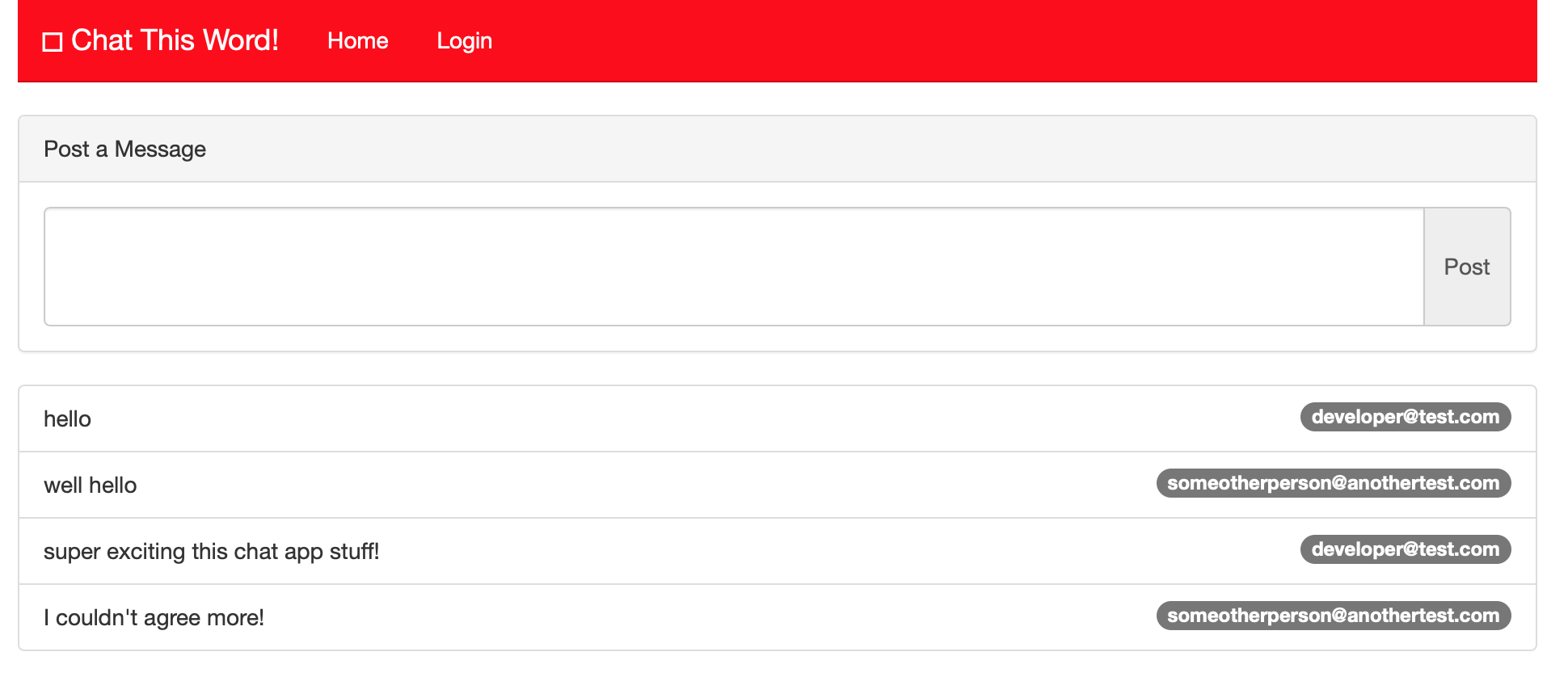
The Discussion Board Front-end: A Discussion Board built with Angular 1 on the Yeoman "[generator-gulp-angular](https://github.com/swiip/generator-gulp-angular#readme)" generator. Presents the user with a simple UI for messaging.
The Discussion Board Server: An ExpressJS Server and MongoDB to serve and save messages.
This project is based on the lynda.com course [MEAN Stack and MongoDB Development Techniques](https://www.lynda.com/Express-js-tutorials/MEAN-Stack-MongoDB-Development-Techniques/)
## Installation
**_N.B. You must have MongoDB installed to run the Discussion Board Server._**
### Clone project
```bash
git clone
```
### Start MongoDB
@ Discussion Board Server folder
```bash
ulimit -n 2048 && mongod
```
On a Mac you may see a warning when starting the Mongo daemon.
```bash
** WARNING: soft rlimits too low. Number of files is 256, should be at least 1000
```
Setting the `ulimit -n 2048` variable before running mongod should solve that issue.
If the Mongo Daemon is successfully started you should see Mongo listening for connections.
```bash
[initandlisten] waiting for connections on port 27017
```
Keep this terminal open while running the app so you can see the Mongo activity logged.
### Start Mongo Console
In a separate terminal
```bash
mongo
```
This opens the Mongo console and connects the console to the "test" Mongo database. Back in the Mongo daemon terminal you can see that the Mongo console has made this connection.
```bash
connection accepted from 127.0.0.1:53720 #1 (1 connection now open)
```
### Setup the Discussion Board Front-end
Install the Discussion Board Front-end dependacies
```bash
npm install && bower install
```
The Discussion Board Front-end is built with Angular on top of the Yeoman "[generator-gulp-angular](https://github.com/swiip/generator-gulp-angular#readme)" generator. So you can use the build and run processes available to that generator:
#### Gulp commands
- `gulp` or `gulp build` to build an optimized version of your application in `/dist`
- `gulp serve` to launch a browser sync server on your source files
- `gulp serve:dist` to launch a server on your optimized application
- `gulp test` to launch your unit tests with Karma
- `gulp test:auto` to launch your unit tests with Karma in watch mode
- `gulp protractor` to launch your e2e tests with Protractor
- `gulp protractor:dist` to launch your e2e tests with Protractor on the dist files
To start the Discussion Board Front-end:
@ Discussion Board Front-end folder
```bash
gulp serve
```
This opens a Discussion Board Front-end UI at "http://localhost:3000/"
### Start Discussion Board Server
Install dependancies
@ Discussion Board folder
```
npm install
```
@ Discussion Board folder
```
node server.js
```
This starts the Discussion Board server
```bash
listening on port: 5000
We are connected to mongo
```
Now you can open multiple browser windows and register a user and begin posting to the Discussion Board...
## Caveats
This project shows how to integrate a node and express server with an angular front-end but there is no backend for managing users and content. User authentication is only glossed over and the UI is unfinished as it doesn't even offer feedback to tell a user they are logged in or offer a logout link.
But, it may be a starting point for a more robust Discussion Board...