https://github.com/smerth/polymer-google-maps-app
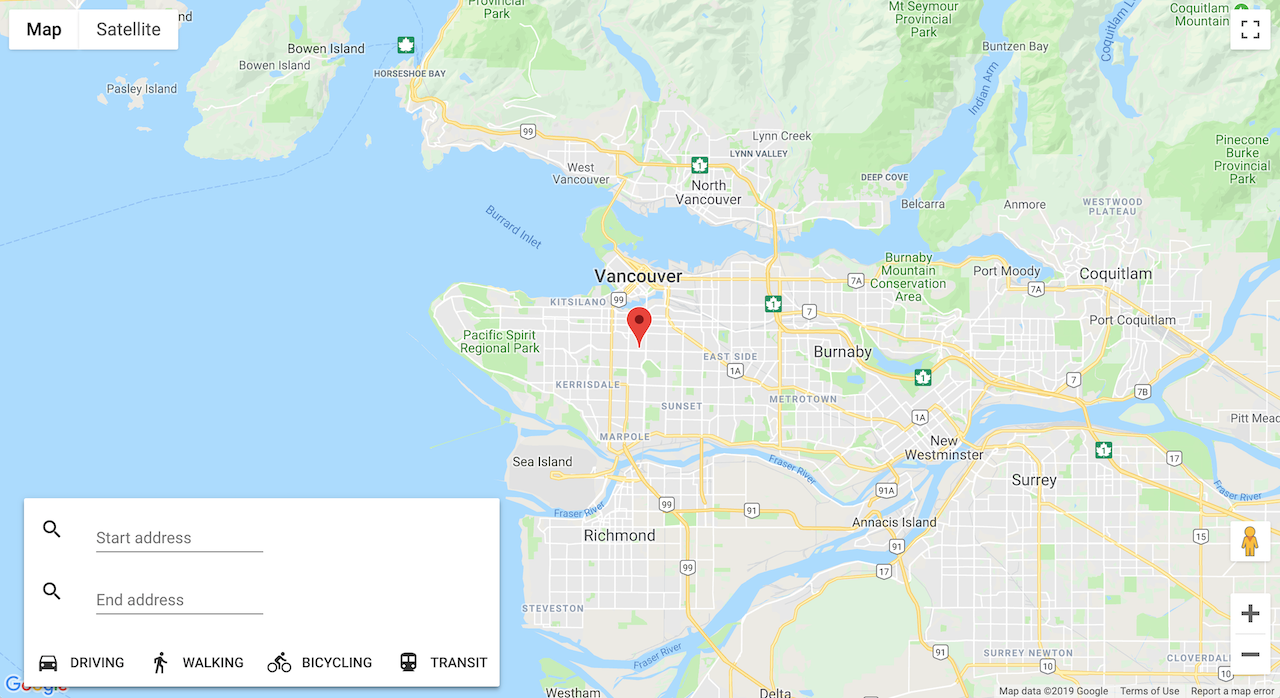
A Google Maps single page app built using elements from Polymer's Google Web Components collection. The app is responsive and will include driving directions and transit mode. Easy to integrate into an existing Polymer application
https://github.com/smerth/polymer-google-maps-app
codelab javascript polymer web-components
Last synced: about 2 months ago
JSON representation
A Google Maps single page app built using elements from Polymer's Google Web Components collection. The app is responsive and will include driving directions and transit mode. Easy to integrate into an existing Polymer application
- Host: GitHub
- URL: https://github.com/smerth/polymer-google-maps-app
- Owner: smerth
- Created: 2016-12-21T20:29:44.000Z (over 9 years ago)
- Default Branch: master
- Last Pushed: 2019-01-11T21:19:09.000Z (over 7 years ago)
- Last Synced: 2025-01-15T07:58:50.829Z (over 1 year ago)
- Topics: codelab, javascript, polymer, web-components
- Language: HTML
- Homepage: https://smerth.github.io/polymer-google-maps-app/
- Size: 2.94 MB
- Stars: 0
- Watchers: 3
- Forks: 0
- Open Issues: 0
-
Metadata Files:
- Readme: README.md
Awesome Lists containing this project
README
# Polymer Google Maps App
A Google Maps single page app built using elements from Polymer's [Google Web Components](https://elements.polymer-project.org/browse?package=google-web-components) collection. The app is responsive and will include driving directions and transit mode. Easy to integrate into an existing Polymer application
## Installation
You should have `node`, `npm`, `bower`, and `yarn` installed in your local dev environment.
Install npm modules
```bash
yarn install
```
Install Bower dependancies
```bash
bower install
```
**Or, you can use the `polymer-cli`**
```bash
polymer install
```
## Create a Google Maps API key
This app requires a Google Maps API key. Here are the steps to get one:
- Sign up for Google Cloud Platform
- Setup billing
- Create a project
- Go the API directory and search for Google Maps
- Get a key for the Google Maps API
Once you you have the key, add it to the two components in `index.html` replacing the two instances of `api-key="ADD YOUR KEY HERE"`
## Develop
run
```bash
polymer serve
```
to test the built app locally
run
```bash
polymer build
```
serve the `build/default` folder on local host.
## Deploy to gh-pages
First set up a github repo and commit the code base.
Run Gulp deploy
```bash
gulp deploy
```
## Caveats
This repo was built to learn Polymer it is not supported. It uses Polymer v.1 and as of this time the `google-web-components` have not been updated to support a later version.
TODO
- search box is not responsive (wrap it in toast?)
## References
[Build Google Maps Using Web Components & No Code!](https://codelabs.developers.google.com/codelabs/polymer-maps/index.html?index=..%2F..%2Findex#0)