https://github.com/snowflake-labs/polaris-local-forge
A comprehensive development environment for Apache Polaris featuring LocalStack integration on k3s. This kit automates the setup of a complete Polaris environment with S3-compatible storage, authentication, and role-based access control.
https://github.com/snowflake-labs/polaris-local-forge
ansible apache-polaris k3d k3s-cluster localstack-s3
Last synced: 3 months ago
JSON representation
A comprehensive development environment for Apache Polaris featuring LocalStack integration on k3s. This kit automates the setup of a complete Polaris environment with S3-compatible storage, authentication, and role-based access control.
- Host: GitHub
- URL: https://github.com/snowflake-labs/polaris-local-forge
- Owner: Snowflake-Labs
- License: apache-2.0
- Created: 2025-02-14T10:23:34.000Z (over 1 year ago)
- Default Branch: main
- Last Pushed: 2025-02-15T03:20:17.000Z (over 1 year ago)
- Last Synced: 2025-02-15T04:19:51.626Z (over 1 year ago)
- Topics: ansible, apache-polaris, k3d, k3s-cluster, localstack-s3
- Language: Jupyter Notebook
- Homepage:
- Size: 1.44 MB
- Stars: 0
- Watchers: 1
- Forks: 1
- Open Issues: 0
-
Metadata Files:
- Readme: README.md
- License: LICENSE
Awesome Lists containing this project
README
# Apache Polaris Local Forge





A complete local development environment for [Apache Polaris](https://polaris.apache.org/) with [RustFS](https://rustfs.com/) S3-compatible storage running on k3s Kubernetes.
### Demo
[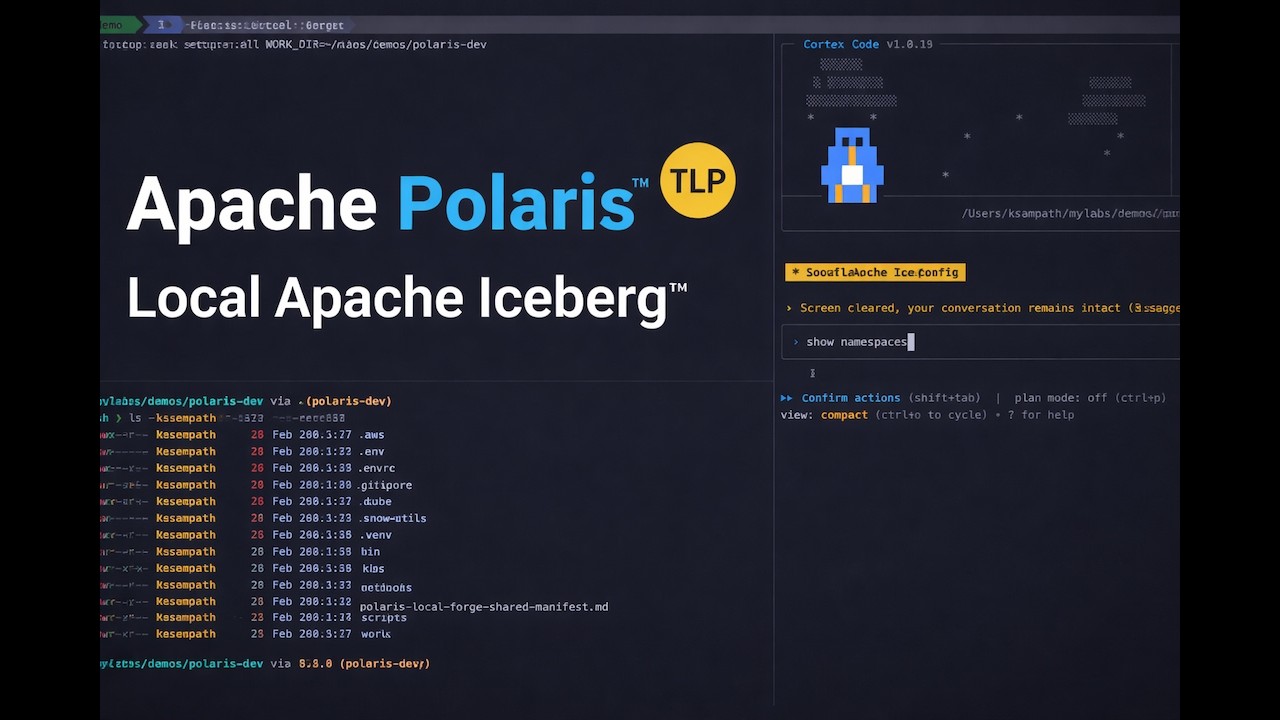](https://youtu.be/mQiPrIXOoUE)
**Why polaris-local-forge?**
- **Quickly try Apache Iceberg** — Get hands-on with Iceberg tables via Apache Polaris in minutes
- **Production blueprint** — K8s manifests and Helm patterns transfer directly to real clusters
- **Rinse-repeat PoC cycles** — Isolated `WORK_DIR` environments for easy setup/teardown/reset
- **K8s over Compose** — Production parity without "works locally, breaks in K8s" surprises
### Architecture
```mermaid
flowchart TB
subgraph k3d_cluster [k3d Cluster]
Polaris[Apache Polaris
REST Catalog]
PostgreSQL[(PostgreSQL
Metastore)]
RustFS[RustFS
S3 Storage]
end
Client[DuckDB / PyIceberg / Cortex Code]
Client -->|"Iceberg REST API
:18181"| Polaris
Polaris --> PostgreSQL
Polaris -->|"S3 API
:19000"| RustFS
```
## Prerequisites
### Required Tools
> [!NOTE]
> **Windows users:** Use WSL2 with Ubuntu. All commands below work in WSL2.
| Tool | macOS | Linux | Docs |
|------|-------|-------|------|
| Podman (default) | `brew install podman` | `sudo dnf install podman` or `sudo apt install podman` | [podman.io](https://podman.io/getting-started) |
| Docker (alternative) | [Docker Desktop](https://www.docker.com/products/docker-desktop/) | [Docker Engine](https://docs.docker.com/engine/install/) | [docs.docker.com](https://docs.docker.com/) |
| k3d | `brew install k3d` | `curl -s https://raw.githubusercontent.com/k3d-io/k3d/main/install.sh \| bash` | [k3d.io](https://k3d.io/#installation) |
| Python | `brew install python@3.12` | `sudo apt install python3.12` | [python.org](https://www.python.org/downloads/) |
| uv | `curl -LsSf https://astral.sh/uv/install.sh \| sh` | Same | [docs.astral.sh/uv](https://docs.astral.sh/uv/) |
| Task | `brew install go-task` | `sh -c "$(curl --location https://taskfile.dev/install.sh)" -- -d` | [taskfile.dev](https://taskfile.dev/installation/) |
### Optional Tools
| Tool | Purpose | Install |
|------|---------|---------|
| DuckDB CLI | SQL verification | `brew install duckdb` (macOS) or [duckdb.org](https://duckdb.org/docs/installation/) |
| direnv | Auto-load env vars | `brew install direnv` (macOS) or [direnv.net](https://direnv.net/docs/installation.html) |
### Verify Prerequisites
```bash
# Quick health check
task doctor
# Or manually verify
podman --version # or: docker --version
k3d version
python3 --version
uv --version
task --version
```
## Getting Started
Choose your path:
### Option 1: CLI
```bash
git clone https://github.com/Snowflake-Labs/polaris-local-forge
cd polaris-local-forge
task setup:python
# Recommended: Use a separate work directory to keep source clean
mkdir -p ~/polaris-dev && task setup:all WORK_DIR=~/polaris-dev
```
> [!NOTE]
>
> - **Podman:** Auto-detected and started via `doctor --fix`.
> - **Docker:** Start Docker Desktop first.
### Option 2: Cortex Code (AI-assisted)
[Snowflake Cortex Code](https://docs.snowflake.com/en/developer-guide/cortex-code/overview) automates setup through natural language.
```bash
cortex skill add https://github.com/Snowflake-Labs/polaris-local-forge
```
Then just say:
| Say this... | What happens |
|-------------|--------------|
| *"get started with apache polaris"* | Full guided setup with cluster, storage, and catalog |
*(OR)*
Simply with `cortex` say ( will install skill and run the workflow):
```bash
get started with apache polaris using example manifest "https://github.com/Snowflake-Labs/polaris-local-forge/blob/main/example-manifests/polaris-local-forge-manifest.md"
```
See [SKILL_README.md](SKILL_README.md) for complete trigger list and API query examples.
## Services
After setup, services are available at:
| Service | URL | Credentials |
|---------|-----|-------------|
| Apache Polaris API | | See `k8s/polaris/.bootstrap-credentials.env` |
| RustFS S3 | | `admin` / `password` |
| RustFS Console | | `admin` / `password` |
## Verify Setup
```bash
# Check status
task status
# Verify with DuckDB SQL
plforge catalog:verify:sql
# Or use interactive DuckDB
plforge catalog:explore:sql
# Or run the Jupyter notebook
jupyter notebook notebooks/verify_polaris.ipynb
```
## L2C: Local to Cloud Migration (Experimental)
> [!WARNING]
> **L2C is experimental.** The migration workflow and Iceberg metadata rewriting approach are being validated with Apache Iceberg experts. APIs and behavior may change.
Migrate your local Polaris Iceberg tables to **AWS S3** and register them as **Snowflake External Iceberg Tables** -- queryable in Snowflake with zero data duplication effort.
```mermaid
flowchart LR
subgraph local [Local]
Polaris["Polaris + RustFS
(k3d cluster)"]
end
subgraph aws [AWS]
S3["S3 Bucket"]
end
subgraph sf [Snowflake]
Iceberg["External Iceberg
Tables"]
end
Polaris -->|"plf l2c sync"| S3
S3 -->|"plf l2c register"| Iceberg
```
### L2C Prerequisites
| Requirement | Verify |
|-------------|--------|
| Local Polaris running | `task status` |
| AWS CLI + profile configured | `aws sts get-caller-identity` |
| Snowflake CLI configured | `snow connection test` |
### L2C Quick Start
```bash
# Preview the full migration plan
plforge l2c:migrate --dry-run
# Execute: setup AWS/Snowflake infra, sync data, register tables
plforge l2c:migrate --yes
# Verify in Snowflake
snow sql -q "SELECT * FROM .L2C. LIMIT 10;" --role
```
### L2C Interactive Workbook
For a guided, interactive experience, use the enhanced L2C workbook:
```bash
# Open the L2C workbook in Jupyter
jupyter notebook user-project/notebooks/l2c_workbook.ipynb
```
The workbook provides:
**Core Features:**
- **Step-by-step migration guidance** with detailed explanations
- **Interactive data exploration** and verification across local/cloud
- **Built-in utility functions** for common L2C operations
- **Visual comparisons** between local Polaris and Snowflake data
- **AWS credential isolation** handling for seamless cloud operations
**Workflow Sections:**
1. **Local Inventory** - Discover tables available for migration
2. **Initial Migration** - Setup AWS/Snowflake infrastructure and sync data
3. **Migration Status** - Monitor sync and registration progress
4. **Sync Verification** - Compare local RustFS vs AWS S3 object counts
5. **Query from Snowflake** - Verify data accessibility in Snowflake
6. **Incremental Update Demo** - Demonstrate zero-downtime data updates
7. **Reset and Reload** - Clean slate for iterative development
**Utility Functions:**
- `rustfs_env()` - Context manager for AWS credential isolation
- `setup_duckdb_polaris_connection()` - DuckDB connection with Polaris REST
- `get_table_count_via_duckdb()` - Query table row counts
- `create_snowflake_connection()` - Snowflake connection management
- `scrubbed_aws_env()` - Clean AWS environment for cloud operations
- `count_objects()` - S3 object counting for sync verification
### L2C Task Commands
| Command | Description |
|---------|-------------|
| `plforge l2c:inventory` | List tables in local Polaris catalog |
| `plforge l2c:setup` | Provision AWS + Snowflake infrastructure |
| `plforge l2c:setup:aws` | Create S3 bucket + IAM role/policy |
| `plforge l2c:setup:snowflake` | Create external volume, catalog integration, SA_ROLE, DB/Schema |
| `plforge l2c:sync` | Copy Iceberg data from local RustFS to AWS S3 (smart sync) |
| `plforge l2c:register` | Register synced tables as Snowflake External Iceberg Tables |
| `plforge l2c:refresh` | Update registered tables to latest metadata (zero-downtime) |
| `plforge l2c:update` | Combined: sync + refresh + register (for incremental updates) |
| `plforge l2c:migrate` | Full pipeline: setup + sync + register |
| `plforge l2c:status` | Show migration state (AWS, Snowflake, per-table status) |
| `plforge l2c:clear` | Remove migrated data, keep infrastructure (for iteration) |
| `plforge l2c:cleanup` | Full teardown of all L2C infrastructure and data |
> **Tip:** Use `plforge l2c: --summary` for detailed help on any L2C task.
### Smart Sync & Zero-Downtime Updates
L2C includes advanced features for efficient data migration:
**Smart Sync**: Only transfers new or changed files by comparing keys and sizes between local RustFS and AWS S3. Includes snapshot-aware fallback to detect table changes that key+size comparison might miss.
**Zero-Downtime Refresh**: After local data changes, use `plforge l2c:refresh` to update Snowflake table metadata pointers without dropping tables, ensuring continuous availability for applications.
### Incremental Updates
After mutating data locally (adding rows, changing schema), push changes to Snowflake with zero downtime:
```bash
plforge l2c:update --force --yes
```
This syncs the delta to S3, refreshes the metadata pointer in Snowflake, and registers any new tables.
### Common L2C Workflows
**Development Iteration Loop:**
```bash
# 1. Make changes to local data
plforge catalog:query SQL="INSERT INTO polaris_catalog.wildlife.penguins VALUES (...)"
# 2. Sync changes to S3 and refresh Snowflake
plforge l2c:update --force --yes
# 3. Verify in Snowflake
snow sql -q "SELECT COUNT(*) FROM ;"
```
**Reset and Re-demo:**
```bash
# Clear migrated data but keep infrastructure
plforge l2c:clear --yes
# Re-run migration with fresh data
plforge l2c:sync --yes
plforge l2c:register --yes
```
**Status Monitoring:**
```bash
# Check overall migration state
plforge l2c:status
# List available tables for migration
plforge l2c:inventory
```
For full design details, see [docs/cli-design.md](docs/cli-design.md#l2c-migration).
## Runtime Detection
The CLI **auto-detects** the container runtime during `init` based on what's actually running:
```mermaid
flowchart TD
Start[init command] --> CheckDockerRunning{Docker Desktop
running?}
CheckDockerRunning -->|Yes| UseDocker[Use Docker]
CheckDockerRunning -->|No| CheckPodmanRunning{Podman machine
running?}
CheckPodmanRunning -->|Yes| UsePodman[Use Podman]
CheckPodmanRunning -->|No| CheckInstalled{What's installed?}
CheckInstalled -->|Both| PromptUser[Prompt user
to choose]
CheckInstalled -->|Podman only| UsePodmanInstalled[Use Podman
doctor --fix starts it]
CheckInstalled -->|Docker only| UseDockerInstalled[Use Docker
start manually]
CheckInstalled -->|Neither| Fail[Fail with error]
PromptUser --> UserChoice{User choice}
UserChoice -->|1| UseDockerInstalled
UserChoice -->|2| UsePodmanInstalled
```
**Detection priority:**
1. Running runtime preferred over just installed
2. Docker preferred when both are running
3. User prompted when both installed but neither running
Override auto-detection by setting `PLF_CONTAINER_RUNTIME=docker` or `PLF_CONTAINER_RUNTIME=podman` in `.env`.
> [!TIP]
> **First-time Podman users:** See [docs/podman-setup.md](docs/podman-setup.md) for machine setup, cgroup configuration, and network creation.
## Task Commands
All operations are available via Task commands:
### Podman Setup (one-time)
| Command | Description |
|---------|-------------|
| `task podman:setup` | Full Podman setup (machine + cgroup + network + verify) |
| `task podman:setup:machine` | macOS: create dedicated `k3d` Podman machine (4 CPUs / 16GB) |
| `task podman:setup:cgroup` | Configure cgroup v2 delegation for rootless k3d |
| `task podman:setup:network` | Create DNS-enabled `k3d` network |
| `task podman:check` | Verify Podman machine is ready with sufficient resources |
### Setup & Teardown
| Command | Description |
|---------|-------------|
| `task setup:all WORK_DIR=/path` | Complete setup with manifest tracking (recommended) |
| `task setup:all` | Complete setup in current directory |
| `task setup:replay WORK_DIR=/path` | Resume/replay from manifest |
| `task teardown` | Teardown with confirmation prompt |
| `task teardown -- all` | Teardown + clean local directory |
| `task reset:all` | Teardown and setup fresh |
> **Tip:** Use `task --summary` for detailed help on any task, including available variables and examples.
### Status & Config
| Command | Description |
|---------|-------------|
| `task doctor` | Check system prerequisites and health |
| `task doctor:json` | Prerequisites check with JSON output |
| `task status` | Show cluster and Apache Polaris status |
| `task status:detailed` | Detailed kubectl output |
| `task config` | Show current configuration |
| `task urls` | Display service URLs |
### Cluster Management
| Command | Description |
|---------|-------------|
| `plforge cluster:create` | Create k3d cluster |
| `plforge cluster:delete` | Delete cluster |
| `plforge cluster:bootstrap-check` | Wait for bootstrap deployments |
| `plforge cluster:polaris-check` | Wait for Apache Polaris deployment |
| `plforge cluster:reset` | Delete and recreate cluster |
### Apache Polaris Operations
| Command | Description |
|---------|-------------|
| `plforge polaris:deploy` | Deploy Apache Polaris to cluster |
| `plforge polaris:check` | Verify Apache Polaris deployment |
| `plforge polaris:reset` | Purge and re-bootstrap Apache Polaris |
| `plforge polaris:purge` | Purge Apache Polaris data |
| `plforge polaris:bootstrap` | Bootstrap Apache Polaris |
### Catalog Management
| Command | Description |
|---------|-------------|
| `plforge catalog:setup` | Setup demo catalog |
| `plforge catalog:cleanup` | Cleanup catalog resources |
| `plforge catalog:reset` | Cleanup and recreate catalog |
| `plforge catalog:list` | List catalogs |
| `plforge catalog:verify:sql` | Verify with hybrid PyIceberg + DuckDB (fixes metadata staleness) |
| `plforge catalog:query SQL="..."` | Execute read-only SQL query (no inserts) |
| `plforge catalog:explore:sql` | Explore with DuckDB (interactive) |
| `plforge catalog:verify:duckdb` | Verify with Python DuckDB |
| `plforge catalog:generate-notebook` | Generate verification notebook |
| `plforge catalog:info` | Show catalog configuration |
### Version Management
| Command | Description |
|---------|-------------|
| `task bump:polaris` | Update Apache Polaris to latest Docker Hub version |
| `task bump:polaris:dry-run` | Preview Apache Polaris version update |
| `task bump:k3s` | Update K3S to latest Docker Hub version |
| `task bump:k3s:dry-run` | Preview K3S version update |
### Logs & Troubleshooting
| Command | Description |
|---------|-------------|
| `task logs:polaris` | Stream Apache Polaris logs |
| `task logs:postgresql` | Stream PostgreSQL logs |
| `task logs:rustfs` | Stream RustFS logs |
| `task logs:bootstrap` | View bootstrap job logs |
| `task logs:purge` | View purge job logs |
| `task troubleshoot:polaris` | Diagnose Apache Polaris issues |
| `task troubleshoot:postgresql` | Check PostgreSQL connectivity |
| `task troubleshoot:rustfs` | Verify RustFS connectivity |
| `task troubleshoot:events` | Show recent events |
## Manifest Workflow
The Task workflow tracks progress using a manifest file at `.snow-utils/snow-utils-manifest.md`. This enables:
- **Progress tracking**: Each resource (k3d cluster, RustFS, PostgreSQL, Polaris, Catalog, Principal, Demo data) is marked PENDING → DONE
- **Resume/replay**: If setup is interrupted, use `task setup:replay` to continue from where you left off
- **Cross-workflow compatibility**: The same manifest is used by Cortex Code (AI-assisted) workflows
### Manifest States
| Status | Meaning |
|--------|---------|
| `PENDING` | Initial state, setup not started |
| `IN_PROGRESS` | Setup in progress |
| `COMPLETE` | All resources created successfully |
| `REMOVED` | Teardown completed, ready for replay |
### Usage Examples
```bash
# Fresh setup with manifest tracking
task setup:all WORK_DIR=~/polaris-dev
# Resume interrupted setup
task setup:replay WORK_DIR=~/polaris-dev
# Teardown (prompts for confirmation)
task teardown WORK_DIR=~/polaris-dev
# Teardown with full directory cleanup
task teardown WORK_DIR=~/polaris-dev -- all
# After teardown, replay from existing config
task setup:replay WORK_DIR=~/polaris-dev
```
### Task Help
For detailed help on any task, including available variables and options:
```bash
task setup:all --summary
task teardown --summary
task prepare --summary
```
## CLI Reference
The `polaris-local-forge` CLI provides programmatic control with JSON output support:
```bash
uv run polaris-local-forge --help
```
### Commands
| Command | Description |
|---------|-------------|
| `polaris-local-forge init` | Initialize project directory with .env and configuration |
| `polaris-local-forge init --runtime docker\|podman` | Initialize with explicit runtime (skips interactive prompt) |
| `polaris-local-forge doctor` | Check system prerequisites and health |
| `polaris-local-forge doctor --fix` | Auto-fix issues (create/start Podman machine, kill gvproxy) |
| `polaris-local-forge doctor --output json` | Prerequisites as JSON (for automation/skills) |
| `polaris-local-forge prepare` | Generate configuration files from templates |
| `polaris-local-forge teardown --yes` | Execute teardown (stops Podman by default on macOS) |
| `polaris-local-forge cluster create` | Create k3d cluster |
| `polaris-local-forge cluster delete --yes` | Delete cluster |
| `polaris-local-forge cluster status` | Cluster status |
| `polaris-local-forge cluster status --output json` | Cluster status as JSON |
| `polaris-local-forge polaris deploy` | Deploy Apache Polaris to cluster |
| `polaris-local-forge polaris bootstrap` | Run Apache Polaris bootstrap job |
| `polaris-local-forge polaris purge` | Delete Apache Polaris deployment |
| `polaris-local-forge catalog setup` | Configure Apache Polaris catalog |
| `polaris-local-forge catalog cleanup --yes` | Clean up catalog resources |
| `polaris-local-forge catalog verify-sql` | Run DuckDB verification (loads + inserts data) |
| `polaris-local-forge catalog query --sql "..."` | Execute read-only SQL query (no inserts) |
| `polaris-local-forge runtime detect` | Detect and display container runtime |
| `polaris-local-forge runtime detect --json` | Detection result as JSON (for agents) |
| `polaris-local-forge runtime docker-host` | Output DOCKER_HOST for current runtime |
All destructive commands support `--dry-run` to preview and `--yes` to skip confirmation.
📖 **See [Flag Usage Patterns](docs/flag-usage-patterns.md) for detailed guidance on when to use `--force` and `--yes`.**
## Configuration
Configuration is managed via `.env` file. Copy the example and customize:
```bash
cp .env.example .env
```
Key settings:
| Variable | Default | Description |
|----------|---------|-------------|
| `PLF_CONTAINER_RUNTIME` | (auto-detect) | `podman` or `docker`; auto-detected during `init` based on what's running |
| `PLF_PODMAN_MACHINE` | `k3d` | Podman machine name (macOS only) |
| `K3D_CLUSTER_NAME` | `polaris-local-forge` | Cluster name |
| `K3S_VERSION` | `v1.31.5-k3s1` | K3S version |
| `AWS_ENDPOINT_URL` | `http://localhost:19000` | RustFS S3 endpoint |
| `POLARIS_URL` | `http://localhost:18181` | Apache Polaris API endpoint |
> [!NOTE]
> `PLF_CONTAINER_RUNTIME` is auto-detected during `init`. It prefers running runtimes over installed ones.
> Set it manually in `.env` only to override auto-detection.
View current configuration:
```bash
task config
# or
uv run polaris-local-forge config
```
## Troubleshooting
### Quick Diagnostics
```bash
task status # Check deployment status
task troubleshoot:events # View recent events
task logs:polaris # Stream Apache Polaris logs
```
### Common Issues
> [!WARNING]
> **Apache Polaris pod stuck in ContainerCreating**
>
> ```bash
> kubectl get events -n polaris --sort-by='.lastTimestamp'
> plforge polaris:deploy # Re-apply deployment
> ```
> [!WARNING]
> **RustFS not accessible**
>
> ```bash
> kubectl get pods -n rustfs
> task troubleshoot:rustfs
> ```
> [!WARNING]
> **Bootstrap job fails**
>
> ```bash
> task logs:bootstrap
> plforge polaris:reset # Reset Apache Polaris
> ```
> [!CAUTION]
> **Port 19000 blocked by gvproxy (Podman)**
>
> When using Podman, the `gvproxy` network proxy may occupy port 19000 (needed by RustFS).
> This happens when a previous Podman machine session didn't clean up properly.
>
> ```bash
> # Option 1: Let doctor fix it (recommended)
> task doctor -- --fix
>
> # Option 2: Stop the Podman machine
> podman machine stop k3d
>
> # Option 3: Switch to Docker
> # Edit .env and set PLF_CONTAINER_RUNTIME=docker
> ```
### Manual kubectl Commands
```bash
kubectl get all -n polaris
kubectl get all -n rustfs
kubectl logs -f -n polaris deployment/polaris
kubectl describe pod -n polaris -l app=polaris
```
## Cleanup
```bash
# Cleanup catalog only (keep cluster)
plforge catalog:cleanup
# Reset catalog (cleanup + setup)
plforge catalog:reset
# Complete teardown (prompts to stop Podman machine on macOS)
task teardown WORK_DIR=~/polaris-dev
# Or just delete cluster (prompts to stop Podman machine on macOS)
task clean:all
# Delete cluster and stop Podman machine without prompts
polaris-local-forge cluster delete --yes --stop-podman
```
## Development
### Isolated Testing
For development and testing without polluting the source tree, use isolated test environments:
```bash
# Create an isolated test environment in /tmp
task test:isolated
# This creates /tmp/plf-test-/ with:
# - Symlinked Taskfile.yml pointing to source
# - Fresh .env with auto-detected runtime
# - Isolated .kube/, k8s/, work/ directories
# Run full setup in the isolated environment
cd /tmp/plf-test-*
task setup:all
# Clean up all isolated test folders
task test:isolated:clean
# List existing test folders
task test:isolated:list
```
The isolated environment protects the source directory from accidental initialization. Commands like `init`, `doctor`, `prepare`, and `cluster create` will refuse to run in the source directory without `--work-dir`.
## Known Issues & Compatibility
### DuckDB Iceberg Extension
**Issue**: DuckDB v1.4.4 has a UUID generation bug during INSERT/UPDATE/DELETE operations on Iceberg tables.
- **Problem**: DuckDB generates new table UUIDs during mutations, violating the Iceberg specification
- **Impact**: Causes metadata staleness when syncing to Snowflake via L2C migration
- **Tracking**: [duckdb/duckdb-python#356](https://github.com/duckdb/duckdb-python/issues/356)
- **Workaround**: Use PyIceberg for data loading, DuckDB for read-only analysis only
### PyIceberg Version Compatibility
**Issue**: PyIceberg versions > 0.10.0 have REST API compatibility issues with Polaris.
- **Problem**: PyIceberg 0.11.0+ validation errors: 'PUT' is not a valid HttpMethod
- **Impact**: Cannot connect to Polaris REST API for table operations
- **Workaround**: Pin to PyIceberg 0.10.0 in `user-project/pyproject.toml`
- **Resolution**: Upgrade when Polaris server compatibility is resolved
### Mixed Tooling Workflows
**Recommendation**: Use the hybrid approach implemented in this project:
- **Data Loading**: PyIceberg (`scripts/pyiceberg_data_loader.py`) for proper metadata handling
- **Data Analysis**: DuckDB (`scripts/analyze_catalog.sql`) for read-only queries and verification
- **L2C Migration**: Works correctly with PyIceberg-loaded data
## Related Projects
- [Apache Polaris](https://polaris.apache.org/) - Iceberg REST Catalog
- [Apache Iceberg](https://iceberg.apache.org/) - Open table format
- [RustFS](https://rustfs.com/) - S3-compatible object storage
- [k3d](https://k3d.io/) - k3s in Docker
- [PyIceberg](https://py.iceberg.apache.org/) - Python Iceberg library
- [DuckDB](https://duckdb.org/) - In-process SQL database
## Acknowledgments
Thanks to the contributors and reviewers who provided feedback, testing, and ideas that helped shape this project.
## License
Copyright (c) Snowflake Inc. All rights reserved. Licensed under the Apache 2.0 license.
## Contributing
Contributions welcome! Please submit a Pull Request.